8.3K ·GitHub
What is this?
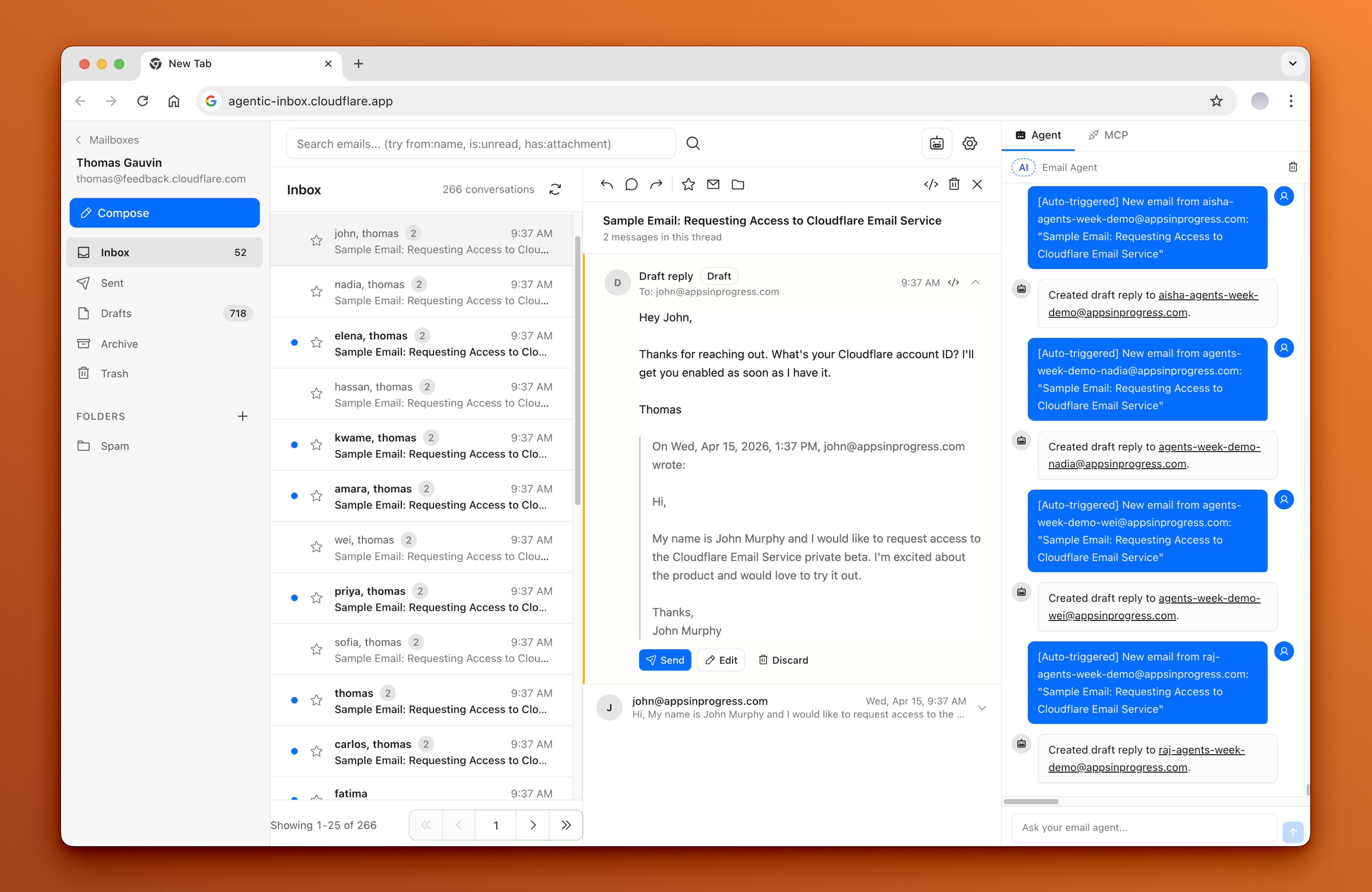
 Agentic Inbox is a self-hosted email client with a built-in AI agent that runs entirely on your own Cloudflare account, using Cloudflare Workers, Durable Objects, R2 storage, and Workers AI.
Agentic Inbox is a self-hosted email client with a built-in AI agent that runs entirely on your own Cloudflare account, using Cloudflare Workers, Durable Objects, R2 storage, and Workers AI.How do I get it running?Click the 'Deploy to Cloudflare' button, which auto-provisions R2, Durable Objects, and Workers AI, then you must manually finish the after-deploy steps: configure Cloudflare Access, set up an Email Routing catch-all rule, enable Email Service, and create a mailbox.
Click the 'Deploy to Cloudflare' button, which auto-provisions R2, Durable Objects, and Workers AI, then you must manually finish the after-deploy steps: configure Cloudflare Access, set up an Email Routing catch-all rule, enable Email Service, and create a mailbox.What do I need before deploying this?A Cloudflare account with your own domain, Email Routing enabled for receiving, Email Service enabled for sending, and Workers AI enabled so the agent can run.
A Cloudflare account with your own domain, Email Routing enabled for receiving, Email Service enabled for sending, and Workers AI enabled so the agent can run.Does clicking 'Deploy to Cloudflare' fully set it up?No -- deploying only provisions the infrastructure. You still have to follow the after-deploy steps and Cloudflare Access is enforced, so if it isn't configured the app will refuse to run in production.
No -- deploying only provisions the infrastructure. You still have to follow the after-deploy steps and Cloudflare Access is enforced, so if it isn't configured the app will refuse to run in production.Can anyone who passes my Cloudflare Access policy see every mailbox?Yes -- there's no per-mailbox authorization, so any user who passes the shared Access policy (including external AI tools connected via the /mcp endpoint) can access all mailboxes in the app.
Yes -- there's no per-mailbox authorization, so any user who passes the shared Access policy (including external AI tools connected via the /mcp endpoint) can access all mailboxes in the app.What can the built-in AI agent actually do?It has 9 email tools for reading, searching, drafting, and sending messages, and it automatically generates a draft reply for new inbound emails, always requiring explicit confirmation before actually sending.
It has 9 email tools for reading, searching, drafting, and sending messages, and it automatically generates a draft reply for new inbound emails, always requiring explicit confirmation before actually sending.Can I connect external AI tools like Claude Code or Cursor to my inbox?Yes -- the app runs an MCP server at /mcp, so external AI tools can connect and operate on any mailbox by passing a mailboxId parameter.
Yes -- the app runs an MCP server at /mcp, so external AI tools can connect and operate on any mailbox by passing a mailboxId parameter.Why does each mailbox get its own Durable Object?For isolation: every mailbox runs in its own Durable Object with its own SQLite database, while attachments are stored separately in R2.
For isolation: every mailbox runs in its own Durable Object with its own SQLite database, while attachments are stored separately in R2.Which AI model powers the agent?The agent is built with the Cloudflare Agents SDK and uses the Workers AI model @cf/moonshotai/kimi-k2.5.
The agent is built with the Cloudflare Agents SDK and uses the Workers AI model @cf/moonshotai/kimi-k2.5.What are similar projects?codflow, DoulorCloud, company-brain, crm, talorys, moltworker, emdash, cloudflare-os
codflow, DoulorCloud, company-brain, crm, talorys, moltworker, emdash, cloudflare-osWhich topics is it in?jwt, cloudflare-workers, serverless, storage, email, cloudflare, tailwindcss, authentication, sqlite, cloud, mcp-server, web-app
jwt, cloudflare-workers, serverless, storage, email, cloudflare, tailwindcss, authentication, sqlite, cloud, mcp-server, web-app