


 , reach out directly to me (do not open an issue on GitHub)


24.3K ·GitHub
What is this?
 Social-Analyzer is an OSINT tool that searches and correlates a person's profile across roughly 1000 social media sites and websites, available as a CLI, an API, and a web app.
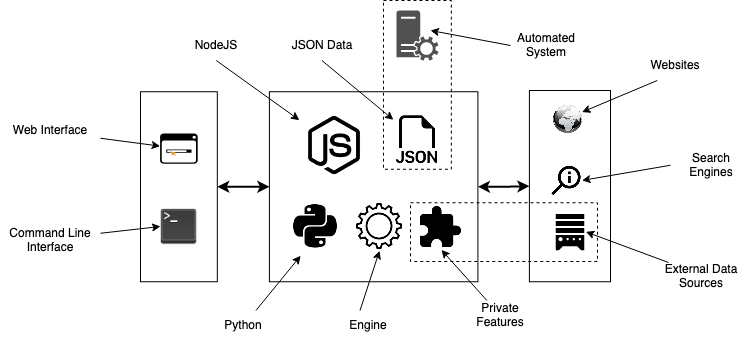
Social-Analyzer is an OSINT tool that searches and correlates a person's profile across roughly 1000 social media sites and websites, available as a CLI, an API, and a web app.Is this a CLI tool, an API, or a web app?It is all three: a Node.js web app with a GUI, a Node or Python CLI, and it can also be imported as a Python object or used via its API.
It is all three: a Node.js web app with a GUI, a Node or Python CLI, and it can also be imported as a Python object or used via its API.How do I get it running?Run it as a Node.js web app (`node app.js --gui`), use the Node or Python CLI, install it as a Python package/script, or spin up the faster 'Grid' mode with Docker Compose.
Run it as a Node.js web app (`node app.js --gui`), use the Node or Python CLI, install it as a Python package/script, or spin up the faster 'Grid' mode with Docker Compose.Do I need Node, Python, or Chrome installed?You need Node.js (>=20.18.1) and/or Python depending on which CLI you use, plus the latest Chrome browser and a webdriver (geckodriver) if you want profile screenshots.
You need Node.js (>=20.18.1) and/or Python depending on which CLI you use, plus the latest Chrome browser and a webdriver (geckodriver) if you want profile screenshots.Any big limitations I should know about?Profile/person age detection is explicitly called out as limited analysis, and some special detections (modules ending in -private) require contacting the author directly instead of filing a GitHub issue.
Profile/person age detection is explicitly called out as limited analysis, and some special detections (modules ending in -private) require contacting the author directly instead of filing a GitHub issue.Which operating systems does it support?It officially supports Linux, Windows, macOS, and Raspberry Pi, with multiple install methods documented in the project wiki.
It officially supports Linux, Windows, macOS, and Raspberry Pi, with multiple install methods documented in the project wiki.Is it safe to expose this as a public service?No - the author explicitly warns it has no access control and is meant to be run locally, not hosted as an online service.
No - the author explicitly warns it has no access control and is meant to be run locally, not hosted as an online service.Do I need a Google API key for this to work?No, Google/DuckDuckGo search lookups and custom search queries are optional extras for wider discovery; the core profile-finding features work without any API keys.
No, Google/DuckDuckGo search lookups and custom search queries are optional extras for wider discovery; the core profile-finding features work without any API keys.Can I search for a person using several usernames at once?Yes, you can pass multiple comma-separated usernames or names and the tool will use multi-profile search to correlate results across them.
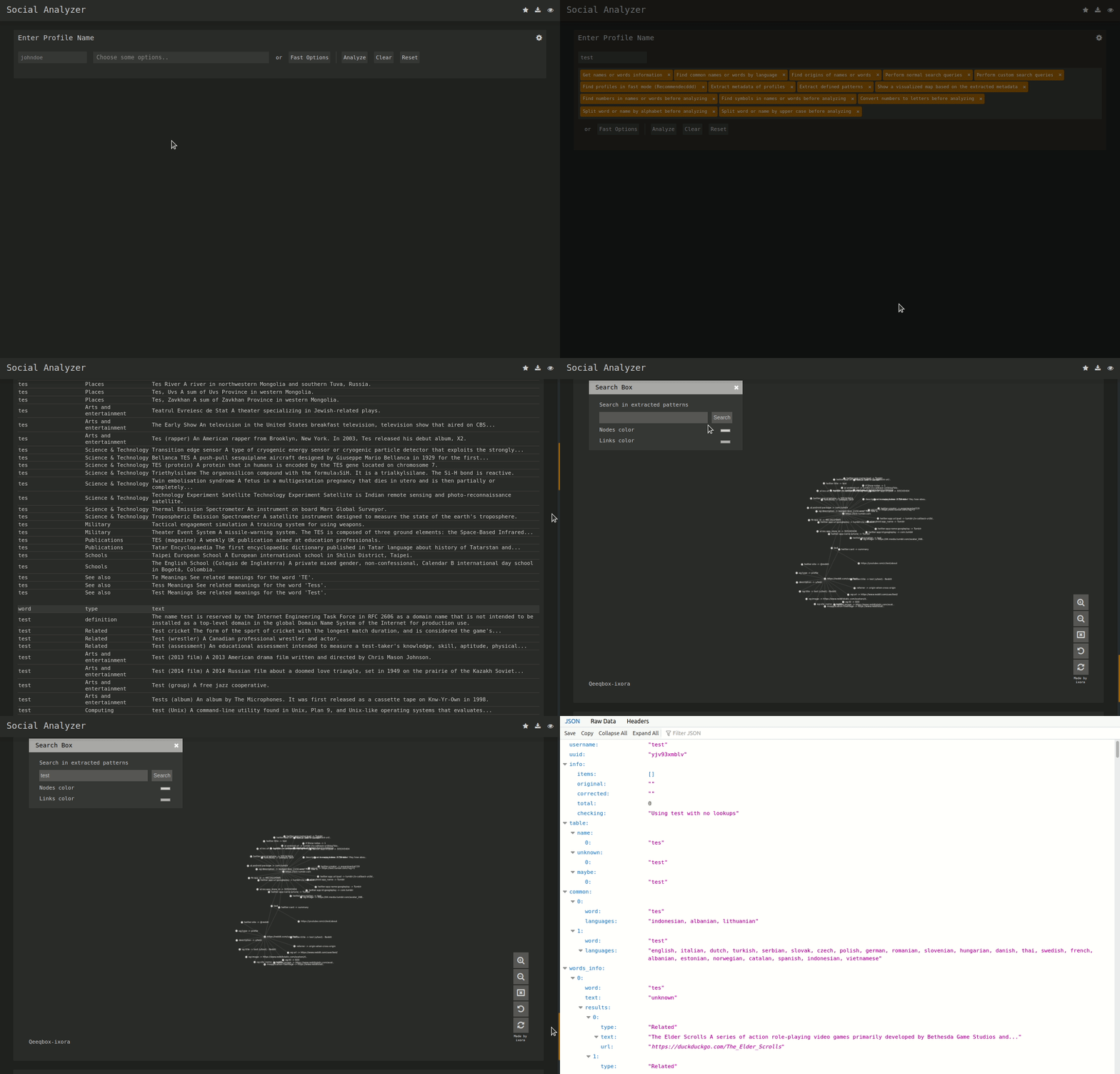
Yes, you can pass multiple comma-separated usernames or names and the tool will use multi-profile search to correlate results across them.What does the metadata graph and OCR add?It visualizes extracted metadata and patterns (ported from the QeeqBox OSINT project) as a force-directed graph, and runs OCR plus normal/advanced detection layers to confirm profile matches.
It visualizes extracted metadata and patterns (ported from the QeeqBox OSINT project) as a force-directed graph, and runs OCR plus normal/advanced detection layers to confirm profile matches.What are similar projects?maigret, theHarvester, Photon, sherlock, bbot, Osintgram, GHunt, Decepticon
maigret, theHarvester, Photon, sherlock, bbot, Osintgram, GHunt, DecepticonWhich topics is it in?analyzer, analysis, information-gathering, pentest, reconnaissance, social-media, screenshot, osint, raspberry-pi, pentesting, penetration-testing, ocr
analyzer, analysis, information-gathering, pentest, reconnaissance, social-media, screenshot, osint, raspberry-pi, pentesting, penetration-testing, ocr