kafka-ui README

The project's README from github.com/provectus/kafka-ui. As one markdown file: README.md.

UI for Apache Kafka logo UI for Apache Kafka 

Versatile, fast and lightweight web UI for managing Apache Kafka® clusters. Built by developers, for developers.


License UI for Apache Kafka Price Free Release version Chat with us Docker pulls

DOCS • QUICK START • COMMUNITY DISCORD
AWS Marketplace • ProductHunt

UI for Apache Kafka is a free, open-source web UI to monitor and manage Apache Kafka clusters.

UI for Apache Kafka is a simple tool that makes your data flows observable, helps find and troubleshoot issues faster and deliver optimal performance. Its lightweight dashboard makes it easy to track key metrics of your Kafka clusters - Brokers, Topics, Partitions, Production, and Consumption.

DISCLAIMER

UI for Apache Kafka is a free tool built and supported by the open-source community. Curated by Provectus, it will remain free and open-source, without any paid features or subscription plans to be added in the future. Looking for the help of Kafka experts? Provectus can help you design, build, deploy, and manage Apache Kafka clusters and streaming applications. Discover Professional Services for Apache Kafka, to unlock the full potential of Kafka in your enterprise!

Set up UI for Apache Kafka with just a couple of easy commands to visualize your Kafka data in a comprehensible way. You can run the tool locally or in the cloud.

Interface

Features

The Interface

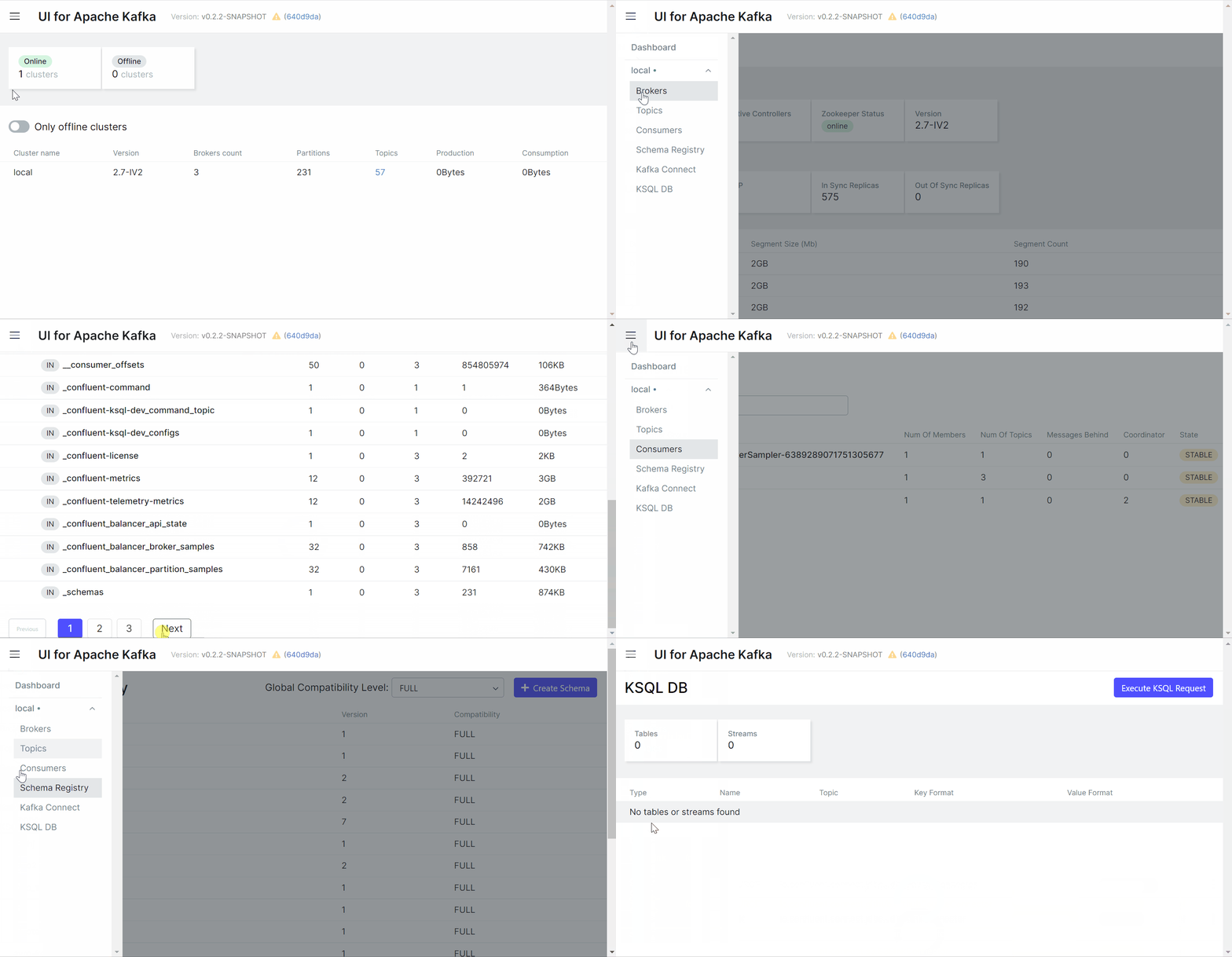
UI for Apache Kafka wraps major functions of Apache Kafka with an intuitive user interface.

Interface

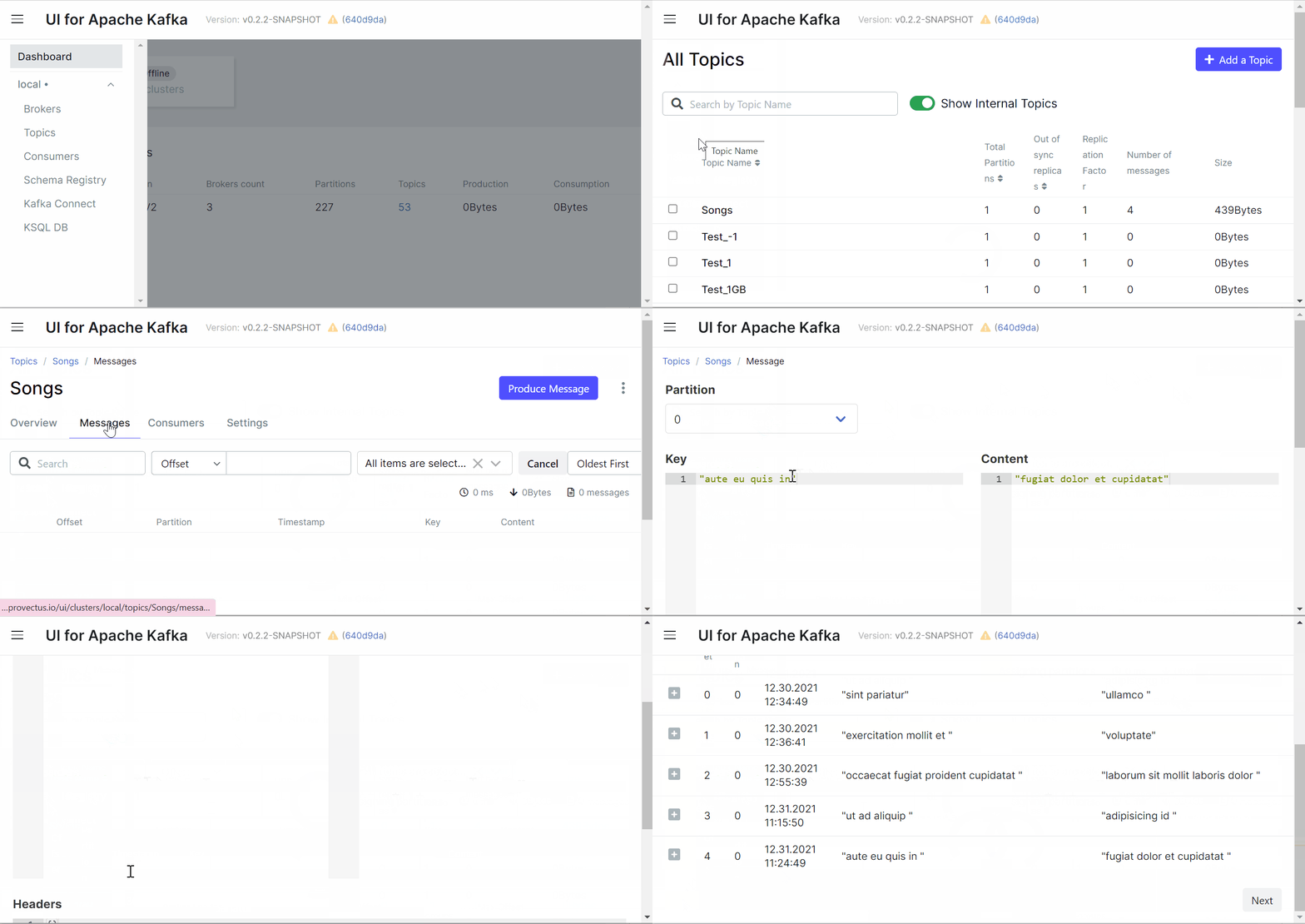
Topics

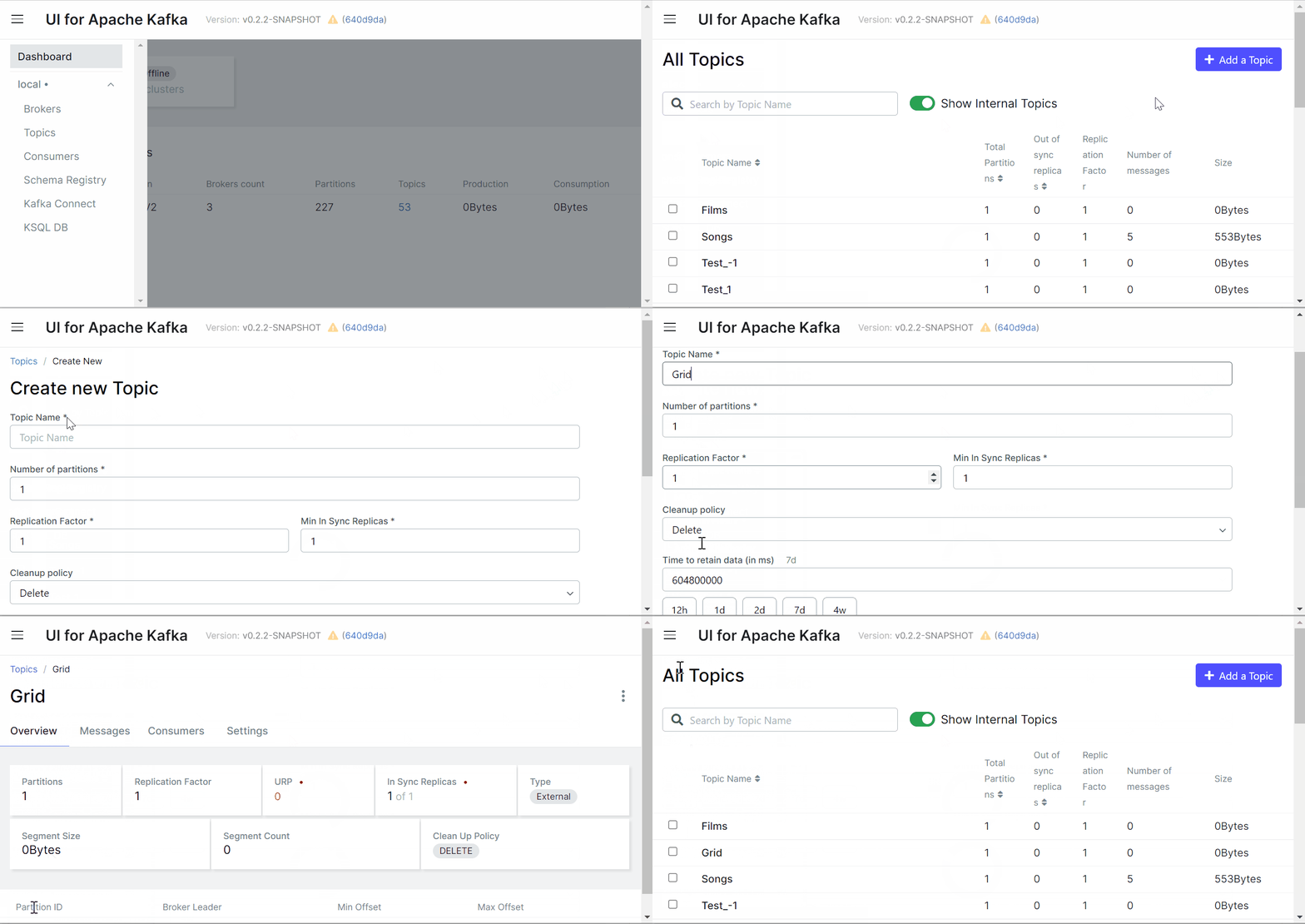
UI for Apache Kafka makes it easy for you to create topics in your browser by several clicks, pasting your own parameters, and viewing topics in the list.

Create Topic

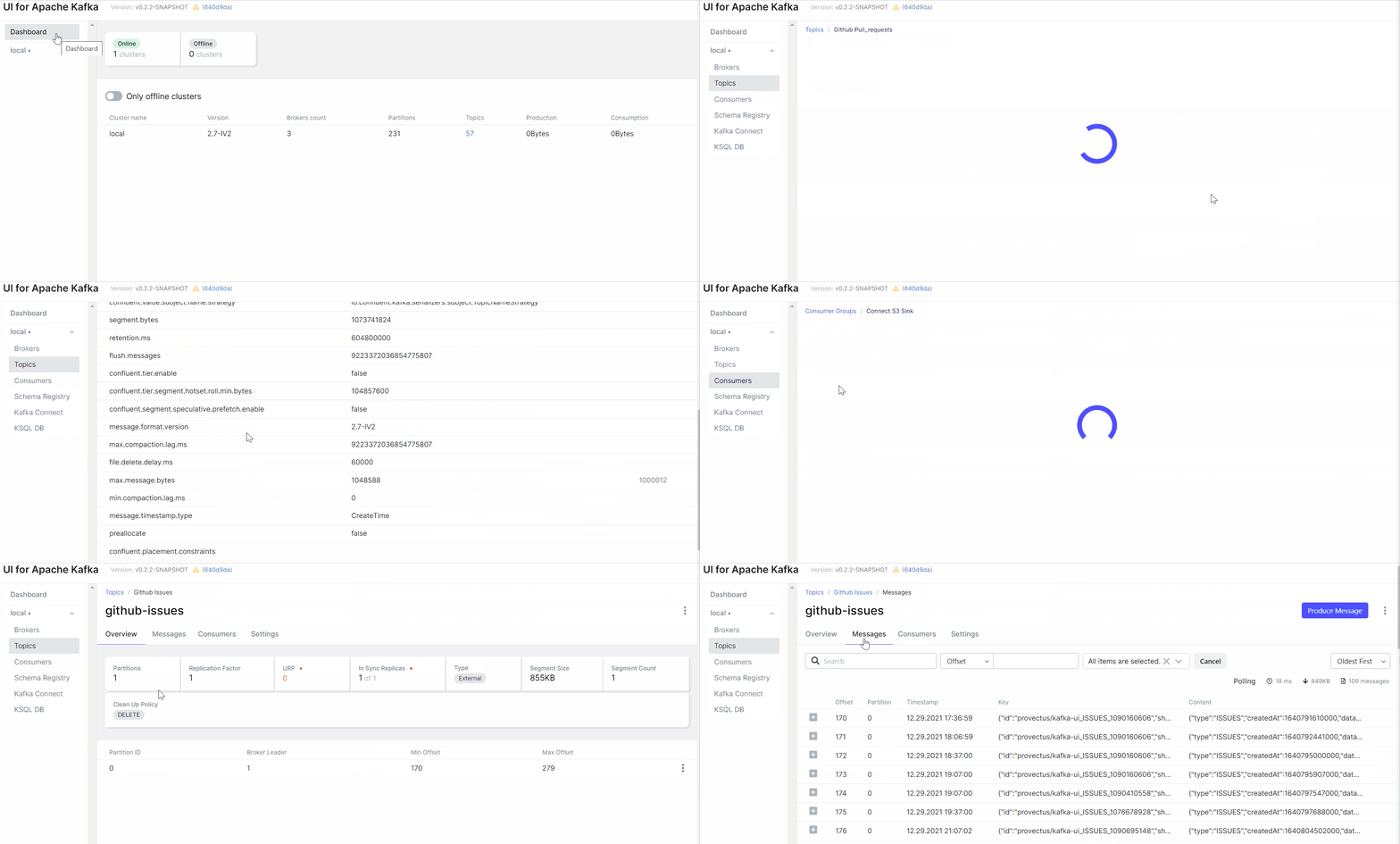
It's possible to jump from connectors view to corresponding topics and from a topic to consumers (back and forth) for more convenient navigation. connectors, overview topic settings.

Connector_Topic_Consumer

Messages

Let's say we want to produce messages for our topic. With the UI for Apache Kafka we can send or write data/messages to the Kafka topics without effort by specifying parameters, and viewing messages in the list.

Produce Message

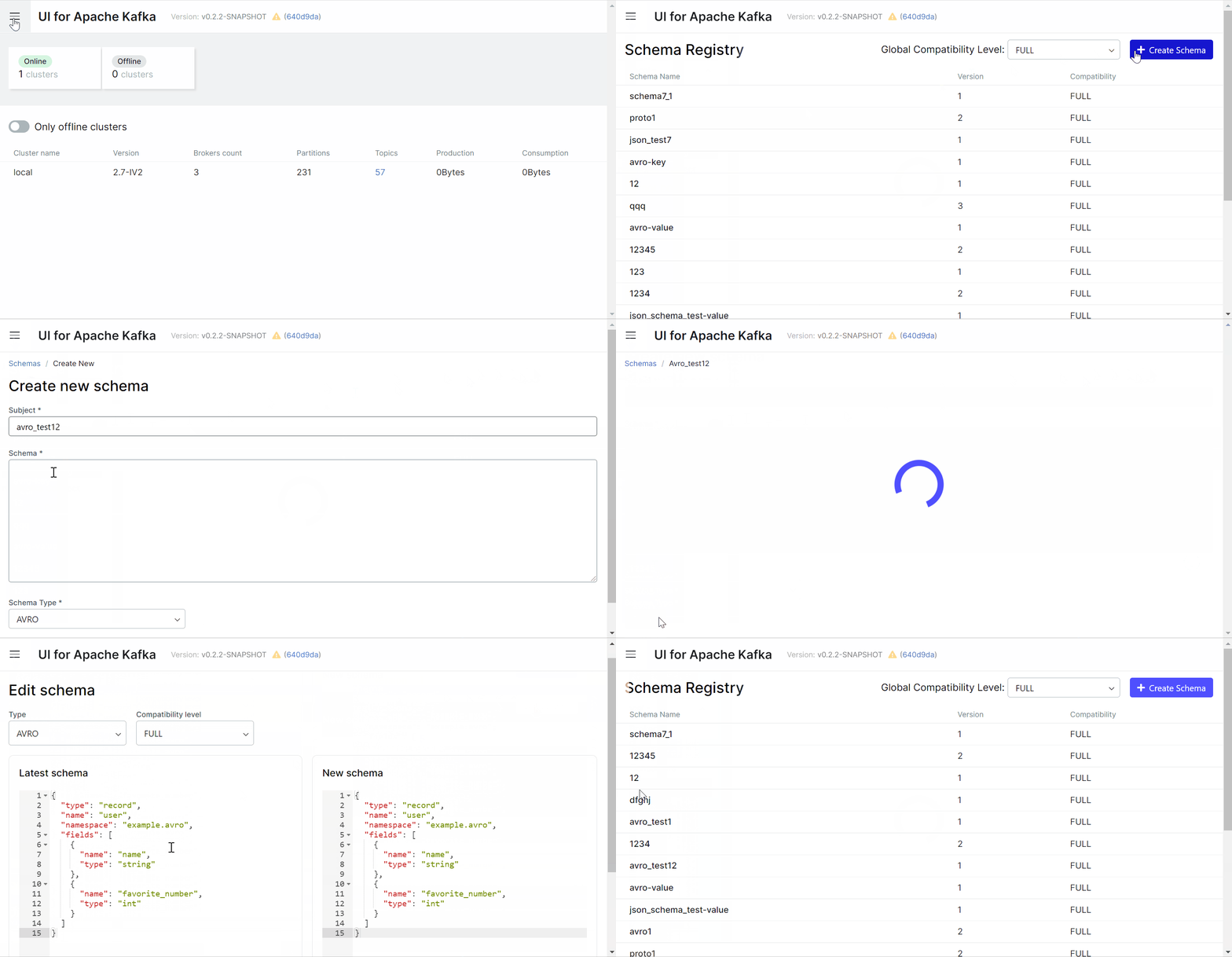
Schema registry

There are 3 supported types of schemas: Avro®, JSON Schema, and Protobuf schemas.

Create Schema Registry

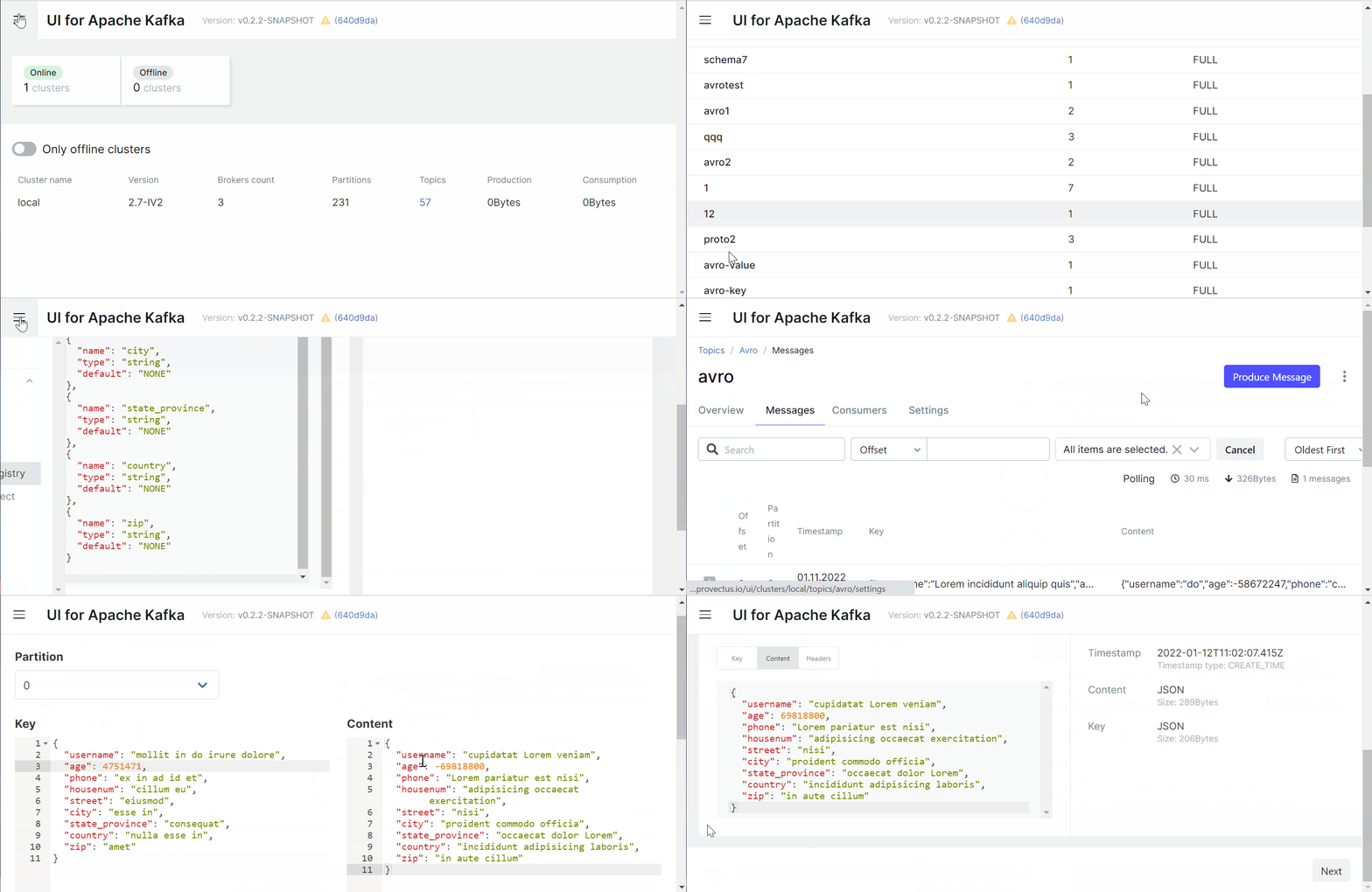
Before producing avro/protobuf encoded messages, you have to add a schema for the topic in Schema Registry. Now all these steps are easy to do with a few clicks in a user-friendly interface.

Avro Schema Topic

Getting Started

To run UI for Apache Kafka, you can use either a pre-built Docker image or build it (or a jar file) yourself.

Quick start (Demo run)

docker run -it -p 8080:8080 -e DYNAMIC_CONFIG_ENABLED=true provectuslabs/kafka-ui

Then access the web UI at http://localhost:8080

The command is sufficient to try things out. When you're done trying things out, you can proceed with a persistent installation

Persistent installation

services:
  kafka-ui:
    container_name: kafka-ui
    image: provectuslabs/kafka-ui:latest
    ports:
      - 8080:8080
    environment:
      DYNAMIC_CONFIG_ENABLED: 'true'
    volumes:
      - ~/kui/config.yml:/etc/kafkaui/dynamic_config.yaml

Please refer to our configuration page to proceed with further app configuration.

Web UI Cluster Configuration Wizard

Configuration file explanation

Docker Compose examples

Misc configuration properties

Helm charts

Quick start

Building from sources

Quick start with building

Liveliness and readiness probes

Liveliness and readiness endpoint is at /actuator/health.
Info endpoint (build info) is located at /actuator/info.

Configuration options

All of the environment variables/config properties could be found here.

Contributing

Please refer to contributing guide, we'll guide you from there.

kafka-ui (provectus/kafka-ui)

Searching Database…

12.3K ·GitHub
这是什么?一个免费开源的 Apache Kafka 集群监控和管理网页界面——一个轻量级控制台,让你能清楚看到数据流转情况,更快地发现和排查问题。由开发者打造,为开发者服务。
它是需要注册使用的托管服务,还是我自己部署运行的东西?是你自己运行的:它是一个网页应用,用几条命令就能部署在本地或云上,然后在浏览器里管理你的 Kafka 集群。
我怎么把它跑起来?想快速体验,可以直接用预构建的 Docker 镜像;也可以自己从源码构建(或构建成 jar)。如果要长期使用,有配置页面可用,另外还提供 Docker Compose 示例和 Helm charts。
我需要已经有在运行的 Kafka 集群,还是它会帮我搭好?你需要把它连接到自己已有的集群——它是构建在 Kafka 之上的监控和管理层,本身并不是 Kafka 发行版。多个集群可以在同一个地方统一管理。
我能直接发送 Avro 或 Protobuf 消息吗?得先注册 schema 才行:在发送 Avro 或 Protobuf 编码的消息之前,必须先在 Schema Registry 里为对应的 topic 添加 schema。支持 Avro、JSON Schema 和 Protobuf 这几种 schema 类型。
我可以给它加上访问控制,还是任何拿到网址的人都能访问?可以做好安全防护:支持通过 GitHub、GitLab 或 Google 进行可选的 OAuth 2.0 登录,提供带细粒度权限的基于角色的访问控制,还能对 topic 消息中的敏感数据做脱敏处理。
这些功能以后会不会变成付费的?不会——它采用 Apache-2.0 许可证,维护者承诺永远保持免费开源,不会增加付费功能或订阅套餐。Provectus 只围绕它销售单独的 Kafka 专业服务。
通过这个界面,我对 topic 和消息到底能做些什么?几次点击就能创建 topic 并进行动态配置;浏览以 JSON、纯文本或 Avro 编码的消息;查看各分区的消费组延迟;还能在 connector、topic 和消费者之间来回跳转浏览。
指标面板都监控哪些内容?关键 Kafka 指标——broker、topic、分区、生产与消费情况——都呈现在一个轻量级面板里,目的是让集群状态一目了然,加快问题排查。
我的消息用的是自定义格式,支持吗?支持,通过自定义序列化/反序列化插件实现:既有 AWS Glue、Smile 这类现成的 serde 可直接使用,也可以自己动手编写。
有没有适合 Kubernetes 的部署方式?有——这个项目除了 Docker Compose 示例,还提供 Helm charts,并在 /actuator/health 暴露存活/就绪探针,方便编排系统使用。
What are similar projects?debezium, kafka, CMAK, emqx, rocketmq, doris, automq, zipkin
Creator
provectus
Size
29.7 MB
Stars
12.3K
Age
6y
Commits · 90 Days