







33.1K ·GitHub
Что это такое?
 react-three-fiber — это React-рендерер для Three.js: вы собираете 3D-сцены декларативно, из переиспользуемых самодостаточных компонентов, которые реагируют на состояние, легко делают сцену интерактивной и встраиваются во всю экосистему React.
react-three-fiber — это React-рендерер для Three.js: вы собираете 3D-сцены декларативно, из переиспользуемых самодостаточных компонентов, которые реагируют на состояние, легко делают сцену интерактивной и встраиваются во всю экосистему React.Так это замена Three.js или надстройка над ним?Тонкая надстройка: это React-рендерер, такой же, как react-dom или react-native. Он описывает Three.js в JSX — элемент mesh в вашей разметке динамически превращается в новый THREE.Mesh().
Тонкая надстройка: это React-рендерер, такой же, как react-dom или react-native. Он описывает Three.js в JSX — элемент mesh в вашей разметке динамически превращается в новый THREE.Mesh().Как добавить его в проект?Установите npm-пакет @react-three/fiber вместе с three: версия 8 работает с React 18, версия 9 — с React 19. Есть ещё стартер create-r3f-app на Next.js.
Установите npm-пакет @react-three/fiber вместе с three: версия 8 работает с React 18, версия 9 — с React 19. Есть ещё стартер create-r3f-app на Next.js.Нужно ли знать React и Three.js, прежде чем им пользоваться?Да — в README прямо сказано, что нужно разбираться и в том, и в другом. Это значит React, особенно хуки, и основы Three.js: сцены, камеры, меши, геометрию и материалы.
Да — в README прямо сказано, что нужно разбираться и в том, и в другом. Это значит React, особенно хуки, и основы Three.js: сцены, камеры, меши, геометрию и материалы.Есть ли ограничения по сравнению с чистым Three.js?Нет — всё, что работает в Three.js, работает здесь без исключений. Новые возможности Three.js тоже становятся доступны сразу, без ожидания обновлений этой библиотеки.
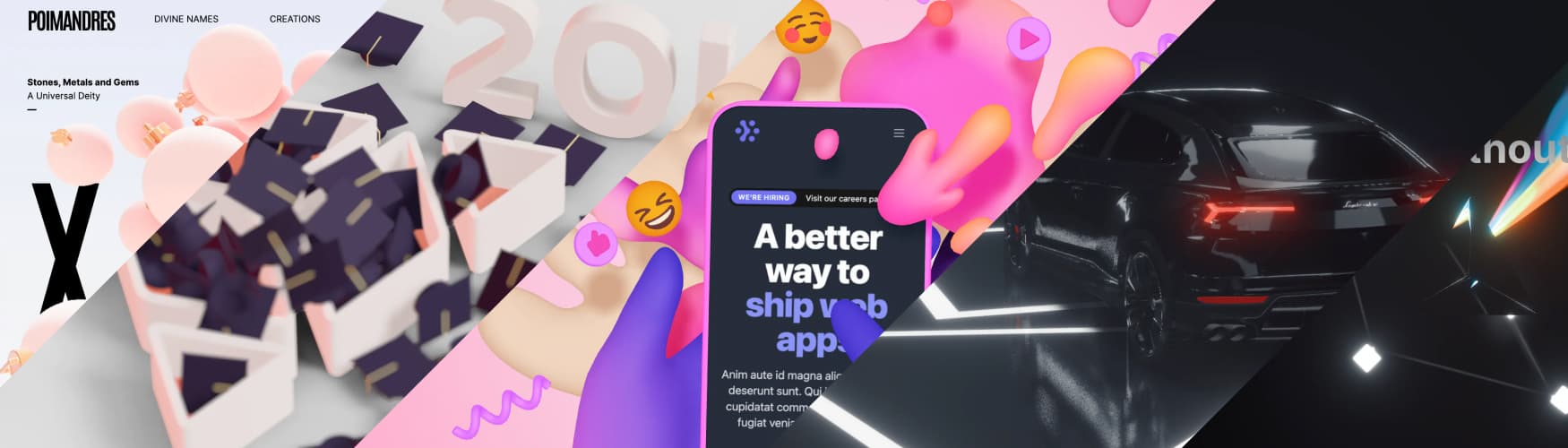
Нет — всё, что работает в Three.js, работает здесь без исключений. Новые возможности Three.js тоже становятся доступны сразу, без ожидания обновлений этой библиотеки.Кто использует его в продакшене?Дизайн-агентства (Vercel, basement, studio freight, 14 islands, ueno), а также flux.ai (конструктор печатных плат), readyplayer.me (конфигуратор аватаров), Zillow, Genie от Lumalabs и несколько CAD-инструментов и 3D-редакторов.
Дизайн-агентства (Vercel, basement, studio freight, 14 islands, ueno), а также flux.ai (конструктор печатных плат), readyplayer.me (конфигуратор аватаров), Zillow, Genie от Lumalabs и несколько CAD-инструментов и 3D-редакторов.Работает ли он вне браузера, например в React Native?Да, есть пример на React Native, построенный на React 18, — через expo-cli или проект на чистом react-native CLI. Использование useLoader или хелперов Drei вроде useGLTF может потребовать настройки Metro bundler для ваших ассетов.
Да, есть пример на React Native, построенный на React 18, — через expo-cli или проект на чистом react-native CLI. Использование useLoader или хелперов Drei вроде useGLTF может потребовать настройки Metro bundler для ваших ассетов.Что такое Drei?@react-three/drei — флагманский вспомогательный пакет экосистемы, в README его называют целой экосистемой. Он даёт готовые абстракции вроде useGLTF и useTexture для загрузки ассетов.
@react-three/drei — флагманский вспомогательный пакет экосистемы, в README его называют целой экосистемой. Он даёт готовые абстракции вроде useGLTF и useTexture для загрузки ассетов.Где документация и как лучше всего его освоить?Официальная документация находится на docs.pmnd.rs. В README советуют начинать с официальной документации React (особенно хуков) и документации Three.js, а отдельно выделяют курс Bruno Simon «Three.js Journey», где есть целая глава про react-three-fiber.
Официальная документация находится на docs.pmnd.rs. В README советуют начинать с официальной документации React (особенно хуков) и документации Three.js, а отдельно выделяют курс Bruno Simon «Three.js Journey», где есть целая глава про react-three-fiber.Можно ли редактировать сцены визуально, а не писать JSX?Да — triplex это визуальный редактор для react-three-fiber, а theatrejs тоже указан как редактор в разделе экосистемы.
Да — triplex это визуальный редактор для react-three-fiber, а theatrejs тоже указан как редактор в разделе экосистемы.What are similar projects?threejs-architecture-effects, engine, Hermes3D, pixijs, three.js, WebGL-Fluid-Simulation, million, Jelly-Baby
threejs-architecture-effects, engine, Hermes3D, pixijs, three.js, WebGL-Fluid-Simulation, million, Jelly-BabyWhich topics is it in?renderer, declarative, physics, jsx, computer-graphics, threejs, state-management, webgl, react-native, rendering, graphics, 3d
renderer, declarative, physics, jsx, computer-graphics, threejs, state-management, webgl, react-native, rendering, graphics, 3d