



What is this?
 An interactive, open-source graphing library for Python: you describe charts in Python code and get interactive figures rendered in the browser.
An interactive, open-source graphing library for Python: you describe charts in Python code and get interactive figures rendered in the browser.Is it a Python package I import, or something I host — how do the charts actually get drawn?It's a Python library you import. Under the hood it is a high-level, declarative layer over plotly.js, which renders the charts in the browser.
It's a Python library you import. Under the hood it is a high-level, declarative layer over plotly.js, which renders the charts in the browser.How do I add it to a project?Run pip install plotly (conda works too) — that's the whole quickstart, and the Python documentation has more examples.
Run pip install plotly (conda works too) — that's the whole quickstart, and the Python documentation has more examples.Do I need anything extra to use it inside Jupyter?Only for interactive widget support: install the jupyter and anywidget packages alongside plotly, via pip or conda.
Only for interactive widget support: install the jupyter and anywidget packages alongside plotly, via pip or conda.If I want to export a chart as a static image, does that just work?Not quite out of the box: export needs the kaleido package (v1.0+), and Kaleido requires Chrome or Chromium — if none is found on your system, install it with the plotlygetchrome command.
Not quite out of the box: export needs the kaleido package (v1.0+), and Kaleido requires Chrome or Chromium — if none is found on your system, install it with the plotlygetchrome command.Do I have to live in Jupyter, or where else do the charts work?Beyond Jupyter, graphs can be viewed in other notebook software such as marimo, saved as standalone HTML files, or integrated into Dash applications.
Beyond Jupyter, graphs can be viewed in other notebook software such as marimo, saved as standalone HTML files, or integrated into Dash applications.Is it free to use, including in commercial work?Yes — plotly.py is MIT licensed; the code is copyright Plotly, Inc. and the docs are under Creative Commons.
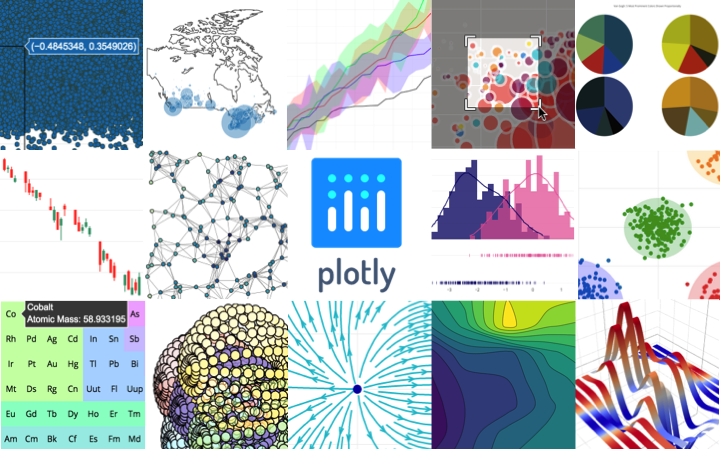
Yes — plotly.py is MIT licensed; the code is copyright Plotly, Inc. and the docs are under Creative Commons.What kinds of charts can it actually draw?Over 30 chart types ship with plotly.js: scientific charts, 3D graphs, statistical charts, SVG maps, financial charts, and more.
Over 30 chart types ship with plotly.js: scientific charts, 3D graphs, statistical charts, SVG maps, financial charts, and more.Does the company behind it offer paid help?Yes. Plotly, Inc. offers consulting, dashboard development, application integration, and feature additions via the contact link in the README.
Yes. Plotly, Inc. offers consulting, dashboard development, application integration, and feature additions via the contact link in the README.Is it actively maintained?Yes — the README copyright notice reads 2026, and the repo runs CI workflows for docs builds, package builds, changelog, codegen and formatting checks.
Yes — the README copyright notice reads 2026, and the repo runs CI workflows for docs builds, package builds, changelog, codegen and formatting checks.What are similar projects?plotly.js, G2, aetherviz-master, dash, pygwalker, altair, flint-chart, bokeh
plotly.js, G2, aetherviz-master, dash, pygwalker, altair, flint-chart, bokehWhich topics is it in?plotly, d3, charting-library, declarative, scientific-computing, jupyter-notebook, interactive, charts, webgl, python-library, visualization, data-visualization
plotly, d3, charting-library, declarative, scientific-computing, jupyter-notebook, interactive, charts, webgl, python-library, visualization, data-visualization