



14.6K ·GitHub
这是什么?
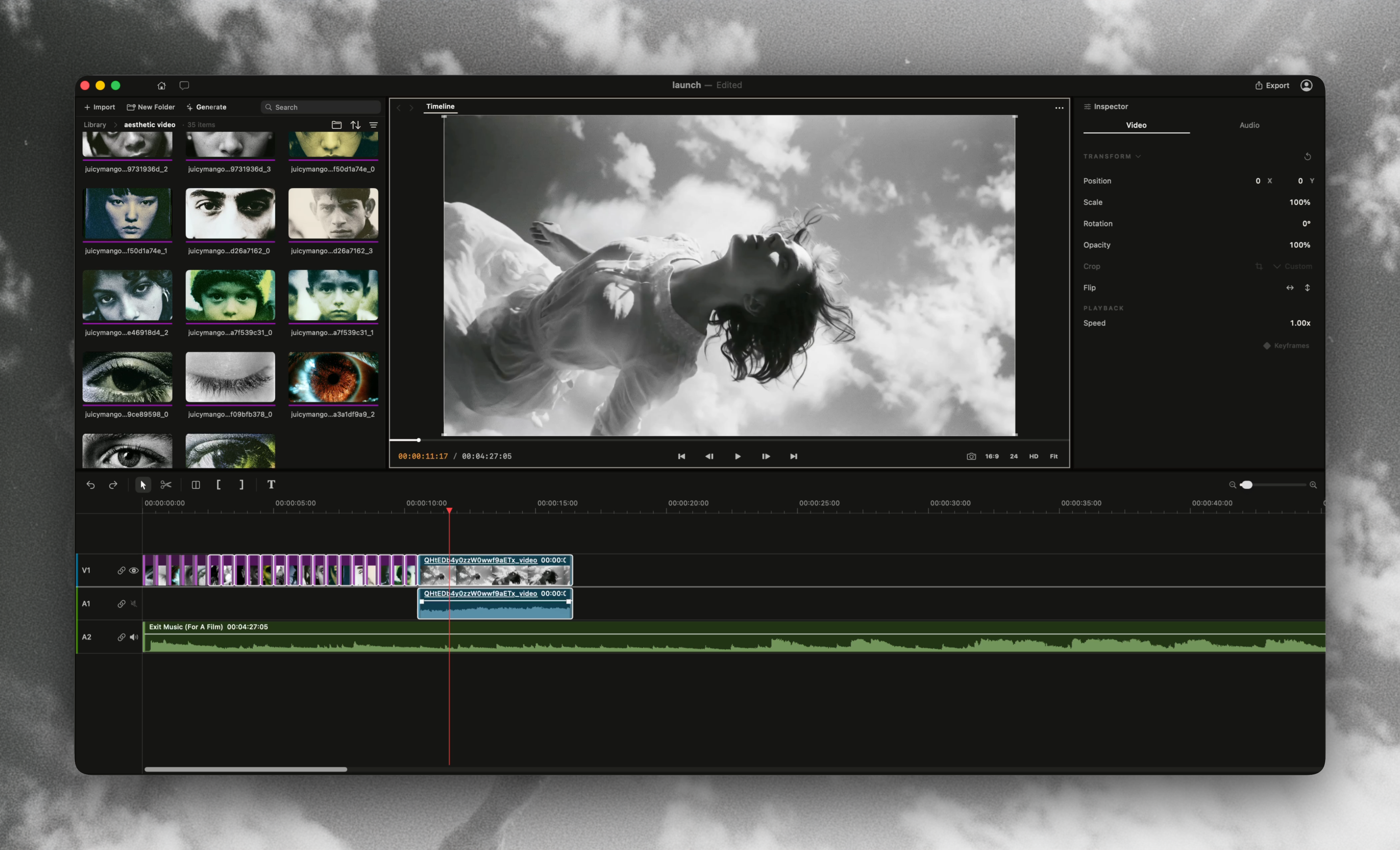
 Palmier Pro 是一款专为 AI 打造的原生 macOS 视频剪辑软件,内置生成式视频和图像模型,并支持 MCP,让 AI 智能体可以直接在时间线上创作和编辑。
Palmier Pro 是一款专为 AI 打造的原生 macOS 视频剪辑软件,内置生成式视频和图像模型,并支持 MCP,让 AI 智能体可以直接在时间线上创作和编辑。它是像 Premiere Pro 那样的完整剪辑软件,还是更像一个插件?它是一款独立的原生 Swift 桌面视频剪辑软件,从零开始构建,以 Premiere Pro 的工作流程为参考,AI 生成功能直接集成在时间线中,而不是以插件形式外挂。
它是一款独立的原生 Swift 桌面视频剪辑软件,从零开始构建,以 Premiere Pro 的工作流程为参考,AI 生成功能直接集成在时间线中,而不是以插件形式外挂。我怎样才能让它运行起来?你需要安装通过本仓库 releases 分发的 macOS 应用二进制文件;应用打开后,还会提供一个 MCP 服务器,可以在 Help -> MCP Instructions 中启用。
你需要安装通过本仓库 releases 分发的 macOS 应用二进制文件;应用打开后,还会提供一个 MCP 服务器,可以在 Help -> MCP Instructions 中启用。任何 Mac 都能运行它吗?不能。它只能在搭载 Apple 芯片(M 系列)、运行 macOS 26(Tahoe)或更高版本的 Mac 上运行;不支持 Intel 芯片的 Mac。
不能。它只能在搭载 Apple 芯片(M 系列)、运行 macOS 26(Tahoe)或更高版本的 Mac 上运行;不支持 Intel 芯片的 Mac。Palmier Pro 完全开源吗?只有截至 v0.7.6 的历史版本(源代码直到 'last-gpl-source' 标签为止)以 GPLv3 发布;此后的每个二进制发布版都是专有软件,源代码未公开。
只有截至 v0.7.6 的历史版本(源代码直到 'last-gpl-source' 标签为止)以 GPLv3 发布;此后的每个二进制发布版都是专有软件,源代码未公开。我可以用哪些 AI 模型在时间线里生成视频?Palmier Pro 内置 Seedance、Kling、Nano Banana Pro 等最先进的生成模型,让你可以直接在时间线编辑器里生成视频和图像。
Palmier Pro 内置 Seedance、Kling、Nano Banana Pro 等最先进的生成模型,让你可以直接在时间线编辑器里生成视频和图像。Claude Code 这类编程智能体如何连接到我的项目?应用打开后,会通过 HTTP 提供一个 MCP 服务器,Claude Code、Codex 或 Cursor 都可以连接;你也可以通过 Help -> MCP Instructions 一键安装内置的 Claude Desktop 扩展。
应用打开后,会通过 HTTP 提供一个 MCP 服务器,Claude Code、Codex 或 Cursor 都可以连接;你也可以通过 Help -> MCP Instructions 一键安装内置的 Claude Desktop 扩展。AI 智能体能在应用里和我一起处理同一个项目吗?可以。除了通过 MCP 连接外部编程智能体,Palmier Pro 还内置了应用内智能体,可以和你一起处理同一个项目。
可以。除了通过 MCP 连接外部编程智能体,Palmier Pro 还内置了应用内智能体,可以和你一起处理同一个项目。What are similar projects?davinci-resolve-mcp, skills, mcp-for-blender, ohmygame, n8n-mcp, dramaclaw, gpt4free, openusage
davinci-resolve-mcp, skills, mcp-for-blender, ohmygame, n8n-mcp, dramaclaw, gpt4free, openusageWhich topics is it in?claude-desktop, video-editor, ai-video, discord, ai-tools, macos-app, editor, video-generation, model-context-protocol, image-generation, apple-silicon, artificial-intelligence
claude-desktop, video-editor, ai-video, discord, ai-tools, macos-app, editor, video-generation, model-context-protocol, image-generation, apple-silicon, artificial-intelligence