27.3K ·GitHub
What is this?
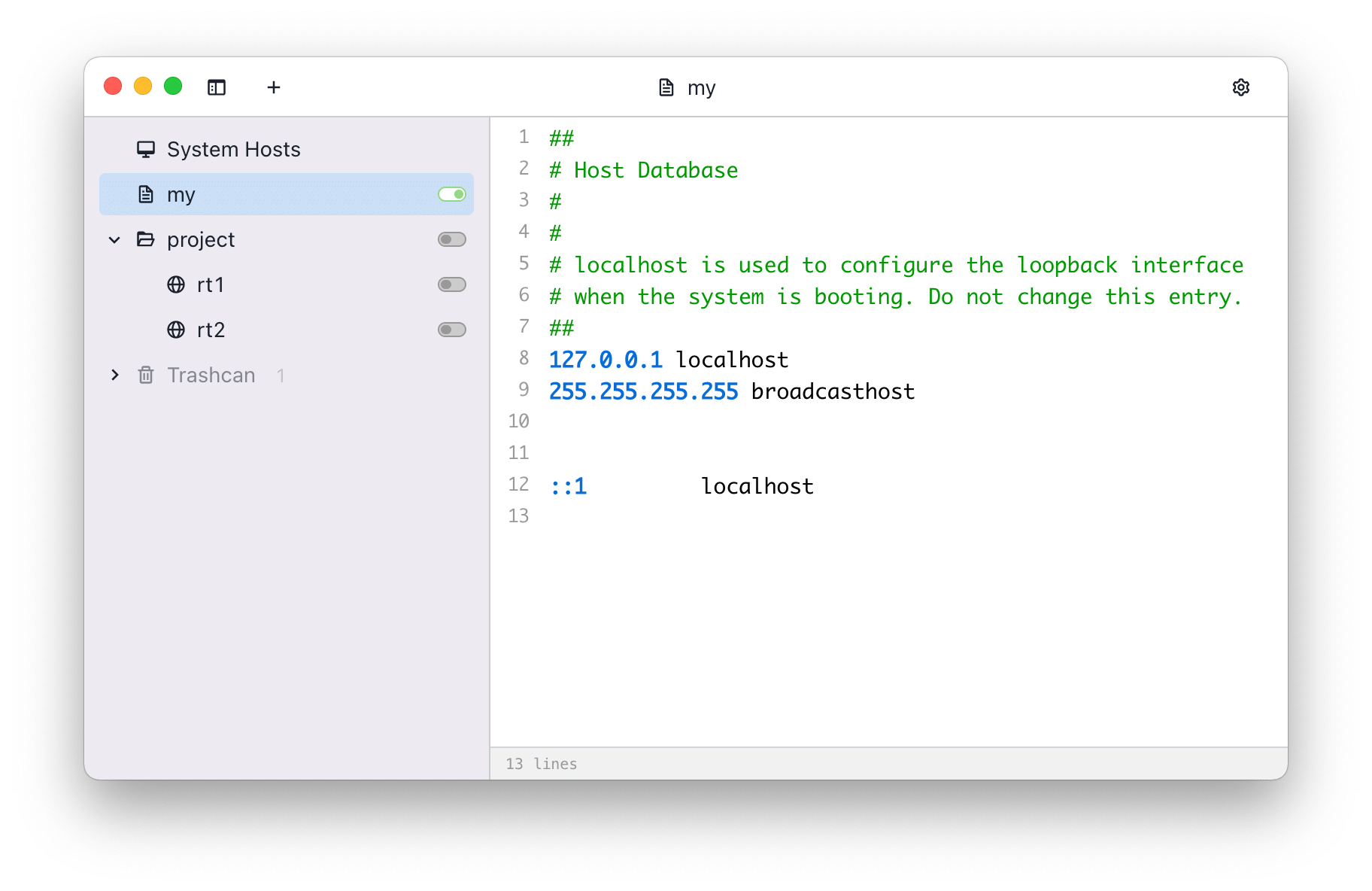
 SwitchHosts is a free, open-source desktop app for managing your hosts file: keep several hosts profiles and switch between them in one click from the main window or system tray.
SwitchHosts is a free, open-source desktop app for managing your hosts file: keep several hosts profiles and switch between them in one click from the main window or system tray.Is it a desktop app or a library I add to my project?A standalone desktop app, built on Tauri with a React, Jotai and Mantine UI — it sits in the system tray and manages the system hosts file. Nothing to add to a project.
A standalone desktop app, built on Tauri with a React, Jotai and Mantine UI — it sits in the system tray and manages the system hosts file. Nothing to add to a project.Do I need anything else on my machine to run it?Nothing extra — the downloaded app is self-contained. Node.js, Rust and Tauri system dependencies are only needed to build it from source.
Nothing extra — the downloaded app is self-contained. Node.js, Rust and Tauri system dependencies are only needed to build it from source.If I export my hosts data, does the export include everything?No — the in-app export is a hosts data JSON without preferences or histories. For a complete backup, copy the whole ~/.SwitchHosts folder.
No — the in-app export is a hosts data JSON without preferences or histories. For a complete backup, copy the whole ~/.SwitchHosts folder.Which systems can I run it on?Windows, macOS and Linux, from a single Tauri codebase; builds are on the GitHub releases page, with a Chocolatey package for Windows.
Windows, macOS and Linux, from a single Tauri codebase; builds are on the GitHub releases page, with a Chocolatey package for Windows.Where does SwitchHosts keep my hosts data?Locally, in ~/.SwitchHosts (.SwitchHosts in the user home folder on Windows): manifest.json for the hosts tree, entries/ for contents, trashcan.json for deleted entries.
Locally, in ~/.SwitchHosts (.SwitchHosts in the user home folder on Windows): manifest.json for the hosts tree, entries/ for contents, trashcan.json for deleted entries.Is it free to use?Yes — it is free and open source software released under the Apache 2.0 license.
Yes — it is free and open source software released under the Apache 2.0 license.What can it do beyond switching profiles on and off?Quite a lot: syntax highlighting for hosts files, find and replace across entries, remote hosts refreshed manually or on a schedule, import/export including backups from a URL, a trashcan with restore, and a local HTTP API.
Quite a lot: syntax highlighting for hosts files, find and replace across entries, remote hosts refreshed manually or on a schedule, import/export including backups from a URL, a trashcan with restore, and a local HTTP API.What is editing a hosts file inside it like?Like a code editor: hosts entries get syntax highlighting and find and replace, powered by CodeMirror, which is part of the app's dependencies.
Like a code editor: hosts entries get syntax highlighting and find and replace, powered by CodeMirror, which is part of the app's dependencies.Can I automate it, for example trigger switches from a script?Preferences include a local HTTP API and post-apply commands, so you can expose an HTTP endpoint and run commands after hosts entries are applied.
Preferences include a local HTTP API and post-apply commands, so you can expose an HTTP endpoint and run commands after hosts entries are applied.Why does building it require Rust if the app is written in TypeScript?The interface is TypeScript/React, but the desktop shell is Tauri, whose native backend is Rust code in src-tauri — that is why Node.js and Rust are both build prerequisites.
The interface is TypeScript/React, but the desktop shell is Tauri, whose native backend is Rust code in src-tauri — that is why Node.js and Rust are both build prerequisites.What are similar projects?omnyssh, PakePlus, clash-verge, etcher, PakePlus-Win7, DevToys, ooosplat, iloader
omnyssh, PakePlus, clash-verge, etcher, PakePlus-Win7, DevToys, ooosplat, iloaderWhich topics is it in?click, hosts, remote, syntax-highlighting, tauri, editor, sysadmin, electron, utility, networking, rust, productivity
click, hosts, remote, syntax-highlighting, tauri, editor, sysadmin, electron, utility, networking, rust, productivity