Dear ImGui
"Give someone state and they'll have a bug one day, but teach them how to represent state in two separate locations that have to be kept in sync and they'll have bugs for a lifetime." -ryg



(This library is available under a free and permissive license, but needs financial support to sustain its continued improvements. In addition to maintenance and stability there are many desirable features yet to be added. If your company is using Dear ImGui, please consider reaching out.)
Businesses: support continued development and maintenance via invoiced sponsoring/support contracts:
E-mail: contact @ dearimgui dot com
Individuals: support continued development and maintenance here. Also see Funding page.
The Pitch
Dear ImGui is a bloat-free graphical user interface library for C++. It outputs optimized vertex buffers that you can render anytime in your 3D-pipeline-enabled application. It is fast, portable, renderer agnostic, and self-contained (no external dependencies).
Dear ImGui is designed to enable fast iterations and to empower programmers to create content creation tools and visualization / debug tools (as opposed to UI for the average end-user). It favors simplicity and productivity toward this goal and lacks certain features commonly found in more high-level libraries. Among other things, full internationalization (right-to-left text, bidirectional text, text shaping etc.) and accessibility features are not supported.
Dear ImGui is particularly suited to integration in game engines (for tooling), real-time 3D applications, fullscreen applications, embedded applications, or any applications on console platforms where operating system features are non-standard.
- Minimize state synchronization.
- Minimize UI-related state storage on user side.
- Minimize setup and maintenance.
- Easy to use to create dynamic UI which are the reflection of a dynamic data set.
- Easy to use to create code-driven and data-driven tools.
- Easy to use to create ad hoc short-lived tools and long-lived, more elaborate tools.
- Easy to hack and improve.
- Portable, minimize dependencies, run on target (consoles, phones, etc.).
- Efficient runtime and memory consumption.
- Battle-tested, used by many major actors in the game industry.
Usage
The core of Dear ImGui is self-contained within a few platform-agnostic files which you can easily compile in your application/engine. They are all the files in the root folder of the repository (imgui*.cpp, imgui*.h). No specific build process is required: you can add all files into your existing project.
Backends for a variety of graphics API and rendering platforms are provided in the backends/ folder, along with example applications in the examples/ folder. You may also create your own backend. Anywhere where you can render textured triangles, you can render Dear ImGui.
C++20 users wishing to use a module may use the stripe2933/imgui-module third-party extension.
See the Getting Started & Integration section of this document for more details.
After Dear ImGui is set up in your application, you can use it from _anywhere_ in your program loop:
ImGui::Text("Hello, world %d", 123);
if (ImGui::Button("Save"))
    MySaveFunction();
ImGui::InputText("string", buf, IM_COUNTOF(buf));
ImGui::SliderFloat("float", &f, 0.0f, 1.0f);


// Create a window called "My First Tool", with a menu bar.
ImGui::Begin("My First Tool", &my_tool_active, ImGuiWindowFlags_MenuBar);
if (ImGui::BeginMenuBar())
{
    if (ImGui::BeginMenu("File"))
    {
        if (ImGui::MenuItem("Open..", "Ctrl+O")) { /* Do stuff */ }
        if (ImGui::MenuItem("Save", "Ctrl+S"))   { /* Do stuff */ }
        if (ImGui::MenuItem("Close", "Ctrl+W"))  { my_tool_active = false; }
        ImGui::EndMenu();
    }
    ImGui::EndMenuBar();
}

// Edit a color stored as 4 floats
ImGui::ColorEdit4("Color", my_color);

// Generate samples and plot them
float samples[100];
for (int n = 0; n < 100; n++)
    samples[n] = sinf(n * 0.2f + ImGui::GetTime() * 1.5f);
ImGui::PlotLines("Samples", samples, 100);

// Display contents in a scrolling region
ImGui::TextColored(ImVec4(1,1,0,1), "Important Stuff");
ImGui::BeginChild("Scrolling");
for (int n = 0; n < 50; n++)
    ImGui::Text("%04d: Some text", n);
ImGui::EndChild();
ImGui::End();

Dear ImGui allows you to create elaborate tools as well as very short-lived ones. On the extreme side of short-livedness: using the Edit&Continue (hot code reload) feature of modern compilers you can add a few widgets to tweak variables while your application is running, and remove the code a minute later! Dear ImGui is not just for tweaking values. You can use it to trace a running algorithm by just emitting text commands. You can use it along with your own reflection data to browse your dataset live. You can use it to expose the internals of a subsystem in your engine, to create a logger, an inspection tool, a profiler, a debugger, an entire game-making editor/framework, etc.
How it works
The IMGUI paradigm through its API tries to minimize superfluous state duplication, state synchronization, and state retention from the user's point of view. It is less error-prone (less code and fewer bugs) than traditional retained-mode interfaces, and lends itself to creating dynamic user interfaces. Check out the Wiki's About the IMGUI paradigm section for more details.
Dear ImGui outputs vertex buffers and command lists that you can easily render in your application. The number of draw calls and state changes required to render them is fairly small. Because Dear ImGui doesn't know or touch graphics state directly, you can call its functions anywhere in your code (e.g. in the middle of a running algorithm, or in the middle of your own rendering process). Refer to the sample applications in the examples/ folder for instructions on how to integrate Dear ImGui with your existing codebase.
A common misunderstanding is to mistake immediate mode GUI for immediate mode rendering, which usually implies hammering your driver/GPU with a bunch of inefficient draw calls and state changes as the GUI functions are called. This is NOT what Dear ImGui does. Dear ImGui outputs vertex buffers and a small list of draw calls batches. It never touches your GPU directly. The draw call batches are decently optimal and you can render them later, in your app or even remotely.
Releases & Changelogs
See Releases page for decorated Changelogs.
Reading the changelogs is a good way to keep up to date with the things Dear ImGui has to offer, and maybe will give you ideas of some features that you've been ignoring until now!
Demo
Calling the ImGui::ShowDemoWindow() function will create a demo window showcasing a variety of features and examples. The code is always available for reference in imgui_demo.cpp.
You should be able to build the examples from sources. If you don't, let us know! If you want to have a quick look at some Dear ImGui features, you can download Windows binaries of the demo app here:
Gallery
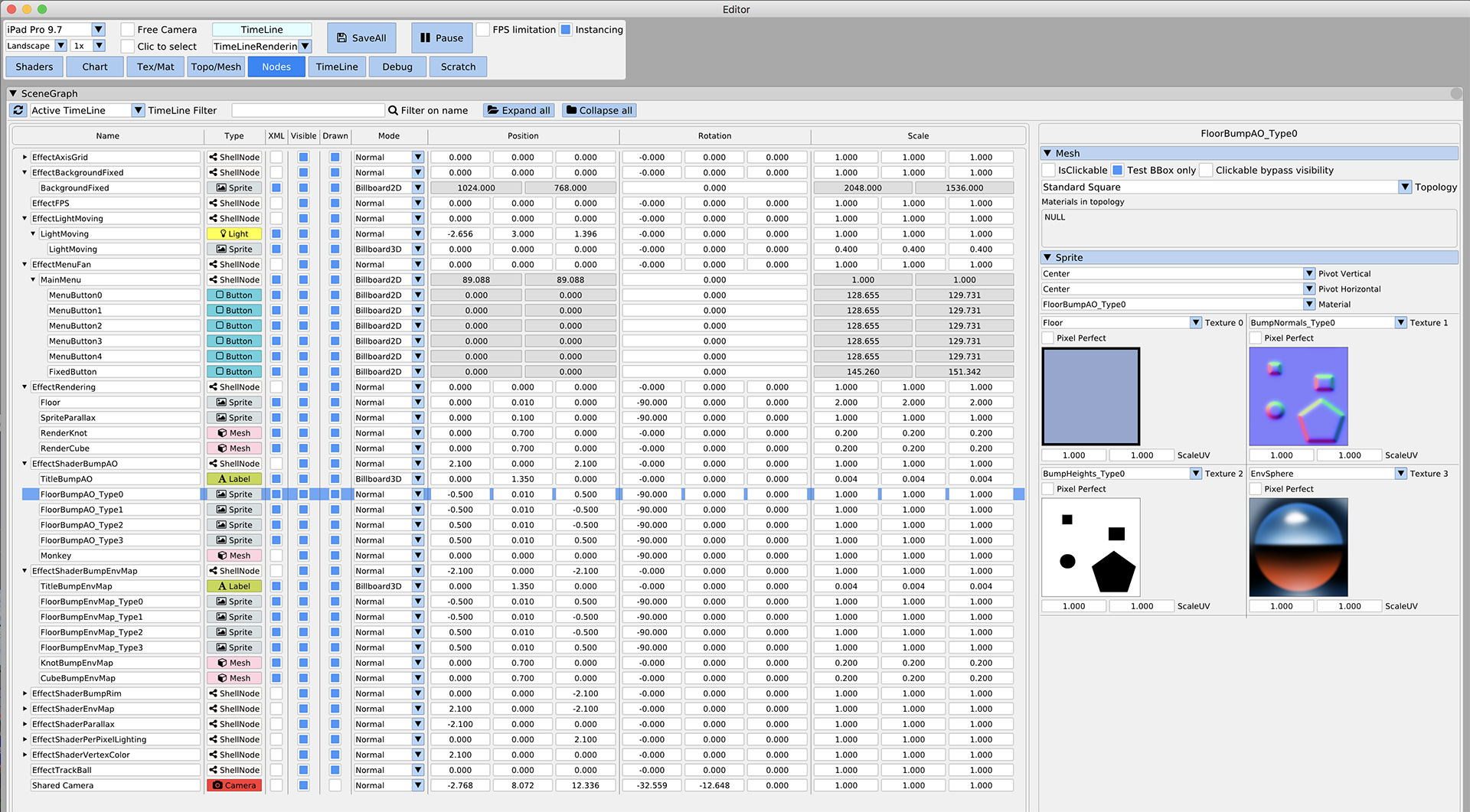
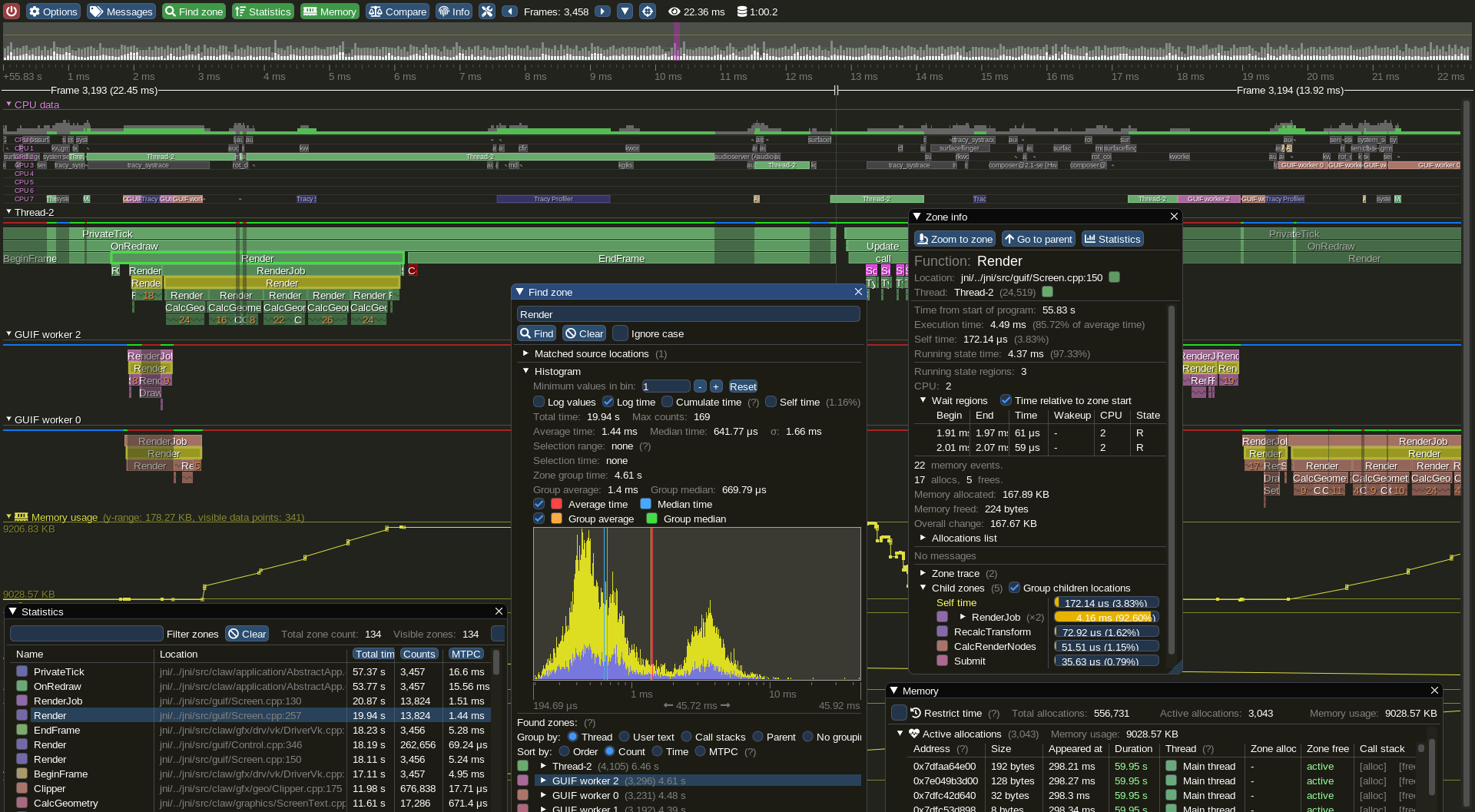
Examples projects using Dear ImGui: Tracy (profiler), ImHex (hex editor/data analysis), RemedyBG (debugger) and hundreds of others.
For more user-submitted screenshots of projects using Dear ImGui, check out the Gallery Threads!
For a list of third-party widgets and extensions, check out the Useful Extensions/Widgets wiki page.
Getting Started & Integration
See the Getting Started guide for details.
On most platforms and when using C++, you should be able to use a combination of the imgui_impl_xxxx backends without modification (e.g. imgui_impl_win32.cpp + imgui_impl_dx11.cpp). If your engine supports multiple platforms, consider using more imgui_impl_xxxx files instead of rewriting them: this will be less work for you, and you can get Dear ImGui running immediately. You can later decide to rewrite a custom backend using your custom engine functions if you wish so.
Integrating Dear ImGui within your custom engine is a matter of mainly 1) wiring mouse/keyboard/gamepad inputs 2) uploading a texture to your GPU/render engine 3) providing a render function that can create/update textures and render textured triangles. This is exactly what backends are doing.
- The examples/ folder is populated with applications setting up a window and using standard backends.
- The Getting Started guide has instructions to integrate imgui into an existing application using standard backends. It should in theory take you less than an hour to integrate Dear ImGui into your existing codebase where support libraries are linked. Less if you read carefully.
- The Backends guide explains what backends are doing, and has instructions to implement a custom backend. You can also refer to the source code of our ~20 backends to understand how they work.
- Generally, make sure to spend time reading the FAQ, comments, and the examples applications!
Officially maintained backends (in repository):
- Renderers: DirectX9, DirectX10, DirectX11, DirectX12, Metal 3/4, OpenGL/ES/ES2, SDL_GPU, SDL_Renderer2/3, Vulkan, WebGPU.
- Platforms: GLFW, SDL2/SDL3, Win32, Glut, OSX, Android.
- Frameworks: Allegro5, Emscripten.
Third-party backends/bindings wiki page:
- Languages: C, C# and: Beef, ChaiScript, CovScript, Crystal, D, Go, Haskell, Haxe/hxcpp, Java, JavaScript, Julia, Kotlin, Lobster, Lua, Nim, Odin, Pascal, PureBasic, Python, ReaScript, Ruby, Rust, Swift, Zig...
- Frameworks: AGS/Adventure Game Studio, Amethyst, Blender, bsf, Cinder, Cocos2d-x, Defold, Diligent Engine, Ebiten, Flexium, GML/Game Maker Studio, GLEQ, Godot, GTK3, Irrlicht Engine, JUCE, LÖVE+LUA, Mach Engine, Magnum, Marmalade, Monogame, NanoRT, nCine, Nim Game Lib, Nintendo 3DS/Switch/WiiU (homebrew), Ogre, openFrameworks, OSG/OpenSceneGraph, Orx, Photoshop, px_render, Qt/QtDirect3D, raylib, SFML, Sokol, Unity, Unreal Engine 4/5, UWP, vtk, VulkanHpp, VulkanSceneGraph, Win32 GDI, WxWidgets.
- Many bindings are auto-generated (by good old cimgui or our newer dear_bindings), you can use their metadata output to generate bindings for other languages.
Useful Extensions/Widgets wiki page:

- Automation/testing, Text editors, node editors, timeline editors, plotting, software renderers, remote network access, memory editors, gizmos, etc. Notable and well supported extensions include ImPlot, ImPlot3d and Dear ImGui Test Engine.
Also see Wiki for more links and ideas.
Support, Frequently Asked Questions (FAQ)
See: Frequently Asked Questions (FAQ) where common questions are answered.
See: Getting Started and Wiki for many links, references, articles.
See: Articles about the IMGUI paradigm to read/learn about the Immediate Mode GUI paradigm.
See: Upcoming Changes.
See: Dear ImGui Test Engine + Test Suite for Automation & Testing.
For the purposes of getting search engines to crawl the wiki, here's a link to the Crawlable Wiki (not for humans, here's why).
Getting started? For first-time users having issues compiling/linking/running or issues loading fonts, please use GitHub Discussions. For ANY other questions, bug reports, requests, feedback, please post on GitHub Issues. Please read and fill the New Issue template carefully.
Private support is available for paying business customers (E-mail: contact @ dearimgui dot com).
Which version should I get?
We occasionally tag Releases (with nice releases notes) but it is generally safe and recommended to sync to latest master or docking branch. The library is fairly stable and regressions tend to be fixed fast when reported. Advanced users may want to use the docking branch with Multi-Viewport and Docking features. This branch is kept in sync with master regularly.
Who uses Dear ImGui?
See the Quotes, Funding & Sponsors, and Software using Dear ImGui Wiki pages for an idea of who is using Dear ImGui. Please add your game/software if you can! Also, see the Gallery Threads!
How to help
How can I help?
- See GitHub Forum/Issues.
- You may help with development and submit pull requests! Please understand that by submitting a PR you are also submitting a request for the maintainer to review your code and then take over its maintenance forever. PR should be crafted both in the interest of the end-users and also to ease the maintainer into understanding and accepting it.
- See Help wanted on the Wiki for some more ideas.
- Be a Funding Supporter! Have your company financially support this project via invoiced sponsors/maintenance or by buying a license for Dear ImGui Test Engine (please reach out: contact AT dearimgui DOT com).
Ongoing Dear ImGui development is and has been financially supported by users and private sponsors.
Please see the detailed list of current and past Dear ImGui funding supporters and sponsors for details.
From November 2014 to December 2019, ongoing development has also been financially supported by its users on Patreon and through individual donations.
THANK YOU to all past and present supporters for helping to keep this project alive and thriving!
Dear ImGui is using software and services provided free of charge for open source projects:
Credits
Developed by Omar Cornut and every direct or indirect contributors to th



 Dear ImGui 是一个轻量级的 C++ 图形用户界面库,它输出经过优化的顶点缓冲区,由你在自己支持 3D 渲染管线的应用程序中进行绘制。它面向工具类、调试界面和可视化场景,而不是面向终端用户的应用界面。