






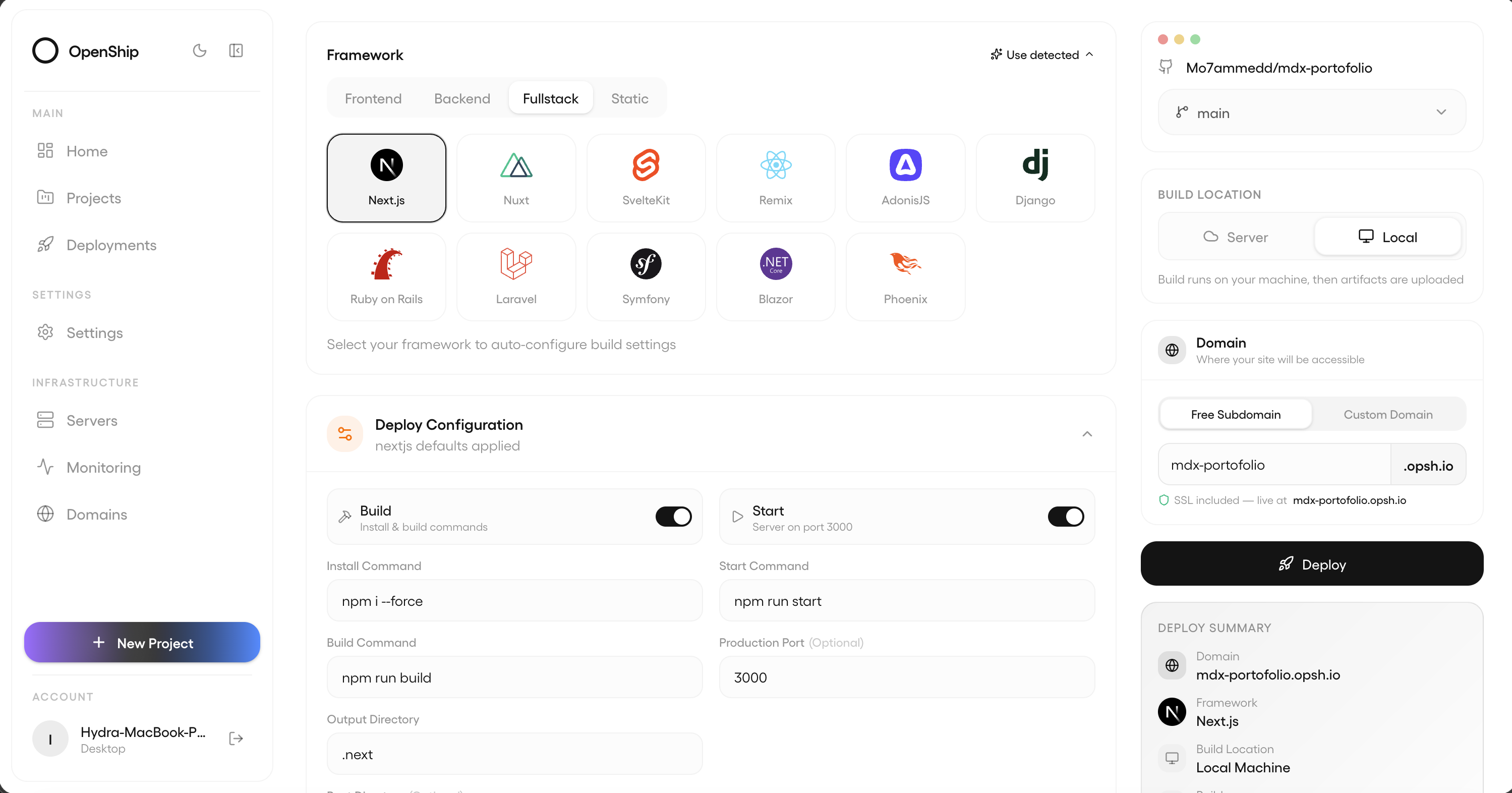
Что это такое?
 Openship — это open-source платформа для развёртывания, которую можно разместить у себя, со встроенным CI/CD: укажите на репозиторий, и она соберёт, задеплоит, настроит маршрутизацию и TLS для вашего приложения — управлять можно из десктоп-приложения, веб-панели или через CLI.
Openship — это open-source платформа для развёртывания, которую можно разместить у себя, со встроенным CI/CD: укажите на репозиторий, и она соберёт, задеплоит, настроит маршрутизацию и TLS для вашего приложения — управлять можно из десктоп-приложения, веб-панели или через CLI.Это десктоп-приложение или то, что я разверну на своём сервере?И то и другое, плюс управляемое облако. Вы сами выбираете, где будет control plane: десктоп-приложение запускает его локально и управляет вашими серверами по SSH, 'openship up' разворачивает постоянно работающий сервер у вас, а Openship Cloud работает вообще без настройки.
И то и другое, плюс управляемое облако. Вы сами выбираете, где будет control plane: десктоп-приложение запускает его локально и управляет вашими серверами по SSH, 'openship up' разворачивает постоянно работающий сервер у вас, а Openship Cloud работает вообще без настройки.Как его запустить?Для себя: скачайте десктоп-приложение (macOS dmg, Windows zip, Linux AppImage) — ни логин, ни терминал не нужны. Для команды или постоянно работающего инстанса: установите CLI и выполните 'openship up'; мастер создаст первого администратора, привяжет ваш домен и добавит автозапуск-сервис.
Для себя: скачайте десктоп-приложение (macOS dmg, Windows zip, Linux AppImage) — ни логин, ни терминал не нужны. Для команды или постоянно работающего инстанса: установите CLI и выполните 'openship up'; мастер создаст первого администратора, привяжет ваш домен и добавит автозапуск-сервис.Что нужно установить заранее?Node 22+ (если системная версия старше, установочный скрипт поставит свою). На Linux с Docker он запускается в режиме Compose — Postgres, Redis, API, панель и OpenResty на границе сети на :80/:443; без Docker используется bare-режим со встроенной базой данных.
Node 22+ (если системная версия старше, установочный скрипт поставит свою). На Linux с Docker он запускается в режиме Compose — Postgres, Redis, API, панель и OpenResty на границе сети на :80/:443; без Docker используется bare-режим со встроенной базой данных.Есть ли подводные камни, о которых стоит знать?Десктоп-приложение не может хостить публичные приложения — push-to-deploy и публичные домены требуют постоянно работающего сервера или Cloud. Самостоятельный хостинг на чистом Docker Compose работает только на Linux, а его API-контейнер имеет привилегии хоста через Docker socket, поэтому запускайте только на доверенной машине.
Десктоп-приложение не может хостить публичные приложения — push-to-deploy и публичные домены требуют постоянно работающего сервера или Cloud. Самостоятельный хостинг на чистом Docker Compose работает только на Linux, а его API-контейнер имеет привилегии хоста через Docker socket, поэтому запускайте только на доверенной машине.Где могут работать мои приложения?Где угодно: Openship Cloud, любой VPS (Hetzner, DigitalOcean, Linode, OVH и другие), выделенные серверы или домашние лаборатории, а также конфигурации из нескольких серверов. Приложения деплоятся как обычные Docker-контейнеры, так что вы свободно переходите между провайдерами.
Где угодно: Openship Cloud, любой VPS (Hetzner, DigitalOcean, Linode, OVH и другие), выделенные серверы или домашние лаборатории, а также конфигурации из нескольких серверов. Приложения деплоятся как обычные Docker-контейнеры, так что вы свободно переходите между провайдерами.Это бесплатно? А использовать в коммерческих целях можно?Свой хостинг бесплатный (без биллинга). Лицензия Apache 2.0 разрешает использовать, изменять, размещать у себя и распространять — в том числе в коммерческих и закрытых продуктах.
Свой хостинг бесплатный (без биллинга). Лицензия Apache 2.0 разрешает использовать, изменять, размещать у себя и распространять — в том числе в коммерческих и закрытых продуктах.Как выглядит деплой от начала до конца?Запускается один пайплайн: определяет стек (Node, Python, Go, Rust, PHP, Ruby, Java, .NET, Docker, монорепозитории — без всякой настройки; openship.json переопределяет), собирает Docker-образ или bare-релиз, запускает контейнер, доступный только на loopback, и маршрутизирует ваш домен через OpenResty на границе сети с TLS от Let's Encrypt. GitHub-вебхук передеплоивает при каждом пуше в отслеживаемую ветку.
Запускается один пайплайн: определяет стек (Node, Python, Go, Rust, PHP, Ruby, Java, .NET, Docker, монорепозитории — без всякой настройки; openship.json переопределяет), собирает Docker-образ или bare-релиз, запускает контейнер, доступный только на loopback, и маршрутизирует ваш домен через OpenResty на границе сети с TLS от Let's Encrypt. GitHub-вебхук передеплоивает при каждом пуше в отслеживаемую ветку.Чем ещё он управляет, кроме самого приложения?Всем бэкендом: Postgres, MySQL, MongoDB, Redis, воркеры, WebSockets и хранилище, плюс домены и wildcard SSL с автопродлением, CDN (HTTP/3, Brotli, мгновенная очистка кеша), встроенный SMTP-сервер для почты с DKIM/SPF/DMARC, бэкапы по расписанию с восстановлением в один клик, а также логи и метрики в реальном времени.
Всем бэкендом: Postgres, MySQL, MongoDB, Redis, воркеры, WebSockets и хранилище, плюс домены и wildcard SSL с автопродлением, CDN (HTTP/3, Brotli, мгновенная очистка кеша), встроенный SMTP-сервер для почты с DKIM/SPF/DMARC, бэкапы по расписанию с восстановлением в один клик, а также логи и метрики в реальном времени.Могут ли им управлять ИИ-агенты или скрипты?Да — есть MCP-эндпоинт для ИИ-агентов плюс REST API. В MCP-инструменты превращаются только те маршруты, которые явно разрешены, каждый вызов повторно проверяет ваши права, а маршруты с учётными данными и токенами инструментами стать не могут.
Да — есть MCP-эндпоинт для ИИ-агентов плюс REST API. В MCP-инструменты превращаются только те маршруты, которые явно разрешены, каждый вызов повторно проверяет ваши права, а маршруты с учётными данными и токенами инструментами стать не могут.Что запланировано на будущее?Кластеры из нескольких нод, интерфейс балансировки нагрузки, приватная сеть, продвинутое мониторинг и визуальные CI/CD-пайплайны. Ядро готово к продакшену и активно развивается.
Кластеры из нескольких нод, интерфейс балансировки нагрузки, приватная сеть, продвинутое мониторинг и визуальные CI/CD-пайплайны. Ядро готово к продакшену и активно развивается.What are similar projects?dokploy, caprover, hivepaas, all-in-one, azerioid-stack-manager, Tracely-ai, coolify, trueforge
dokploy, caprover, hivepaas, all-in-one, azerioid-stack-manager, Tracely-ai, coolify, trueforgeWhich topics is it in?paas, letsencrypt, ci-cd, reverse-proxy, deployment, tls, redis, postgresql, docker-compose, monitoring, agents, devops
paas, letsencrypt, ci-cd, reverse-proxy, deployment, tls, redis, postgresql, docker-compose, monitoring, agents, devops