VibePulse

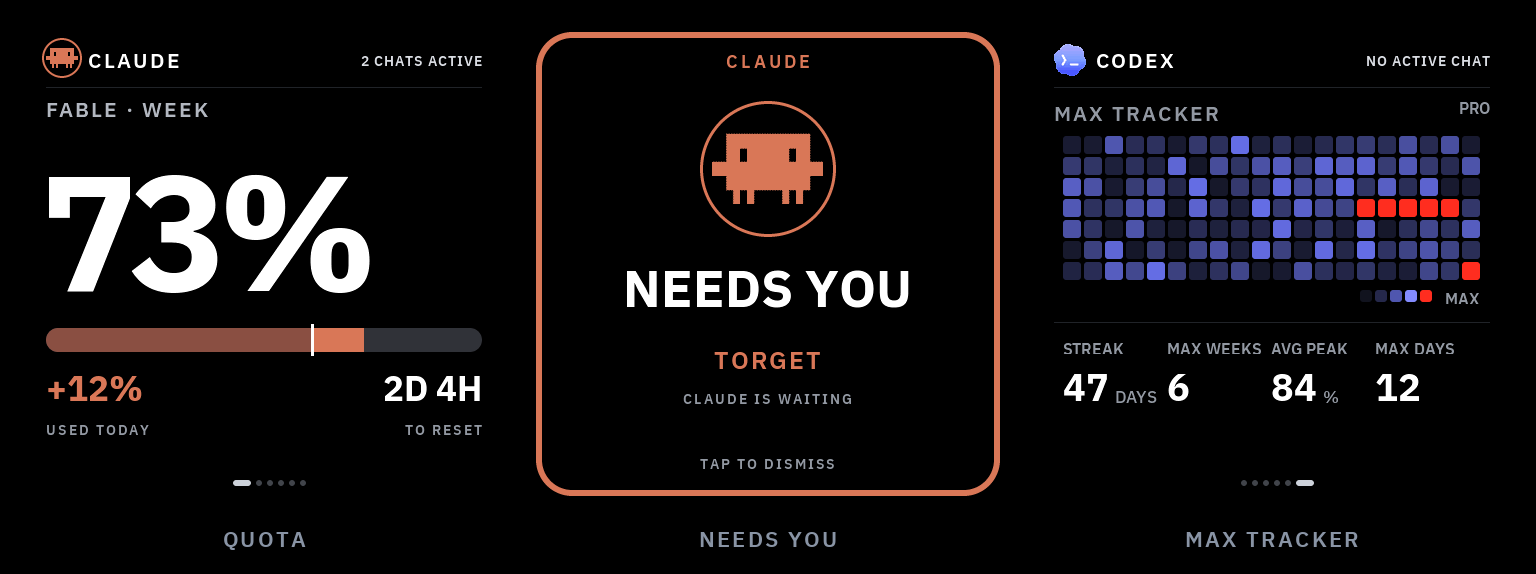
A little always-on screen for your shelf that shows what your AI coding
agents are doing — taps you on the shoulder when one is stuck waiting for
you, and (if you want) lets you answer it with a tap on the glass. It packs
too: one command moves it onto whatever WiFi you are on today, and one
button-hold on the panel opens its own settings on the glass.
Claude Code and Codex usage, live agent activity, and a full-screen
NEEDS YOU alert you can answer with a tap. A three-second hold on the
panel's one user button opens SETTINGS on the glass — update the firmware,
teach it a new network, or read its address. A ~$30 ESP32-S3 panel plus a
core, pure-stdlib Python service on your Mac or Windows PC. Local mode needs no
VibePulse account and keeps agent activity on your LAN. The optional
numbers-only relay can carry quota data across isolated WiFi; a separate,
default-off encrypted interaction relay can carry supported Needs You
decisions without requiring the panel and computer to share a LAN. A third,
independent Live agent status relay can keep the Claude/Codex activity rows
current across ordinary internet WiFi. Every cloud feature is off by default;
only the encrypted interaction/status relay adds the pinned Python
cryptography dependency.
The problem
When you run coding agents all day, two things are invisible:
- How much quota is left. You usually find out you're at the wall when a
long task dies halfway through — not before you start it.
- When an agent stopped. It asks one yes/no question and then just sits
there. You're in another window. Sometimes for twenty minutes.
Both answers already exist, buried in a terminal you're not looking at.
VibePulse moves them onto a screen you can't miss: one glance from across
the room, no window to switch to, no menu bar to squint at.
Status: v1.0.0. The core shelf-screen loop is real and physically
exercised on macOS and Windows: see quota, see an agent waiting, and answer
a supported prompt on the glass. Windows core, physical answer loop, and
persistent sign-in/sleep/reboot lifecycle are verified. The project is still
active, optional integrations remain opt-in, and every platform claim stays
tied to its recorded evidence.
Start here
VibePulse is built for vibecoders — people who build with Claude Code or
Codex. You do not need to read this whole page:
- Have the board? Check What you need, then follow
Setup, the vibecoder way: your coding agent
does the setup with you, one verified step at a time.
- No board yet? Run the simulator.
Same pixels, on your computer.
- The core is your Claude/Codex usage on the glass. Answering from the
panel, the relays, and GitHub are add-ons, each off by default and opted
into separately: today through the setup command,
secrets.h, and the
table under Independent switches. A 3 s KEY3
hold opens SETTINGS on the glass — UPDATE, WIFI and ABOUT today; the
on-glass feature switches are specified but not built yet (see the spec
in docs/superpowers/specs/). Sound has no verified backend yet.
Latest release: v1.0.0
The first major release makes Windows a first-class VibePulse host and records
the real physical proof: clean source, full tests, Task Scheduler plus
watchdog, bounded logs, real Claude/Codex sources, Private-LAN reachability,
recent panel polling, and a human NEEDS YOU → APPROVE → Ja round trip.
The same panel can discover and fail over between advertising Mac and Windows
hosts. The real Windows host also passed sign-out/sign-in, sleep/resume, and a
full reboot without losing the scheduled service or leaving the panel stale.
Silence and computer fallback are still never approval.
Windows v1 verification
| Gate |
Result |
| Clean host, complete tokenserver suite |
PASS — 788 tests, 11 named skips, 0 failures/errors |
| Task Scheduler, immediate start, exact-PID watchdog, bounded logs |
PASS |
| Real Claude/Codex sources, Private-only firewall, LAN and discovery |
PASS |
| Recent panel polling and NEEDS YOU → APPROVE → Ja |
PASS |
| Sign-out/sign-in, sleep/resume, full reboot |
PASS |
| Post-transition freshness |
PASS — bounded convergence, then 12/12 fresh samples after sign-in and reboot |
| Release/lifecycle PR CI and merged-main CI |
PASS — 14/14 and 7/7 jobs |
The tested host runtime was exact revision bee5d8c; tag v1.0.0 resolves to
ab3ce92, with documentation/tests only between them. The lifecycle evidence
was merged to main at 4d1c47d. This is exact-revision evidence: a future
runtime change must pass the gate again.
Read the v1.0.0 notes
· Full Windows evidence
· Verified merged-main CI
· Full changelog
· Compare v0.7.1...v1.0.0
Contributing or validating another host? Read
CONTRIBUTING.md, the
host support matrix, and
SECURITY.md before sharing logs or test evidence.
What's on screen
Six core pages, swipe or auto-rotate, plus the always-present value-multiple
page (it shows the dollar total once agents log priced usage, but the
multiple itself stays dashed — SET YOUR PLAN COST — until you pick a named
plan tier or state your exact cost) and an optional, compile-time-gated
GitHub project pulse. Every image below is an exact 480×480 frame — the
simulator renders
the same pixels as the panel.
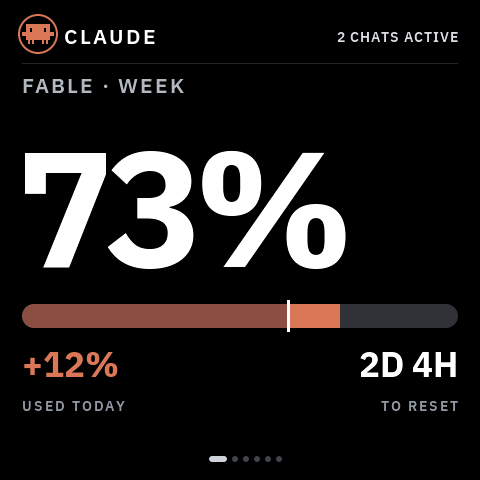 |
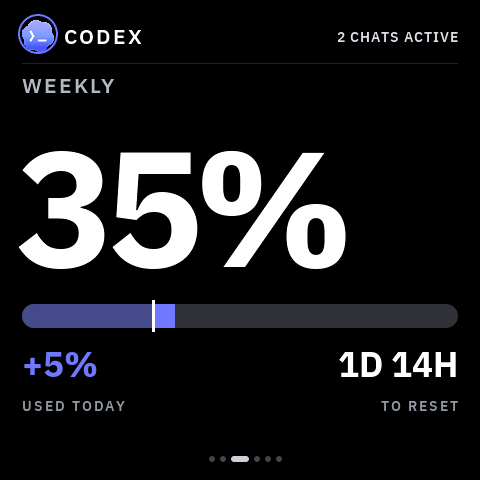
Usage — Claude's weekly and heaviest-model-weekly quota, plus Codex's
weekly quota. Each with a reset countdown and how much you've burned today.
|
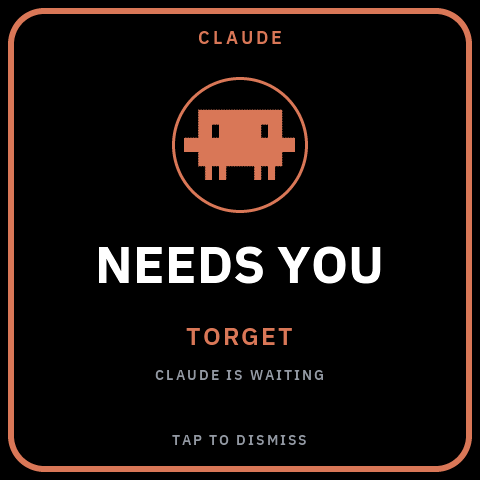 |
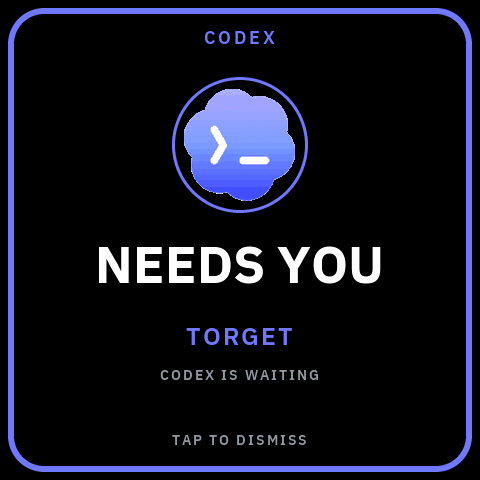
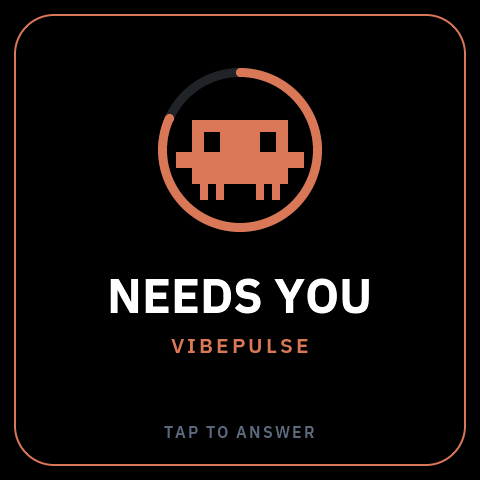
NEEDS YOU — when an agent blocks on your input, the whole screen turns
into the alert, in that provider's colour, naming the project it's waiting
on. Tap to dismiss — or, with the opt-in Needs You bridge, tap to answer
it without switching windows
(see below).
|
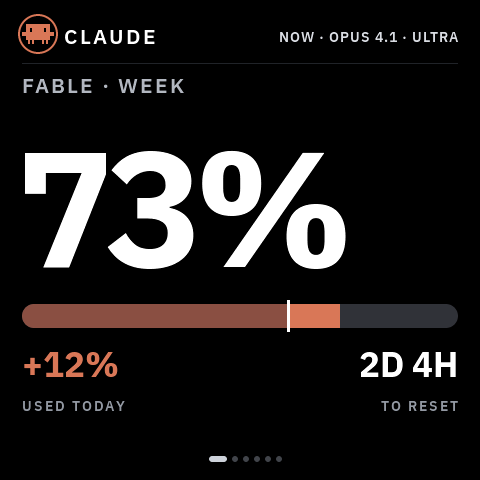 |
Live agent monitor — the header shows which agents are working right
now, with model and effort, on every page. 2 CHATS ACTIVE when several
are running.
|
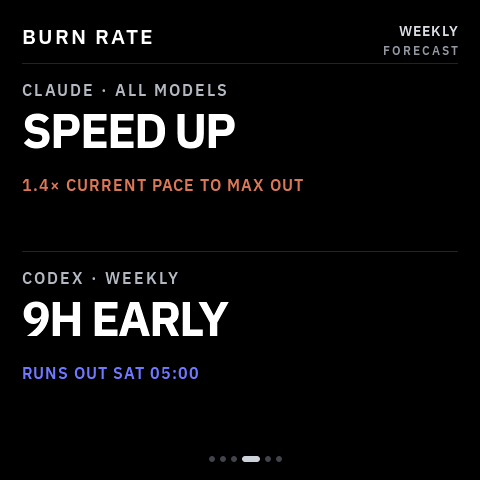 |
Burn rate — a forecast per provider: on pace, running out early (and
when), or how much head-room is left at reset.
|
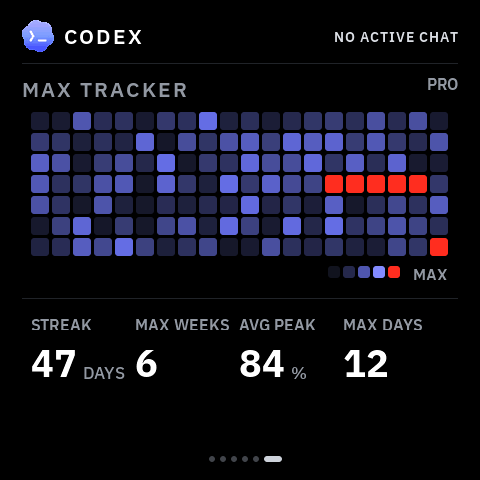 |
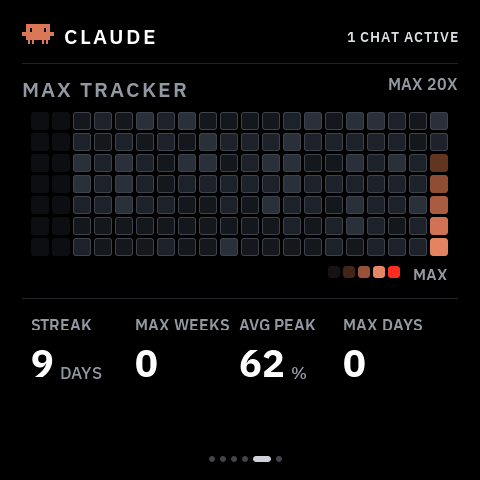
Max Tracker — a GitHub-style heatmap of your daily quota peaks, with
coding streaks and max counters, per provider. Red cells are days you
maxed out.
|
Both providers get equal treatment — same pages, same alert, their own
accent colour:
Codex weekly quota
Codex NEEDS YOU alert
Claude Max Tracker
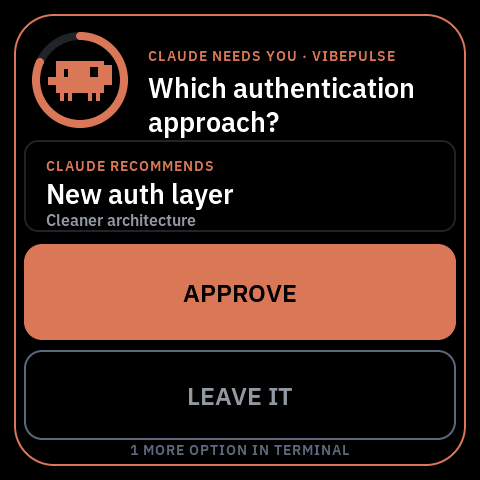
Answer Claude or Codex from the panel
The panel becomes an input device. With the opt-in Needs You bridge, when
Claude Code or Codex blocks on a supported question or permission, the
takeover appears and a tap answers it in the same live session — no window
to switch to. The computer must be awake and the tokenserver must be running.
Direct mode uses the LAN. The separate encrypted interaction relay works when
the panel and computer use unrelated ordinary internet Wi-Fi: both sides make
outbound HTTPS connections, so there is no router reconfiguration, inbound
port, public Mac, or VPN. Cloudflare handles only fixed-size ciphertext; see
the privacy and setup guide.
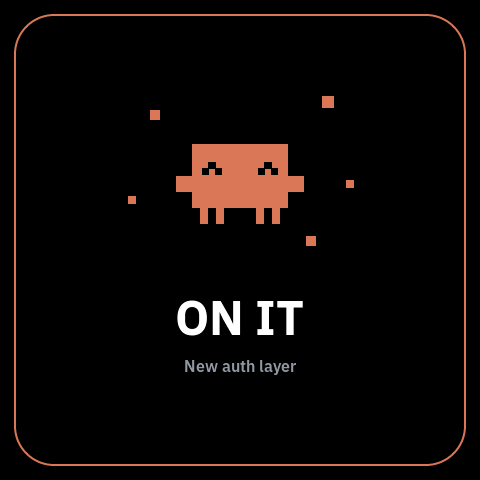
Attract → decision → done. A held prompt surfaces as a mascot in a
depleting countdown ring; a tap reveals it; APPROVE commits the agent's
explicitly recommended option (or LEAVE IT hands it back to the computer),
and the flow closes on a short "ON IT" beat. The panel signs every verdict with a
key shared only with your computer — it can answer a prompt that computer was
already going to ask about, and nothing more. Walking away always costs
nothing: an unanswered prompt just falls back to the terminal. Setup is in
docs/agent-setup.md.
For Codex, only its narrow safe-command tier can show ALLOW ONCE. Unknown,
mutating, secret-bearing, or text that does not fit stays on the computer;
silence never means approval. Recommended questions are equally strict: Codex
must mark one of two or three options itself. VibePulse never guesses.
After a firmware or Codex-bridge change, use the canonical physical smoke test
in docs/agent-setup.md.
A pass requires visible APPROVE, a real panel tap, and the matching answered
result back in Codex. A waiting screen, timeout, LEAVE IT, or computer
fallback is not a pass.
Independent switches
VibePulse is open source, so installing one part never silently enables
another. Each row is an independent switch and every interaction/cloud choice
starts off:
| Switch |
What it does |
Default |
| Claude interactions |
Lets Claude Code questions and permissions reach the panel |
Off |
| Codex interactions |
Lets supported Codex questions and permissions reach the panel |
Off |
| Numbers relay |
Publishes only quota, reset, Max Tracker, and optional public GitHub numbers |
Off |
| Interaction relay |
End-to-end encrypted question/verdict mailbox for unrelated WiFi |
Off |
| Live agent status relay |
End-to-end encrypted Claude/Codex activity rows for unrelated WiFi |
Off |
| GitHub |
Shows one public repository's page and/or star notification |
Off |
Installing the Codex plugin does not enable Codex interactions. Setup asks
whether to enable Claude, Codex, both, or neither, and whether bounded detail
may reach the panel. The old --interactions is a legacy alias for Claude only;
use the explicit setup command for new installations. The numbers relay and
interaction relay are different privacy choices and neither is enabled by the
plugin. Installing the Codex plugin does not enable the encrypted interaction
relay or the live agent status relay.
Optional GitHub project pulse
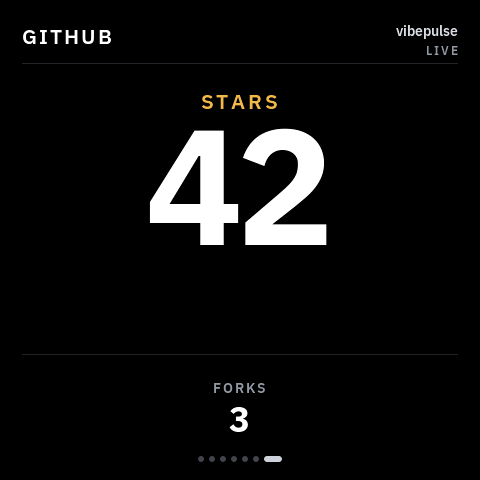
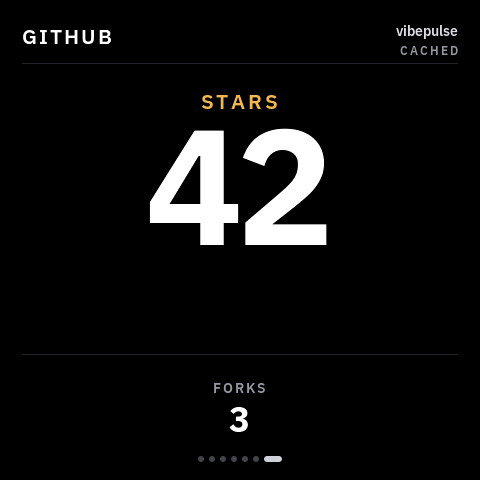
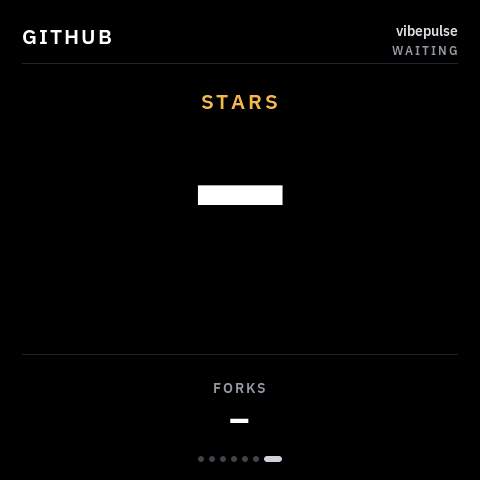
One public owner/repository can add a deliberately sparse seventh page:
the current star count is the hero and forks are the only secondary metric.
The same raster covers every data provenance, so the glass never lies about
freshness:
Live
Cached / stale
Waiting (no data)
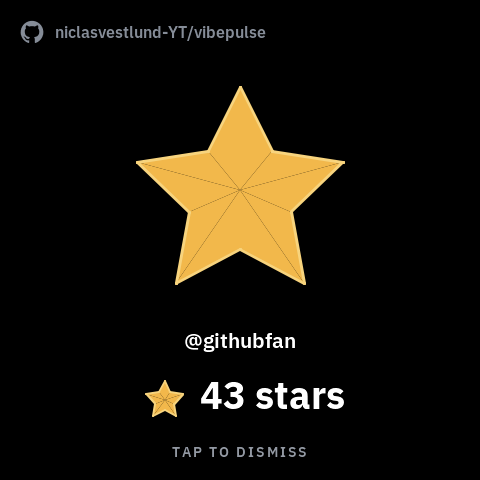
The page and star moments are independent switches. A new star can therefore
briefly take over the current VibePulse view even when the GitHub page is not
in rotation. It covers the previous page with a quiet black stage, shows a
large filled star, the repository, the stargazer when GitHub supplies one,
the new total, and TAP TO DISMISS; otherwise it returns to the exact
previous page after two minutes.
The computer service polls GitHub's public API and republishes a small, validated
LAN payload. The ESP32 never talks to GitHub, and a GitHub timeout or rate
limit cannot stall the Claude/Codex endpoints. Configure it with:
python3 tools/tokenserver/tokenserver.py --github-repo owner/repository
On Windows, persist the same source in Task Scheduler instead of relying on a
foreground shell:
.\tools\tokenserver\install-windows-task.ps1 `
  -GithubRepo "owner/repository"
Then opt into TK_GITHUB_SCREEN_ENABLED and/or
TK_GITHUB_NOTIFICATIONS_ENABLED in your gitignored secrets.h. Both are
off by default. No GitHub token is required for a public repository.
TK_GITHUB_SOUND_ENABLED is a separate default-off gate for the 258 ms
A5-to-C#6 chime. The sequence and failure-isolated playback contract are in
place, but the current target intentionally registers no codec backend until
the physical speaker and display-DMA budget have passed device testing. A
missing or failed sound backend never delays the popup or any network path.
It never makes numbers up
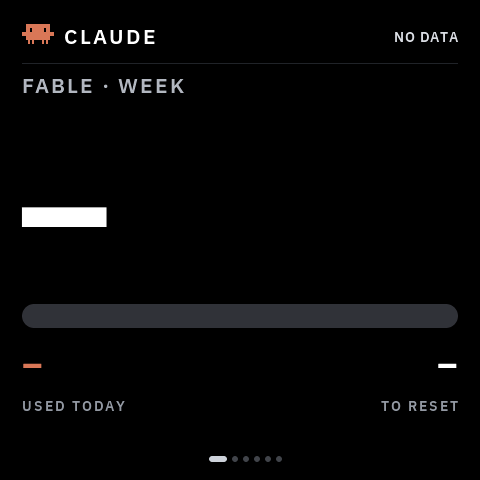 |
Before the first successful fetch, and whenever a source is missing, you get
dashes — never a placeholder 0% that you might believe. If the service
goes away, the last good numbers stay on screen and get marked stale rather
than silently drifting.
On current firmware a wall-powered panel also protects itself against the
specific failure where Wi-Fi still looks associated but application HTTP has
stopped. Once the quota feed has worked at least once, and only when an
independent numbers relay is configured, 60 seconds without a fresh response
recycles Wi-Fi and wakes the quota task, which waits for a new IP before
retrying. If no real success follows within another 45 seconds, the device restarts once to clear
wedged HTTP/TLS state. A reboot is disarmed until a new real success, so a real
internet outage cannot become a restart loop. LAN-only installations never
perform this automatic recovery just because their computer is asleep.
After that controlled restart, the panel sends a fixed content-free recovery
marker on local requests. GET / exposes it only as
interactions.panel.httpStallRecoveryBoot; setup doctor and the next Codex
startup can therefore distinguish a recovered wall-powered panel without a
USB serial cable. It contains no hostname, address, account, or usage value.
Run Claude only, or Codex only, and the other half simply shows dashes.
|
Are you getting your money's worth?
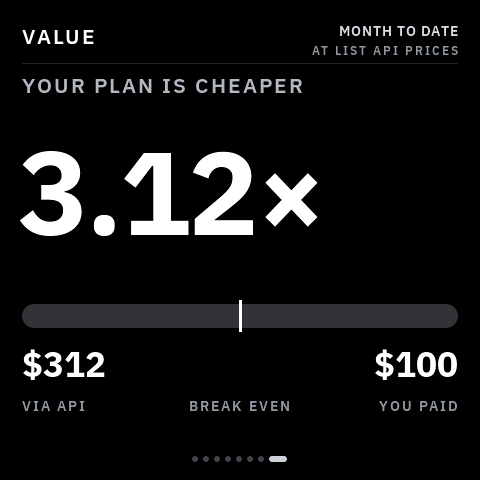 |
The usage pages answer how much have I spent?. The
value multiple answers the question you
actually have every month: it prices the tokens your agents already logged
at list API rates and divides by what you pay. It's its own page on the
swipeable strip, alongside GitHub — neither replaces the other.
|
python3 tools/tokenserver/tokenserver.py --claude-plan max5x --plan claude=100
The equivalent persistent Windows setup is explicit per provider and never
guesses what you pay:
.\tools\tokenserver\install-windows-task.ps1 `
  -ClaudePlan max5x -ClaudePlanCostUsd "100" `
  -CodexPlan pro -CodexPlanCostUsd "20"
It counts cache tokens, which is the whole point — a real record here reads
2 input and 4 output against 23 655 cache-read, so pricing only input and
output understates it by 577x.
Rates are not hand-maintained: they are generated from a public price
catalogue by tools/tokenserver/update_prices.py and committed, so the
server stays offline and refreshing is one command. An unknown model degrades
the figure to a dash rather than being silently free.
How it works
      your computer                          your shelf
┌────────────────────────────┐          ┌──────────────┐
│ ~/.claude/projects/*.jsonl │          │              │
│ ~/.codex/sessions/*.jsonl  │ ───────► │   ESP32-S3   │
│ rate-limit headers         │          │    AMOLED    │
└────────────────────────────┘          └──────────────┘
     tokenserver.py :8737           plain JSON over your LAN,
     pure Python stdlib                polled every 30 s
A tiny Python service on your Mac or Windows PC reads your local Claude Code / Codex logs
and rate-limit headers, and serves plain numbers over your LAN. The screen
polls it every 30 seconds. Your OAuth token never leaves the computer; the screen
only ever receives percentages, counts and coarse status.
The computer must be on for fresh local data. It does not have to stay in the
same house when a relay is enabled, but it does have to run the tokenserver so
there is something to publish. A phone hotspot is fine after it has been taught
to the panel; captive portals and 5 GHz-only networks are not.
The startup/doctor health check also guards Claude's saved usage credential.
GET / exposes only claudeCredential.status and whole minutes remaining—
never an access or refresh token—and warns 30 minutes before expiry. This
matters because Claude Desktop can remain logged in after the separate
credential readable by VibePulse has aged out; stale Fable data is never
reported as current. Read that guard together with claudeProbe and the
/api/tokens stale flags: a successful probe plus a fresh model-week flag
means the current source is live even if the saved fallback is expired. That
is a future recovery risk, not a reason to restart the tokenserver.
Codex plugin 0.1.7 turns the trusted SessionStart hook into a real bounded
health check. It reads only the two loopback JSON endpoints, follows no
redirects, times out in under a second, and injects one content-free class into
the new task:
| Startup class |
What it proves |
First action |
HEALTHY |
Provider data and recent direct panel polling are fresh |
None |
HEALTHY AFTER DEVICE SELF-RECOVERY |
The same, after the bounded HTTP-stall restart |
Keep observing past the stale window; this is evidence, not a physical PASS |
PROVIDER DATA STALE |
Claude and/or Codex source data is stale |
Run setup doctor and tokenserver smoke; inspect the named provider |
DEVICE PATH STALE / PANEL LAN WAITING |
Host data is fresh but direct glass polling is stale or unconfirmed |
Check panel power, network, discovery, and firmware before restarting a healthy host |
SERVICE VERSION DRIFT |
The loaded p |
|

 VibePulse 是一块放在桌面上常亮的小型 AMOLED 屏幕,显示你的 Claude Code 和 Codex 编程 agent 正在做什么——配额使用情况、实时活动,以及当 agent 卡住等待你时的全屏“NEEDS YOU”提醒,你可以选择轻点屏幕来回应。