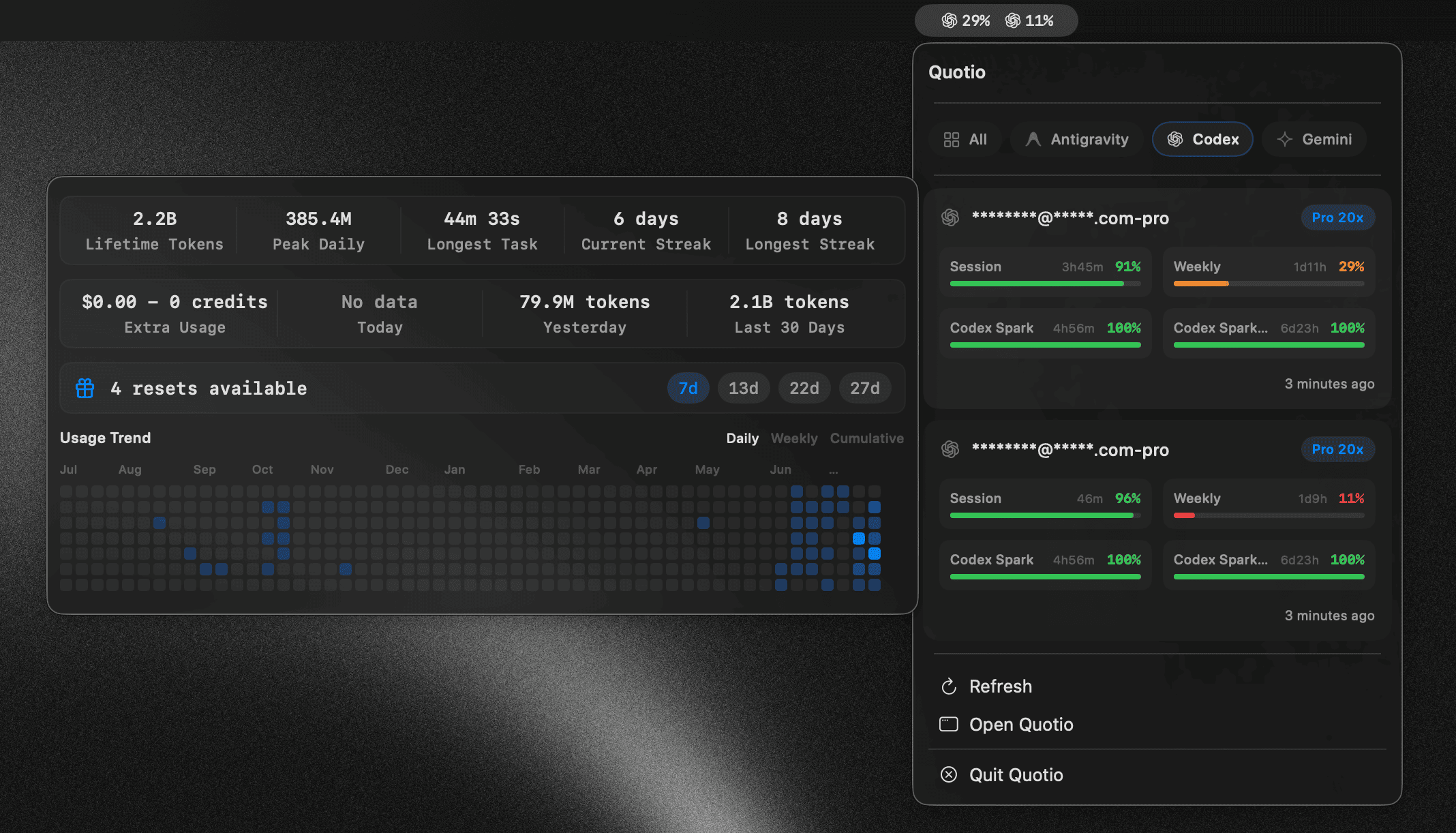



Что это?
 Quotio — нативное приложение в строке меню macOS для управления CLIProxyAPI — локальным прокси-сервером, который объединяет аккаунты нескольких ИИ-провайдеров (Claude, OpenAI Codex, Qwen, Vertex AI, iFlow, Antigravity, Kiro, GitHub Copilot) с отслеживанием квот и автоматическим переключением при сбоях.
Quotio — нативное приложение в строке меню macOS для управления CLIProxyAPI — локальным прокси-сервером, который объединяет аккаунты нескольких ИИ-провайдеров (Claude, OpenAI Codex, Qwen, Vertex AI, iFlow, Antigravity, Kiro, GitHub Copilot) с отслеживанием квот и автоматическим переключением при сбоях.Это сам ассистент для кодинга или просто менеджер моих ИИ-аккаунтов?Это управляющее приложение, которое запускает локальный прокси-сервер; ваши реальные кодинг-агенты вроде Claude Code или OpenCode направляются на этот прокси вместо обращения к каждому провайдеру напрямую.
Это управляющее приложение, которое запускает локальный прокси-сервер; ваши реальные кодинг-агенты вроде Claude Code или OpenCode направляются на этот прокси вместо обращения к каждому провайдеру напрямую.Как установить и настроить его?Установите через Homebrew или скачайте подписанный и нотаризованный .dmg со страницы Releases (или соберите из исходников в Xcode), затем запустите прокси, подключите аккаунты провайдеров через OAuth и автоматически настройте свои CLI-агенты.
Установите через Homebrew или скачайте подписанный и нотаризованный .dmg со страницы Releases (или соберите из исходников в Xcode), затем запустите прокси, подключите аккаунты провайдеров через OAuth и автоматически настройте свои CLI-агенты.Что нужно для его запуска?Нужны macOS 14.0 (Sonoma) или новее и подключение к интернету, так как каждый аккаунт провайдера проходит аутентификацию через OAuth.
Нужны macOS 14.0 (Sonoma) или новее и подключение к интернету, так как каждый аккаунт провайдера проходит аутентификацию через OAuth.Можно ли использовать Cursor или Trae как провайдеров через Quotio?Нет, Cursor и Trae лишь автоматически определяются для мониторинга квот и не могут использоваться как провайдеры прокси.
Нет, Cursor и Trae лишь автоматически определяются для мониторинга квот и не могут использоваться как провайдеры прокси.Как работает автопереключение, когда аккаунт упирается в свою квоту?Quotio переключается между подключёнными аккаунтами по стратегии маршрутизации Round Robin или Fill First, отправляя в «остывание» аккаунты с исчерпанной квотой.
Quotio переключается между подключёнными аккаунтами по стратегии маршрутизации Round Robin или Fill First, отправляя в «остывание» аккаунты с исчерпанной квотой.Какие ИИ-CLI для кодинга Quotio настраивает автоматически?Одним кликом он направляет Claude Code, Codex CLI, Amp CLI, OpenCode и Factory Droid на свой локальный прокси.
Одним кликом он направляет Claude Code, Codex CLI, Amp CLI, OpenCode и Factory Droid на свой локальный прокси.Можно ли проверить свои квоты, не запуская прокси-сервер?Да, Standalone Quota Mode позволяет смотреть квоты и аккаунты без запуска прокси — для быстрых проверок.
Да, Standalone Quota Mode позволяет смотреть квоты и аккаунты без запуска прокси — для быстрых проверок.Какие языки поддерживает приложение?Интерфейс Quotio доступен на английском, вьетнамском и упрощённом китайском.
Интерфейс Quotio доступен на английском, вьетнамском и упрощённом китайском.What are similar projects?cockpit-tools, rayburst, macos-sysdata, openusage, what-the-port, CodexBar, opencodex, workbuddy-switch
cockpit-tools, rayburst, macos-sysdata, openusage, what-the-port, CodexBar, opencodex, workbuddy-switchWhich topics is it in?auto-update, menubar, github-copilot, notifications, ai-tools, oauth, multilingual, swift, proxy, dashboard, rust, productivity
auto-update, menubar, github-copilot, notifications, ai-tools, oauth, multilingual, swift, proxy, dashboard, rust, productivity