





Что это такое?
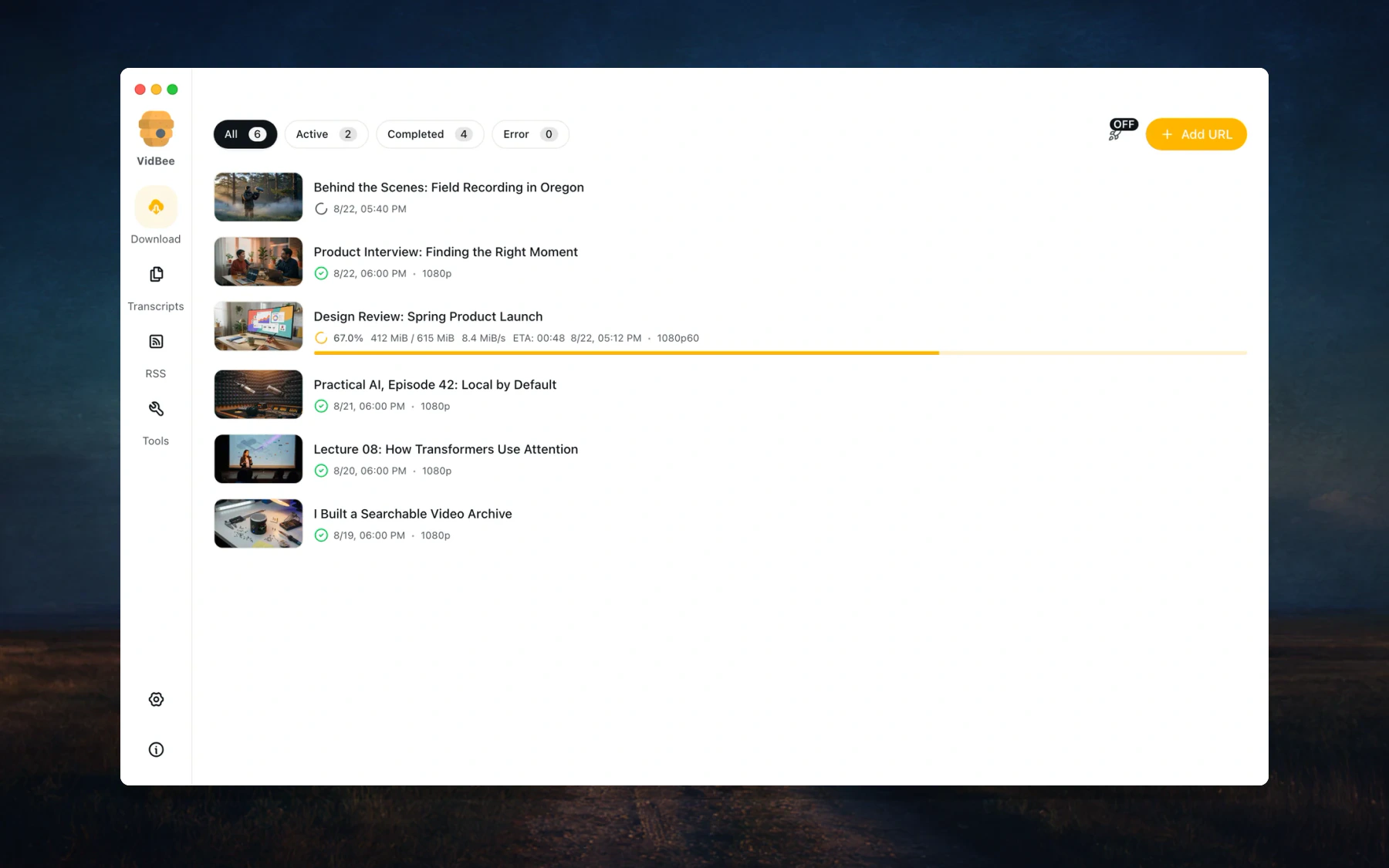
 Бесплатное настольное приложение с открытым кодом, которое скачивает видео и аудио с более чем 1000 сайтов или импортирует локальные файлы, расшифровывает их прямо на вашем компьютере и позволяет с помощью выбранного вами ИИ-провайдера делать выжимки, переводить или задавать вопросы по содержимому.
Бесплатное настольное приложение с открытым кодом, которое скачивает видео и аудио с более чем 1000 сайтов или импортирует локальные файлы, расшифровывает их прямо на вашем компьютере и позволяет с помощью выбранного вами ИИ-провайдера делать выжимки, переводить или задавать вопросы по содержимому.Это настольное приложение, или есть ещё и веб-версия?Прежде всего это кроссплатформенное настольное приложение на Electron. В монорепозитории также есть режим «веб + API» в виде Docker-образа (API-сервер на Fastify с веб-клиентом на TanStack Start) и браузерное расширение.
Прежде всего это кроссплатформенное настольное приложение на Electron. В монорепозитории также есть режим «веб + API» в виде Docker-образа (API-сервер на Fastify с веб-клиентом на TanStack Start) и браузерное расширение.Как установить его на компьютер?Скачайте установщик по ссылке Download на vidbee.org; документация находится на vidbee.org/docs. Приложение активно разрабатывается, так что обновления выходят часто.
Скачайте установщик по ссылке Download на vidbee.org; документация находится на vidbee.org/docs. Приложение активно разрабатывается, так что обновления выходят часто.Нужно ли мне самому устанавливать yt-dlp или FFmpeg?Нет — VidBee включает общий модуль загрузки yt-dlp/ffmpeg, так что оба движка идут в комплекте с приложением. Для работы с ИИ достаточно подключить провайдера, причём локальные эндпоинты вроде Ollama или LM Studio тоже подходят.
Нет — VidBee включает общий модуль загрузки yt-dlp/ffmpeg, так что оба движка идут в комплекте с приложением. Для работы с ИИ достаточно подключить провайдера, причём локальные эндпоинты вроде Ollama или LM Studio тоже подходят.Насколько оно доработано — можно ли пользоваться каждый день?Пользоваться уже можно, но разработка идёт активно, и автор просит сообщать о любых возникших проблемах. Это скорее быстро меняющийся проект, чем устоявшийся готовый продукт.
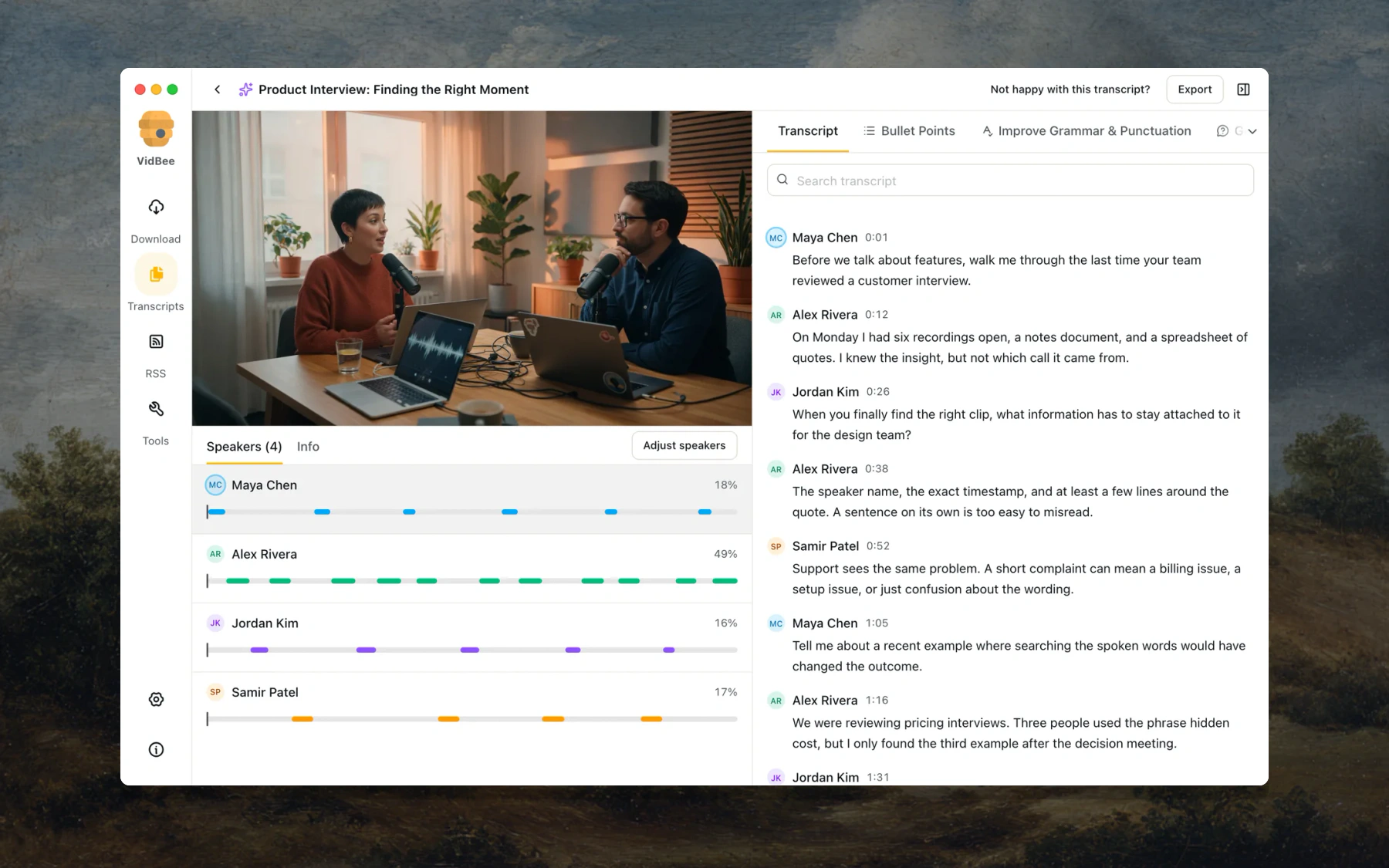
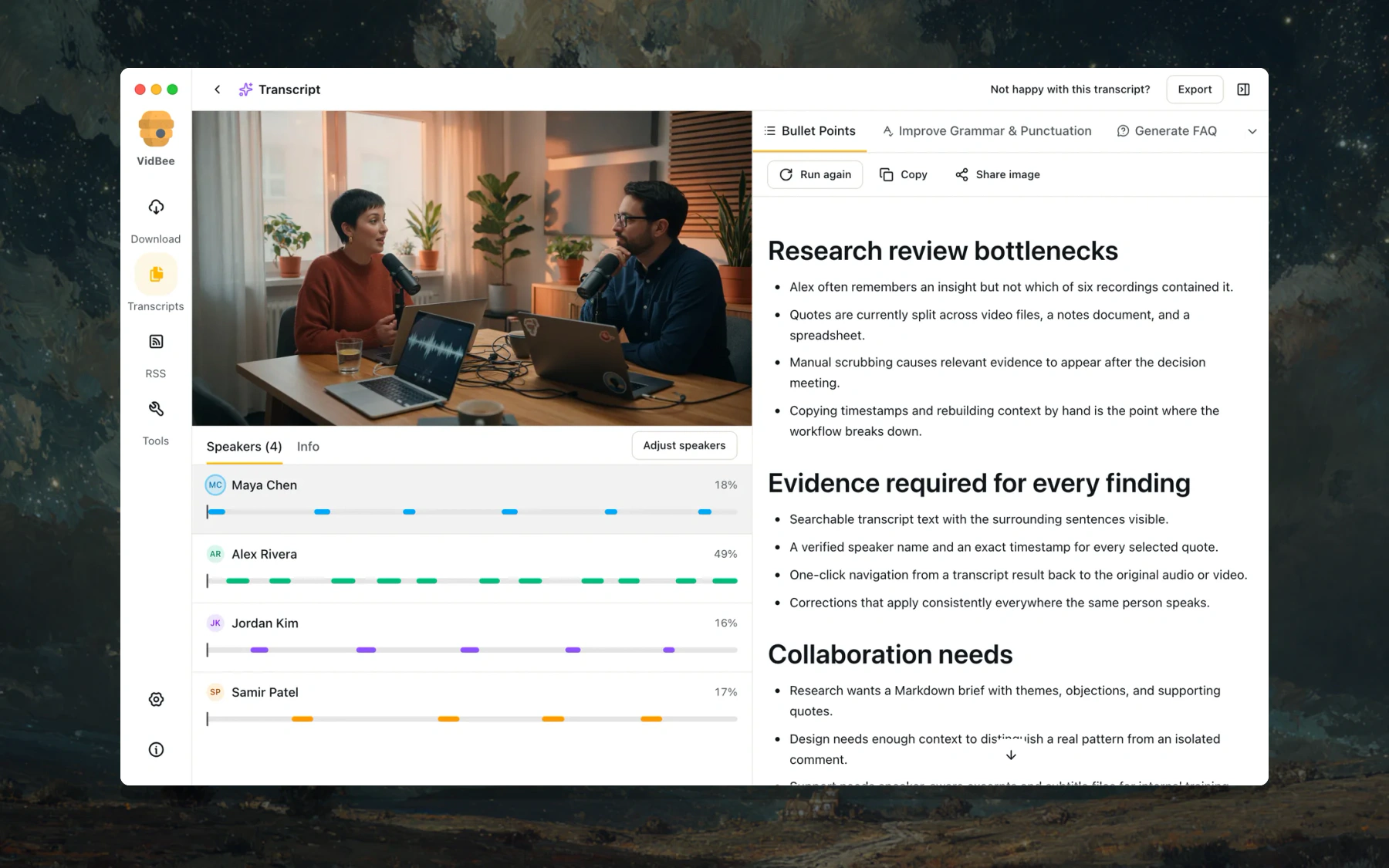
Пользоваться уже можно, но разработка идёт активно, и автор просит сообщать о любых возникших проблемах. Это скорее быстро меняющийся проект, чем устоявшийся готовый продукт.Для чего оно мне на практике?В README отмечены интервью (найти цитату по говорящему и перейти к её таймкоду), подкасты (эпизоды с поиском, которые автоматически обновляются через RSS), лекции (перевод и превращение длинных записей в заметки), а также архивирование роликов с YouTube или сохранённых видео.
В README отмечены интервью (найти цитату по говорящему и перейти к её таймкоду), подкасты (эпизоды с поиском, которые автоматически обновляются через RSS), лекции (перевод и превращение длинных записей в заметки), а также архивирование роликов с YouTube или сохранённых видео.Мои файлы остаются на моём компьютере?Расшифровка всегда выполняется локально, так что загружать файлы никуда не нужно. ИИ-запросы отправляют сам запрос и текст расшифровки выбранному провайдеру — выберите Ollama или LM Studio, чтобы и этот шаг оставался локальным. API-ключи хранятся на вашем компьютере.
Расшифровка всегда выполняется локально, так что загружать файлы никуда не нужно. ИИ-запросы отправляют сам запрос и текст расшифровки выбранному провайдеру — выберите Ollama или LM Studio, чтобы и этот шаг оставался локальным. API-ключи хранятся на вашем компьютере.VidBee бесплатный?Да — он бесплатный и распространяется с открытым кодом по лицензии MIT.
Да — он бесплатный и распространяется с открытым кодом по лицензии MIT.Какие модели расшифровки он поддерживает?Локальные семейства моделей Whisper, SenseVoice, Parakeet и Qwen3-ASR. VidBee может порекомендовать модель под ваш компьютер и язык, автоматически запускать расшифровку после скачивания и ограничивать число одновременно выполняющихся задач расшифровки. Если у источника есть субтитры, используются они.
Локальные семейства моделей Whisper, SenseVoice, Parakeet и Qwen3-ASR. VidBee может порекомендовать модель под ваш компьютер и язык, автоматически запускать расшифровку после скачивания и ограничивать число одновременно выполняющихся задач расшифровки. Если у источника есть субтитры, используются они.Он различает разных собеседников?Да — говорящие определяются автоматически, либо можно задать точное число участников и заново разметить, кто что говорил, не меняя распознанный текст. Клик по таймкоду в расшифровке возобновляет воспроизведение с этого самого момента.
Да — говорящие определяются автоматически, либо можно задать точное число участников и заново разметить, кто что говорил, не меняя распознанный текст. Клик по таймкоду в расшифровке возобновляет воспроизведение с этого самого момента.Что я могу сделать с готовой расшифровкой?Искать по сказанному тексту или именам говорящих, копировать её, экспортировать в обычный текст или Markdown, либо сгенерировать новое видео с субтитрами — выбираемыми или вшитыми в картинку.
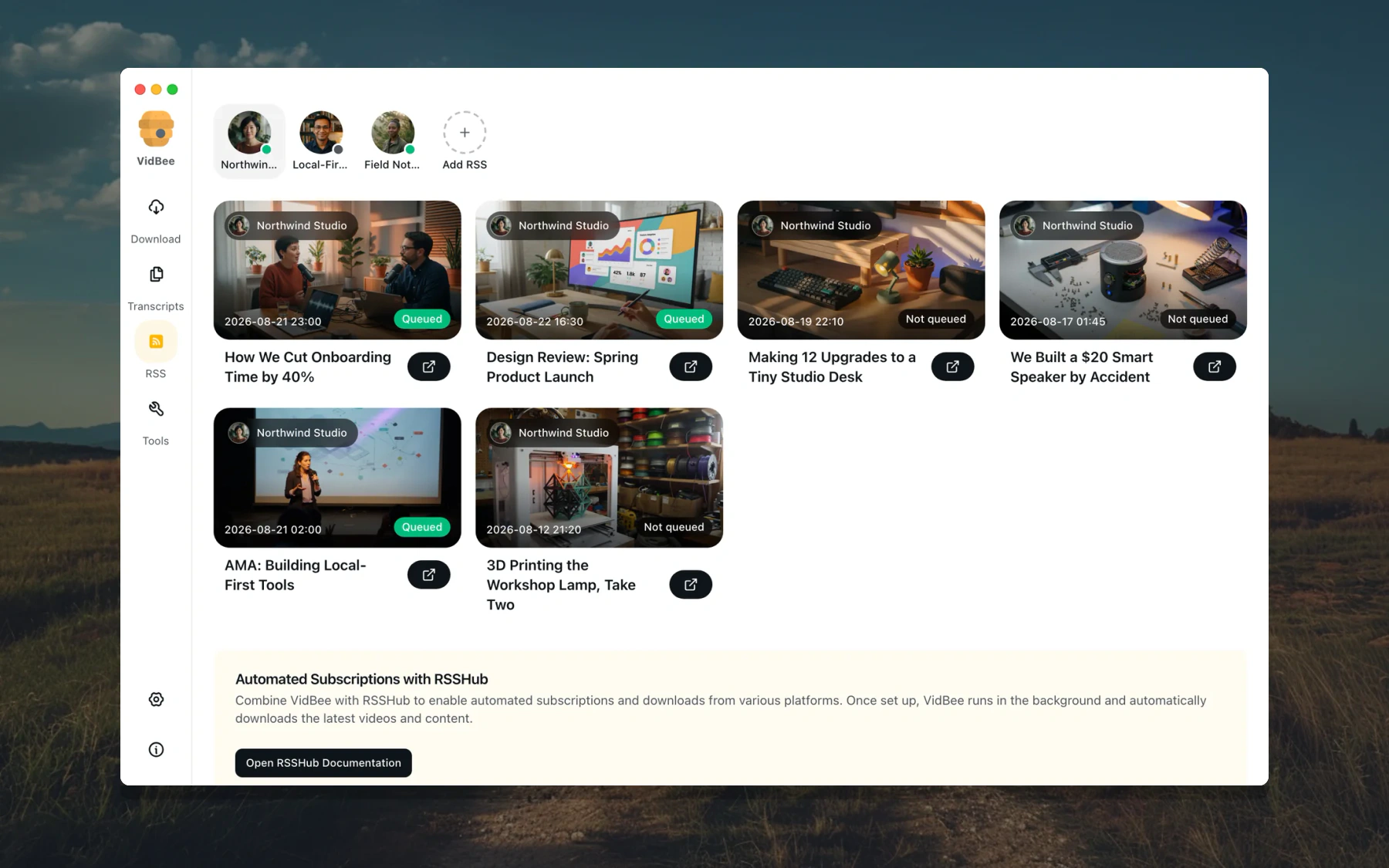
Искать по сказанному тексту или именам говорящих, копировать её, экспортировать в обычный текст или Markdown, либо сгенерировать новое видео с субтитрами — выбираемыми или вшитыми в картинку.Может ли он автоматически подхватывать новые видео авторов, за которыми я слежу?Да — RSS-подписки проверяют ленты и ставят новые материалы в очередь, причём для каждой подписки свои правила: фильтры по ключевым словам, автоматические теги, режим «только последнее видео», а также свои папки и шаблоны имён файлов.
Да — RSS-подписки проверяют ленты и ставят новые материалы в очередь, причём для каждой подписки свои правила: фильтры по ключевым словам, автоматические теги, режим «только последнее видео», а также свои папки и шаблоны имён файлов.What are similar projects?autoclip, pyvideotrans, autoshorts, ytDownloader, AiToEarn, VideoHighlighter, open-edit, pickoo-your-favorites
autoclip, pyvideotrans, autoshorts, ytDownloader, AiToEarn, VideoHighlighter, open-edit, pickoo-your-favoritesWhich topics is it in?facebook, speaker-diarization, tiktok, yt-dlp, twitter, rss, transcription, subtitles, whisper, speech-to-text, youtube, downloader
facebook, speaker-diarization, tiktok, yt-dlp, twitter, rss, transcription, subtitles, whisper, speech-to-text, youtube, downloader