

Minimal Mistakes is a flexible two-column Jekyll theme, perfect for building personal sites, blogs, and portfolios. As the name implies, styling is purposely minimalistic to be enhanced and customized by you :smile:.
:sparkles: See what's new in the CHANGELOG.
Note: The theme uses the jekyll-include-cache plugin which will need to be installed in your Gemfile and must be retained in the plugins array of _config.yml. Otherwise you'll encounter Unknown tag 'include_cached' errors at build.
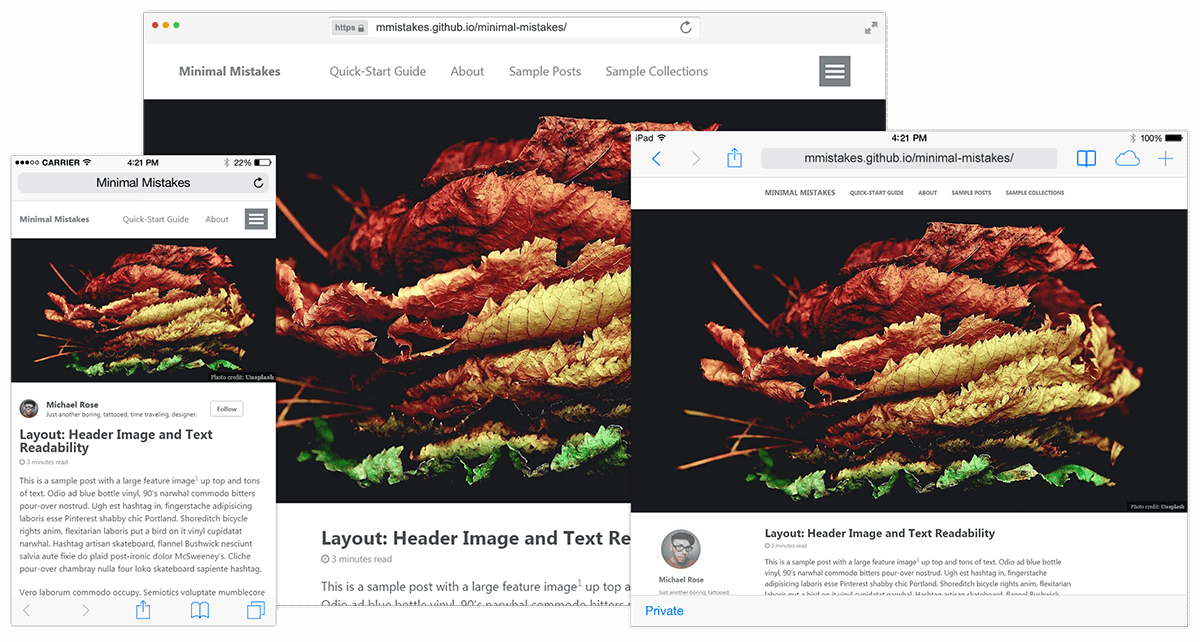
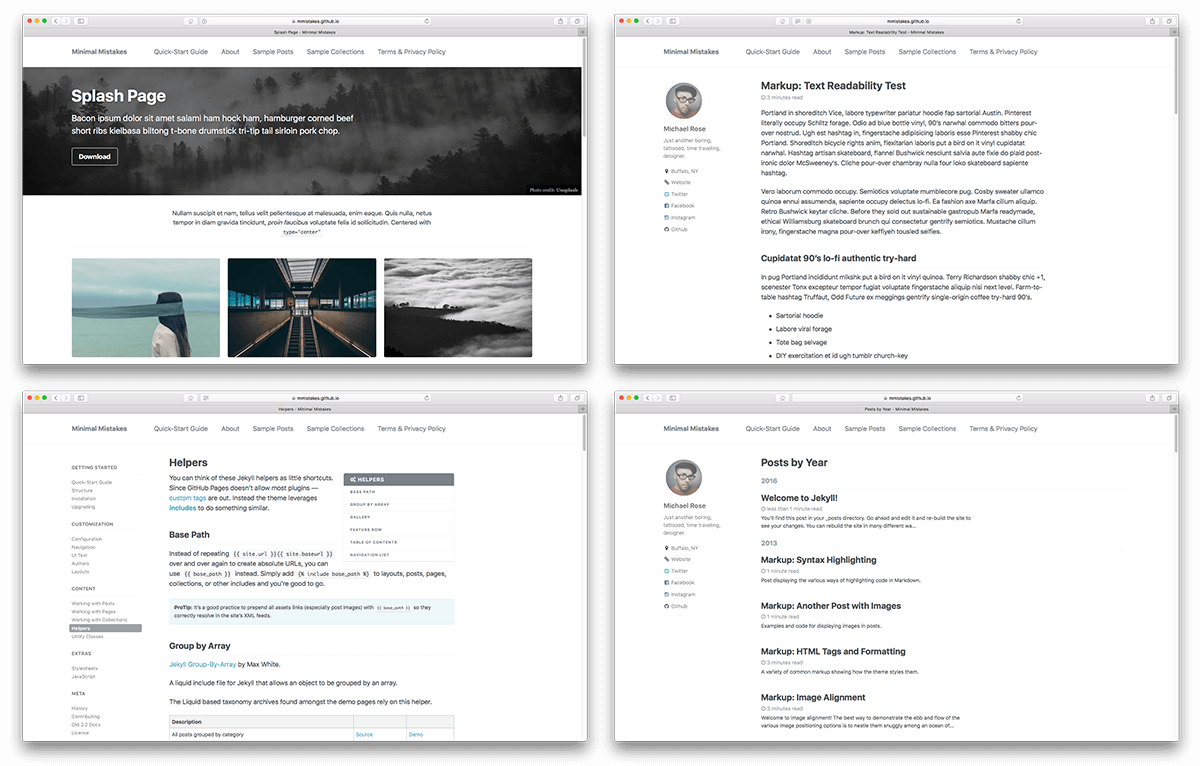
Notable features
- Bundled as a "theme gem" for easier installation/upgrading.
- Compatible with GitHub Pages.
- Support for Jekyll's built-in Sass/SCSS preprocessor.
- Nine different skins (color variations).
- Several responsive layout options (single, archive index, search, splash, and paginated home page).
- Optimized for search engines with support for Twitter Cards and Open Graph data.
- Optional header images, custom sidebars, table of contents, galleries, related posts, breadcrumb links, navigation lists, and more.
- Commenting support (powered by Disqus, Facebook, Google+, Discourse, static-based via Staticman, utterances, and giscus).
- Google Analytics support.
- Swetrix GDPR-compliant analytics support.
- UI localized text in English (default), Arabic (عربي), Brazilian Portuguese (Português brasileiro), Bulgarian, Catalan, Chinese, Czech, Danish, Dutch, Finnish, French (Français), German (Deutsch), Greek, Hebrew, Hindi (हिंदी), Hungarian, Indonesian, Irish (Gaeilge), Italian (Italiano), Japanese, Kiswahili, Korean, Malayalam, Myanmar (Burmese), Nepali (Nepalese), Norwegian (Norsk), Persian (فارسی), Polish, Punjabi (ਪੰਜਾਬੀ), Romanian, Russian, Slovak, Spanish (Español), Swedish, Thai, Turkish (Türkçe), Ukrainian (Українська) and Vietnamese.
Skins (color variations)
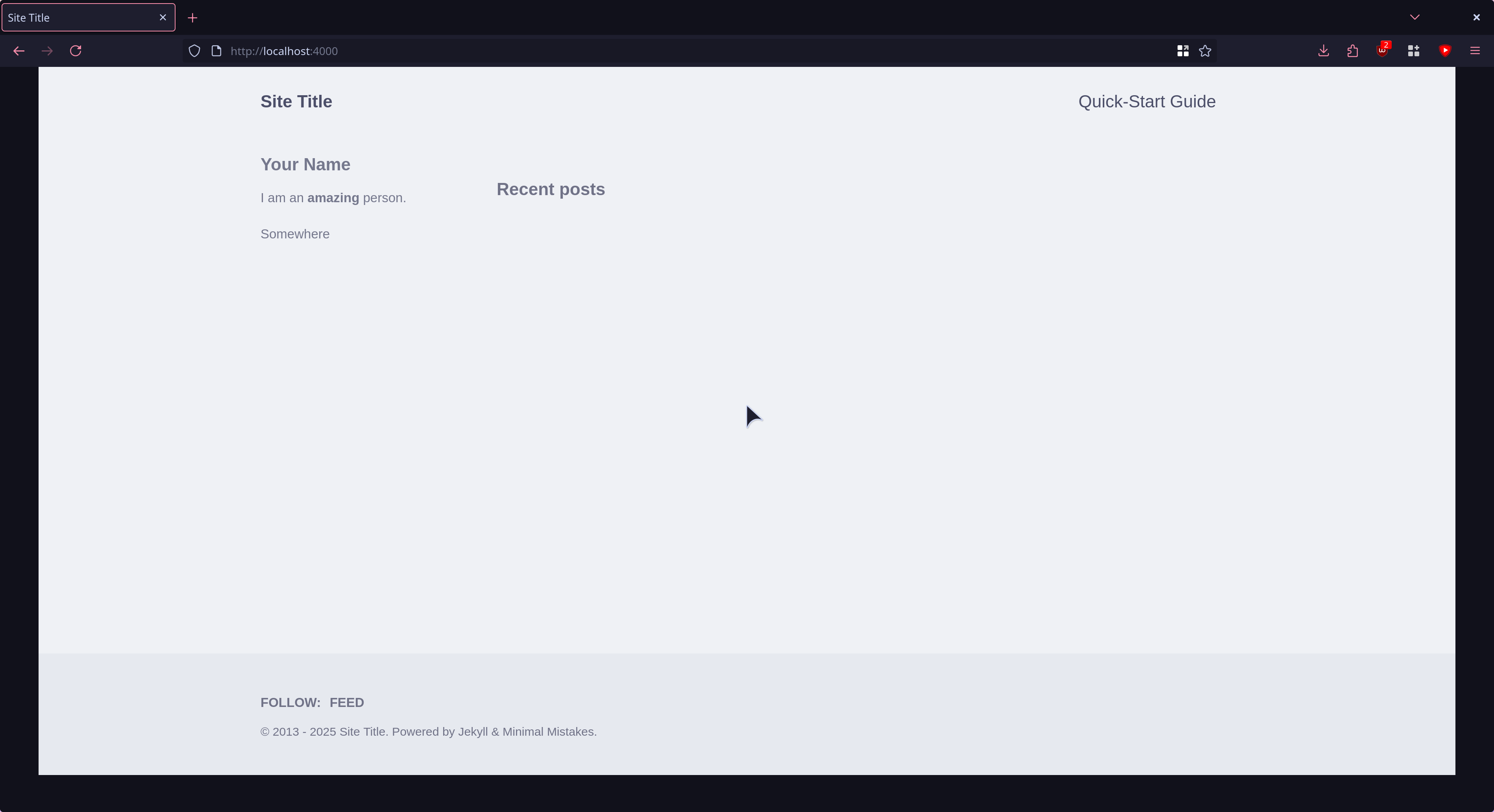
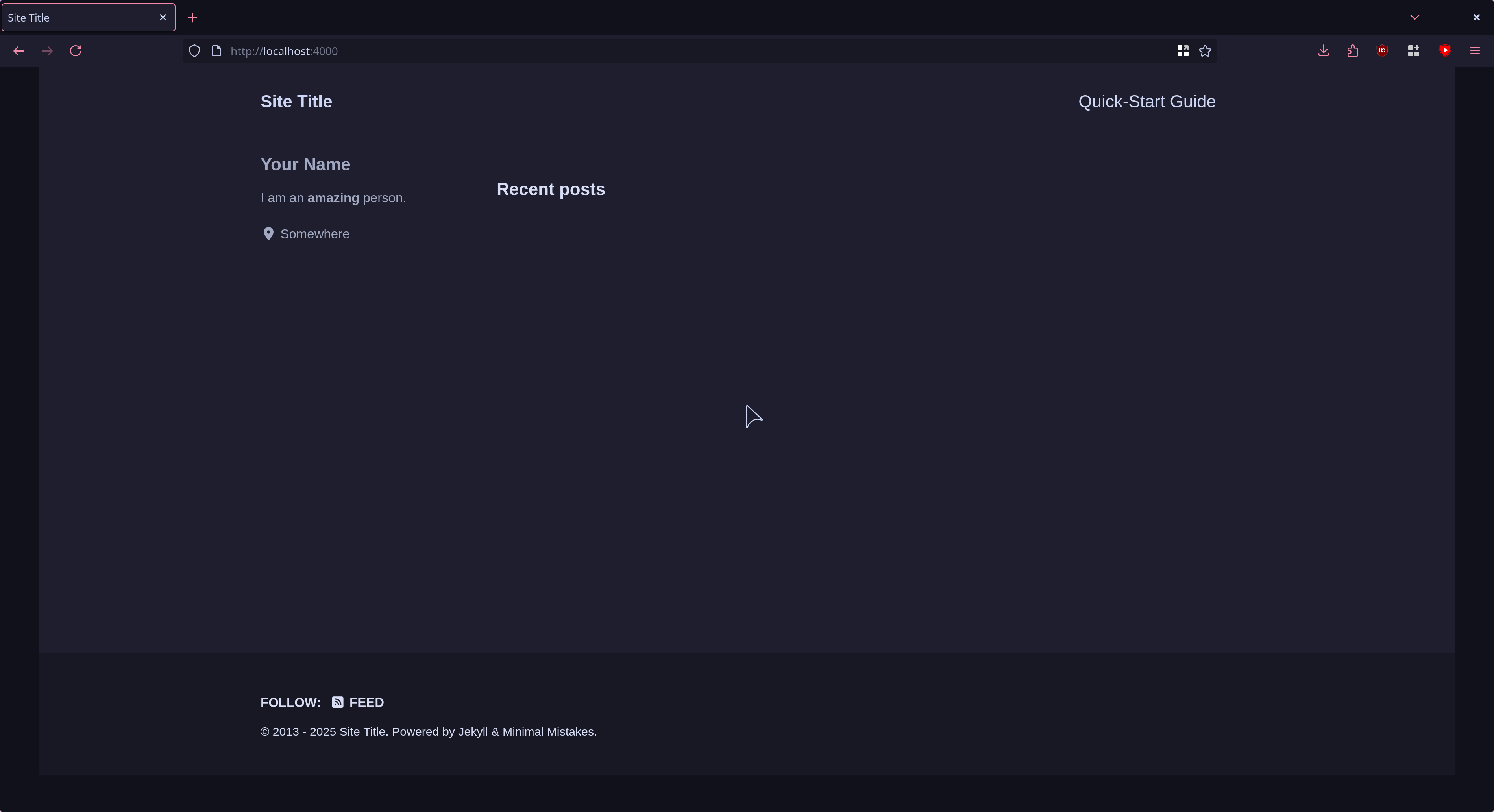
This theme comes in 11 different skins (in addition to the default one).
catppuccin_latte |
catppuccin_mocha |
 |
 |
Demo pages
Additional sample posts are available under posts archive on the demo site. Source files for these (and the entire demo site) can be found in /docs.
Installation
There are three ways to install: as a gem-based theme, as a remote theme (GitHub Pages compatible), or forking/directly copying all of the theme files into your project.
Gem-based method
With Gem-based themes, directories such as the assets, _layouts, _includes, and _sass are stored in the theme’s gem, hidden from your immediate view. Yet all of the necessary directories will be read and processed during Jekyll’s build process.
This allows for easier installation and updating as you don't have to manage any of the theme files. To install:
Add the following to your Gemfile:
gem "minimal-mistakes-jekyll"
Fetch and update bundled gems by running the following Bundler command:
bundle
Set the theme in your project's Jekyll _config.yml file:
theme: minimal-mistakes-jekyll
To update the theme run bundle update.
Remote theme method
Remote themes are similar to Gem-based themes, but do not require Gemfile changes or whitelisting making them ideal for sites hosted with GitHub Pages.
To install:
Create/replace the contents of your Gemfile with the following:
source "https://rubygems.org"

gem "github-pages", group: :jekyll_plugins
gem "jekyll-include-cache", group: :jekyll_plugins
Add jekyll-include-cache to the plugins array of your _config.yml.
Fetch and update bundled gems by running the following Bundler command:
bundle
Add remote_theme: "mmistakes/[email protected]" to your _config.yml file. Remove any other theme: or remote_theme: entry.
Looking for an example? Use the Minimal Mistakes remote theme starter for the quickest method of getting a GitHub Pages hosted site up and running. Generate a new repository from the starter, replace sample content with your own, and configure as needed.
Usage
For detailed instructions on how to configure, customize, add/migrate content, and more read the theme's documentation.
Contributing
Found a typo in the documentation or interested in fixing a bug? Then by all means submit an issue or pull request. If this is your first pull request, it may be helpful to read up on the GitHub Flow first.
For help with using the theme or general Jekyll support questions, please use the Jekyll Talk forums.
Pull Requests
When submitting a pull request:
- Clone the repo.
- Create a branch off of
master and give it a meaningful name (e.g. my-awesome-new-feature).
- Open a pull request on GitHub and describe the feature or fix.
Theme documentation and demo pages can be found in the /docs if submitting improvements, typo corrections, etc.
Development
To set up your environment to develop this theme, run bundle install.
To test the theme, run bundle exec rake preview and open your browser at http://localhost:4000/test/. This starts a Jekyll server using content in the test/ directory. As modifications are made to the theme and test site, it will regenerate and you should see the changes in the browser after a refresh.
Credits
Creator
Michael Rose
Icons + Demo Images:
Other:
License
The MIT License (MIT)
Copyright (c) 2013-2024 Michael Rose and contributors
Permission is hereby granted, free of charge, to any person obtaining a copy
of this software and associated documentation files (the "Software"), to deal
in the Software without restriction, including without limitation the rights
to use, copy, modify, merge, publish, distribute, sublicense, and/or sell
copies of the Software, and to permit persons to whom the Software is
furnished to do so, subject to the following conditions:
The above copyright notice and this permission notice shall be included in all
copies or substantial portions of the Software.
THE SOFTWARE IS PROVIDED "AS IS", WITHOUT WARRANTY OF ANY KIND, EXPRESS OR
IMPLIED, INCLUDING BUT NOT LIMITED TO THE WARRANTIES OF MERCHANTABILITY,
FITNESS FOR A PARTICULAR PURPOSE AND NONINFRINGEMENT. IN NO EVENT SHALL THE
AUTHORS OR COPYRIGHT HOLDERS BE LIABLE FOR ANY CLAIM, DAMAGES OR OTHER
LIABILITY, WHETHER IN AN ACTION OF CONTRACT, TORT OR OTHERWISE, ARISING FROM,
OUT OF OR IN CONNECTION WITH THE SOFTWARE OR THE USE OR OTHER DEALINGS IN THE
SOFTWARE.
Minimal Mistakes incorporates icons from The Noun Project
creators Garrett Knoll, Arthur Shlain, and tracy tam.
Icons are distributed under Creative Commons Attribution 3.0 United States (CC BY 3.0 US).
Minimal Mistakes incorporates Font Awesome,
Copyright (c) 2017 Dave Gandy.
Font Awesome is distributed under the terms of the SIL OFL 1.1
and MIT License.
Minimal Mistakes incorporates photographs from Unsplash.
Minimal Mistakes incorporates Susy,
Copyright (c) 2017, Miriam Eric Suzanne.
Susy is distributed under the terms of the BSD 3-clause "New" or "Revised" License.
Minimal Mistakes incorporates Breakpoint.
Breakpoint is distributed under the terms of the MIT/GPL Licenses.
Minimal Mistakes incorporates FitVids.js,
Copyright (c) 2013 Dave Rubert and Chris Coyier.
FitVids is distributed under the terms of the WTFPL License.
Minimal Mistakes incorporates Magnific Popup,
Copyright (c) 2014-2016 Dmitry Semenov, http://dimsemenov.com.
Magnific Popup is distributed under the terms of the MIT License.
Minimal Mistakes incorporates Smooth Scroll,
Copyright (c) 2019 Chris Ferdinandi.
Smooth Scroll is distributed under the terms of the MIT License.
Minimal Mistakes incorporates Gumshoejs,
Copyright (c) 2019 Chris Ferdinandi.
Gumshoejs is distributed under the terms of the MIT License.
Minimal Mistakes incorporates jQuery throttle / debounce,
Copyright (c) 2010 "Cowboy" Ben Alman.
jQuery throttle / debounce is distributed under the terms of the MIT License.
Minimal Mistakes incorporates GreedyNav.js,
Copyright (c) 2015 Luke Jackson.
GreedyNav.js is distributed under the terms of the MIT License.
Minimal Mistakes incorporates Jekyll Group-By-Array,
Copyright (c) 2015 Max White [email protected].
Jekyll Group-By-Array is distributed under the terms of the MIT License.
Minimal Mistakes incorporates @allejo's Pure Liquid Jekyll Table of Contents,
Copyright (c) 2017 Vladimir Jimenez.
Pure Liquid Jekyll Table of Contents is distributed under the terms of the MIT License.
Minimal Mistakes incorporates Lunr,
Copyright (c) 2018 Oliver Nightingale.
Lunr is distributed under the terms of the MIT License.
Minimal Mistakes incorporates clipboard.js,
Copyright (c) 2021 Zeno Rocha.
Clipboard.js is distributed under the terms of the MIT License.


 这是 Jekyll(Ruby 静态网站生成器)的一个灵活的双栏主题,适合个人网站、博客、项目文档和作品集,样式刻意保持简洁,方便你自己定制。