




10.3K ·GitHub
What is this?
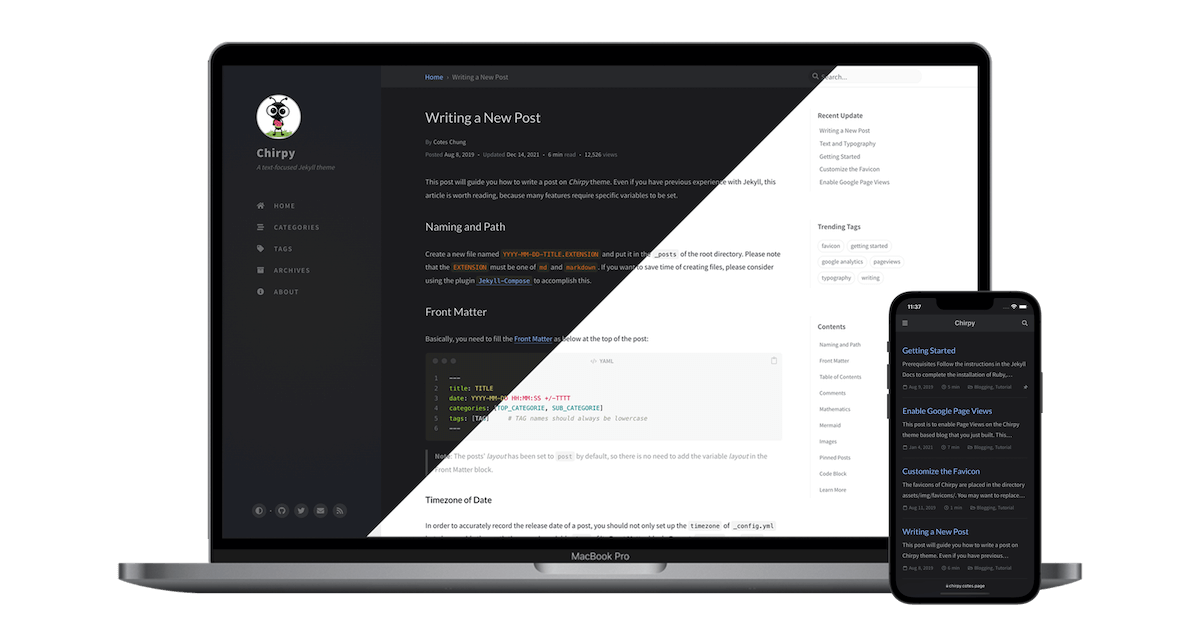
 Chirpy is a minimal, responsive, and feature-rich Jekyll theme made for technical writing — a ready-made design and feature set for static blogs.
Chirpy is a minimal, responsive, and feature-rich Jekyll theme made for technical writing — a ready-made design and feature set for static blogs.Is it a finished blog product, or a design I build a site on top of?A theme for the Jekyll static site generator: you build your site on top of it and Jekyll renders static pages; the theme ships as a Ruby gem.
A theme for the Jekyll static site generator: you build your site on top of it and Jekyll renders static pages; the theme ships as a Ruby gem.How do I get a blog running with it?The project Wiki is the canonical guide for using, developing, and upgrading the theme; the README also offers an 'Open in Dev Containers' one-click setup.
The project Wiki is the canonical guide for using, developing, and upgrading the theme; the README also offers an 'Open in Dev Containers' one-click setup.What do I need installed to build and preview a site locally?Ruby with Jekyll for the site build, plus Node.js for front-end assets (rollup bundles JS, PurgeCSS trims CSS); Bootstrap is the UI framework underneath.
Ruby with Jekyll for the site build, plus Node.js for front-end assets (rollup bundles JS, PurgeCSS trims CSS); Bootstrap is the UI framework underneath.Anything I should brace for before starting?There is no one-command install: expect to set up a Ruby/Jekyll and Node build chain, and customization means editing templates and SCSS rather than flipping settings.
There is no one-command install: expect to set up a Ruby/Jekyll and Node build chain, and customization means editing templates and SCSS rather than flipping settings.Where can the finished site live?Anywhere static files can be served: Jekyll outputs a plain static website (the project embraces jamstack) that runs in any modern browser.
Anywhere static files can be served: Jekyll outputs a plain static website (the project embraces jamstack) that runs in any modern browser.What does a site get for readers out of the box?Built-in search, a choice of multiple comment systems, and Atom feeds come prewired, together with PWA support, integrated web analytics, and advanced SEO performance.
Built-in search, a choice of multiple comment systems, and Atom feeds come prewired, together with PWA support, integrated web analytics, and advanced SEO performance.What can I put into my posts?Code syntax highlighting, mathematical expressions, Mermaid diagrams and flowcharts, and embedded media; for organization there are pinned posts, hierarchical categories, trending tags, an auto-generated table of contents, and last-modified dates.
Code syntax highlighting, mathematical expressions, Mermaid diagrams and flowcharts, and embedded media; for organization there are pinned posts, hierarchical categories, trending tags, an auto-generated table of contents, and last-modified dates.Does it support non-English blogs and dark mode?Yes — the UI language is localizable, and the theme ships with dark and light modes plus dark-mode images.
Yes — the UI language is localizable, and the theme ships with dark and light modes plus dark-mode images.What are similar projects?minimal-mistakes, al-folio, beautiful-jekyll, tailwind-nextjs-starter-blog, academicpages.github.io, tabler, hugo-PaperMod, NotionNext
minimal-mistakes, al-folio, beautiful-jekyll, tailwind-nextjs-starter-blog, academicpages.github.io, tabler, hugo-PaperMod, NotionNextWhich topics is it in?jekyll-theme, responsive-web-design, jekyll, jamstack, bootstrap, sass, blog, seo, html5, syntax-highlighting, static-site-generator, dark-mode
jekyll-theme, responsive-web-design, jekyll, jamstack, bootstrap, sass, blog, seo, html5, syntax-highlighting, static-site-generator, dark-mode