 Edit
Edit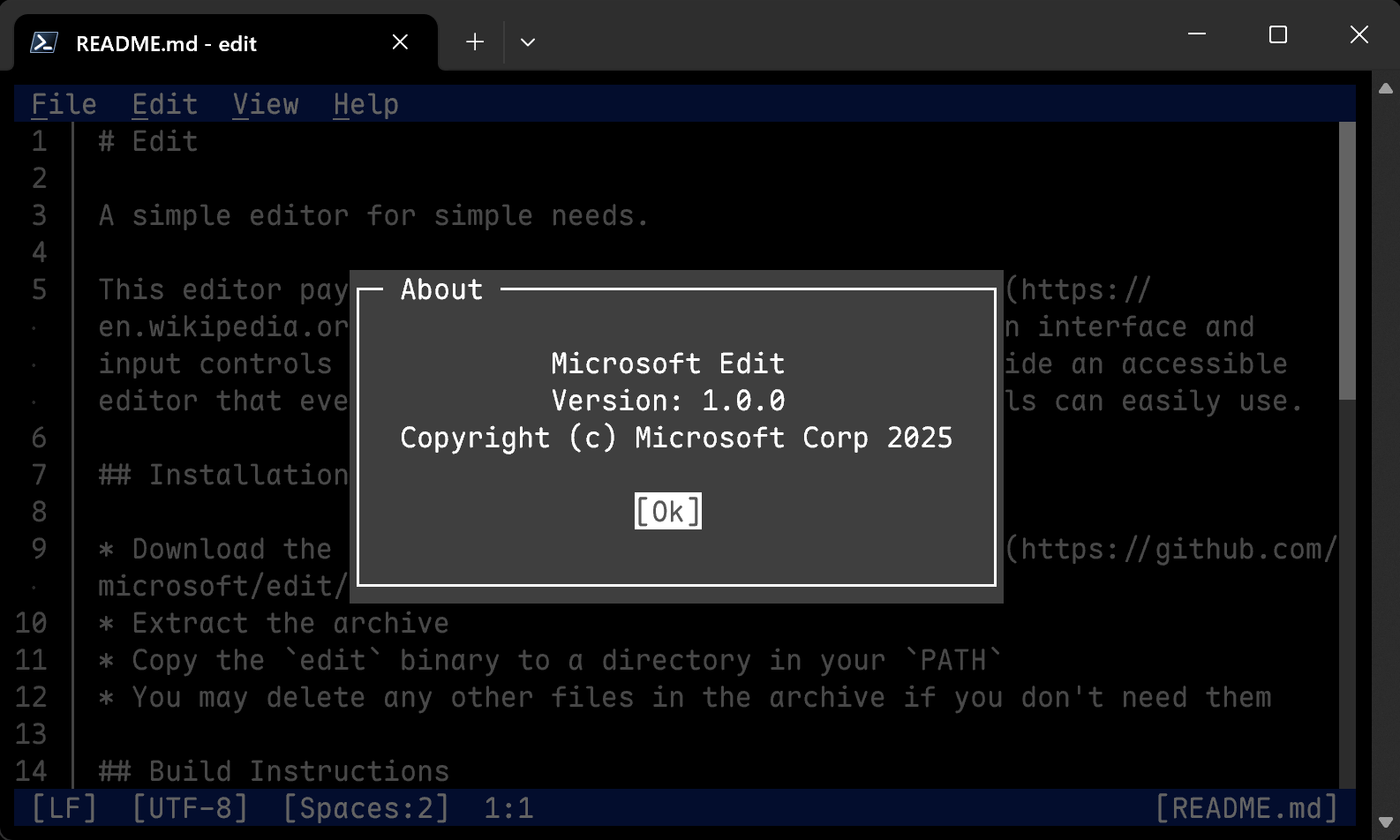

这是什么?
 Edit 是微软推出的一个小型终端文本编辑器,面向快速、简单的任务——它致敬经典的 MS-DOS Editor,用现代化界面重新打造,输入操作与 VS Code 类似。
Edit 是微软推出的一个小型终端文本编辑器,面向快速、简单的任务——它致敬经典的 MS-DOS Editor,用现代化界面重新打造,输入操作与 VS Code 类似。它是在终端里运行,还是图形界面程序?它在终端里运行,但用起来不像传统的模式切换型终端编辑器——界面和输入操作都以 VS Code 为模板,所以它就像一个跑在终端窗口里的现代应用。
它在终端里运行,但用起来不像传统的模式切换型终端编辑器——界面和输入操作都以 VS Code 为模板,所以它就像一个跑在终端窗口里的现代应用。在 Linux 上,安装脚本需要机器预先装好哪些东西?需要 Rust(通过 rustup 安装)、一个 C 编译器(比如 gcc)、ICU,另外还要有 curl/wget 和 tar。脚本随后会把 msedit 安装到 ~/.local/bin,你也可以传 --system 把它装到 /usr/local/bin,或者用 --dev 从 main 分支构建。
需要 Rust(通过 rustup 安装)、一个 C 编译器(比如 gcc)、ICU,另外还要有 curl/wget 和 tar。脚本随后会把 msedit 安装到 ~/.local/bin,你也可以传 --system 把它装到 /usr/local/bin,或者用 --dev 从 main 分支构建。装完之后,命名上有什么要注意的坑吗?有——官方规定的可执行文件名是 'edit',这可能和已有命令冲突,所以建议打包时以 'msedit' 这个名字发布(应避免 'ms-edit' 这类名字),并可选择把 'edit' 设置为它的别名。
有——官方规定的可执行文件名是 'edit',这可能和已有命令冲突,所以建议打包时以 'msedit' 这个名字发布(应避免 'ms-edit' 这类名字),并可选择把 'edit' 设置为它的别名。我对终端编辑器几乎一窍不通,用这个现实吗?它正是为此而生的:官方目标就是一个易于上手的编辑器,让对终端不熟悉的用户也能轻松使用,输入操作沿用熟悉的 VS Code 风格,而不是晦涩的按键组合。
它正是为此而生的:官方目标就是一个易于上手的编辑器,让对终端不熟悉的用户也能轻松使用,输入操作沿用熟悉的 VS Code 风格,而不是晦涩的按键组合。我应该用 nightly 版 Rust 而不是稳定版来构建吗?可以——README 建议设置 RUSTCBOOTSTRAP=1 并用 nightly 版构建,因为这样能大幅减小二进制文件体积,性能也会略有提升。当然,如果你愿意,用稳定版 Rust 也完全没问题。
可以——README 建议设置 RUSTCBOOTSTRAP=1 并用 nightly 版构建,因为这样能大幅减小二进制文件体积,性能也会略有提升。当然,如果你愿意,用稳定版 Rust 也完全没问题。为什么构建时要关心 ICU 这个库?查找和替换功能可选地依赖 ICU,而各个发行版给它的库起的名字不一样,所以维护者可以用 EDITCFGICUUCSONAME 和 EDITCFGICUI18NSONAME 这类变量,把构建指向正确的库。
查找和替换功能可选地依赖 ICU,而各个发行版给它的库起的名字不一样,所以维护者可以用 EDITCFGICUUCSONAME 和 EDITCFGICUI18NSONAME 这类变量,把构建指向正确的库。我能把构建精简到只保留部分界面语言吗?可以——在构建时把 EDITCFGLANGUAGES 环境变量设成一个用逗号分隔的语言列表即可;可用语言都列在 i18n/edit.toml 里。
可以——在构建时把 EDITCFGLANGUAGES 环境变量设成一个用逗号分隔的语言列表即可;可用语言都列在 i18n/edit.toml 里。What are similar projects?spotify-tui, hexyl, winget-cli, fx, micro, vis, toast, lazygit
spotify-tui, hexyl, winget-cli, fx, micro, vis, toast, lazygitWhich topics is it in?terminal-app, winget, terminal-based, mit-license, text-editor, devtools, foss, microsoft, homebrew, editor, app, i18n
terminal-app, winget, terminal-based, mit-license, text-editor, devtools, foss, microsoft, homebrew, editor, app, i18n