27.9K ·GitHub
What is this?
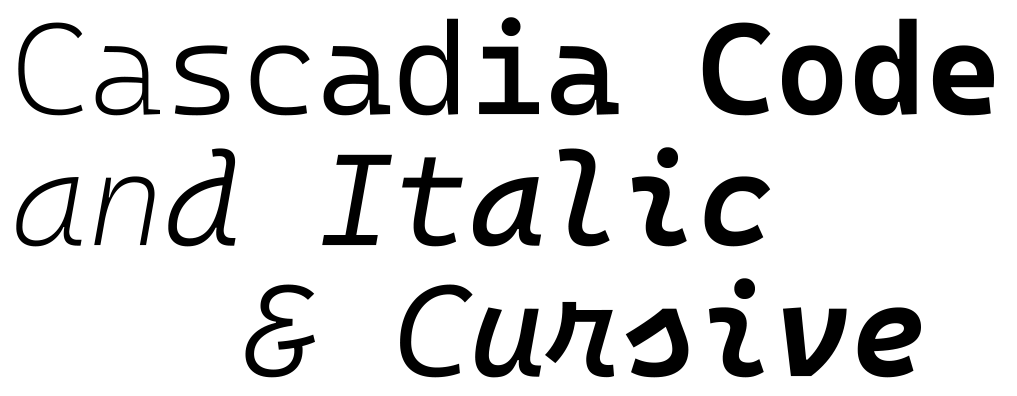
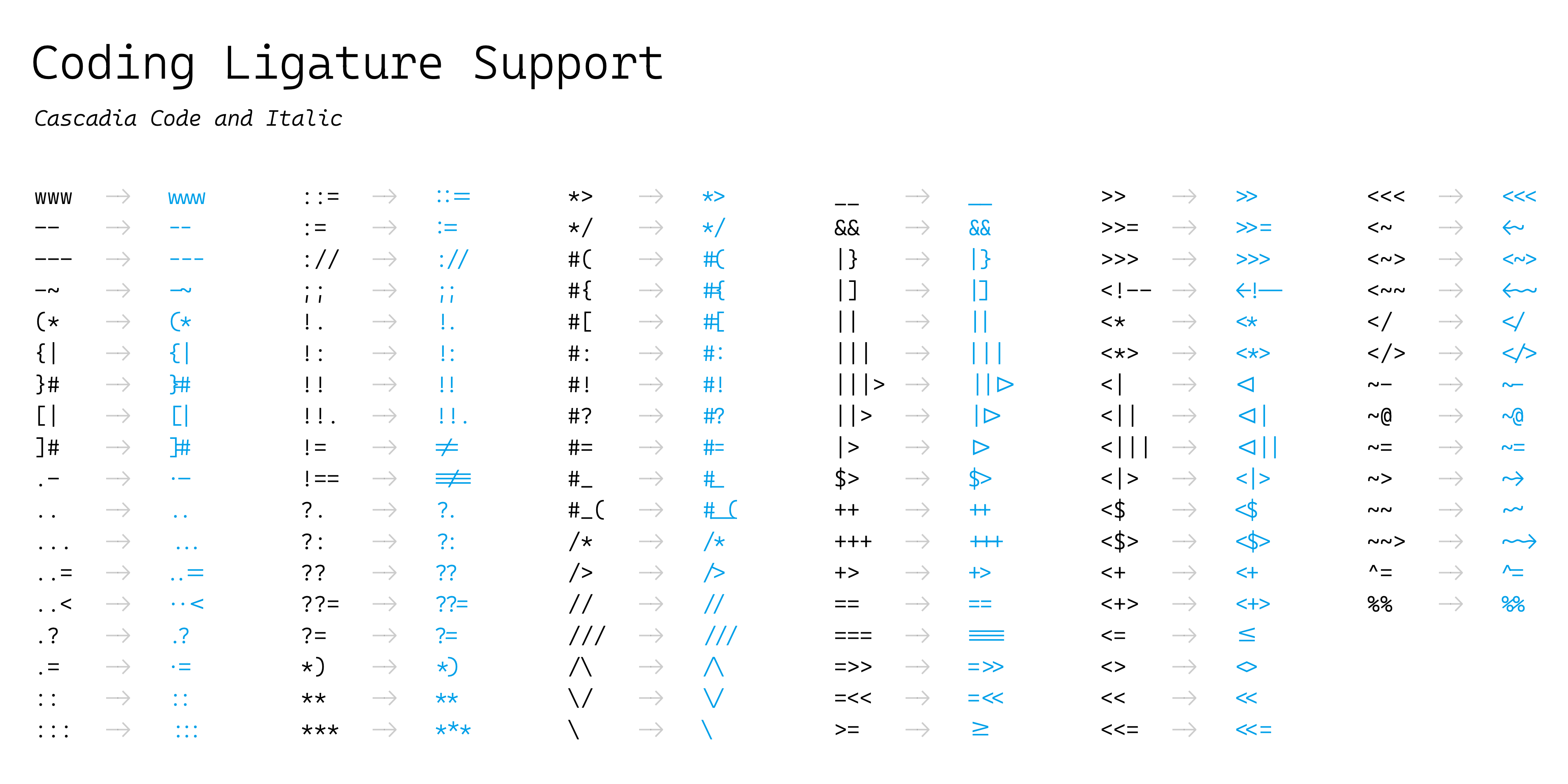
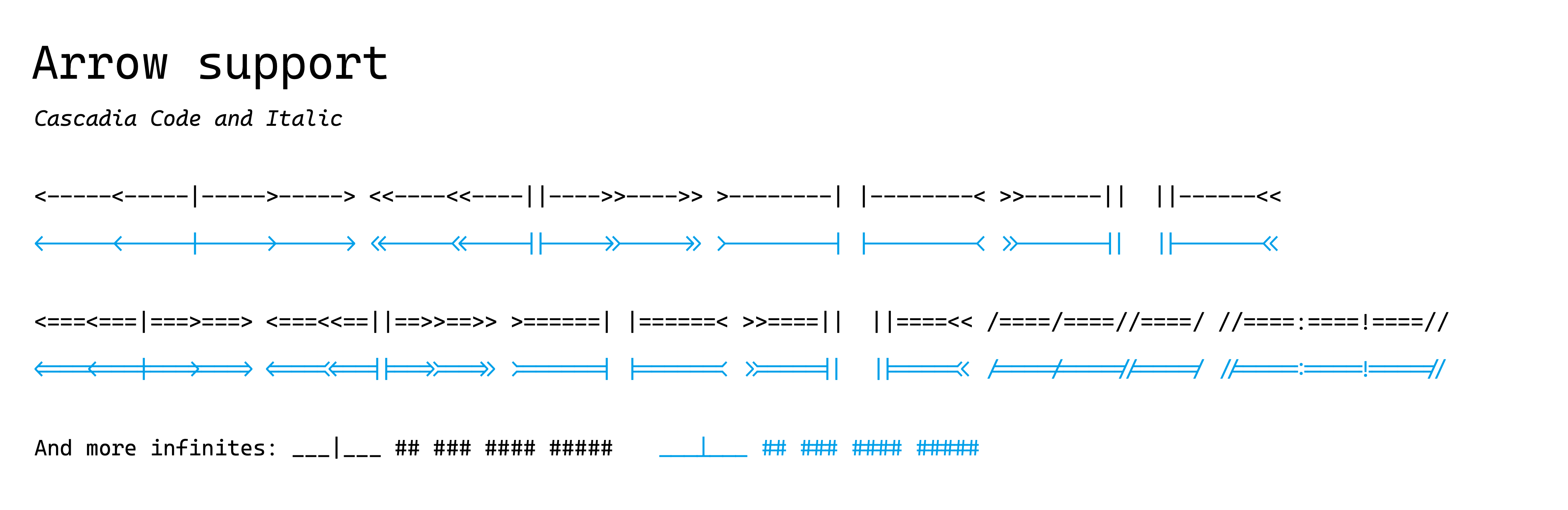
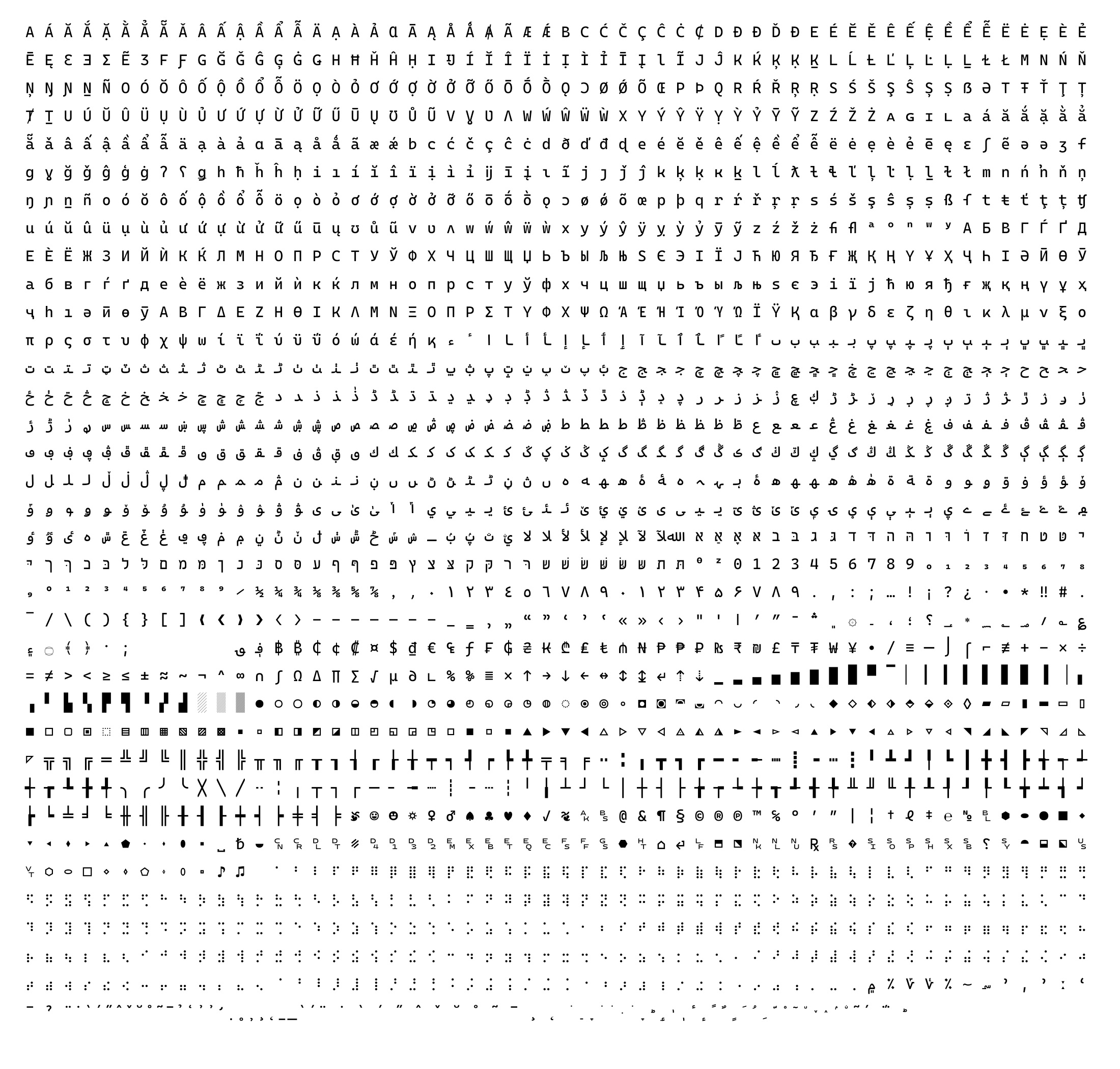
 Cascadia Code is a monospaced coding font with programming ligatures, bundled with Windows Terminal and now the default font in Visual Studio.
Cascadia Code is a monospaced coding font with programming ligatures, bundled with Windows Terminal and now the default font in Visual Studio.Is this one font or several variants?It ships as several variants: Cascadia Code (with ligatures), Cascadia Mono (no ligatures), plus PL (Powerline symbols) and NF (Nerd Font symbols) versions of each.
It ships as several variants: Cascadia Code (with ligatures), Cascadia Mono (no ligatures), plus PL (Powerline symbols) and NF (Nerd Font symbols) versions of each.Which font format should I pick?The variable TTF is recommended for most users (weights 200-700); static TTF/OTF are for cases that don't support variable fonts, and WOFF2 is provided for web use.
The variable TTF is recommended for most users (weights 200-700); static TTF/OTF are for cases that don't support variable fonts, and WOFF2 is provided for web use.Any install pitfalls?If you had a previous version of Cascadia Code installed, you must uninstall it before installing the new one, or rendering can break.
If you had a previous version of Cascadia Code installed, you must uninstall it before installing the new one, or rendering can break.Who is this font aimed at?Developers and terminal/editor users who want a readable monospace font with coding ligatures, used by default in Windows Terminal and Visual Studio.
Developers and terminal/editor users who want a readable monospace font with coding ligatures, used by default in Windows Terminal and Visual Studio.Does it only work on Windows?No, it works cross-platform since it's distributed as standard TTF/OTF/WOFF2 font files, though it's recommended especially for Windows due to TrueType hinting.
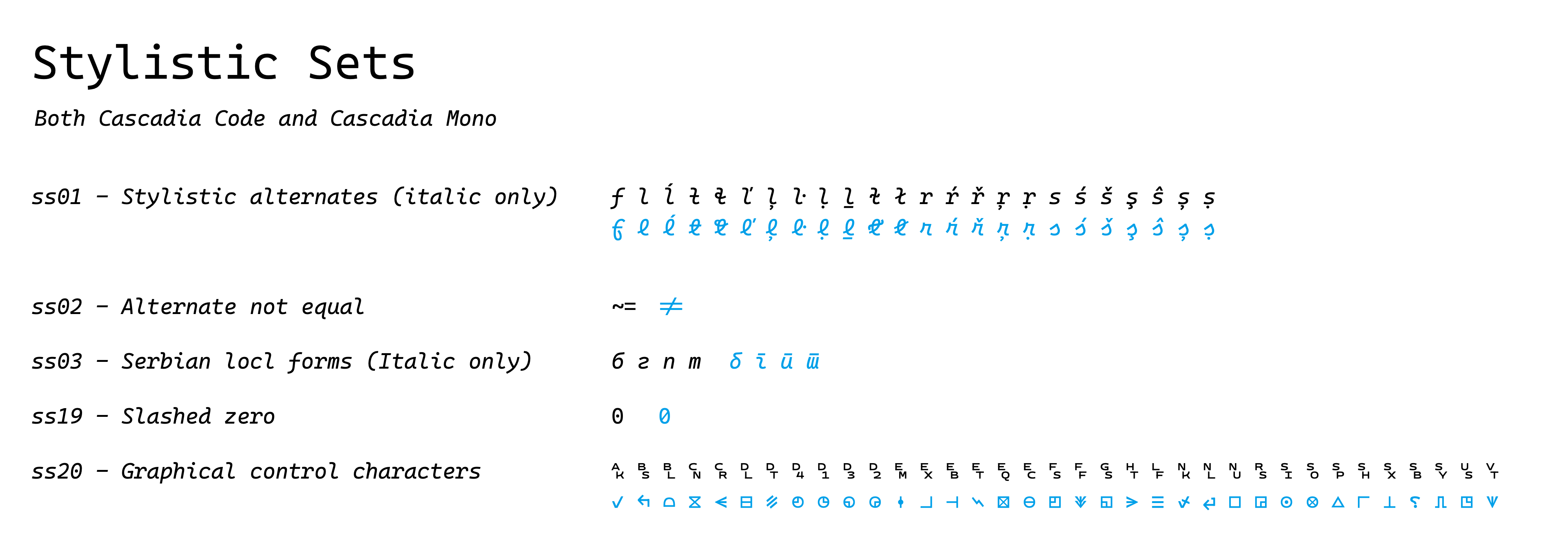
No, it works cross-platform since it's distributed as standard TTF/OTF/WOFF2 font files, though it's recommended especially for Windows due to TrueType hinting.How do I enable the ligatures or cursive italic in my editor?Enable OpenType stylistic sets through your application's settings; for example, in VS Code you configure this via settings.json, and the cursive italic is accessible through the ss01 feature.
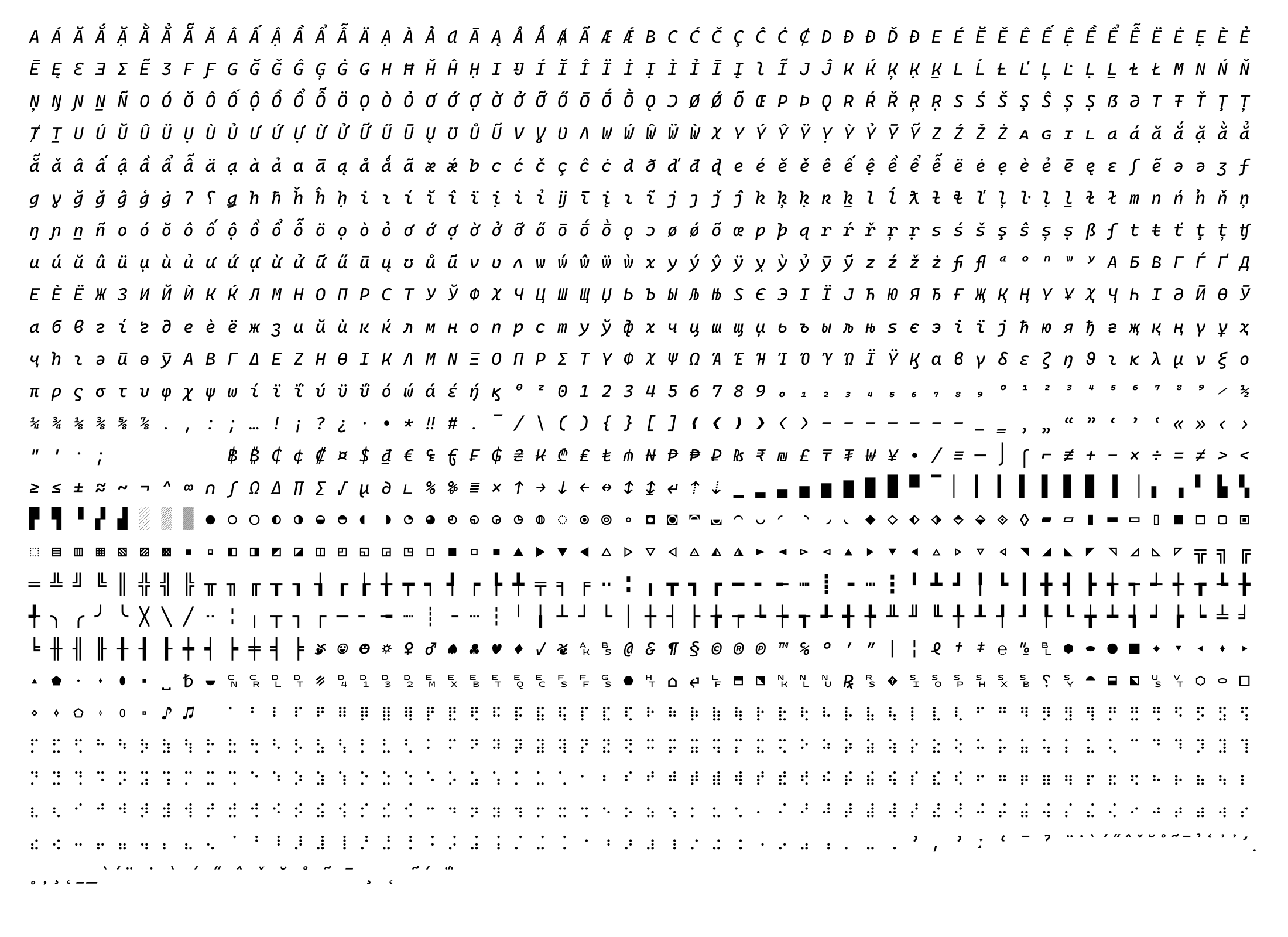
Enable OpenType stylistic sets through your application's settings; for example, in VS Code you configure this via settings.json, and the cursive italic is accessible through the ss01 feature.What if my app doesn't support the ss01 stylistic set?README suggests using a tool like opentype-feature-freezer to bake the ss01 cursive italic feature directly into the font file.
README suggests using a tool like opentype-feature-freezer to bake the ss01 cursive italic feature directly into the font file.Where can I find detailed, app-specific installation instructions?The project's wiki has more details and app-specific instructions beyond the basic install-by-right-click steps.
The project's wiki has more details and app-specific instructions beyond the basic install-by-right-click steps.Who designed Cascadia Code and what inspired its ligatures?It was created by Microsoft (designer Aaron Bell with the team), building on Fira Code's OpenType ligature code and Nerd Fonts' iconography, with consultants for Cyrillic, Arabic, Hebrew, Greek, and Vietnamese character support.
It was created by Microsoft (designer Aaron Bell with the team), building on Fira Code's OpenType ligature code and Nerd Fonts' iconography, with consultants for Cyrillic, Arabic, Hebrew, Greek, and Vietnamese character support.What are similar projects?Monocraft, JetBrainsMono, Iosevka, FiraCode, maple-font, Hack, source-code-pro, monaspace
Monocraft, JetBrainsMono, Iosevka, FiraCode, maple-font, Hack, source-code-pro, monaspace