Что это такое?
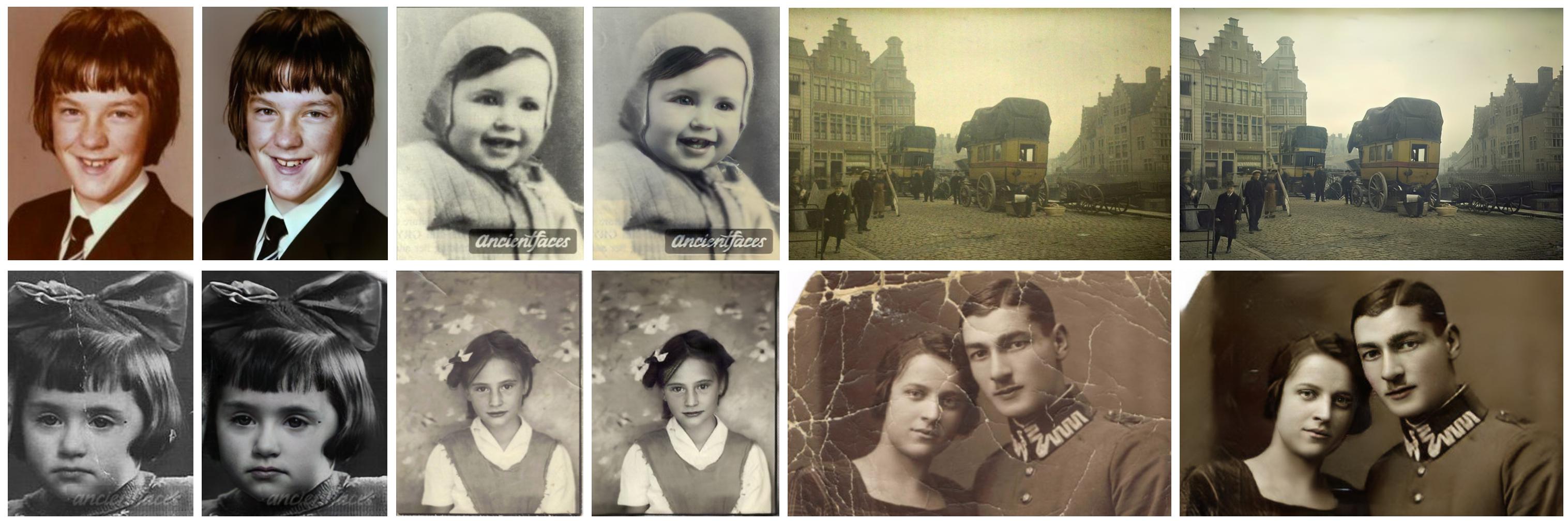
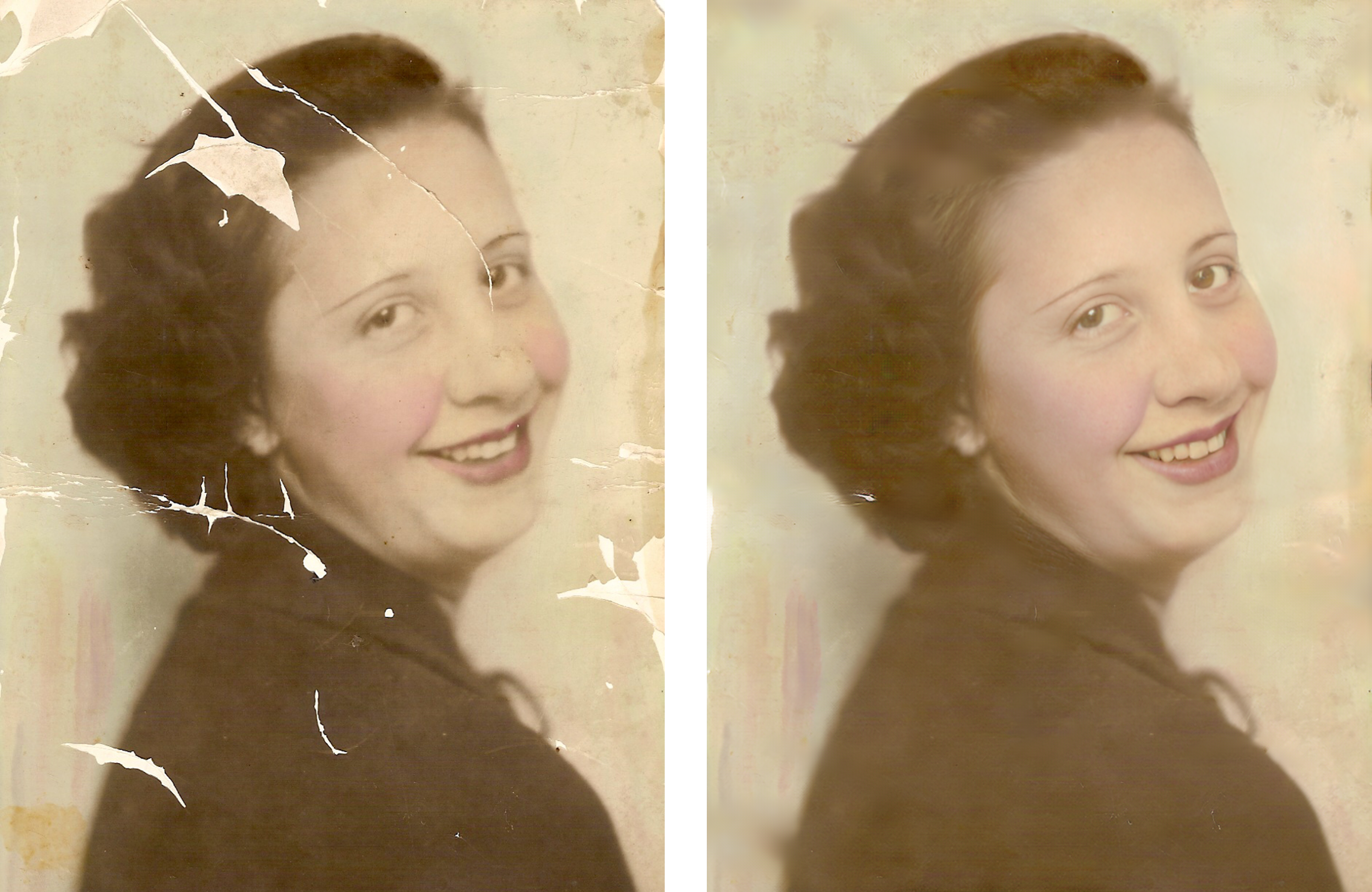
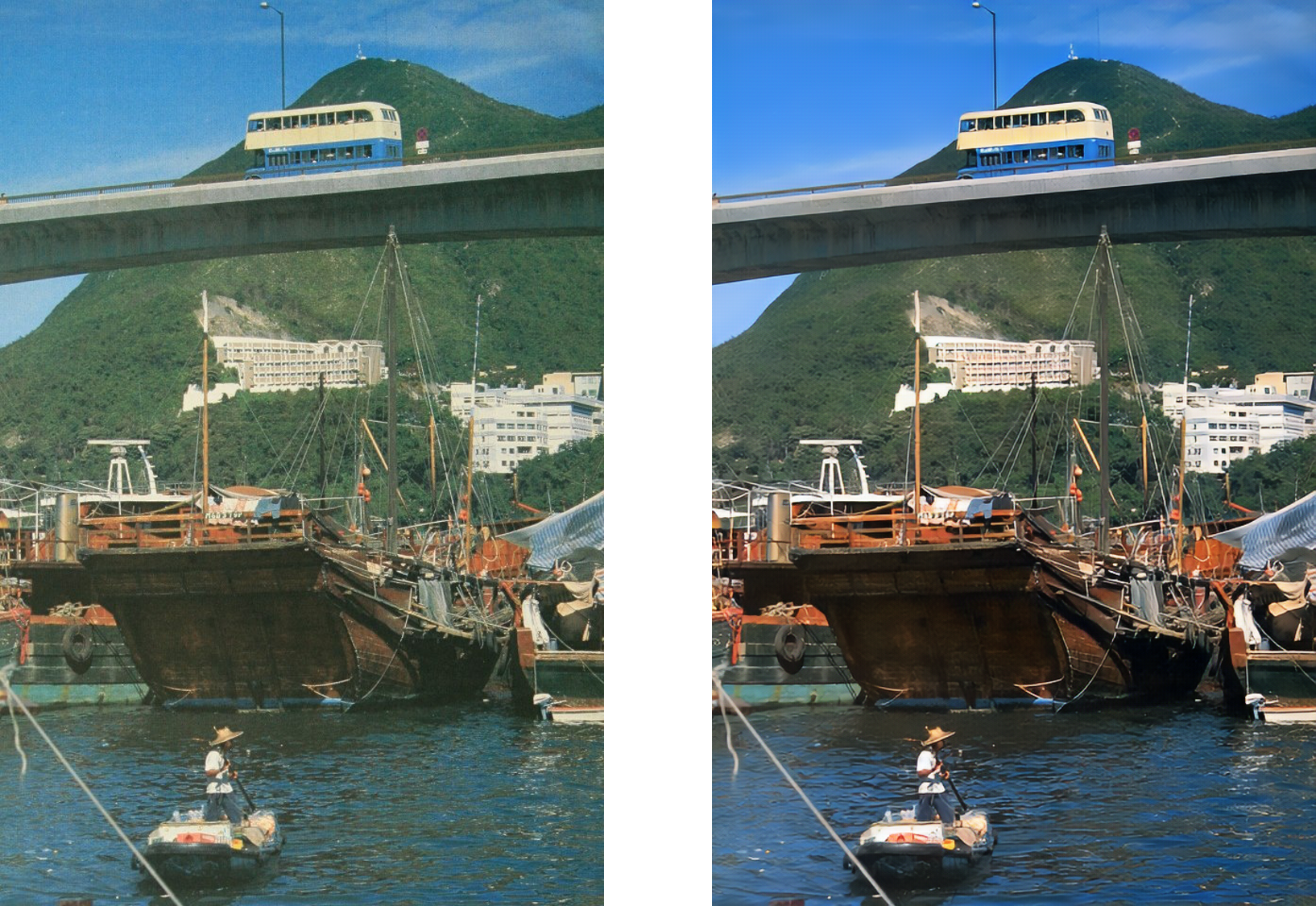
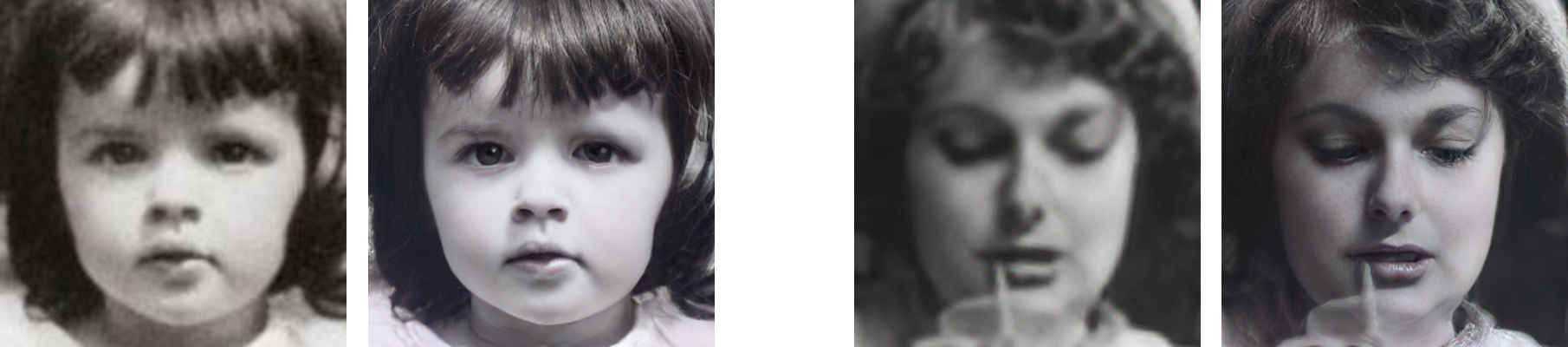
 Это инструмент на основе ИИ для реставрации старых фотографий от Microsoft Research и City University of Hong Kong: модели глубокого обучения, которые убирают царапины, устраняют общие искажения и улучшают лица на повреждённых снимках. Это официальная реализация на PyTorch статьи с устной презентацией на CVPR 2020, позже расширенной в TPAMI 2022.
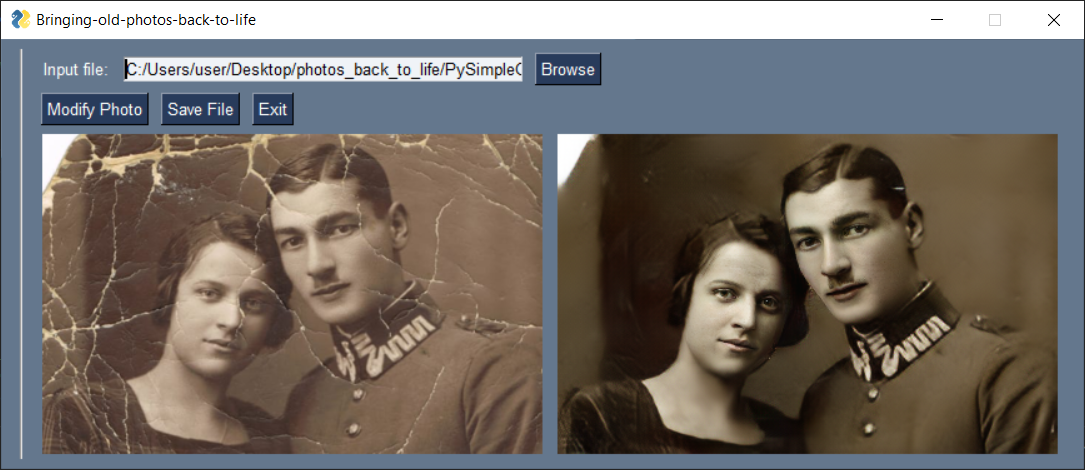
Это инструмент на основе ИИ для реставрации старых фотографий от Microsoft Research и City University of Hong Kong: модели глубокого обучения, которые убирают царапины, устраняют общие искажения и улучшают лица на повреждённых снимках. Это официальная реализация на PyTorch статьи с устной презентацией на CVPR 2020, позже расширенной в TPAMI 2022.Это готовое приложение, которое можно просто открыть, или код, который нужно запускать самому?Это исследовательский код, который вы запускаете сами: скрипты на Python, управляемые из командной строки, после того как вы скачаете предобученные модели (чекпоинты). Есть также простой встроенный графический интерфейс, плюс демо на Colab и Replicate с готовым Docker-образом — если не хочется ничего настраивать.
Это исследовательский код, который вы запускаете сами: скрипты на Python, управляемые из командной строки, после того как вы скачаете предобученные модели (чекпоинты). Есть также простой встроенный графический интерфейс, плюс демо на Colab и Replicate с готовым Docker-образом — если не хочется ничего настраивать.Как его настроить и запустить?Склонируйте репозиторий вместе с репозиторием Synchronized-BatchNorm-PyTorch, скачайте предобученные модели для определения черт лица и реставрации, распакуйте FaceEnhancement/checkpoints.zip и Global/checkpoints.zip в соответствующие папки и установите зависимости — после этого одна команда восстанавливает фотографию. В README рекомендуется указывать абсолютные пути к входным изображениям.
Склонируйте репозиторий вместе с репозиторием Synchronized-BatchNorm-PyTorch, скачайте предобученные модели для определения черт лица и реставрации, распакуйте FaceEnhancement/checkpoints.zip и Global/checkpoints.zip в соответствующие папки и установите зависимости — после этого одна команда восстанавливает фотографию. В README рекомендуется указывать абсолютные пути к входным изображениям.Что нужно на компьютере, чтобы всё это заработало?Python 3.6 или новее на Ubuntu с видеокартой Nvidia и установленной CUDA — именно в такой среде авторы всё тестировали. Проект построен на PyTorch, а остальные зависимости устанавливаются из репозитория после клонирования.
Python 3.6 или новее на Ubuntu с видеокартой Nvidia и установленной CUDA — именно в такой среде авторы всё тестировали. Проект построен на PyTorch, а остальные зависимости устанавливаются из репозитория после клонирования.О чём стоит помнить, прежде чем запускать это на своих фото?Модели обучались на изображениях размером 256x256, поэтому с произвольным разрешением результат реставрации может быть неидеальным — специально для больших снимков с царапинами есть режим с многомерным patch-attention. Авторы также отмечают, что скорость работы не оптимизировалась, поскольку это исследовательский репозиторий.
Модели обучались на изображениях размером 256x256, поэтому с произвольным разрешением результат реставрации может быть неидеальным — специально для больших снимков с царапинами есть режим с многомерным patch-attention. Авторы также отмечают, что скорость работы не оптимизировалась, поскольку это исследовательский репозиторий.Можно ли использовать это в коммерческом продукте?Код и предобученные модели распространяются по лицензии MIT, но в README сказано, что проект поддерживается только для использования в академических исследованиях — то есть как коммерческий продукт он не позиционируется, а вопросы следует направлять разработчику по электронной почте.
Код и предобученные модели распространяются по лицензии MIT, но в README сказано, что проект поддерживается только для использования в академических исследованиях — то есть как коммерческий продукт он не позиционируется, а вопросы следует направлять разработчику по электронной почте.Можно ли запустить это без видеокарты Nvidia?Да — укажите -1 в качестве номера GPU, и всё запустится на процессоре; также поддерживаются конфигурации с несколькими GPU, например 0,1,2. Поскольку тестировалась среда с видеокартами Nvidia, запуск на CPU будет медленнее, и проверять результат придётся самостоятельно.
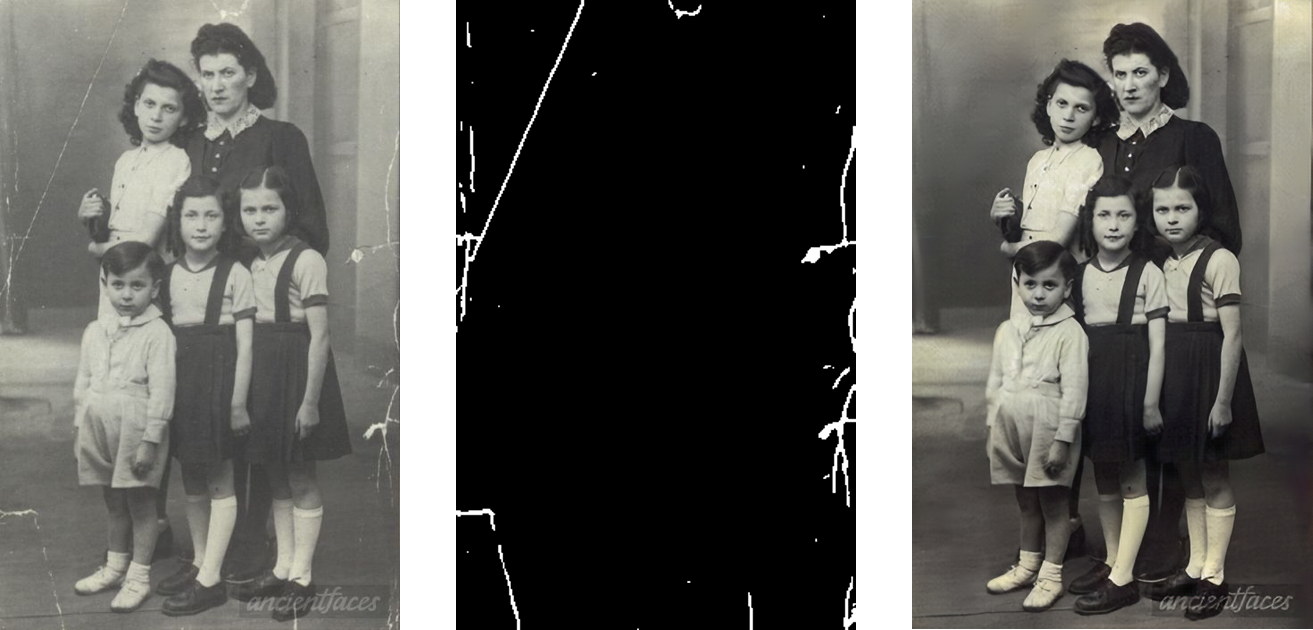
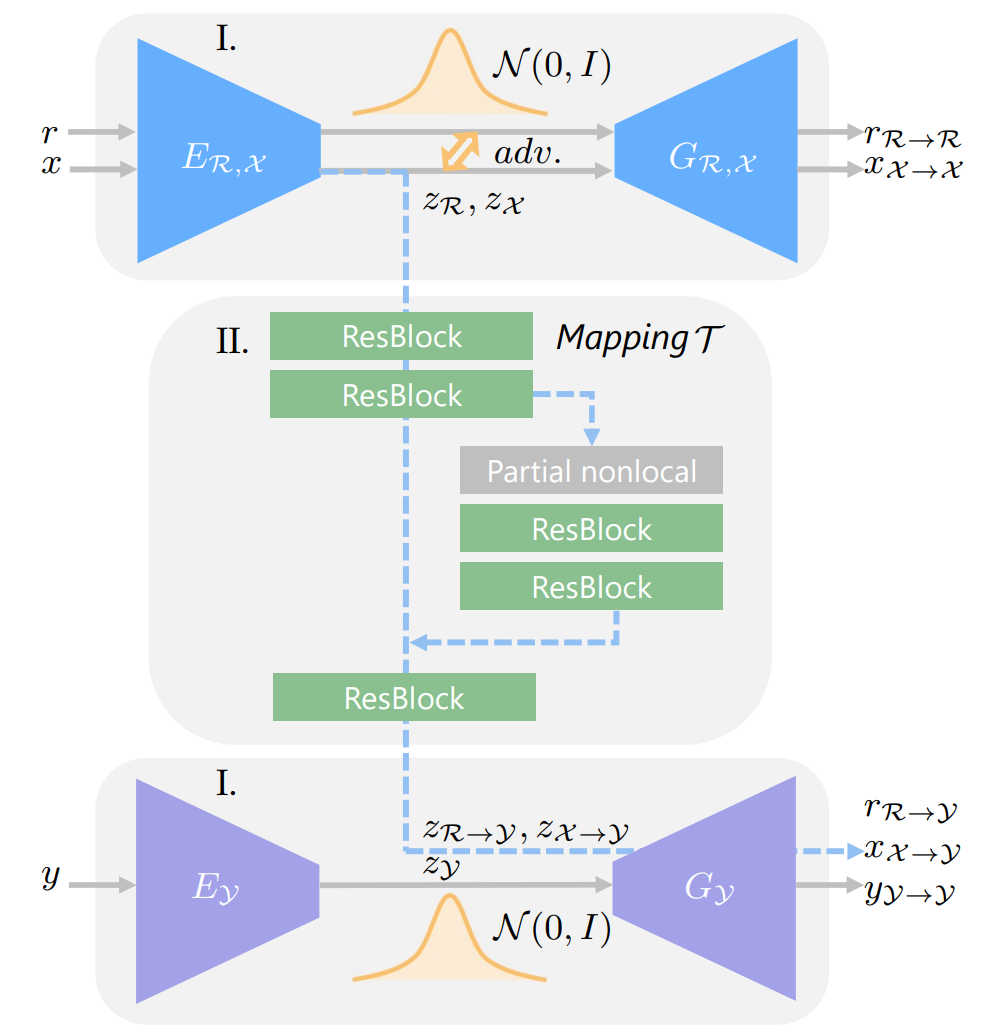
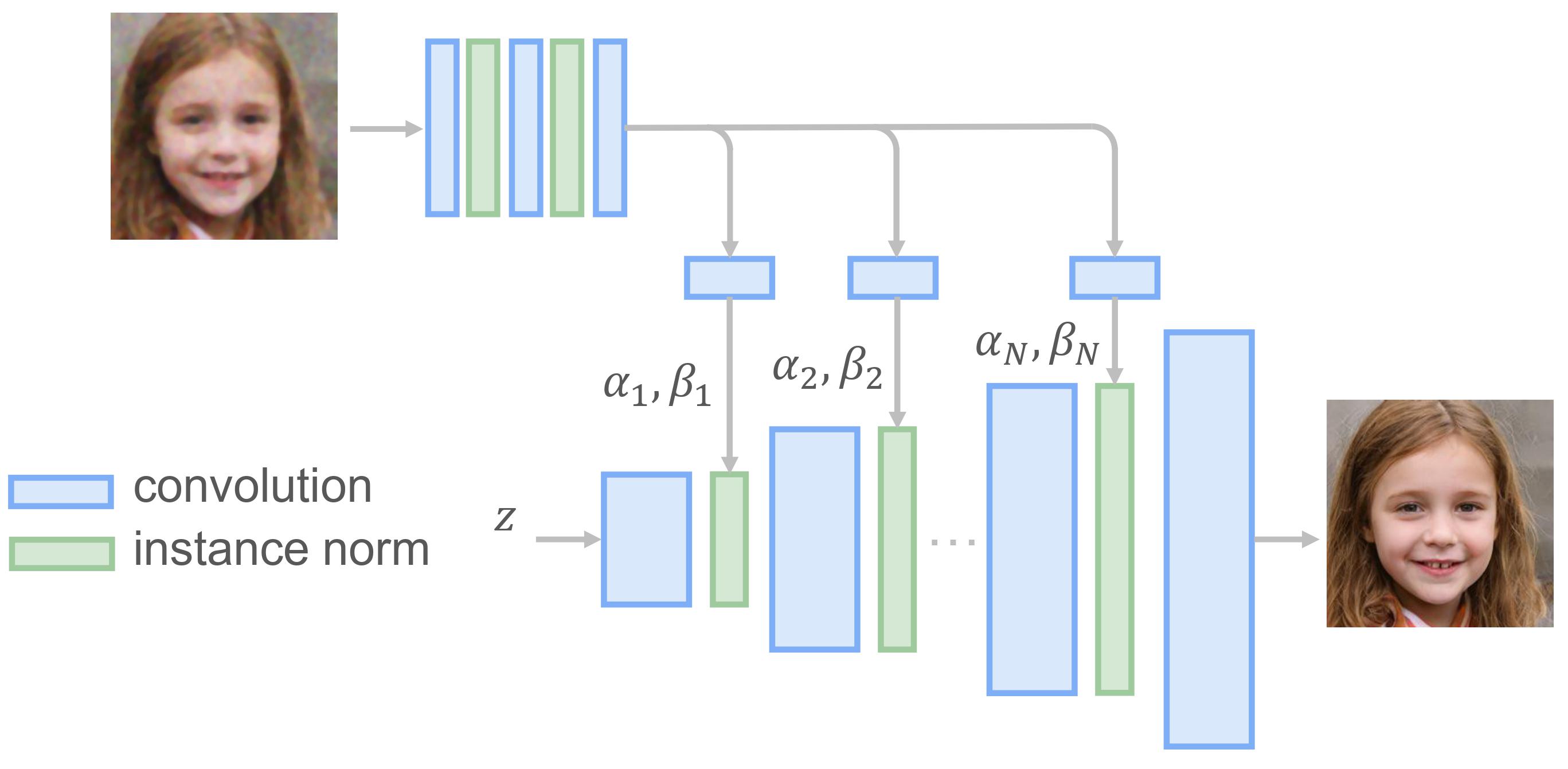
Да — укажите -1 в качестве номера GPU, и всё запустится на процессоре; также поддерживаются конфигурации с несколькими GPU, например 0,1,2. Поскольку тестировалась среда с видеокартами Nvidia, запуск на CPU будет медленнее, и проверять результат придётся самостоятельно.Что этот конвейер на самом деле делает с фотографией?Три этапа: модель обнаружения царапин находит повреждения, сеть triplet domain translation устраняет как структурные искажения (царапины), так и неструктурные, а прогрессивный генератор дорабатывает области лиц. Промежуточные результаты каждого шага сохраняются в выходную папку.
Три этапа: модель обнаружения царапин находит повреждения, сеть triplet domain translation устраняет как структурные искажения (царапины), так и неструктурные, а прогрессивный генератор дорабатывает области лиц. Промежуточные результаты каждого шага сохраняются в выходную папку.Можно ли попробовать, ничего не устанавливая?Да — в README есть ссылка на демо в Colab, которое запускается прямо в браузере, а также демо на Replicate с Docker-образом, так что вы можете проверить всё на своих фотографиях, прежде чем настраивать окружение Ubuntu + CUDA.
Да — в README есть ссылка на демо в Colab, которое запускается прямо в браузере, а также демо на Replicate с Docker-образом, так что вы можете проверить всё на своих фотографиях, прежде чем настраивать окружение Ubuntu + CUDA.Можно ли переобучить модель на своей коллекции старых фотографий?Да, код для обучения включён: соберите обучающий файл из набора данных VOC плюс ваши собранные старые фото, обучите VAE для домена A и домена B по отдельности, затем обучите сеть преобразования (mapping) — есть вариант с многомерным patch-attention для входных изображений в высоком разрешении.
Да, код для обучения включён: соберите обучающий файл из набора данных VOC плюс ваши собранные старые фото, обучите VAE для домена A и домена B по отдельности, затем обучите сеть преобразования (mapping) — есть вариант с многомерным patch-attention для входных изображений в высоком разрешении.Почему нельзя просто скачать набор данных с фотографиями с царапинами?Авторы не планируют публиковать свой размеченный набор данных с такими снимками напрямую. Вместо этого вы можете прогнать их предобученную модель обнаружения царапин по изображениям, которые соберёте сами, и сгенерировать разметку.
Авторы не планируют публиковать свой размеченный набор данных с такими снимками напрямую. Вместо этого вы можете прогнать их предобученную модель обнаружения царапин по изображениям, которые соберёте сами, и сгенерировать разметку.What are similar projects?pytorch-CycleGAN-and-pix2pix, CycleGAN, pix2pix, GFPGAN, CodeFormer, PyTorch-GAN, DragGAN, IOPaint
pytorch-CycleGAN-and-pix2pix, CycleGAN, pix2pix, GFPGAN, CodeFormer, PyTorch-GAN, DragGAN, IOPaint