


CodeFormer README

The project's README from github.com/sczhou/CodeFormer. As one markdown file: README.md.

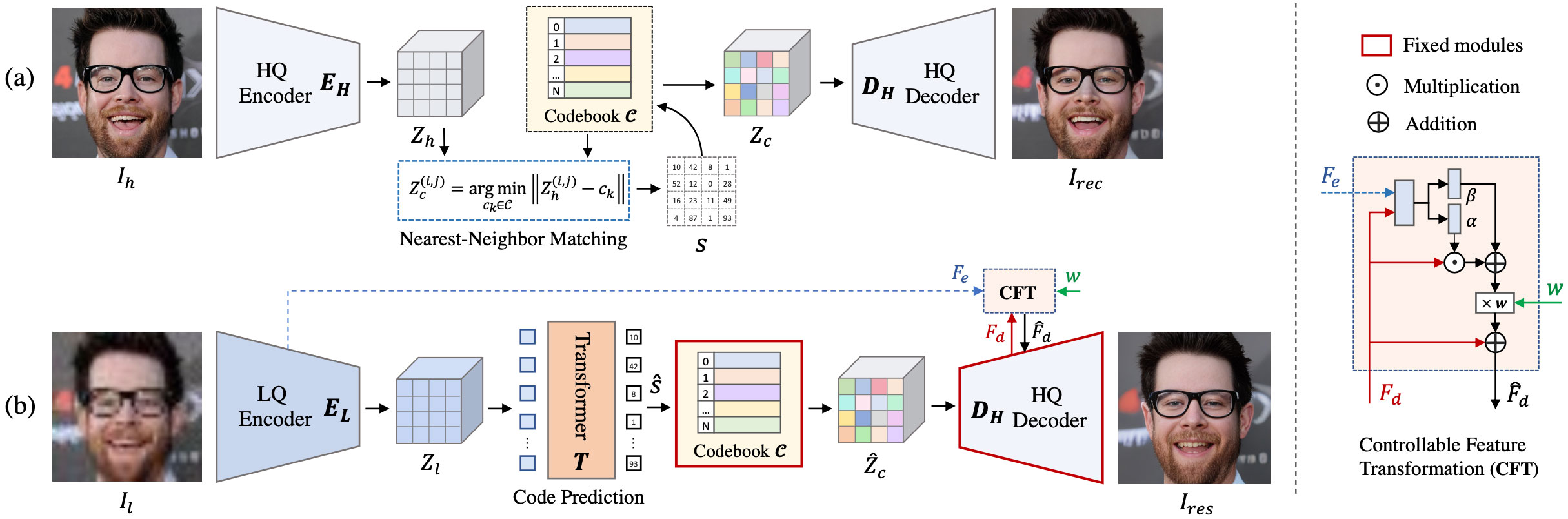
Towards Robust Blind Face Restoration with Codebook Lookup Transformer (NeurIPS 2022)

Paper | Project Page | Video

google colab logo Hugging Face Replicate OpenXLab Visitors

Shangchen Zhou, Kelvin C.K. Chan, Chongyi Li, Chen Change Loy

S-Lab, Nanyang Technological University

:star: If CodeFormer is helpful to your images or projects, please help star this repo. Thanks! :hugs:

Update

TODO

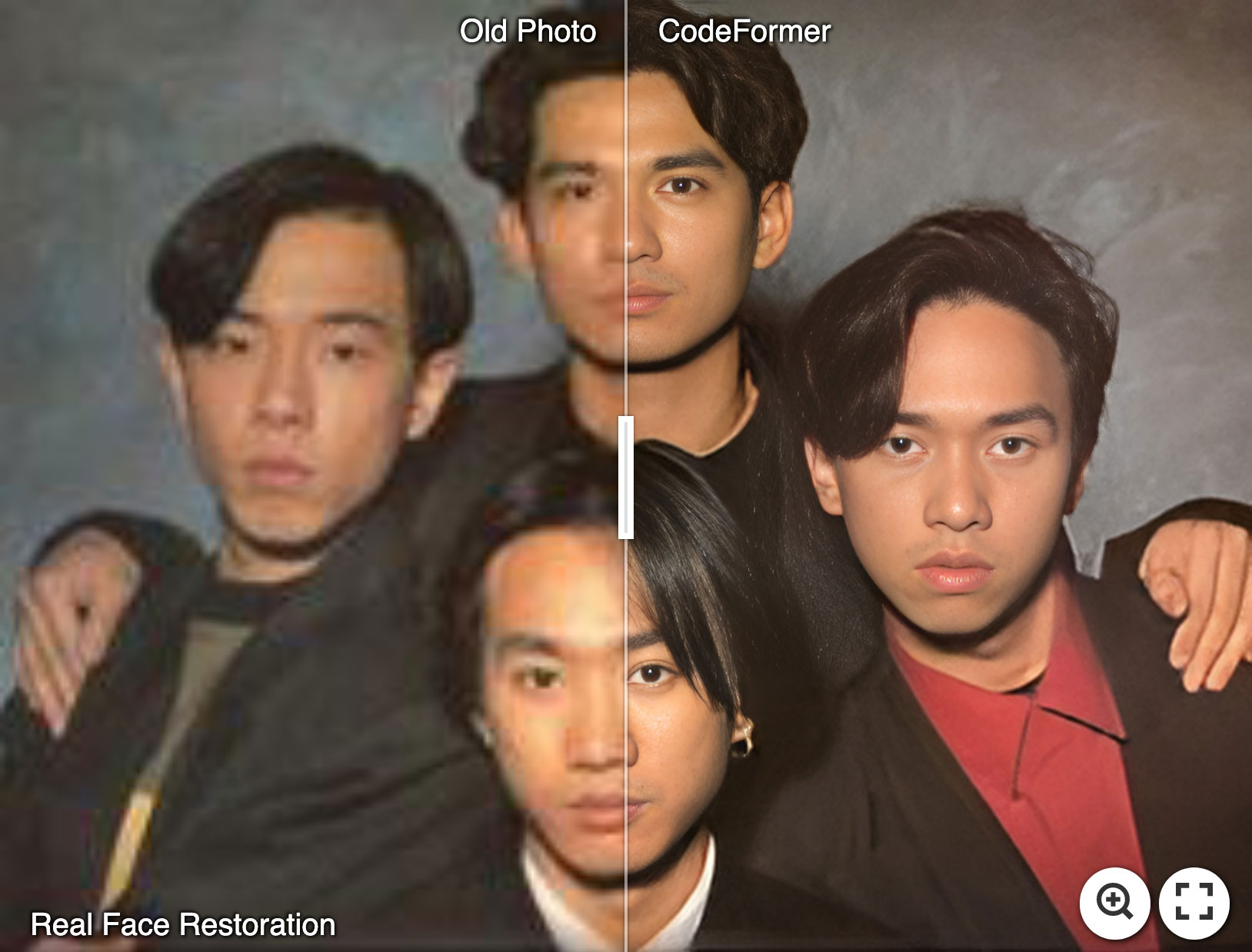
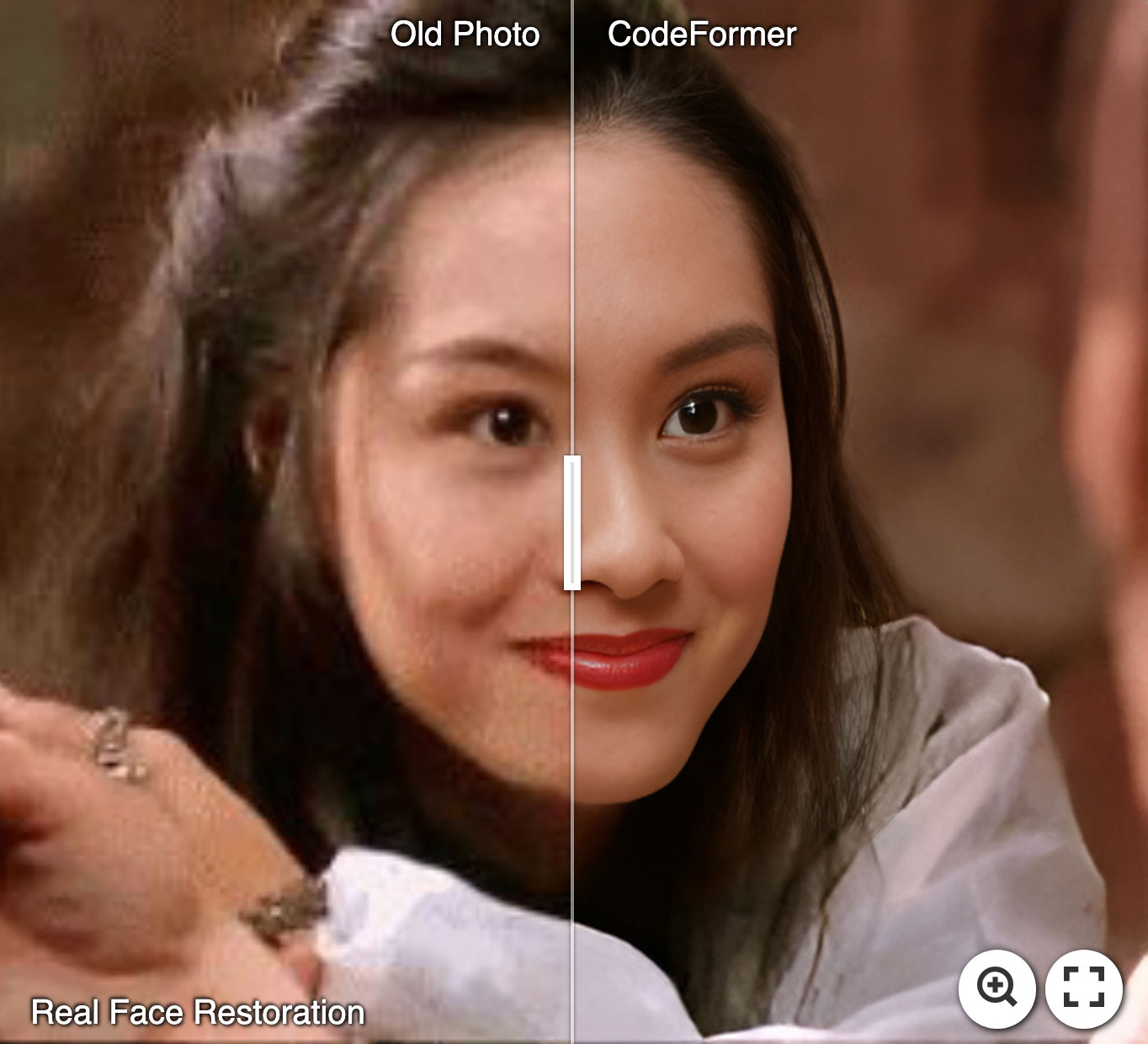
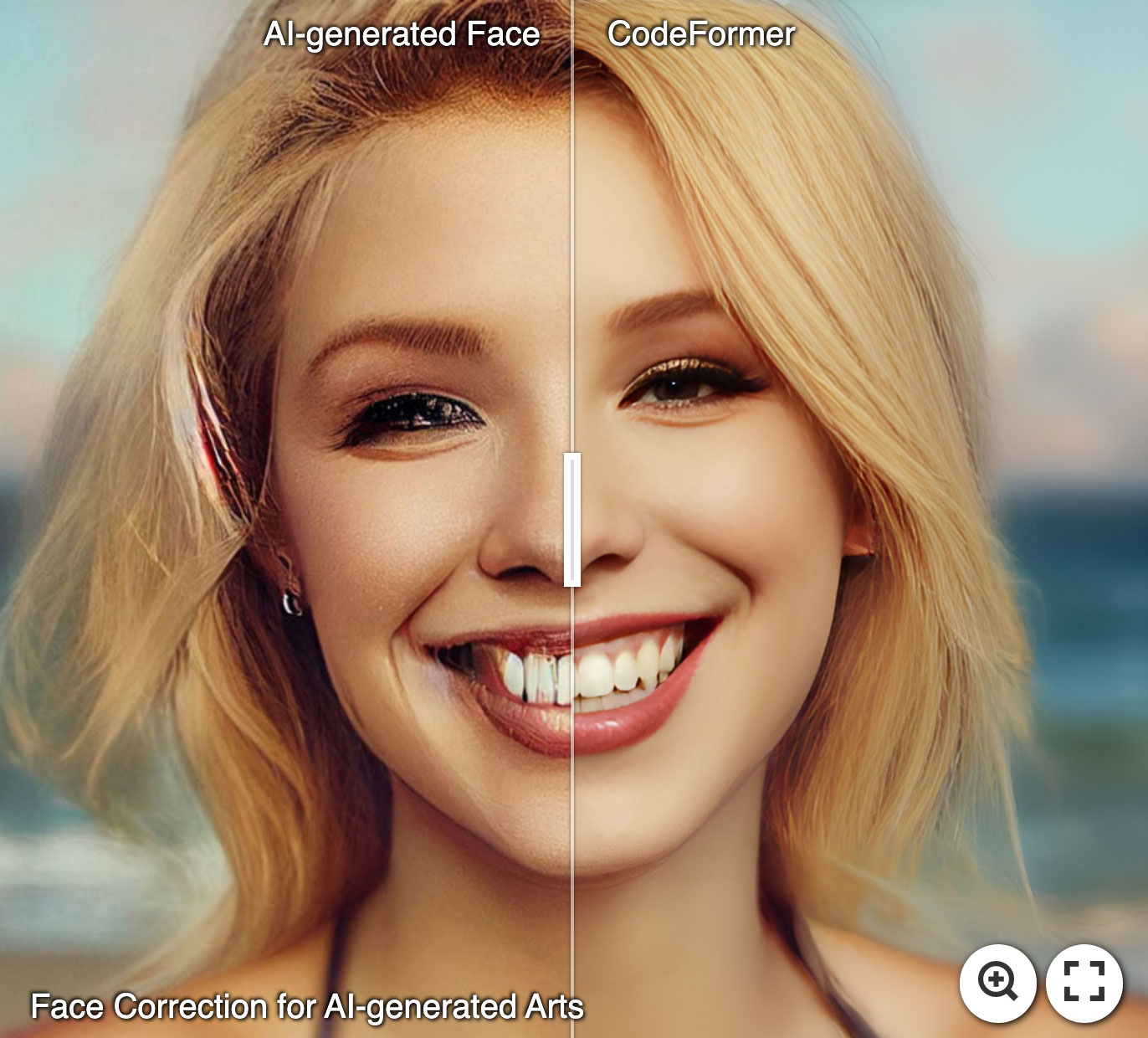
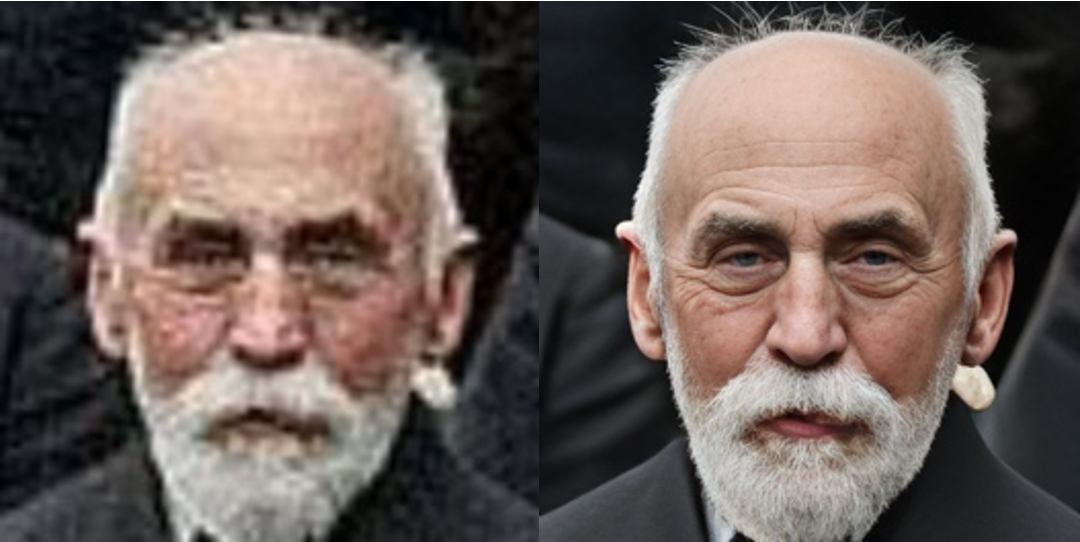
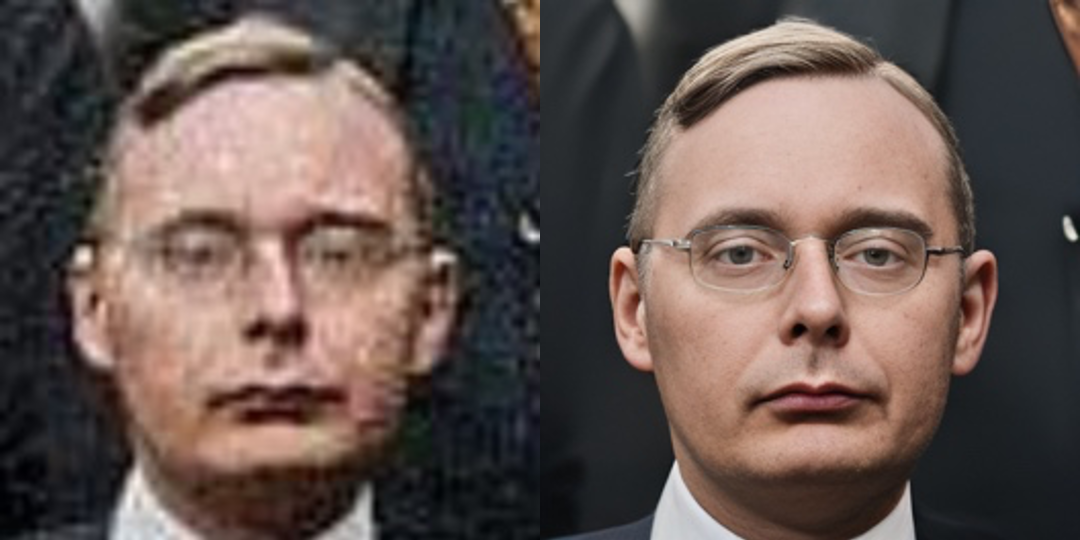
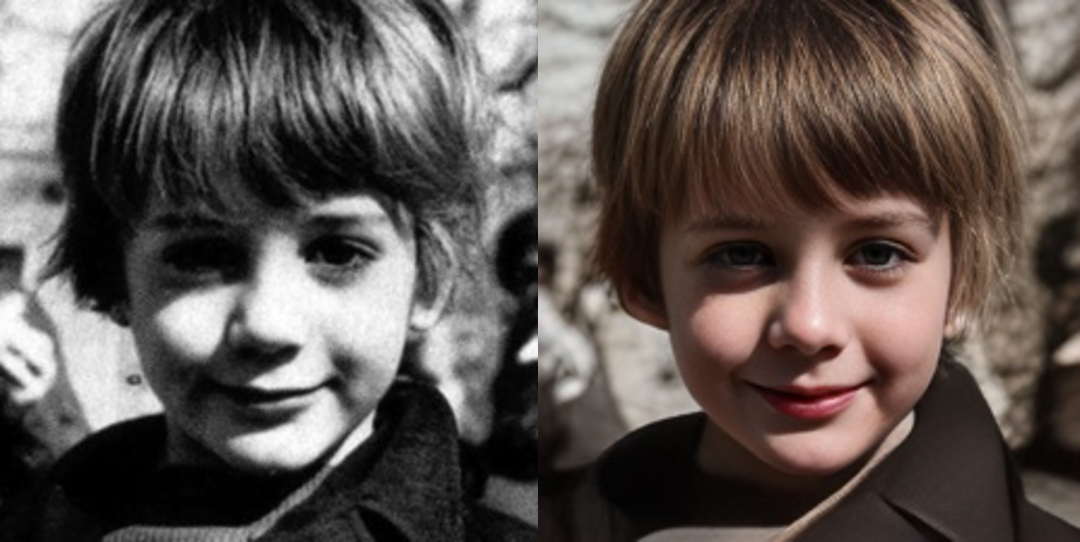
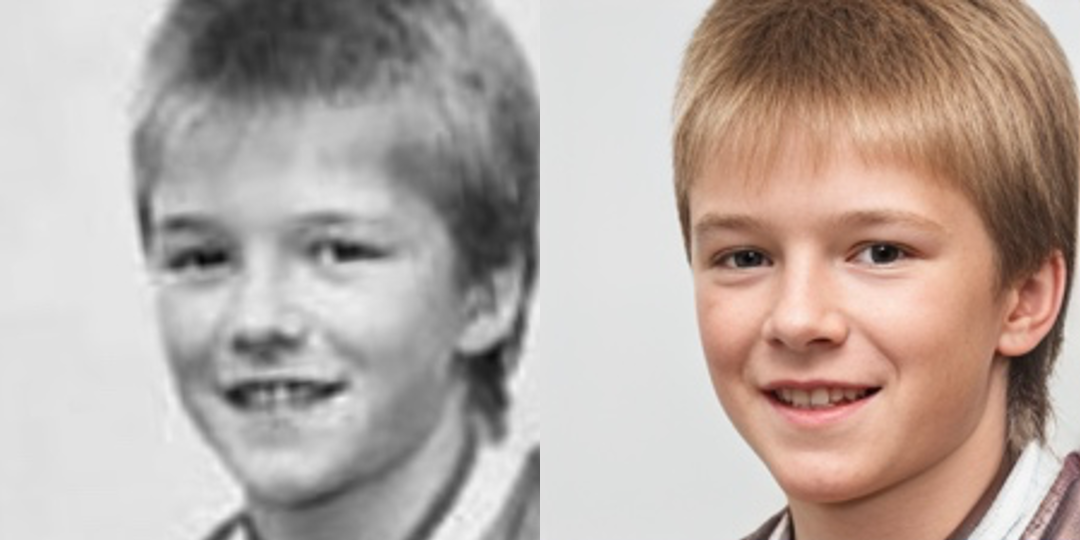
:panda_face: Try Enhancing Old Photos / Fixing AI-arts

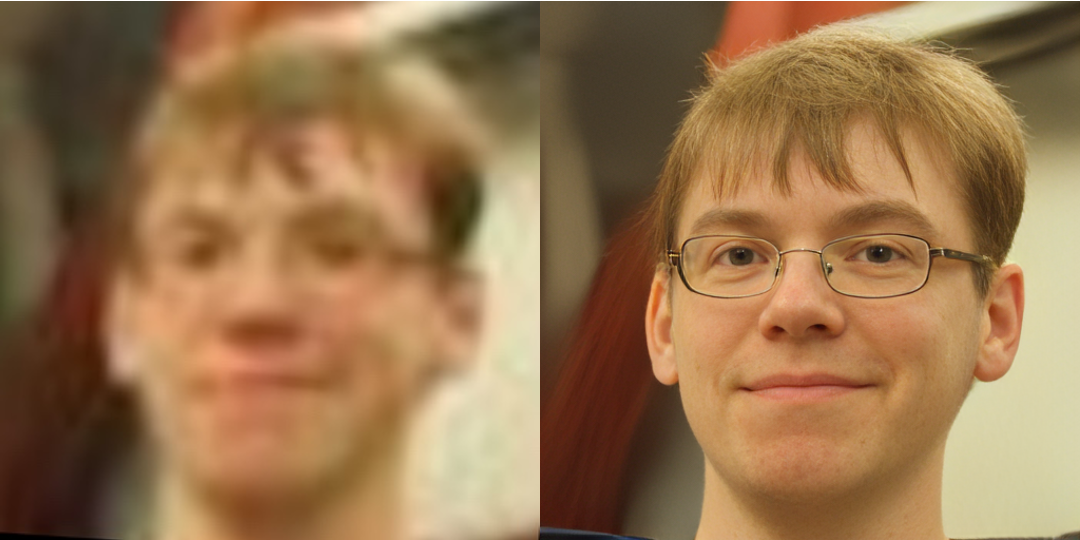
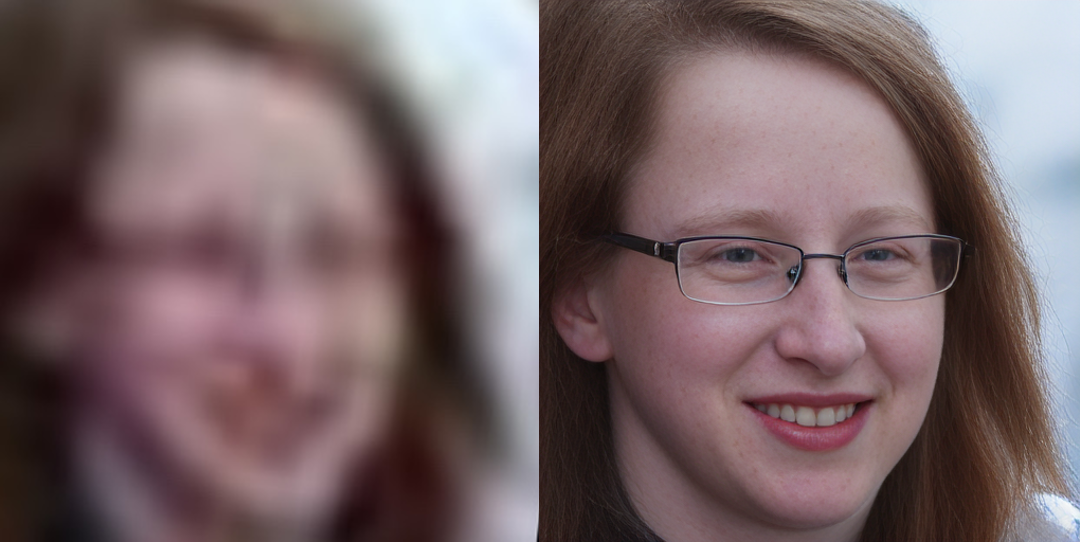
Face Restoration

Face Color Enhancement and Restoration

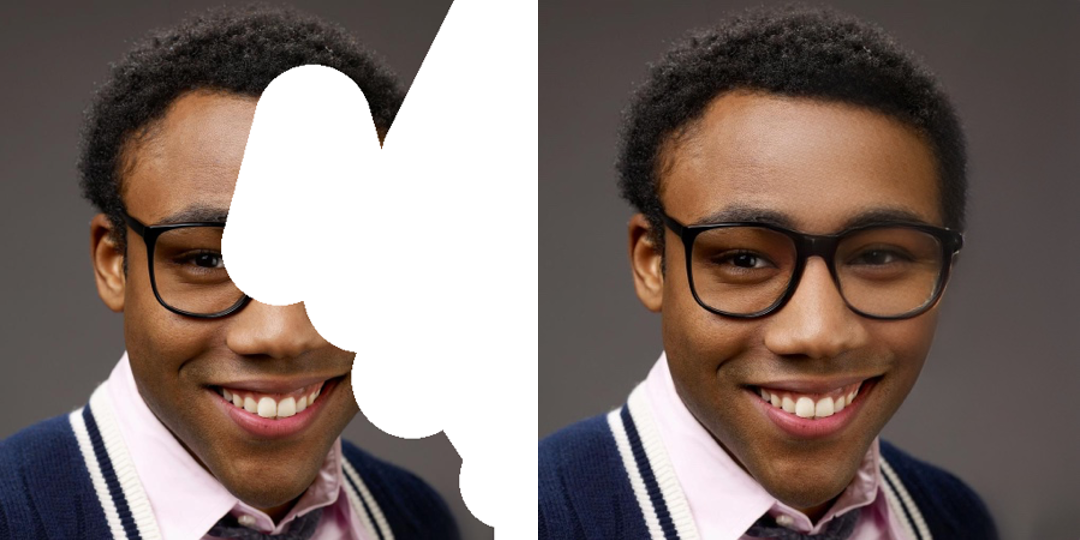
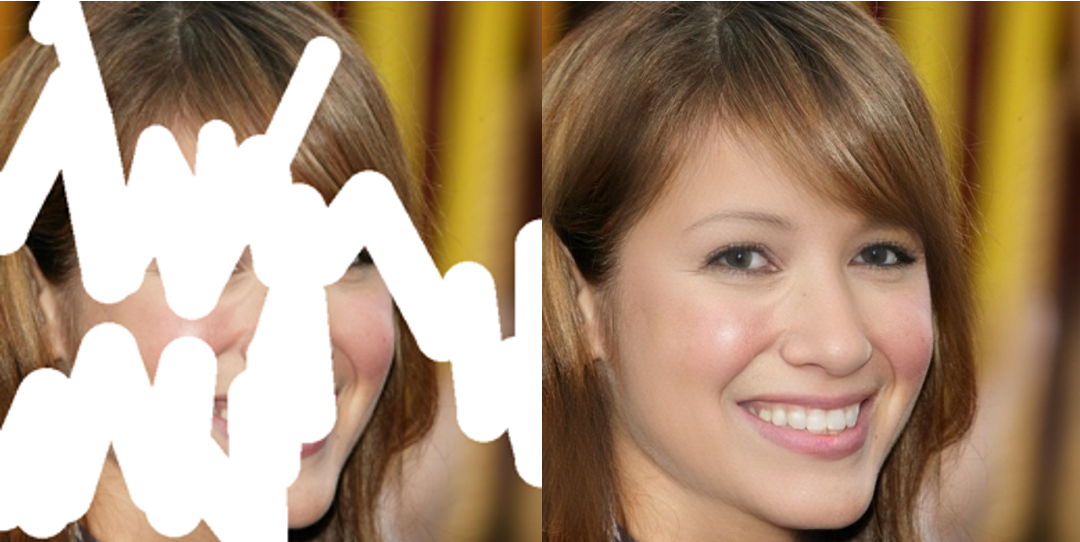
Face Inpainting

Dependencies and Installation

# git clone this repository
git clone https://github.com/sczhou/CodeFormer
cd CodeFormer

# create new anaconda env
conda create -n codeformer python=3.8 -y
conda activate codeformer

# install python dependencies
pip3 install -r requirements.txt
python basicsr/setup.py develop
conda install -c conda-forge dlib (only for face detection or cropping with dlib)

Quick Inference

Download Pre-trained Models:

Download the facelib and dlib pretrained models from [Releases | Google Drive | OneDrive] to the weights/facelib folder. You can manually download the pretrained models OR download by running the following command:

python scripts/download_pretrained_models.py facelib
python scripts/download_pretrained_models.py dlib (only for dlib face detector)

Download the CodeFormer pretrained models from [Releases | Google Drive | OneDrive] to the weights/CodeFormer folder. You can manually download the pretrained models OR download by running the following command:

python scripts/download_pretrained_models.py CodeFormer

Prepare Testing Data:

You can put the testing images in the inputs/TestWhole folder. If you would like to test on cropped and aligned faces, you can put them in the inputs/cropped_faces folder. You can get the cropped and aligned faces by running the following command:

# you may need to install dlib via: conda install -c conda-forge dlib
python scripts/crop_align_face.py -i [input folder] -o [output folder]

Testing:

[Note] If you want to compare CodeFormer in your paper, please run the following command indicating --has_aligned (for cropped and aligned face), as the command for the whole image will involve a process of face-background fusion that may damage hair texture on the boundary, which leads to unfair comparison.

Fidelity weight w lays in [0, 1]. Generally, smaller w tends to produce a higher-quality result, while larger w yields a higher-fidelity result. The results will be saved in the results folder.

🧑🏻 Face Restoration (cropped and aligned face)

# For cropped and aligned faces (512x512)
python inference_codeformer.py -w 0.5 --has_aligned --input_path [image folder]|[image path]

:framed_picture: Whole Image Enhancement

# For whole image
# Add '--bg_upsampler realesrgan' to enhance the background regions with Real-ESRGAN
# Add '--face_upsample' to further upsample restorated face with Real-ESRGAN
python inference_codeformer.py -w 0.7 --input_path [image folder]|[image path]

:clapper: Video Enhancement

# For Windows/Mac users, please install ffmpeg first
conda install -c conda-forge ffmpeg
# For video clips
# Video path should end with '.mp4'|'.mov'|'.avi'
python inference_codeformer.py --bg_upsampler realesrgan --face_upsample -w 1.0 --input_path [video path]

🌈 Face Colorization (cropped and aligned face)

# For cropped and aligned faces (512x512)
# Colorize black and white or faded photo
python inference_colorization.py --input_path [image folder]|[image path]

🎨 Face Inpainting (cropped and aligned face)

# For cropped and aligned faces (512x512)
# Inputs could be masked by white brush using an image editing app (e.g., Photoshop) 
# (check out the examples in inputs/masked_faces)
python inference_inpainting.py --input_path [image folder]|[image path]

Training:

The training commands can be found in the documents: English | 简体中文.

License

This project is licensed under NTU S-Lab License 1.0. Redistribution and use should follow this license.


🐼 Ecosystem Applications & Deployments

CodeFormer has been widely adopted and deployed across a broad range (>20) of online applications, platforms, API services, and independent websites, and has also been integrated into many open-source projects and toolkits.

Only demos on Hugging Face Space, Replicate, and OpenXLab are official deployments maintained by the authors. All other demos, APIs, apps, websites, and integrations listed below are third-party (non-official) and are not affiliated with the CodeFormer authors. Please verify their legitimacy to avoid potential financial loss.

Websites (Non-official)

⚠️⚠️⚠️ The following websites are not official and are not operated by us. They use our models without any license or authorization. Please verify their legitimacy to avoid potential financial loss.

Website Link Notes
CodeFormer.net https://codeformer.net/ Non-official website
CodeFormer.cn https://www.codeformer.cn/ Non-official website
CodeFormerAI.com https://codeformerai.com/ Non-official website

Online Demos / API Platforms

Platform Link Notes
Hugging Face https://huggingface.co/spaces/sczhou/CodeFormer Maintained by Authors
Replicate https://replicate.com/sczhou/codeformer Maintained by Authors
OpenXLab https://openxlab.org.cn/apps/detail/ShangchenZhou/CodeFormer Maintained by Authors
Segmind https://www.segmind.com/models/codeformer Non-official
Sieve https://www.sievedata.com/functions/sieve/codeformer Non-official
Fal.ai https://fal.ai/models/fal-ai/codeformer Non-official
VaikerAI https://vaikerai.com/sczhou/codeformer Non-official
Scade.pro https://www.scade.pro/processors/lucataco-codeformer Non-official
Grandline https://www.grandline.ai/model/codeformer Non-official
AI Demos https://aidemos.com/tools/codeformer Non-official
Synexa https://synexa.ai/explore/sczhou/codeformer Non-official
RentPrompts https://rentprompts.ai/models/Codeformer Non-official
ElevaticsAI https://elevatics.ai/models/super-resolution/codeformer Non-official
Anakin.ai https://anakin.ai/apps/codeformer-online-face-restoration-by-codeformer-19343 Non-official
Relayto https://relayto.com/explore/codeformer-yf9rj8kwc7zsr Non-official

Open-Source Projects & Toolkits

Project / Toolkit Link Notes
Stable Diffusion GUI https://nmkd.itch.io/t2i-gui Integration
Stable Diffusion WebUI https://github.com/AUTOMATIC1111/stable-diffusion-webui Integration
ChaiNNer https://github.com/chaiNNer-org/chaiNNer Integration
PyPI https://pypi.org/project/codeformer/ ; https://pypi.org/project/codeformer-pip/ Python packages
ComfyUI https://stable-diffusion-art.com/codeformer/ Integration

Acknowledgement

This project is based on BasicSR. Some codes are brought from Unleashing Transformers, YOLOv5-face, and FaceXLib. We also adopt Real-ESRGAN to support background image enhancement. Thanks for their awesome works.

Citation

If our work is useful for your research, please consider citing:

@inproceedings{zhou2022codeformer,
    author = {Zhou, Shangchen and Chan, Kelvin C.K. and Li, Chongyi and Loy, Chen Change},
    title = {Towards Robust Blind Face Restoration with Codebook Lookup TransFormer},
    booktitle = {NeurIPS},
    year = {2022}
}

Contact

If you have any questions, please feel free to reach me out at [email protected].

CodeFormer (sczhou/CodeFormer)

Searching Database…

What is this?An AI face-restoration model and tool from a NeurIPS 2022 paper by S-Lab, Nanyang Technological University: it rebuilds clear, realistic faces from blurry, low-quality, or old photos using a codebook-lookup transformer.
Is it a ready app, or something I run from code?It's a Python/PyTorch research codebase you run from the command line, not a packaged app. If you don't want to install anything, there are official online demos, plus integrations in Stable Diffusion WebUI, ComfyUI, and ChaiNNer.
How do I get it running?Install PyTorch >= 1.7.1 plus the requirements.txt packages, fetch the pretrained models into the weights/ folders, drop images into inputs/TestWhole, and run the inference script — results are saved to the results folder.
The face looks great but less like the person — can I tune that trade-off?Yes, via the fidelity weight w in [0, 1]: smaller w gives a higher-quality result, larger w keeps the output closer to the original identity.
Do I need an NVIDIA GPU?Yes — the README requires PyTorch >= 1.7.1 with CUDA >= 10.1, so plan on an NVIDIA GPU; otherwise use one of the hosted online demos.
How does the 'Codebook Lookup' part work?It's the idea in the paper title: the model rebuilds degraded faces by looking up plausible high-quality face fragments from a learned discrete codebook (VQGAN-style quantization), which acts as a strong prior for realistic detail.
Does it enhance the background too, or only the face?Yes — for whole images it adopts Real-ESRGAN to enhance the background and fuses it with the restored face.
What is CodeFormer built on?Its training framework is BasicSR, and parts of the code come from Unleashing Transformers, YOLOv5-face, and FaceXLib.
Which face detector options does it have?Besides the default, dlib was added as a detector option that the authors note produces more accurate face identity.
Creator
sczhou
Size
17.2 MB
Stars
18.2K
Age
4y
Commits · 90 Days
