

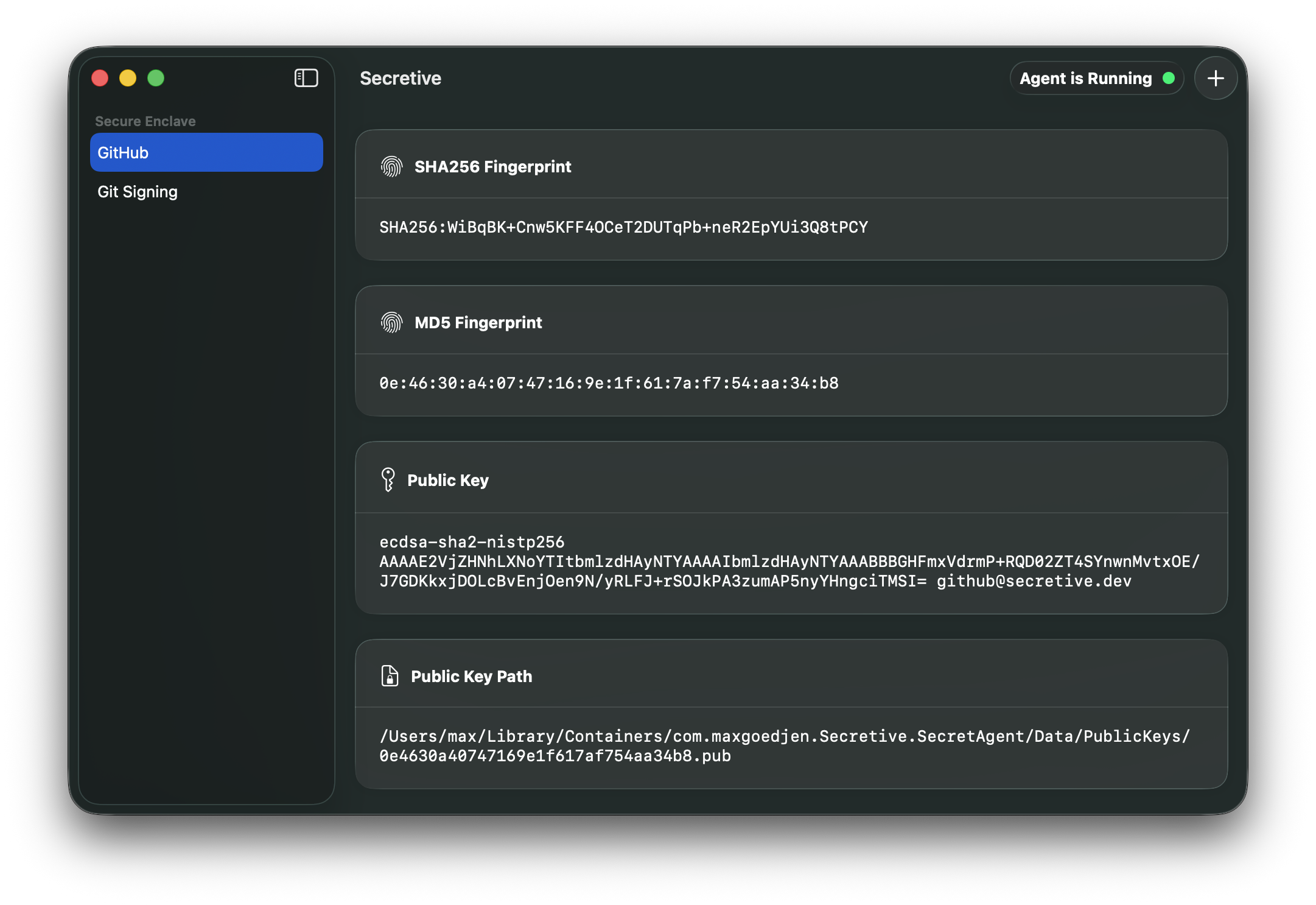
Что это?
 Secretive — это приложение для macOS, которое хранит и управляет SSH-ключами в Secure Enclave вашего Mac, а не на диске, поэтому закрытый ключ нельзя ни экспортировать, ни скопировать.
Это фоновая служба или приложение, которое я открываю?Это нативное приложение для macOS с интерфейсом для управления ключами, а также SSH-агент, который работает в фоне и обрабатывает запросы на подпись.
Это нативное приложение для macOS с интерфейсом для управления ключами, а также SSH-агент, который работает в фоне и обрабатывает запросы на подпись.Нужен ли мне Mac с Secure Enclave, чтобы это работало?Да, чтобы хранить ключи в аппаратном модуле, нужен Mac с Secure Enclave; если такого модуля нет, можно использовать смарт-карту, например YubiKey.
Да, чтобы хранить ключи в аппаратном модуле, нужен Mac с Secure Enclave; если такого модуля нет, можно использовать смарт-карту, например YubiKey.Могу ли я сделать резервную копию ключей или перенести их на новый Mac?Нет. Поскольку ключи хранятся в Secure Enclave, их нельзя экспортировать, а значит, нельзя ни создать резервную копию, ни перенести. На новом Mac нужно просто сгенерировать новый набор ключей.
Нет. Поскольку ключи хранятся в Secure Enclave, их нельзя экспортировать, а значит, нельзя ни создать резервную копию, ни перенести. На новом Mac нужно просто сгенерировать новый набор ключей.Это работает только на macOS?Да, это приложение только для macOS, написанное на Swift; оно использует API Apple для Secure Enclave и Keychain.
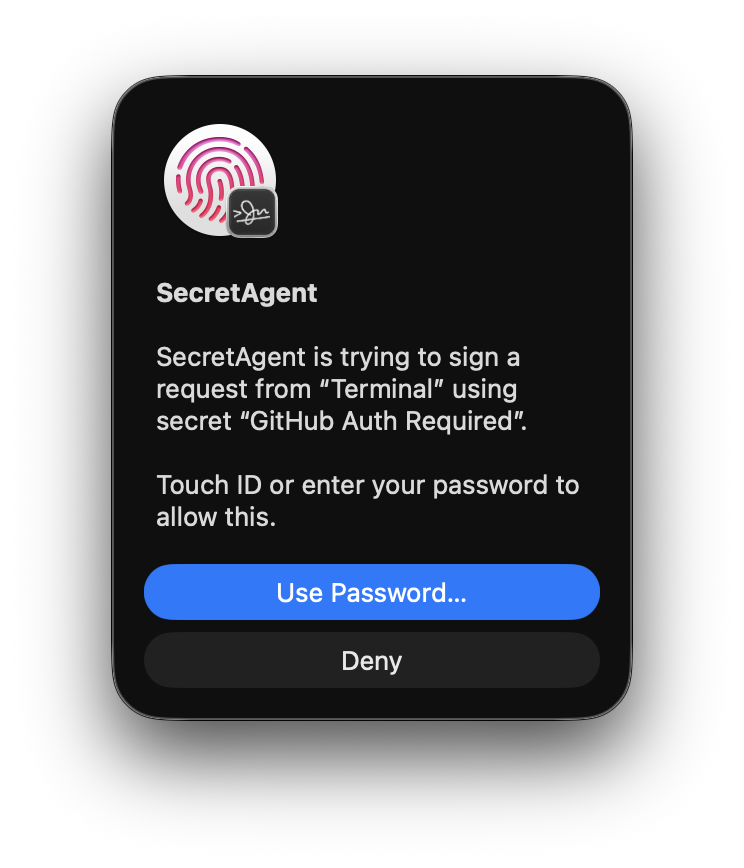
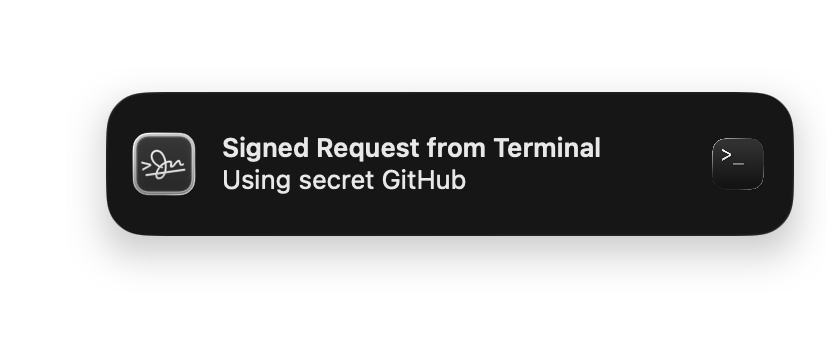
Да, это приложение только для macOS, написанное на Swift; оно использует API Apple для Secure Enclave и Keychain.Может ли Secretive отслеживать мои ключи или получать к ним доступ без моего ведома?Нет, всё наоборот: при каждом обращении к ключу приложение уведомляет вас, чтобы вы никогда не оказались врасплох.
Нет, всё наоборот: при каждом обращении к ключу приложение уведомляет вас, чтобы вы никогда не оказались врасплох.Можно ли требовать Touch ID перед использованием ключа?Да, ключи можно настроить так, чтобы перед доступом требовалась аутентификация через Touch ID или Apple Watch.
Да, ключи можно настроить так, чтобы перед доступом требовалась аутентификация через Touch ID или Apple Watch.Почему бы просто не использовать файл ключа на диске?Ключи на диске защищены только правами доступа к файлам, поэтому их относительно легко скопировать вредоносное ПО или злоумышленники; хранение в Secure Enclave делает ключ физически невозможным для экспорта.
Ключи на диске защищены только правами доступа к файлам, поэтому их относительно легко скопировать вредоносное ПО или злоумышленники; хранение в Secure Enclave делает ключ физически невозможным для экспорта.Можно ли доверять релизным сборкам?Сборки создаются через GitHub Actions по проверяемому процессу, а начиная с версии 3.0 подтверждаются с помощью GitHub Artifact Attestation; проверить их можно на странице аттестации.
Сборки создаются через GitHub Actions по проверяемому процессу, а начиная с версии 3.0 подтверждаются с помощью GitHub Artifact Attestation; проверить их можно на странице аттестации.Зачем важна сборка из исходников для доступа к Keychain?Keychain ограничивает доступ к ключам идентификатором пакета (bundle ID) приложения, которое создало ключ, поэтому при сборке из исходников нужно постоянно использовать тот же bundle ID, иначе Secretive не найдёт ваши существующие ключи.
Keychain ограничивает доступ к ключам идентификатором пакета (bundle ID) приложения, которое создало ключ, поэтому при сборке из исходников нужно постоянно использовать тот же bundle ID, иначе Secretive не найдёт ваши существующие ключи.Какие есть похожие проекты?PureMac, greenbubbles, OpenYoink, RemoveMacAI, leftopen, Insomnia, AirCard, vphone-cli
PureMac, greenbubbles, OpenYoink, RemoveMacAI, leftopen, Insomnia, AirCard, vphone-cliВ каких он темах?mac, localization, notifications, ssh, homebrew, apple, sysadmin, macos-app, cli-tool, encryption, apple-silicon, swift
mac, localization, notifications, ssh, homebrew, apple, sysadmin, macos-app, cli-tool, encryption, apple-silicon, swift- Автор
- maxgoedjen
- Размер
- 20.6 MB
- Звёзды
- 9.5K
- Обновлён
- КоммитNov 17Релизv4.0.0Sep 21
- Возраст
- 6 г
- Коммиты · 90 дней