


Что это такое?
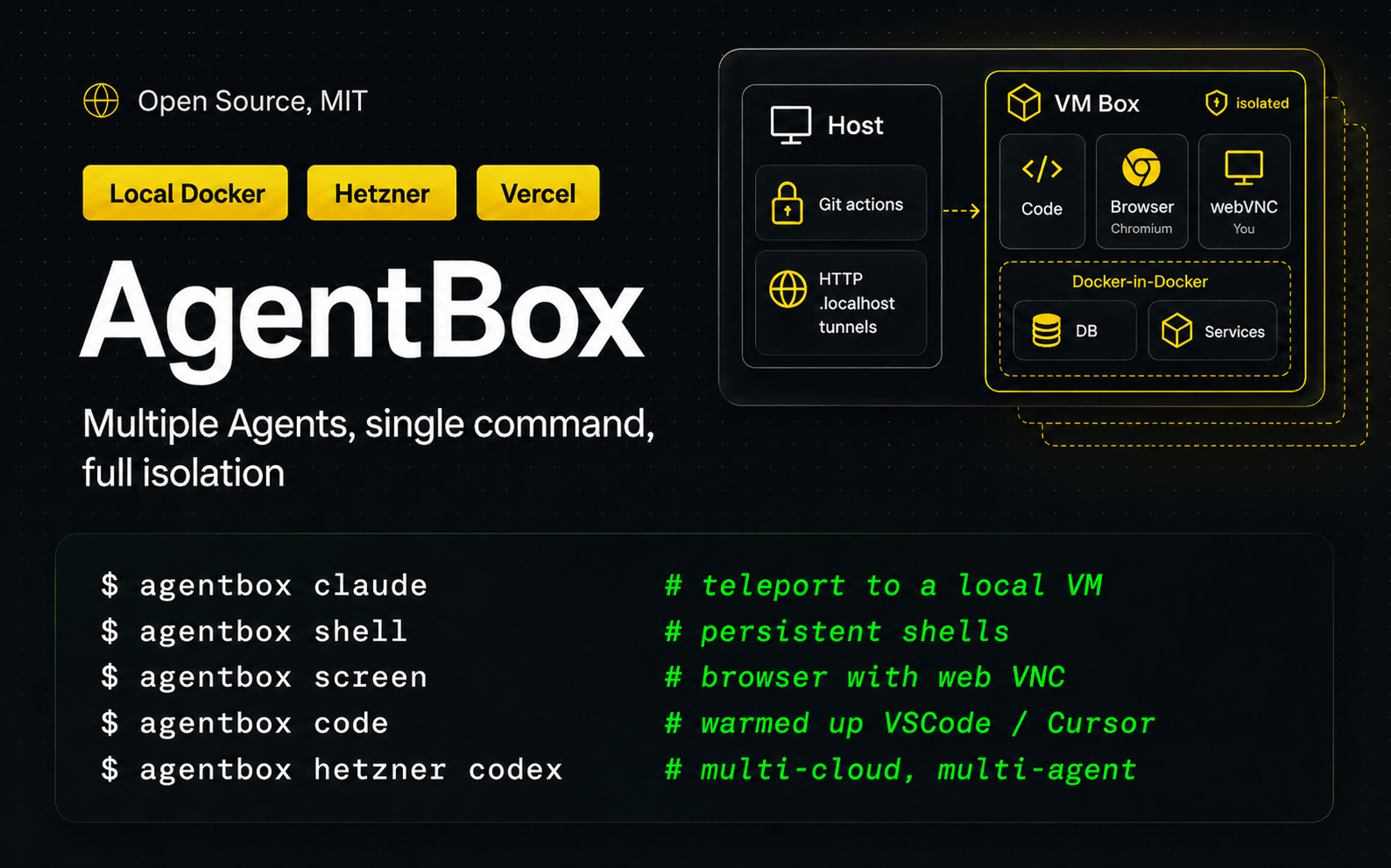
 AgentBox — это CLI-утилита, которая запускает несколько кодинг-агентов параллельно, каждый в своей изолированной виртуальной машине, одной командой — на вашем ПК, на своём сервере или в облаке.
AgentBox — это CLI-утилита, которая запускает несколько кодинг-агентов параллельно, каждый в своей изолированной виртуальной машине, одной командой — на вашем ПК, на своём сервере или в облаке.Это программа, которую я ставлю на свой компьютер, или сервис, работающий в облаке?Это CLI, который вы запускаете на своей машине; создаваемые «коробки» могут быть локальными Docker-контейнерами, вашим собственным удалённым сервером по SSH или облачными песочницами вроде Hetzner, Vercel, E2B или DigitalOcean.
Это CLI, который вы запускаете на своей машине; создаваемые «коробки» могут быть локальными Docker-контейнерами, вашим собственным удалённым сервером по SSH или облачными песочницами вроде Hetzner, Vercel, E2B или DigitalOcean.Как запустить свою первую «коробку»?Выполните 'agentbox create' или 'agentbox claude', чтобы сразу запустить Claude Code. При самом первом запуске собирается Docker-образ agentbox/box:dev (~1 ГБ, один раз); 'agentbox install' — это мастер настройки облачных провайдеров.
Выполните 'agentbox create' или 'agentbox claude', чтобы сразу запустить Claude Code. При самом первом запуске собирается Docker-образ agentbox/box:dev (~1 ГБ, один раз); 'agentbox install' — это мастер настройки облачных провайдеров.Что нужно установить заранее, чтобы всё заработало?Docker — для локальных «коробок». Для облачных провайдеров нужен токен: добавьте его через 'agentbox install' или команды входа вроде 'agentbox vercel login' (сохраняется в ~/.agentbox/secrets.env); удалённый Docker просто использует ваш ~/.ssh/config.
Docker — для локальных «коробок». Для облачных провайдеров нужен токен: добавьте его через 'agentbox install' или команды входа вроде 'agentbox vercel login' (сохраняется в ~/.agentbox/secrets.env); удалённый Docker просто использует ваш ~/.ssh/config.Есть ли подводные камни?Да: первая сборка образа скачивает около 1 ГБ, Daytona помечен как поддерживаемый лишь частично, а live-снапшоты там пока экспериментальные.
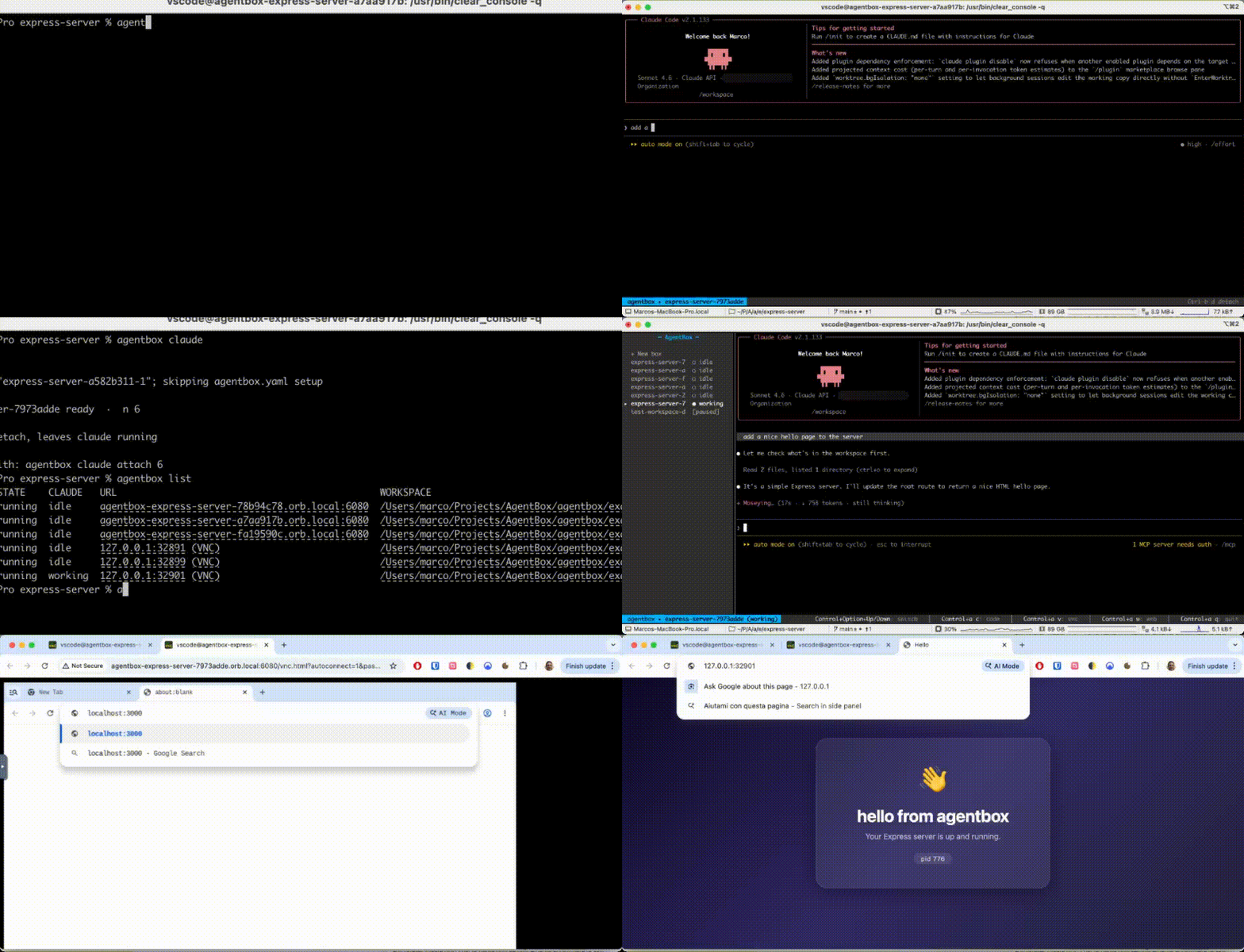
Да: первая сборка образа скачивает около 1 ГБ, Daytona помечен как поддерживаемый лишь частично, а live-снапшоты там пока экспериментальные.Что входит в каждую «коробку»?Полноценный компьютер: отдельный браузер, общий доступ к экрану, постоянные шеллы и уже разогретая среда VS Code / Cursor IDE, а скиллы и плагины для Claude Code, Codex и OpenCode копируются туда автоматически.
Полноценный компьютер: отдельный браузер, общий доступ к экрану, постоянные шеллы и уже разогретая среда VS Code / Cursor IDE, а скиллы и плагины для Claude Code, Codex и OpenCode копируются туда автоматически.Зачем нужны чекпоинты?Чекпоинт — это «тёплый» снапшот состояния «коробки»; 'agentbox checkpoint create' делает такой снимок, чтобы новые «коробки» стартовали с него, а не загружались с нуля.
Чекпоинт — это «тёплый» снапшот состояния «коробки»; 'agentbox checkpoint create' делает такой снимок, чтобы новые «коробки» стартовали с него, а не загружались с нуля.Можно ли запускать «коробки» на инфраструктуре, которая не поддерживается из коробки?Да — провайдеры сделаны как плагины: вы публикуете npm-пакет на основе @madarco/agentbox-provider-sdk, и AgentBox запускает агентов в вашем облаке, без каких-либо изменений в самом AgentBox.
Да — провайдеры сделаны как плагины: вы публикуете npm-пакет на основе @madarco/agentbox-provider-sdk, и AgentBox запускает агентов в вашем облаке, без каких-либо изменений в самом AgentBox.Есть ли приложение в строке меню на macOS?Да — 'agentbox install app' кладёт нотаризованное приложение в трей в /Applications, а 'agentbox app' запускает или останавливает его из командной строки.
Да — 'agentbox install app' кладёт нотаризованное приложение в трей в /Applications, а 'agentbox app' запускает или останавливает его из командной строки.What are similar projects?openrig, ordewell, pstack-claude, context-mode, operator-memory, claudecodeui, happy, arc-code
openrig, ordewell, pstack-claude, context-mode, operator-memory, claudecodeui, happy, arc-codeWhich topics is it in?iterm2, herdr-plugin, remote-development, agent-sandbox, parallel, tmux, sandboxing, virtual-machine, vps, codex-cli, virtualization, ide
iterm2, herdr-plugin, remote-development, agent-sandbox, parallel, tmux, sandboxing, virtual-machine, vps, codex-cli, virtualization, ide