LinkSift

Turn links into a tidy local queue.
Inspect, format, and save media from a focused self-hosted web workspace.






LinkSift is a local-first media downloader powered by yt-dlp and ffmpeg. Paste one or more supported URLs, inspect the available metadata, choose MP4 or MP3, and follow each download from the same queue.
Built for personal, authorized use. Respect copyright law, platform terms, and creators' rights. LinkSift does not support DRM circumvention or bypassing access controls.
At a glance
|
|
| Deployment |
Versioned GHCR image for normal use; source build and local launcher for contributors |
| Interface |
Responsive browser UI with light, dark, and system themes |
| Formats |
MP4 video or MP3 audio |
| Queue |
Multiple URLs, quality selection, concurrency limit, live progress |
| Runtime |
Python + Flask, yt-dlp, ffmpeg, Gunicorn, non-root container |
| Privacy model |
Local by default; no built-in account, telemetry, or public service |
Screenshots
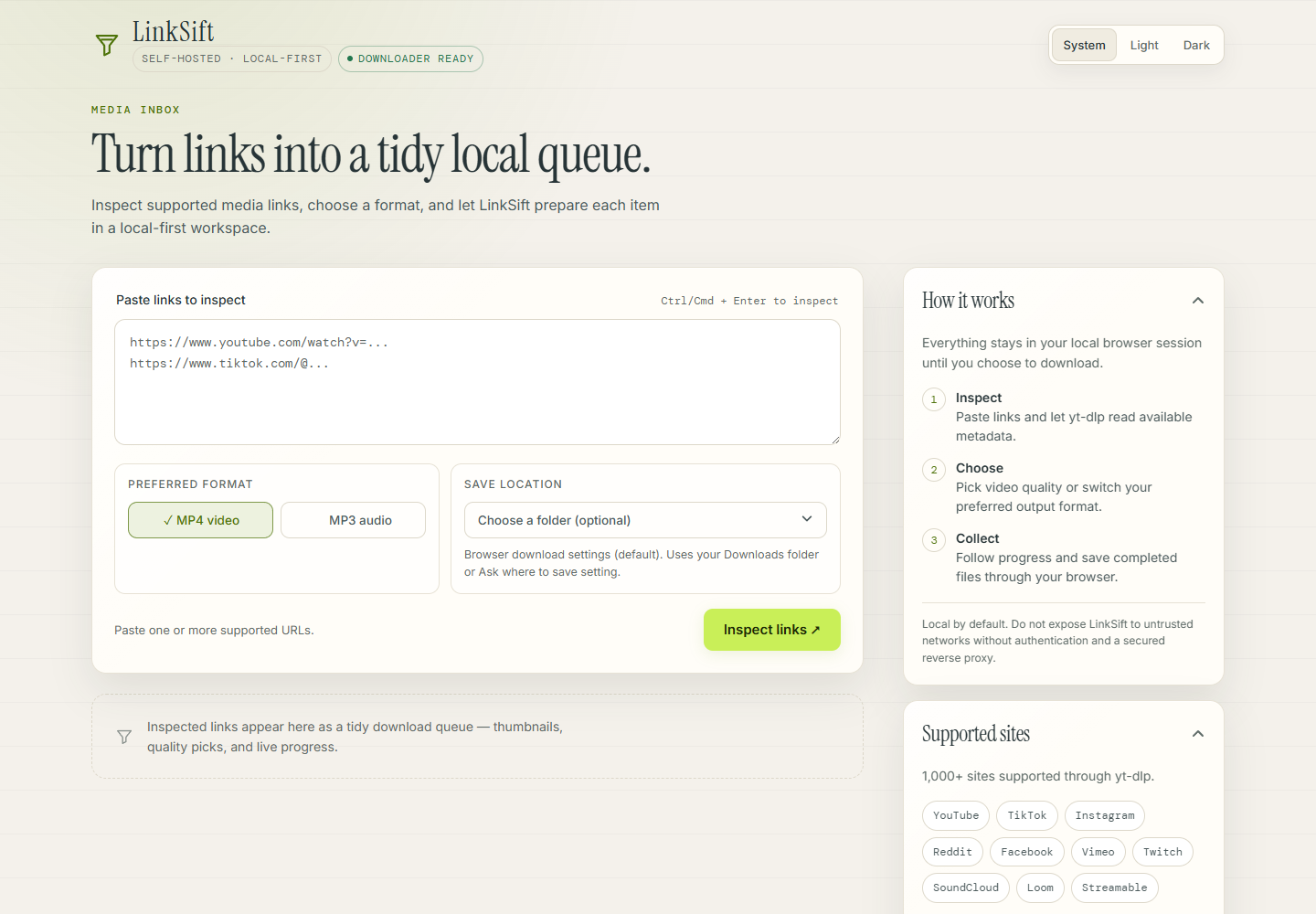 |
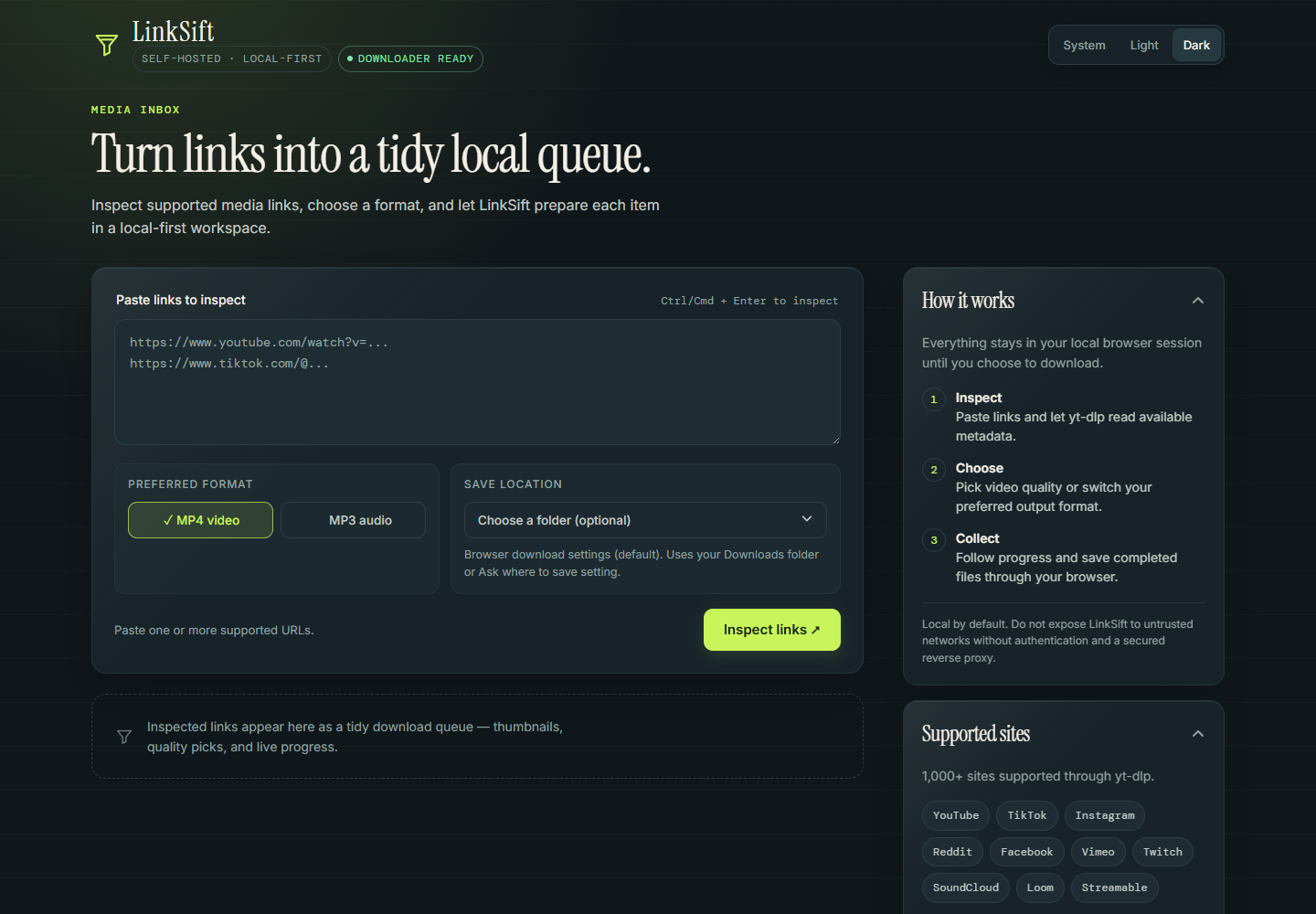 |
| Light theme - desktop workspace |
Dark theme - desktop workspace |
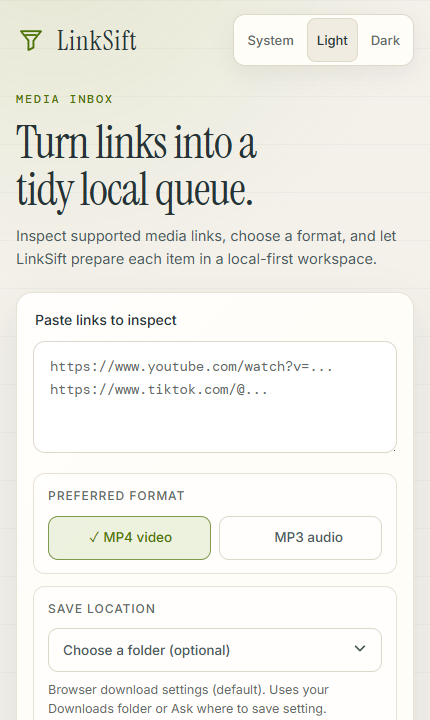 |
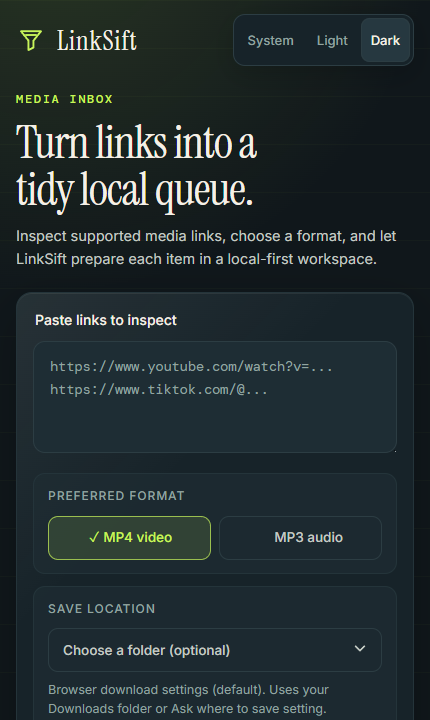 |
| Light theme - mobile |
Dark theme - mobile |
The workflow
01 - Inspect
Paste a URL or a batch of URLs. LinkSift asks yt-dlp for metadata without downloading the media first. |
02 - Choose
Pick MP4 or MP3, then select an available video quality when the source provides one. |
03 - Collect
Watch progress, speed, and ETA. Save completed files through the browser or an optional folder picker. |
What is included
- Local-first by design - Compose binds to
127.0.0.1:8899 by default.
- Batch-friendly queue - paste one or more supported URLs and process them in sequence.
- Multi-output downloads - select multiple output formats for a single URL (e.g., MP4 + MP3). When you choose both video and audio, LinkSift automatically extracts audio from the downloaded video using ffmpeg, saving bandwidth and time. Each completed output gets its own Save button, so you can save one result while the rest are still downloading.
- MP4 and MP3 output - choose a preferred format before inspection.
- Quality selection - choose from the available video heights returned by yt-dlp.
- Live progress - phase, percentage, downloaded bytes, speed, ETA, and final status. Audio packaging reports real ffmpeg progress (media time processed, percent, ETA, and encoding speed) instead of sitting at a fixed percentage, so a multi-output job keeps advancing while ffmpeg extracts the MP3.
- Reload-safe queue - reloading or reopening the tab restores the queue by polling the existing job; it never re-submits a download, and closing the tab does not cancel a running server job. Only the Cancel button asks the server to stop. Each intentional download carries a
client_request_id, so a retried or duplicated request resolves to the one job it already created.
- Browser save controls - use the default browser download flow or choose a folder in Chromium-based browsers.
- Predictable runtime - Docker includes Python, yt-dlp, ffmpeg, Gunicorn, and a non-root
linksift user.
- Verifiable releases - version tags publish amd64/arm64 images with OCI metadata, an SBOM, and GitHub build-provenance attestations.
- Offline CI - regression tests mock external tools and never call media platforms.
Quick start
Docker is the supported end-user path. Install Docker Desktop, then start the published image:
docker run -d --name linksift --restart unless-stopped -p 127.0.0.1:8899:8899 -v linksift-downloads:/app/downloads ghcr.io/loveisbl1nd/linksift:latest
Open http://localhost:8899. You do not need Python, yt-dlp, ffmpeg, or a virtual environment on the host.
Downloads persist in the named linksift-downloads Docker volume. Pin a numbered image such as 0.1.0 instead of latest when reproducibility matters. Stop and remove the container with docker stop linksift followed by docker rm linksift; the volume remains intact.
To use Compose with the published image after cloning the repository:
docker compose -f compose.ghcr.yml up -d
To build the current source locally instead, run docker compose up --build -d.
Development
The local launcher is for contributors and requires Python 3.12, yt-dlp, and ffmpeg:
./linksift.sh
Before opening a pull request, run:
python -m unittest discover -s tests -v
python -m py_compile app.py
docker compose config
docker compose -f compose.ghcr.yml config
docker build -t linksift:local .
See CONTRIBUTING.md for the contributor workflow and pull request checklist.
Releases and image verification
Pushing a tag in the form vMAJOR.MINOR.PATCH runs the release pipeline. It repeats the offline validation suite, builds linux/amd64 and linux/arm64 images, publishes SemVer and latest tags to GHCR, attaches supply-chain metadata, and creates the matching GitHub Release.
After installing the GitHub CLI, verify that a published image was built by this repository's release workflow:
gh attestation verify oci://ghcr.io/loveisbl1nd/linksift:0.2.0 -R loveisbl1nd/linksift
Maintainers should follow RELEASING.md, including the one-time GHCR visibility check. An attestation establishes build origin; it does not replace source or dependency review.
Configuration
| Variable |
Default |
Purpose |
PORT |
8899 |
HTTP port used by the development server. |
HOST |
127.0.0.1 |
Bind address. Keep it local unless a protected reverse proxy is in front. |
LINKSIFT_DOWNLOAD_TIMEOUT |
3600 |
Maximum seconds allowed for one yt-dlp process. |
LINKSIFT_MAX_CONCURRENT_DOWNLOADS |
3 |
Number of download worker slots — jobs actually running at the same time, clamped to 1–16. Jobs beyond this limit wait in a FIFO queue instead of being rejected. Invalid, zero, or negative values fall back to the default. |
LINKSIFT_MAX_QUEUED_DOWNLOADS |
200 |
Maximum jobs allowed to wait in the queue, not counting running jobs. When the queue is full, POST /api/download returns 429. Invalid, zero, or negative values fall back to the default. |
LINKSIFT_CONCURRENT_FRAGMENTS |
4 |
Fragment parallelism inside a single DASH/HLS download (yt-dlp --concurrent-fragments), clamped to 1–16. Invalid, zero, or negative values fall back to the default. |
LINKSIFT_JOB_TTL |
86400 |
Seconds a terminal job (done, error, timed_out, or cancelled) and its files are kept before automatic cleanup. Invalid, zero, or negative values fall back to the default. |
LINKSIFT_MAX_PLAYLIST_ITEMS |
200 |
Maximum playlist entries expanded per inspection. Longer playlists are truncated to the first N items. Invalid values fall back to the default. |
LINKSIFT_JOB_RETRIES |
2 |
Extra fresh-extraction attempts after a failed download attempt (0–5). Only transient failures (HTTP 403/429/5xx, network resets, timeouts) are retried. Invalid values fall back to the default. |
LINKSIFT_RETRY_BASE_DELAY |
2 |
Seconds before the first retry; doubles per retry and is capped at 15 s. Backoff time counts against LINKSIFT_DOWNLOAD_TIMEOUT. Invalid or negative values fall back to the default. |
LINKSIFT_PO_TOKEN_PROVIDER_URL |
unset |
Base URL of a bgutil PO token provider (robust mode). Must be an http/https URL with a hostname; invalid values are ignored with a warning. |
LINKSIFT_NO_UPDATE |
unset |
Set to 1 to skip the startup update of yt-dlp and yt-dlp-ejs. |
LINKSIFT_MAX_CONCURRENT_DOWNLOADS controls how many downloads run at once; LINKSIFT_MAX_QUEUED_DOWNLOADS controls how many may wait behind them. Queued jobs report status: "queued" and a 1-based queue_position from GET /api/status/<job_id>, and can be cancelled before they start. LINKSIFT_CONCURRENT_FRAGMENTS only parallelizes fragmented (DASH/HLS) downloads — it does not speed up every URL, and higher concurrency values increase CPU and network load without guaranteeing faster downloads. Total resource use scales with both settings combined: up to LINKSIFT_MAX_CONCURRENT_DOWNLOADS × LINKSIFT_CONCURRENT_FRAGMENTS fragment connections plus one ffmpeg process per running job can be active at the same time.
Job state is held in memory. The Docker command therefore uses one Gunicorn worker; restarting the service or container clears queued and active job state, and partially downloaded .part files are not resumed automatically after a restart (the TTL cleanup removes them instead). This is accepted behavior for the local-first design. Do not add workers until job state moves to shared storage.
Downloaded files and job status are a temporary cache, not an archive: LinkSift removes finished jobs and their files after LINKSIFT_JOB_TTL seconds and sweeps stale leftover files it created at startup and periodically while running. Active downloads are never touched by TTL cleanup. Save completed files through the browser before the TTL expires. Playlists larger than LINKSIFT_MAX_PLAYLIST_ITEMS only queue the first configured number of items; truncation is detected from the playlist size reported by yt-dlp, and unavailable or malformed playlist entries are skipped without failing the request.
Multi-output downloads (v0.3)
Multi-output is available in LinkSift v0.3.0. One inspected URL can produce multiple explicit outputs (for example MP4 at a chosen height plus an MP3). The request becomes a single parent job with one artifact per output (a000, a001, …). Artifacts run sequentially under one shared deadline; each completed output is individually saveable while the others continue.
Overview
- One request → one parent job → N artifacts.
- Artifacts run sequentially, never in parallel. Videos run before audio so the pipeline can reuse a downloaded MP4 as the source for an MP3 instead of re-downloading.
- The parent holds one queue entry, one worker slot, and one subprocess registry slot at a time. There is no per-artifact concurrency.
- Each artifact has its own status, phase, progress, and Save button. A completed artifact can be saved before the parent finishes.
- A
partial parent status means some artifacts succeeded and others failed; the completed ones remain saveable.
Using the UI
- Paste a URL and let LinkSift inspect it (metadata is fetched without downloading media first).
- Choose the outputs you want: MP4 at one or more heights, MP3 audio, or any combination. When you select both video and audio, LinkSift extracts audio from the downloaded video with ffmpeg, saving bandwidth and time.
- Follow progress per artifact. Each card shows phase, speed, ETA, and percent. Save individual completed outputs through the browser or an optional folder picker while the rest are still running.
API: legacy single-output request
The original format / format_id fields still work and produce a single-artifact parent for backward compatibility:
POST /api/download
{
  "url": "https://example.com/watch?v=...",
  "format": "audio"
}
API: multi-output request
Send an outputs array. Each entry is an object with type (video or audio). A video entry also requires a format_id (the yt-dlp format id, e.g. 137 for 1080p MP4). Audio entries omit format_id.
POST /api/download
{
  "url": "https://example.com/watch?v=...",
  "outputs": [
    {"type": "video", "format_id": "137"},
    {"type": "audio"}
  ]
}
outputs and the legacy fields are mutually exclusive; mixing them returns a 400 error. Duplicate (type, format_id) pairs are rejected.
Status response
GET /api/status/<job_id> returns the parent plus an artifacts array with per-output progress. For multi-output jobs the response includes artifacts and current_artifact_id:
{
  "status": "downloading",
  "phase": "downloading",
  "percent": 45.0,
  "downloaded_bytes": 1048576,
  "total_bytes": 8388608,
  "speed": 524288,
  "eta": 14,
  "attempt": 1,
  "max_attempts": 3,
  "current_artifact_id": "a001",
  "artifacts": [
    {
      "id": "a000", "type": "video", "format_id": "137",
      "status": "done", "phase": "done", "percent": 100.0,
      "filename": "Title (MP4 137).mp4", "attempt": 1, "max_attempts": 3
    },
    {
      "id": "a001", "type": "audio", "format_id": null,
      "status": "downloading", "phase": "downloading", "percent": 40.0,
      "downloaded_bytes": 419430, "total_bytes": 1048576,
      "speed": 524288, "eta": 1, "attempt": 1, "max_attempts": 3
    }
  ]
}
Note that the parent's status stays downloading for the whole active run; the finer-grained stage is carried by phase, which mirrors the current artifact's active phase (see Parent phases while active). Terminal parent phases are never overwritten.
Parent job statuses
| Status |
Meaning |
queued |
Waiting for a free worker slot. Reports a 1-based queue_position. |
downloading |
The pipeline is running. Covers everything from claiming the job to the last artifact finishing; the current stage is reported by phase, not by status. |
cancelling |
Cancellation was requested while running; the owning worker is terminating the subprocess and finalizing. |
done |
Every artifact completed. |
partial |
Some artifacts completed and some failed; completed outputs remain saveable. |
error |
No artifact completed; the run failed. |
cancelled |
The job was cancelled before or during the run. |
timed_out |
The shared deadline expired before completion. |
starting is a phase, not a parent status. A worker that has just claimed a job sets status: "downloading" together with phase: "starting"; there is no parent status: "starting".
Parent phases while active
While the parent is active (status: "downloading"), its phase mirrors the phase of the artifact currently running, so the UI can distinguish the stages within one download:
| Phase |
Meaning |
starting |
A worker claimed the job, or the next artifact's process is being spawned. |
downloading |
The current artifact is actively transferring bytes. |
retrying |
A transient failure on the current artifact is being retried. |
processing |
Postprocessing (muxing/extraction) is running for the current artifact. |
postprocessing |
Accepted for forward compatibility; the current pipeline reports this stage as processing. |
Terminal parent phases are never overwritten: once a parent is done, partial, error, cancelled, or timed_out, a stale artifact phase cannot resurrect it as active.
Artifact statuses and phases
| Status / phase |
Meaning |
pending |
Artifact has not started yet. |
starting |
yt-dlp/ffmpeg process is being spawned for this artifact. |
downloading |
The artifact is actively downloading. |
retrying |
A transient download failure is being retried. |
processing |
Postprocessing (muxing/extraction) is running. |
done |
The artifact finished and is saveable. |
error |
The artifact failed permanently. |
cancelled |
The artifact was cancelled. |
timed_out |
The artifact did not finish before the deadline. |
An artifact keeps status: "downloading" for the whole time it is active; its phase carries the finer-grained stage. The frontend renders each artifact from its own status/phase pair, so a completed artifact shows ✓ Complete with a Save button while a failed one shows ✗ Failed with none.
File endpoints
GET /api/file/<job_id>/<artifact_id> — download a specific artifact by id (e.g. a000). Available only when the parent is done or partial and the artifact itself is done.GET /api/file/<job_id> — legacy single-output download. Returns 409 Conflict with a hint and the list of artifact ids if the job has multiple outputs.
Video-to-audio reuse
When a request selects both video and audio, the pipeline runs video artifacts first. An audio artifact then attempts to extract its MP3 from an already-downloaded MP4 using ffmpeg (try_ffmpeg_reuse) instead of launching a fresh yt-dlp audio download. This avoids a second network fetch.
A reuse attempt has exactly three outcomes, and they are kept strictly distinct:
| Outcome |
What happens |
Falls back to a yt-dlp audio download? |
| Success |
The converted file is published atomically and the artifact becomes done. |
Not needed |
| Ordinary failure |
ffmpeg exits non-zero, produces no output file, or the final publish (rename) fails with OSError. try_ffmpeg_reuse returns False and logs a warning. |
Yes — the caller downloads the audio with yt-dlp, provided the parent is still active and time remains |
| Cancellation or deadline expiry |
The call raises: PipelineCancelled for a stop request, subprocess.TimeoutExpired when the parent's shared deadline is exhausted. The parent finalizes as cancelled or timed_out. |
No — never |
Only the ordinary-failure branch falls back. Not every publication error is fatal, and not every fatal outcome is a publication error: what makes cancellation and deadline expiry fatal is that spawning a fresh download for a job the user already stopped, or whose time budget is already spent, is exactly the bug this separation prevents. When a stop request and an expired deadline are both true, cancellation wins and the parent reports cancelled.
Shared parent deadline
All artifacts in a parent share a single deadline computed once at pipeline start (time.monotonic() + LINKSIFT_DOWNLOAD_TIMEOUT). Each artifact checks the remaining budget before it begins; if the

 LinkSift — самохостящееся веб-приложение, работающее локально: в него можно вставить любой URL, поддерживаемый yt-dlp, изучить его метаданные и поставить в очередь на скачивание как MP4-видео или MP3-аудио с помощью ffmpeg.