










40.3K ·GitHub
Что это такое?
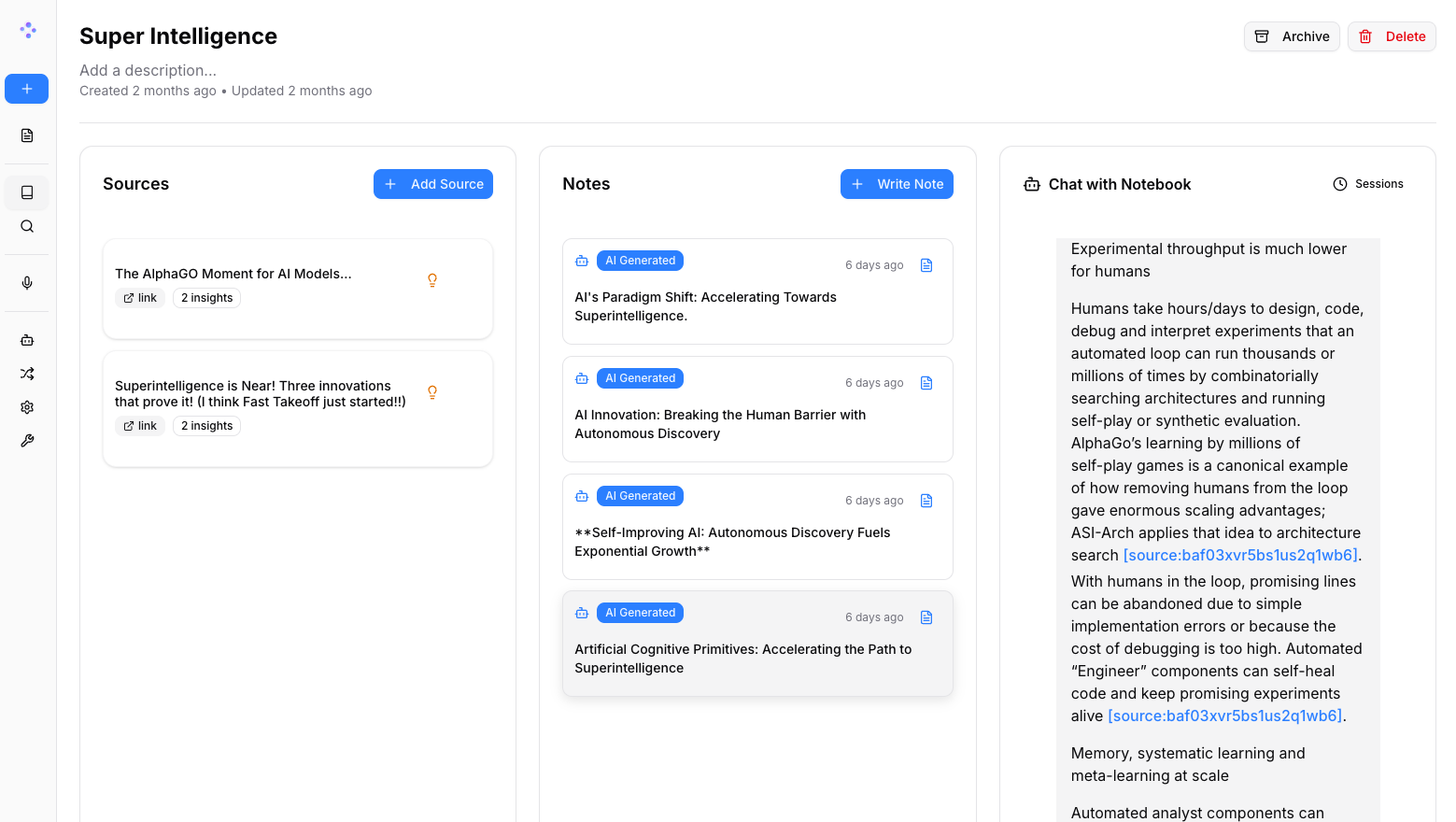
 Open Notebook — это открытая альтернатива Notebook LM от Google, которую можно развернуть самостоятельно. Она позволяет упорядочивать исследования, общаться с вашими документами и создавать подкасты с помощью AI-провайдеров, которых вы выбираете.
Open Notebook — это открытая альтернатива Notebook LM от Google, которую можно развернуть самостоятельно. Она позволяет упорядочивать исследования, общаться с вашими документами и создавать подкасты с помощью AI-провайдеров, которых вы выбираете.Это веб-сервис, который работает на чужом сервере, или приложение, которое я запускаю сам?Это приложение, которое вы разворачиваете самостоятельно через Docker. Оно состоит из интерфейса на Next.js/React и серверной части на Python/FastAPI, а также включает REST API.
Это приложение, которое вы разворачиваете самостоятельно через Docker. Оно состоит из интерфейса на Next.js/React и серверной части на Python/FastAPI, а также включает REST API.Как всё запустить?Установите Docker Desktop, скачайте docker-compose.yml, задайте ключ шифрования, выполните docker compose up, а затем настройте AI-провайдера в интерфейсе. На всё уходит около 2 минут.
Установите Docker Desktop, скачайте docker-compose.yml, задайте ключ шифрования, выполните docker compose up, а затем настройте AI-провайдера в интерфейсе. На всё уходит около 2 минут.Нужен ли мне API-ключ до начала работы?Нет. Для запуска нужен только Docker. API-ключи OpenAI, Anthropic, Google и других добавляются потом в настройках раздела Models в интерфейсе. Можно и вовсе обойтись без ключей, использовав Ollama для бесплатного локального AI.
Нет. Для запуска нужен только Docker. API-ключи OpenAI, Anthropic, Google и других добавляются потом в настройках раздела Models в интерфейсе. Можно и вовсе обойтись без ключей, использовав Ollama для бесплатного локального AI.На какие подводные камни при установке стоит обратить внимание?Перед запуском сервисов нужно отредактировать docker-compose.yml и заменить ключ шифрования по умолчанию. Иначе настройка безопасности и шифрования останется небезопасной.
Перед запуском сервисов нужно отредактировать docker-compose.yml и заменить ключ шифрования по умолчанию. Иначе настройка безопасности и шифрования останется небезопасной.Может ли оно работать полностью офлайн, локально?Да, его можно связать с Ollama или LM Studio для полностью локального AI. Так не будет затрат на API, а все данные останутся на вашем компьютере.
Да, его можно связать с Ollama или LM Studio для полностью локального AI. Так не будет затрат на API, а все данные останутся на вашем компьютере.Остаются ли мои исследовательские данные приватными?Да, оно создано для самостоятельного размещения с полным контролем над данными. Ничего не уходит в облако Google, а при полностью локальной работе через Ollama/LM Studio не происходит никаких внешних обращений.
Да, оно создано для самостоятельного размещения с полным контролем над данными. Ничего не уходит в облако Google, а при полностью локальной работе через Ollama/LM Studio не происходит никаких внешних обращений.Сколько AI-провайдеров поддерживается?Более 18 провайдеров, включая OpenAI, Anthropic, Google, Ollama, LM Studio, Groq, Mistral, DeepSeek и другие, через библиотеку Esperanto.
Более 18 провайдеров, включая OpenAI, Anthropic, Google, Ollama, LM Studio, Groq, Mistral, DeepSeek и другие, через библиотеку Esperanto.Чем его функция подкастов отличается от Notebook LM от Google?Open Notebook поддерживает от 1 до 4 пользовательских профилей спикеров с полным контролем над сценарием. В Notebook LM формат фиксированный, рассчитан на двух спикеров.
Open Notebook поддерживает от 1 до 4 пользовательских профилей спикеров с полным контролем над сценарием. В Notebook LM формат фиксированный, рассчитан на двух спикеров.Можно ли использовать его с другими AI-инструментами, например Claude Desktop?Да, есть интеграция MCP, так что его можно подключить к Claude Desktop, VS Code и другим MCP-клиентам. Также есть полноценный REST API для собственной автоматизации.
Да, есть интеграция MCP, так что его можно подключить к Claude Desktop, VS Code и другим MCP-клиентам. Также есть полноценный REST API для собственной автоматизации.Какой контент можно добавить в блокнот?PDF, видео, аудио, веб-страницы, офисные документы и многое другое. Затем по этому контенту можно вести полнотекстовый и векторный поиск или общаться с ним через AI.
PDF, видео, аудио, веб-страницы, офисные документы и многое другое. Затем по этому контенту можно вести полнотекстовый и векторный поиск или общаться с ним через AI.Which topics is it in?self-learning, notes-app, notebook, podcast, assistant, vector-database, note-taking, ollama, nextjs, chatbot, anthropic, rest-api
self-learning, notes-app, notebook, podcast, assistant, vector-database, note-taking, ollama, nextjs, chatbot, anthropic, rest-api