

Что это?
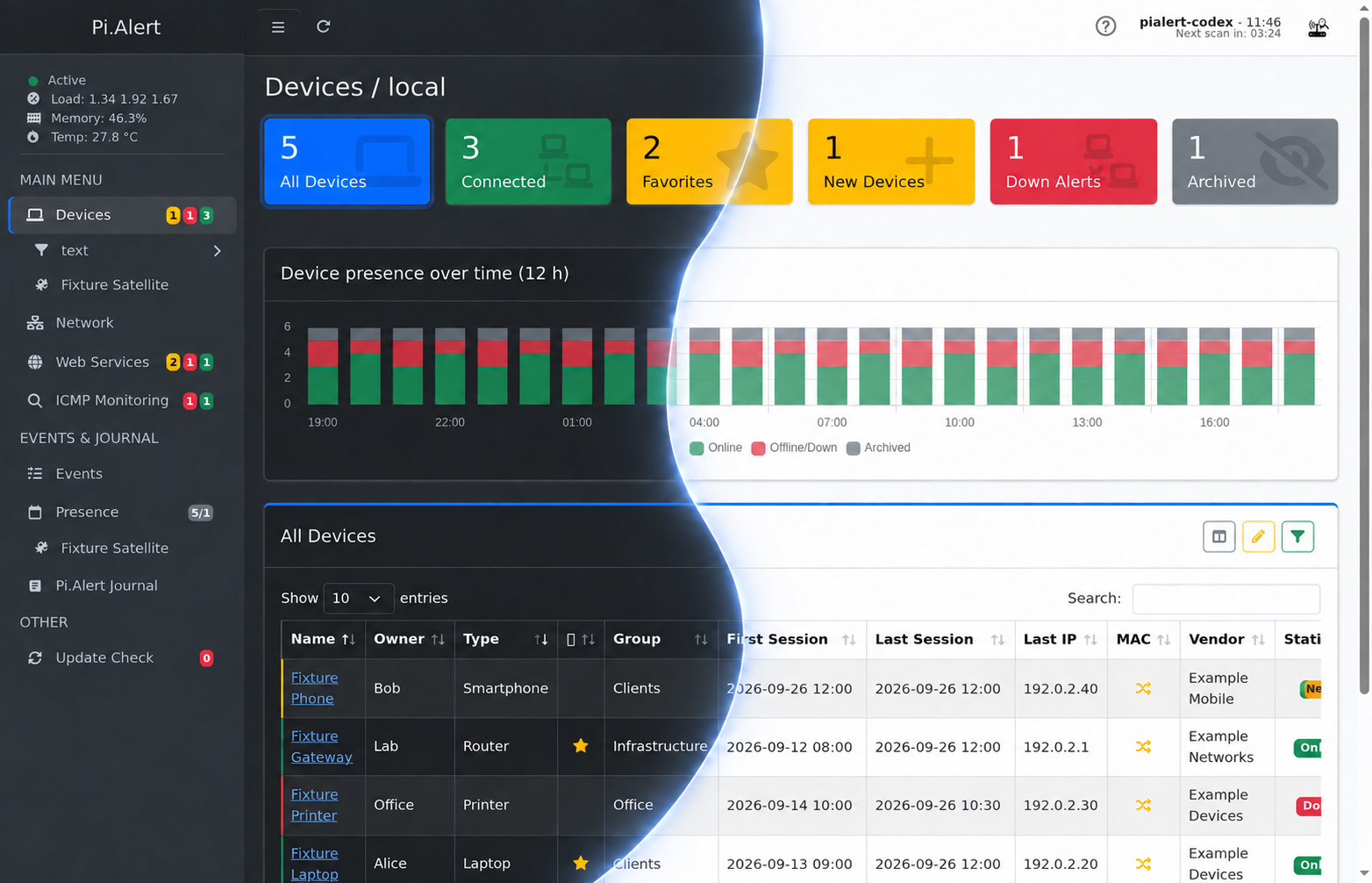
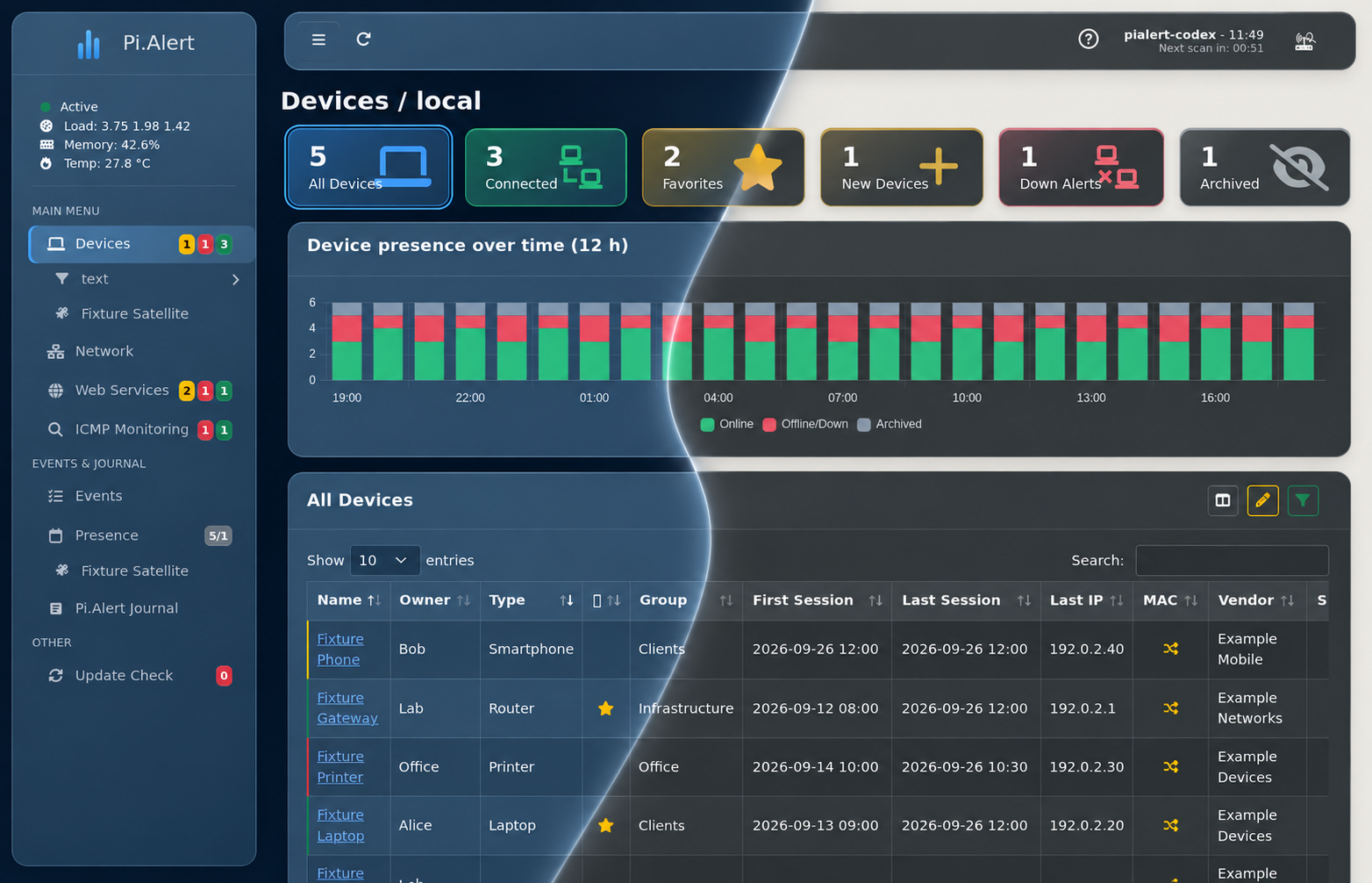
 Pi.Alert следит за вашим Wi-Fi или локальной сетью и предупреждает, когда подключается неизвестное устройство, отключается известное устройство или падает отслеживаемый веб-сервис. Он также проверяет HTTP-статус, время отклика и SSL-сертификаты для настроенных вами веб-сервисов.
Pi.Alert следит за вашим Wi-Fi или локальной сетью и предупреждает, когда подключается неизвестное устройство, отключается известное устройство или падает отслеживаемый веб-сервис. Он также проверяет HTTP-статус, время отклика и SSL-сертификаты для настроенных вами веб-сервисов.Это фоновая служба или то, с чем я работаю напрямую?Это приложение для самостоятельного хостинга из двух частей: бэкенд, который по cron каждые пять минут сканирует сеть и шлёт оповещения, и веб-интерфейс для управления устройствами, сервисами и настройками.
Это приложение для самостоятельного хостинга из двух частей: бэкенд, который по cron каждые пять минут сканирует сеть и шлёт оповещения, и веб-интерфейс для управления устройствами, сервисами и настройками.Ему нужен Pi-hole или особое сетевое железо?Нет, основной метод — arp-scan в локальной сети, но данные можно также брать из Pi-hole, FRITZ!Box, MikroTik, UniFi, OpenWrt, AsusWRT, pfSense, OPNsense или AdGuard Home, если они у вас уже запущены.
Нет, основной метод — arp-scan в локальной сети, но данные можно также брать из Pi-hole, FRITZ!Box, MikroTik, UniFi, OpenWrt, AsusWRT, pfSense, OPNsense или AdGuard Home, если они у вас уже запущены.Это тот же оригинальный проект Pi.Alert?Нет, это продолжение под руководством другого автора; оригинальный pucherot/Pi.Alert больше не поддерживается, а другой форк под названием NetAlertX стал независимым проектом на базе Docker.
Нет, это продолжение под руководством другого автора; оригинальный pucherot/Pi.Alert больше не поддерживается, а другой форк под названием NetAlertX стал независимым проектом на базе Docker.Для кого это сделано?Для пользователей homelab и самостоятельных сетей, которые хотят точно знать, какие устройства есть в их сети, и получать оповещения о чужаках, простоях или истекающих SSL-сертификатах.
Для пользователей homelab и самостоятельных сетей, которые хотят точно знать, какие устройства есть в их сети, и получать оповещения о чужаках, простоях или истекающих SSL-сертификатах.Какие каналы оповещений поддерживаются?Оповещения могут приходить через веб-интерфейс, почту, Pushsafer, Pushover, ntfy или Telegram через Telegram Bot API.
Оповещения могут приходить через веб-интерфейс, почту, Pushsafer, Pushover, ntfy или Telegram через Telegram Bot API.Что такое Pi.Alert-Satellite?Это сопутствующий проект, который может сканировать дополнительный отдельный сегмент сети и отправлять результаты в существующий экземпляр Pi.Alert — удобно, когда у вас несколько подсетей.
Это сопутствующий проект, который может сканировать дополнительный отдельный сегмент сети и отправлять результаты в существующий экземпляр Pi.Alert — удобно, когда у вас несколько подсетей.Как устроена защита входа?Защита входа со случайно сгенерированным паролем включается автоматически при установке, а позже её можно изменить инструментом pialert-cli.
Защита входа со случайно сгенерированным паролем включается автоматически при установке, а позже её можно изменить инструментом pialert-cli.Сколько языков поддерживает веб-интерфейс?Интерфейс поставляется на 15 языках, включая английский, немецкий, испанский, французский, итальянский, польский, нидерландский, чешский, шведский, украинский и русский.
Интерфейс поставляется на 15 языках, включая английский, немецкий, испанский, французский, итальянский, польский, нидерландский, чешский, шведский, украинский и русский.What are similar projects?ProxmoxVE, nyx, nginx-proxy-manager, DnsServer, pricebuddy, azerioid-stack-manager, changedetection.io, Self-Hosting-Guide
ProxmoxVE, nyx, nginx-proxy-manager, DnsServer, pricebuddy, azerioid-stack-manager, changedetection.io, Self-Hosting-GuideWhich topics is it in?pi-hole, network-monitoring, ssl, home-assistant, telegram-bot, homelab, network-security, self-hosting, notifications, raspberry-pi, telegram, php
pi-hole, network-monitoring, ssl, home-assistant, telegram-bot, homelab, network-security, self-hosting, notifications, raspberry-pi, telegram, php