The Hazel alternative for macOS. Open source and privacy-focused.
New · project from the Forel team — check out Ombrelle →
This project is built and maintained on my personal time. A ⭐ on the repo is the simplest way to say thanks and helps Forel get discovered by others who might need it. For anyone who wants to go further, you can support the work with a buy me a coffee ☕
Open source, 100% on-device, local-first, no account, no telemetry.
Forel is an open-source, community-driven take on folder automation for macOS.
Define rules once watch folders, match files, and move, rename, tag, or label them automatically then let Forel run quietly in your menu bar.
What Forel does
Forel watches your folders and organizes your files automatically based on rules you define — by filename, extension, kind, size, date, tags, or color label.
Native macOS UI with direct control over windows, menu bar, and focus
Backend
Swift 6
Unified app and core logic, strong typing, simple packaging
File watching
Native FSEvents wrapper
Low-latency, battery-friendly folder monitoring
Database
SQLite
Embedded, no server, predictable schema and queries
Persistence layer
Custom Swift database wrapper
Direct control over transactions, migrations, and rule round-trips
Updates
GitHub Releases check
Detects new tagged releases; ad-hoc signed builds are updated by manual reinstall, not in-place patching
Build
Swift Package Manager
Single toolchain for development, test, and release
Execution pipeline:
Input
  - FSEvents (real‑time watcher)
  - Run Now (manual — whole folder)
  - Dry Run / Preview (manual — whole folder)
        ↓
Rule Engine (per file, sorted by cost)
  ├─ Scope check (recursion depth)
  ├─ Condition matching (name, extension, kind,
  │   size, date, tags, color label, contents, …)
  └─ Plan actions (conflict‑aware)
        ↓
Action Executor
  ├─ Move / Copy / Rename
  ├─ Tag / Color label
  ├─ Trash / Delete
  └─ Run Script / Shortcut
        ↓
History / Undo (SQLite)
Roadmap
Folder watching
Rule engine (name, extension, kind, size, date)
Actions: move, copy, rename, trash, delete, tag, run script
SQLite persistence
Menu bar icon with live rule toggle
Action history & undo
Automatic updates
Preferences: launch at login
Drag & drop to reorder rules
Rules based metadata files
Activity logs
Automatic cleaning database
Uncompress actions
Shortcuts actions
Open App actions
Validate actions / conditions before save
Export / Import rules
Toggle extension hidden / visible
Compress actions
Compress actions
Sync actions
Upload actions
Native notifications on rule actions
AI features
Content matching
The Contents condition matches text found inside files. Everything is read
locally — no cloud, OCR runs on-device. When a file's text can't be read, the Dry
Run tells you why.
File path
  │
  ├─ Known plain text (.txt, .md, .json, …) ────► read as UTF‑8 / UTF‑16 / ISO Latin 1
  │
  ├─ PDF ──► text layer ─(empty)─► Vision OCR (Apple Neural Engine)
  │
  ├─ RTF / .doc/.docx ──► AppKit document reader (main thread)
  │
  ├─ .xlsx/.xltx / .pptx/.potx / .odt/.ods/.odp ──► ZIP → XML → strip tags
  │
  ├─ .pages / .numbers / .key ──► ZIP → Preview.pdf → PDF text
  │
  ├─ Images (.png, .jpg, .heic, .webp, .gif, …) ──► Vision OCR (Apple Neural Engine)
  │
  ├─ .xls / .ppt / .epub ──► Spotlight query (contains only)
  │
  └─ Unknown extension ──► try plain text ─(binary/undecodable)─► no match
Type
Formats
Limits
Plain text
.txt.md.csv.tsv.json.xml.yaml.yml.html.css.js.ts.swift.rs.py.rb.go.java.c.cpp.h.log, plus any other text file (.ini, .conf, no extension, …)
100 MB
PDF
.pdf (text layer, or OCR for scanned PDFs)
100 MB / 100 pages · OCR 20 pages
Rich text
.rtf.rtfd
100 MB
Word
.doc.docx.dotx
100 MB
Excel
.xlsx.xltx
100 MB
PowerPoint
.pptx.potx
100 MB
Apple iWork
.pages.numbers.key
100 MB
OpenDocument
.odt.ods.odp
100 MB
Images (OCR)
.png.jpg.jpeg.heic.tiff.tif.webp.gif.bmp.jp2.psd
25 MB / 12000 px
Spotlight fallback
.xls.ppt.epub
contains only
[!NOTE]
Apple iWork files are read from the preview the app saves inside the
document; one saved without a preview falls back to Spotlight.
The Spotlight fallback is used for formats Forel can't read directly. It
relies on macOS having already indexed the file and can only answer the
contains operator (not is, starts with, regex, …). When a file isn't
indexed, it simply doesn't match.
Contributing
Forel is in early development and contributions are very welcome.
git clone https://github.com/lab421/forel.git
cd forel
swift build
swift test
Please read the repository guidelines before submitting. Bug reports, feature requests, and documentation improvements are all appreciated.



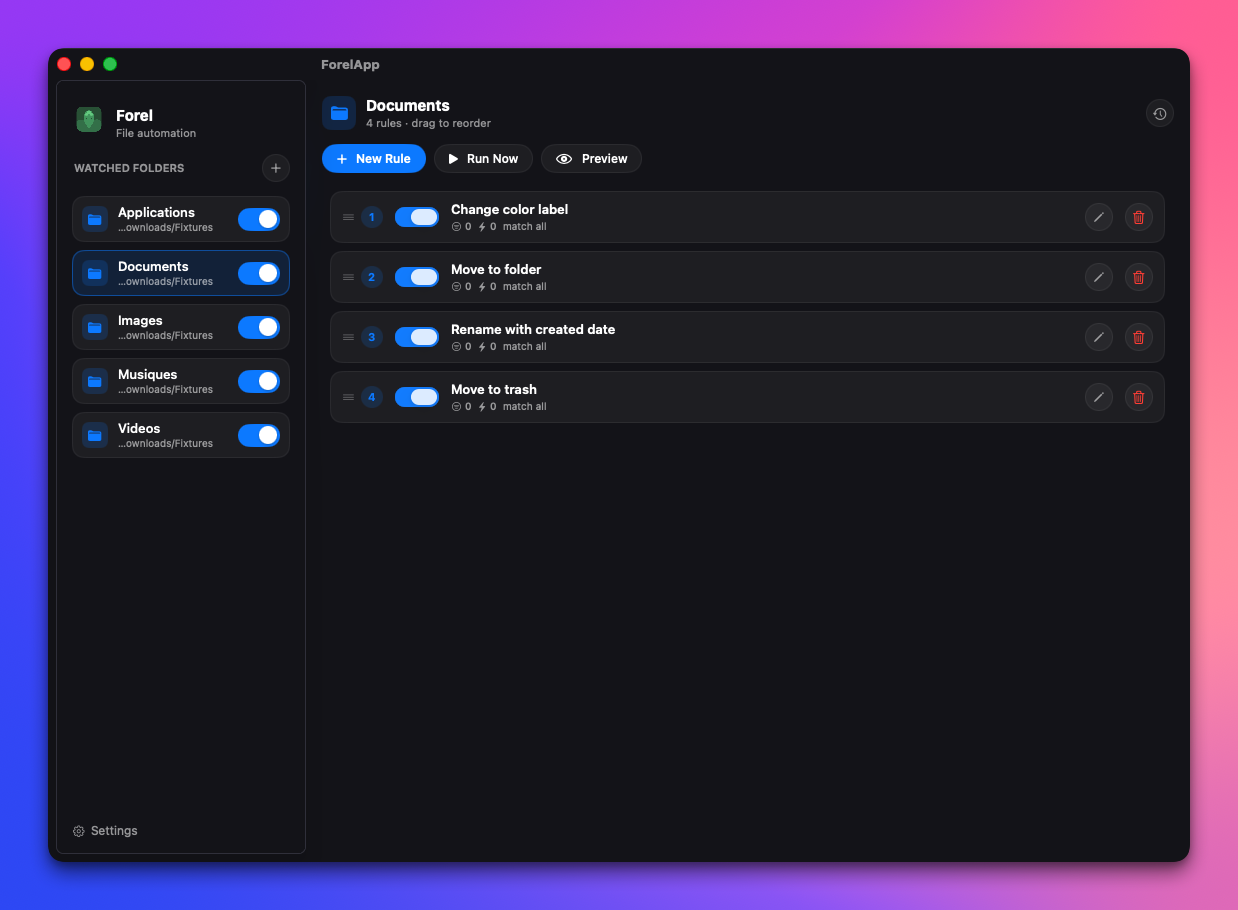
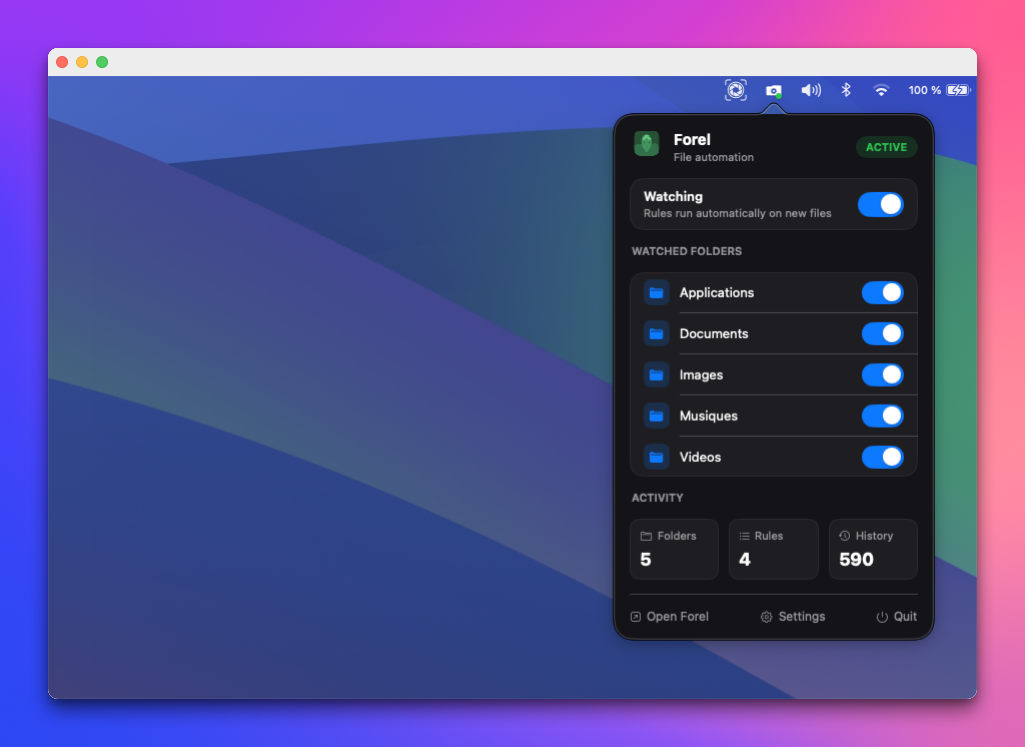

 Forel 是一款开源、注重隐私的 macOS 文件自动化应用,它会监视文件夹,并根据你定义的规则自动移动、重命名、打标签或标记文件 —— 它是作为付费应用 Hazel 的社区替代品而构建的。