









What is this?
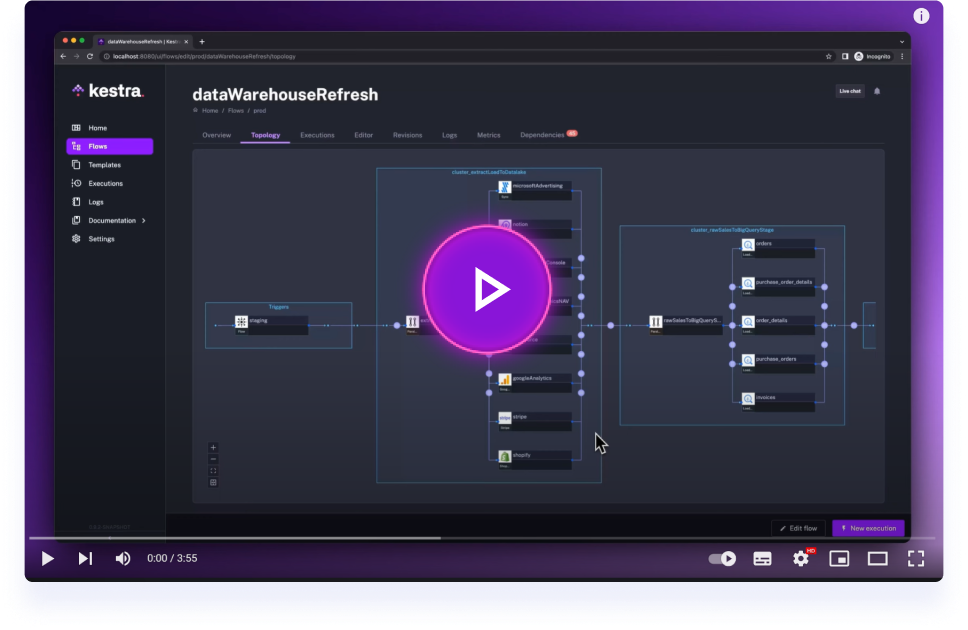
 Kestra is an open-source, event-driven orchestration platform for building data, AI, and infrastructure workflows. You describe them in declarative YAML and manage everything from a built-in web UI.
Kestra is an open-source, event-driven orchestration platform for building data, AI, and infrastructure workflows. You describe them in declarative YAML and manage everything from a built-in web UI.Is this a cloud service I sign up for, or something I host myself?You run it yourself: launch it locally in Docker with one command, or deploy with Docker Compose, Podman, Kubernetes, an AWS CloudFormation template, or a Terraform module on Google Cloud. A paid Enterprise Edition adds governance features on top.
You run it yourself: launch it locally in Docker with one command, or deploy with Docker Compose, Podman, Kubernetes, an AWS CloudFormation template, or a Terraform module on Google Cloud. A paid Enterprise Edition adds governance features on top.How do I get it running?With Docker running, start Kestra in a single command using the kestra/kestra:slim image plus KESTRAPLUGINSAUTOINSTALLENABLED=true. Open the Kestra web UI and build your first Hello World flow from there.
With Docker running, start Kestra in a single command using the kestra/kestra:slim image plus KESTRAPLUGINSAUTOINSTALLENABLED=true. Open the Kestra web UI and build your first Hello World flow from there.Do I need to know Java, since that's what Kestra is written in?No — flows are defined in YAML, and tasks can run scripts in whatever language you already use: Python, Node.js, R, Go, Shell, and others. Docker is all you need for the local quick start.
No — flows are defined in YAML, and tasks can run scripts in whatever language you already use: Python, Node.js, R, Go, Shell, and others. Docker is all you need for the local quick start.Any gotchas with that quick-start Docker image?The kestra/kestra:slim image ships without bundled plugins to keep the download small, so each plugin is fetched from Maven Central the first time a flow needs it. Prefer everything bundled up front? Use kestra/kestra:latest instead.
The kestra/kestra:slim image ships without bundled plugins to keep the download small, so each plugin is fetched from Maven Central the first time a flow needs it. Prefer everything bundled up front? Use kestra/kestra:latest instead.Is it actually free, or is there a catch with paid tiers?The core platform is open source under Apache-2.0. There is also a commercial Enterprise Edition that adds action-based RBAC, Policies, incident management with Cases, and UI-driven cross-instance deployment.
The core platform is open source under Apache-2.0. There is also a commercial Enterprise Edition that adds action-based RBAC, Policies, incident management with Cases, and UI-driven cross-instance deployment.How do flows get triggered — cron schedules only, or real events too?Both. A single trigger definition covers scheduled runs and real-time, event-driven execution — flows can react to file arrivals or messages from Kafka, Redis, Pulsar, MQTT, NATS, AWS SQS, Google Pub/Sub, and Azure Event Hubs.
Both. A single trigger definition covers scheduled runs and real-time, event-driven execution — flows can react to file arrivals or messages from Kafka, Redis, Pulsar, MQTT, NATS, AWS SQS, Google Pub/Sub, and Azure Event Hubs.Can I build flows without hand-writing YAML?Yes. The No-Code editor builds a flow block by block with guided forms, and the AI Copilot can draft or edit flows from a plain description. All three — YAML editor, No-Code editor, and Copilot — edit the same flow and stay in sync.
Yes. The No-Code editor builds a flow block by block with guided forms, and the AI Copilot can draft or edit flows from a plain description. All three — YAML editor, No-Code editor, and Copilot — edit the same flow and stay in sync.Can AI agents call my Kestra flows?Yes — a built-in MCP server exposes your flows as tools to any MCP-compatible agent, and Agent Skills let coding agents like Claude Code, Cursor, and Windsurf generate flows for you. AI Agents and RAG pipelines are also first-class task types inside flows.
Yes — a built-in MCP server exposes your flows as tools to any MCP-compatible agent, and Agent Skills let coding agents like Claude Code, Cursor, and Windsurf generate flows for you. AI Agents and RAG pipelines are also first-class task types inside flows.What happens when I outgrow a single machine?It is built to handle millions of workflows with high availability and fault tolerance. Workers talk to the control plane over gRPC, so they can run in another region or a restricted network, and Task Runners scale execution out to Docker, Kubernetes, or cloud VMs.
It is built to handle millions of workflows with high availability and fault tolerance. Workers talk to the control plane over gRPC, so they can run in another region or a restricted network, and Task Runners scale execution out to Docker, Kubernetes, or cloud VMs.What are similar projects?airbyte, astron-agent, full-stack-data-engineering, airflow, dagster, sim, JeecgBoot, Awesome-Dify-Workflow
airbyte, astron-agent, full-stack-data-engineering, airflow, dagster, sim, JeecgBoot, Awesome-Dify-WorkflowWhich topics is it in?task-orchestration, etl, pipeline, declarative, high-availability, infrastructure-as-code, scheduler, data-engineering, big-data, low-code, azure, no-code
task-orchestration, etl, pipeline, declarative, high-availability, infrastructure-as-code, scheduler, data-engineering, big-data, low-code, azure, no-code