
这是干什么的?
 YAOS 是一个 Obsidian 笔记实时同步引擎,由你部署到自己 Cloudflare 账户的 Cloudflare Worker 驱动。笔记通过 CRDT 合并语义在设备间实时同步,而不是靠冲突副本的方式处理。
YAOS 是一个 Obsidian 笔记实时同步引擎,由你部署到自己 Cloudflare 账户的 Cloudflare Worker 驱动。笔记通过 CRDT 合并语义在设备间实时同步,而不是靠冲突副本的方式处理。它是 Obsidian 插件,还是一个要我自己运行的独立程序?两部分都有,但你什么都不用自己跑:一个是 Obsidian 插件,另一个是部署到你自己的 Cloudflare 账户的小型服务器。你不用碰终端,除了 Obsidian 之外也不用在本地托管任何东西。
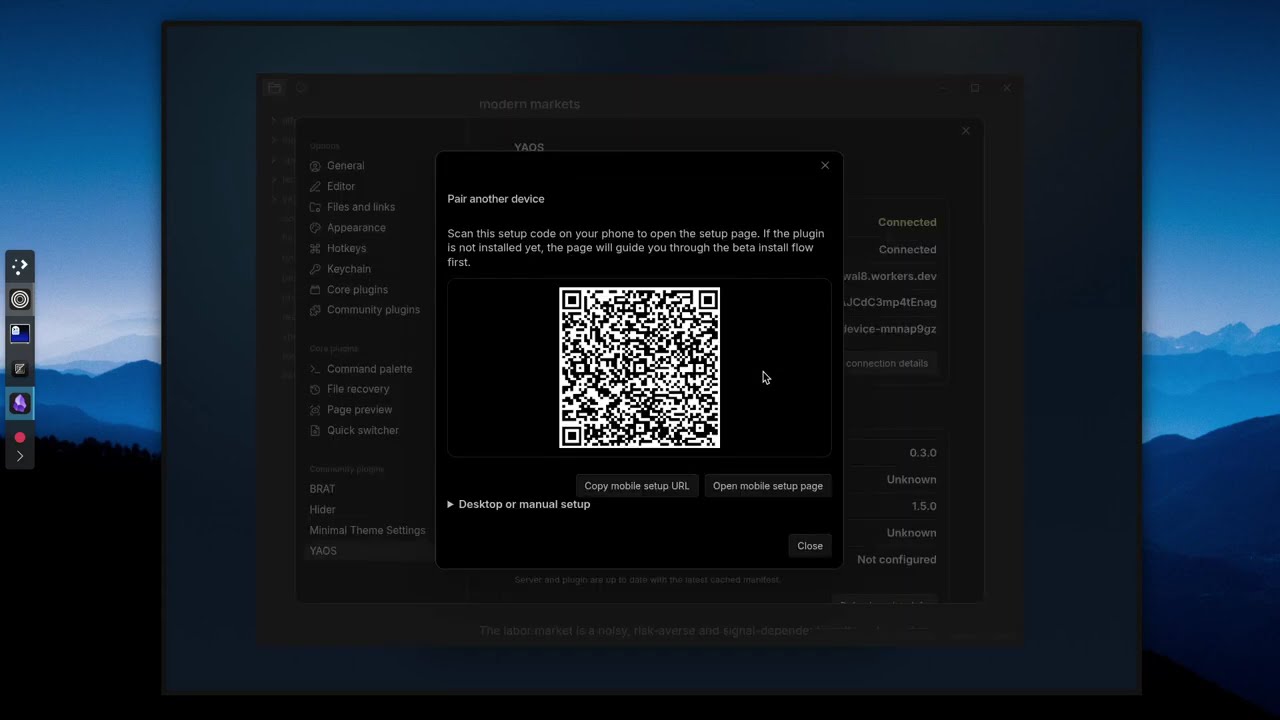
两部分都有,但你什么都不用自己跑:一个是 Obsidian 插件,另一个是部署到你自己的 Cloudflare 账户的小型服务器。你不用碰终端,除了 Obsidian 之外也不用在本地托管任何东西。怎么让我的库开始同步?四步:点击 Deploy to Cloudflare 在你的账户里创建 Worker,打开它的网址并点击 Claim 生成一个设置令牌,从 Obsidian Marketplace 安装 YAOS,然后通过设置链接或二维码连接——连接信息会自动填好。
四步:点击 Deploy to Cloudflare 在你的账户里创建 Worker,打开它的网址并点击 Claim 生成一个设置令牌,从 Obsidian Marketplace 安装 YAOS,然后通过设置链接或二维码连接——连接信息会自动填好。我需要会用终端,或者先搭建数据库吗?不需要。这正是它的核心卖点:不用终端、不用 .env 文件、不用配数据库——部署按钮、认领页面和二维码会把整个流程全部搞定。
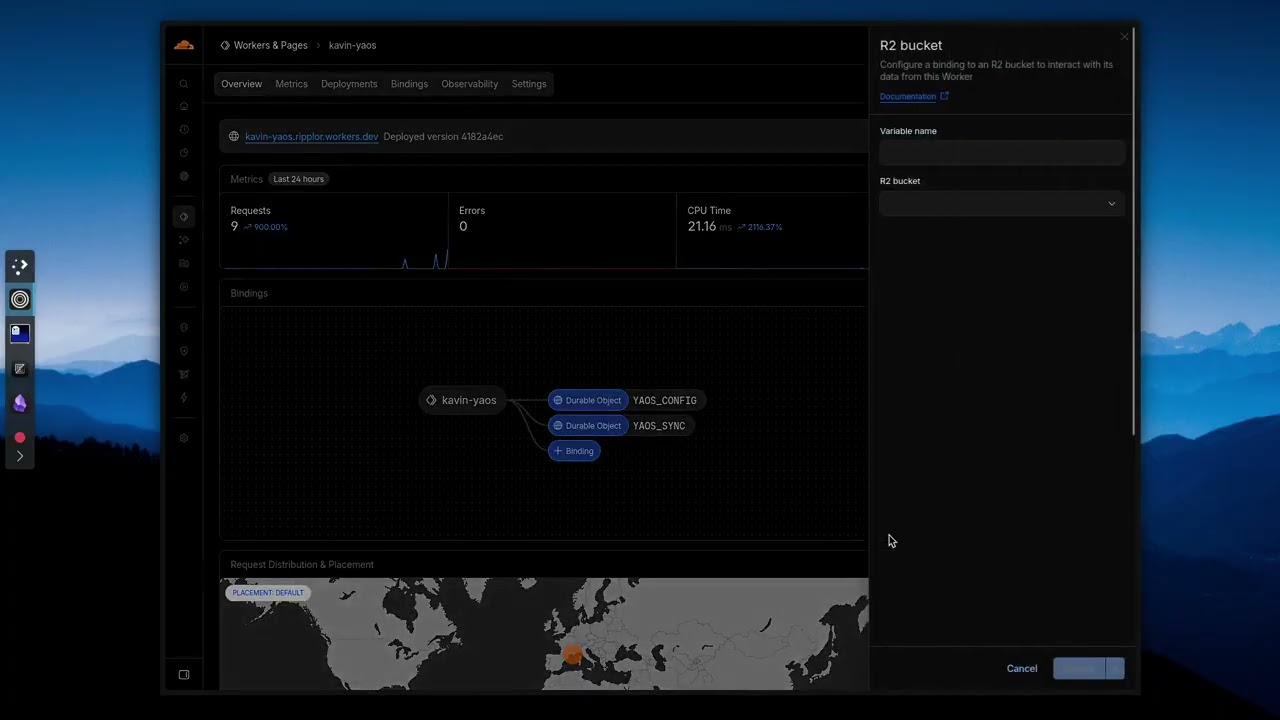
不需要。这正是它的核心卖点:不用终端、不用 .env 文件、不用配数据库——部署按钮、认领页面和二维码会把整个流程全部搞定。我库里的所有内容都会立刻同步吗?纯 Markdown 文本开箱即同步;图片、PDF 等其他附件需要先添加一个 Cloudflare R2 存储桶。超过大小上限的文件会被跳过,对空文件夹和非 Markdown 的插件文件也有明确的限制。
纯 Markdown 文本开箱即同步;图片、PDF 等其他附件需要先添加一个 Cloudflare R2 存储桶。超过大小上限的文件会被跳过,对空文件夹和非 Markdown 的插件文件也有明确的限制。手机上也能用吗,还是只能在电脑上?支持移动版 Obsidian。如果手机上同步停止,文档给出的解决办法是执行 'Reconnect to sync server' 命令,再检查一下网络。
支持移动版 Obsidian。如果手机上同步停止,文档给出的解决办法是执行 'Reconnect to sync server' 命令,再检查一下网络。我的笔记到底存在哪里?存在你部署在自己 Cloudflare 账户里的基础设施上,而不是某个厂商的托管服务——这正是整个项目背后的自托管、本地优先理念。
存在你部署在自己 Cloudflare 账户里的基础设施上,而不是某个厂商的托管服务——这正是整个项目背后的自托管、本地优先理念。真的免费吗,还是有什么猫腻?免费——对比表中 YAOS 标价 $0,而 Obsidian Sync 是每年 $96,许可证也是极为宽松的 0-BSD。你只需要一个自己的 Cloudflare 账户。
免费——对比表中 YAOS 标价 $0,而 Obsidian Sync 是每年 $96,许可证也是极为宽松的 0-BSD。你只需要一个自己的 Cloudflare 账户。两台设备同时编辑同一条笔记会怎样?不会产生冲突副本:YAOS 用 Yjs CRDT 让整个库保持一个实时状态并在设备间流转,所以编辑会自动合并,而不是让设备排队上传文件、祈祷不出冲突。
不会产生冲突副本:YAOS 用 Yjs CRDT 让整个库保持一个实时状态并在设备间流转,所以编辑会自动合并,而不是让设备排队上传文件、祈祷不出冲突。我能找回笔记的旧版本吗?可以,前提是你接上了一个 R2 存储桶:它可以开启每日自动快照和按需的时间点备份。你可以浏览快照、把它们与当前状态做对比,并选择性地恢复单个文件。
可以,前提是你接上了一个 R2 存储桶:它可以开启每日自动快照和按需的时间点备份。你可以浏览快照、把它们与当前状态做对比,并选择性地恢复单个文件。作者为什么说它和 AI 代理配合得很好?Obsidian 的库本质上就是本地 Markdown 文件,而 CRDT 状态始终与文件系统保持一致。来自任何来源的更改——git、shell 脚本、写文件的 AI 代理——都能顺畅地传播到各个设备,而不会退回到冲突副本的老路。
Obsidian 的库本质上就是本地 Markdown 文件,而 CRDT 状态始终与文件系统保持一致。来自任何来源的更改——git、shell 脚本、写文件的 AI 代理——都能顺畅地传播到各个设备,而不会退回到冲突副本的老路。它和直接用 iCloud 或 Dropbox 同步我的库有什么不同?那些方案文件同步有延迟,编辑冲突时还会出现冲突副本,而 YAOS 通过 CRDT 实时合并。Git 或 LiveSync 更接近一点,但需要折腾终端;YAOS 从头到尾都不用碰终端就能部署。
那些方案文件同步有延迟,编辑冲突时还会出现冲突副本,而 YAOS 通过 CRDT 实时合并。Git 或 LiveSync 更接近一点,但需要折腾终端;YAOS 从头到尾都不用碰终端就能部署。What are similar projects?edgeever, obsidian-livesync, obsidian-git, qiaomu-book-reader-legacy, joplin, siyuan, EnvoyMesh, claude-obsidian
edgeever, obsidian-livesync, obsidian-git, qiaomu-book-reader-legacy, joplin, siyuan, EnvoyMesh, claude-obsidianWhich topics is it in?obsidian-plugin, crdt, zero-configuration, cloudflare-r2, obsidian, sync, cloudflare-workers, backup, note-taking, real-time, local-first, ios
obsidian-plugin, crdt, zero-configuration, cloudflare-r2, obsidian, sync, cloudflare-workers, backup, note-taking, real-time, local-first, ios