





32.1K ·GitHub
Что это такое?
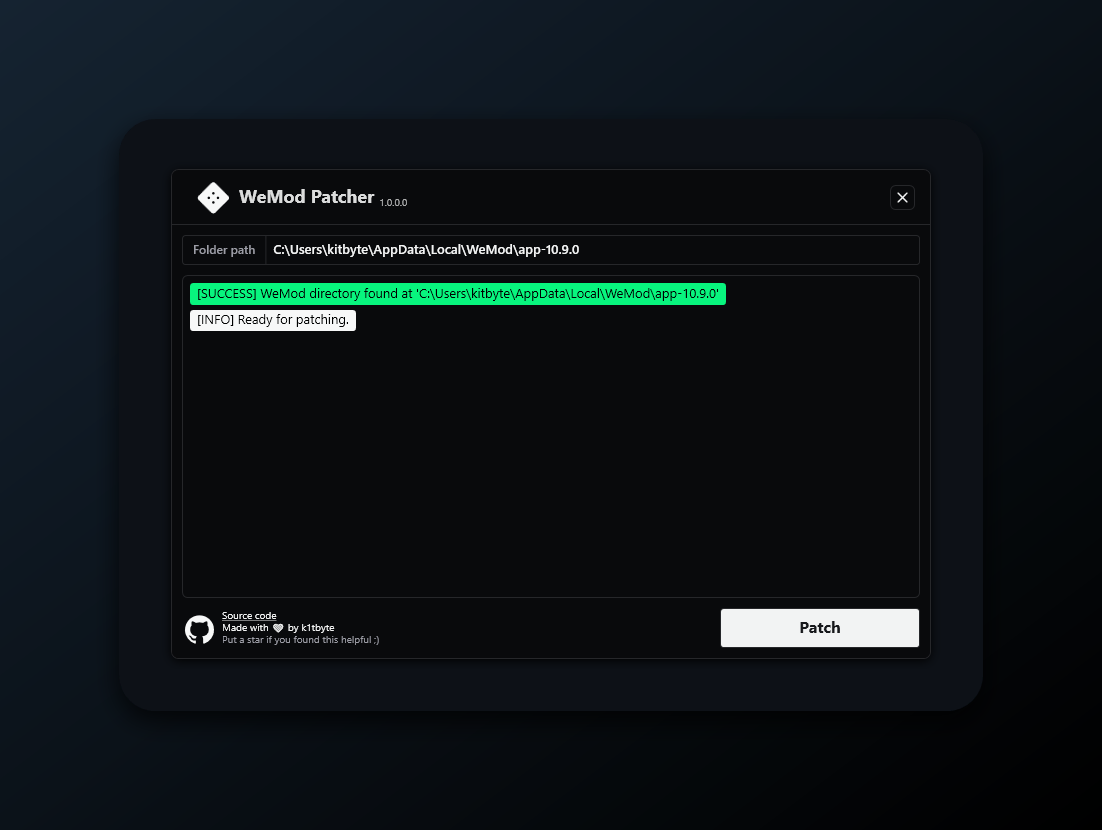
 Опенсорсный инструмент для расширения возможностей приложения Wand (WeMod) на Windows: он вносит изменения в вашу локальную установку, чтобы улучшить работу с программой — добавить настройку тем и оформления, функции на основе AI, а также удалённую веб-панель, которой можно пользоваться с телефона.
Опенсорсный инструмент для расширения возможностей приложения Wand (WeMod) на Windows: он вносит изменения в вашу локальную установку, чтобы улучшить работу с программой — добавить настройку тем и оформления, функции на основе AI, а также удалённую веб-панель, которой можно пользоваться с телефона.Это отдельное приложение или оно изменяет тот Wand, который у меня уже стоит?Это патчер, а не отдельное приложение: WandEnhancer.exe изменяет файлы в выбранной вами локальной установке Wand, а сам Wand остаётся тем же онлайн-приложением, которым вы уже пользуетесь.
Это патчер, а не отдельное приложение: WandEnhancer.exe изменяет файлы в выбранной вами локальной установке Wand, а сам Wand остаётся тем же онлайн-приложением, которым вы уже пользуетесь.Как его скачать? В релизах нет .exe-файла.Это сделано специально — релизы содержат только описание изменений. Сделайте форк репозитория на GitHub, откройте вкладку Actions, запустите workflow Build executable, скачайте zip с артефактом из завершившегося запуска и запустите из него WandEnhancer.exe.
Это сделано специально — релизы содержат только описание изменений. Сделайте форк репозитория на GitHub, откройте вкладку Actions, запустите workflow Build executable, скачайте zip с артефактом из завершившегося запуска и запустите из него WandEnhancer.exe.Мой антивирус или Windows Defender будет ругаться на сборку?Возможно: артефакт не имеет цифровой подписи, поэтому SmartScreen может показать предупреждение, а общие эвристики антивирусов иногда помечают патчи-утилиты, даже если сборка сделана из вашего собственного форка. Изучите исходный код, проверьте логи workflow и считайте чужие собранные файлы недоверенными.
Возможно: артефакт не имеет цифровой подписи, поэтому SmartScreen может показать предупреждение, а общие эвристики антивирусов иногда помечают патчи-утилиты, даже если сборка сделана из вашего собственного форка. Изучите исходный код, проверьте логи workflow и считайте чужие собранные файлы недоверенными.Будет ли это работать на macOS или Linux?Нет — это приложение Windows WPF, собранное через MSBuild под .NET Framework 4.8. С другого устройства в браузере доступна только удалённая веб-панель, но сам патчер сделан для Windows.
Нет — это приложение Windows WPF, собранное через MSBuild под .NET Framework 4.8. С другого устройства в браузере доступна только удалённая веб-панель, но сам патчер сделан для Windows.Он отправляет куда-то мои данные?По умолчанию с вашего компьютера ничего не уходит — патчер полностью автономен и не собирает телеметрию. Только если вы специально включите при сборке уведомления о релизах GitHub, каждый запуск Wand будет отправлять один запрос к GitHub API (IP и User-Agent), и обновления он никогда не скачивает.
По умолчанию с вашего компьютера ничего не уходит — патчер полностью автономен и не собирает телеметрию. Только если вы специально включите при сборке уведомления о релизах GitHub, каждый запуск Wand будет отправлять один запрос к GitHub API (IP и User-Agent), и обновления он никогда не скачивает.Что именно он может менять в Wand?Управление локальной конфигурацией окружения, автоматическую подстройку совместимости под новые версии клиента, настройку оформления и тем на стороне клиента, функции на основе AI, а также встроенную удалённую веб-панель для управления приложением с телефона.
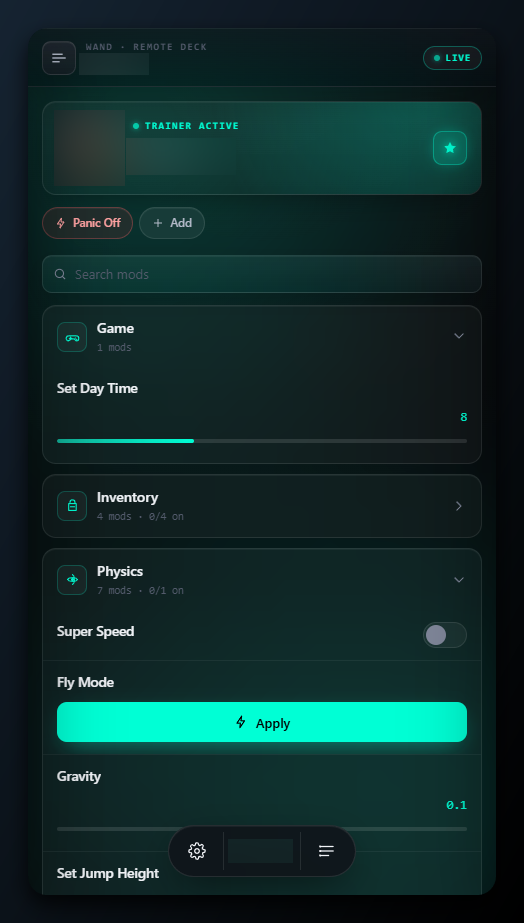
Управление локальной конфигурацией окружения, автоматическую подстройку совместимости под новые версии клиента, настройку оформления и тем на стороне клиента, функции на основе AI, а также встроенную удалённую веб-панель для управления приложением с телефона.Как подключить удалённую панель с телефона?Подключите компьютер и телефон к одной Wi-Fi-сети, наведите курсор на Connect в верхней панели и отсканируйте QR-код. Панель работает по обычному HTTP/WebSocket на TCP-порту 3223 без кода сопряжения, поэтому используйте её только в доверенной локальной сети или через VPN и ни в коем случае не открывайте порт в интернет.
Подключите компьютер и телефон к одной Wi-Fi-сети, наведите курсор на Connect в верхней панели и отсканируйте QR-код. Панель работает по обычному HTTP/WebSocket на TCP-порту 3223 без кода сопряжения, поэтому используйте её только в доверенной локальной сети или через VPN и ни в коем случае не открывайте порт в интернет.Могу ли я добавить свой JavaScript в клиент Wand?Да — добавьте .js-файлы в диалоге патча или положите их в папку renderer-scripts/ рядом с патчером. Они выполняются внутри рендерера Wand с полным доступом к DOM и к Node require, обёрнутые так, чтобы выброшенная ошибка никогда не приводила к падению Wand.
Да — добавьте .js-файлы в диалоге патча или положите их в папку renderer-scripts/ рядом с патчером. Они выполняются внутри рендерера Wand с полным доступом к DOM и к Node require, обёрнутые так, чтобы выброшенная ошибка никогда не приводила к падению Wand.Почему нет официальных .exe для скачивания?Неподписанные сборки постоянно перезаливали, mislabel-или (выдавали за другие файлы) и помечали как подозрительные, а мошенники размещали фейковые уроки на YouTube с вредоносными программами в описаниях. Релизы содержат только описание изменений — так задумано; сборка из собственного форка — единственный доверенный способ.
Неподписанные сборки постоянно перезаливали, mislabel-или (выдавали за другие файлы) и помечали как подозрительные, а мошенники размещали фейковые уроки на YouTube с вредоносными программами в описаниях. Релизы содержат только описание изменений — так задумано; сборка из собственного форка — единственный доверенный способ.What are similar projects?SteamTools, quiver-launcher, CircuitLordVRModInstaller, KillerPDF, CrypTool-2, MaterialDesignInXamlToolkit, Playnite, Captura
SteamTools, quiver-launcher, CircuitLordVRModInstaller, KillerPDF, CrypTool-2, MaterialDesignInXamlToolkit, Playnite, CapturaWhich topics is it in?wpf, patcher, game-modding, remote-control, qr-code, theme, dotnet, c#, csharp, websocket, gaming, customization
wpf, patcher, game-modding, remote-control, qr-code, theme, dotnet, c#, csharp, websocket, gaming, customization