





32.2K ·GitHub
What is this?
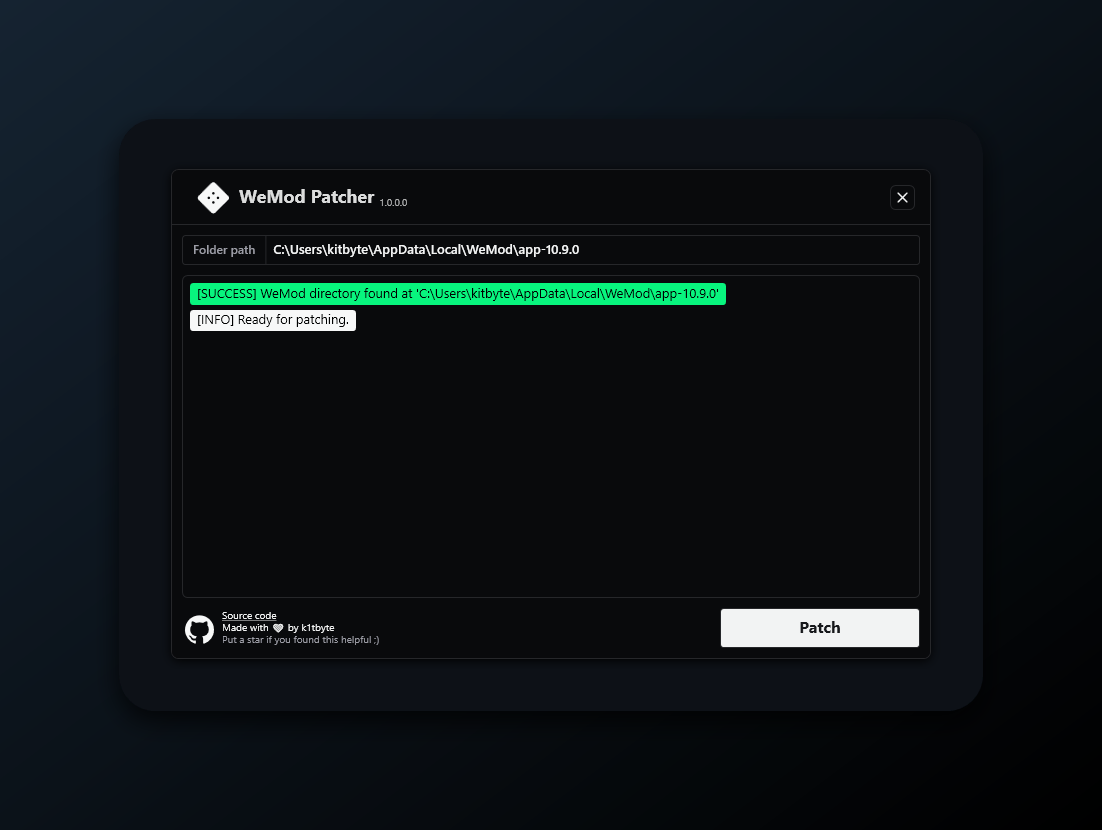
 An open-source interoperability tool that extends the Wand (WeMod) app on Windows: it patches your local installation to improve UX with theme and layout customization, AI features, and a remote web panel you can use from your phone.
An open-source interoperability tool that extends the Wand (WeMod) app on Windows: it patches your local installation to improve UX with theme and layout customization, AI features, and a remote web panel you can use from your phone.Is this a separate app, or does it modify the Wand I already have?It is a patcher, not a standalone app: WandEnhancer.exe modifies files in your selected local Wand installation, and Wand itself stays the online application you already use.
It is a patcher, not a standalone app: WandEnhancer.exe modifies files in your selected local Wand installation, and Wand itself stays the online application you already use.How do I get it? There is no .exe in the releases.On purpose — releases are notes-only. Fork the repo on GitHub, open the Actions tab, run the Build executable workflow, download the artifact zip from the finished run, and run WandEnhancer.exe from it.
On purpose — releases are notes-only. Fork the repo on GitHub, open the Actions tab, run the Build executable workflow, download the artifact zip from the finished run, and run WandEnhancer.exe from it.Will my antivirus or Windows Defender complain about the build?Possibly: the artifact is unsigned, so SmartScreen may warn and generic antivirus heuristics can flag patching tools even when built from your own fork. Review the source, verify the workflow logs, and treat binaries built by others as untrusted.
Possibly: the artifact is unsigned, so SmartScreen may warn and generic antivirus heuristics can flag patching tools even when built from your own fork. Review the source, verify the workflow logs, and treat binaries built by others as untrusted.Will it run on macOS or Linux?No — it is a Windows WPF application built with MSBuild against .NET Framework 4.8. Only the remote web panel is reachable from another device's browser, but the patcher itself targets Windows.
No — it is a Windows WPF application built with MSBuild against .NET Framework 4.8. Only the remote web panel is reachable from another device's browser, but the patcher itself targets Windows.Does it send any of my data anywhere?By default nothing leaves your PC — the patcher is fully offline with no telemetry. Only if you explicitly compile in GitHub release notifications does each Wand launch send one GitHub API request (IP and User-Agent), and it never downloads updates.
By default nothing leaves your PC — the patcher is fully offline with no telemetry. Only if you explicitly compile in GitHub release notifications does each Wand launch send one GitHub API request (IP and User-Agent), and it never downloads updates.What exactly can it change in Wand?Local environment configuration management, automated compatibility adjustments for new client versions, client-side layout and theme customization, AI features, and a built-in remote web panel to control the app from your phone.
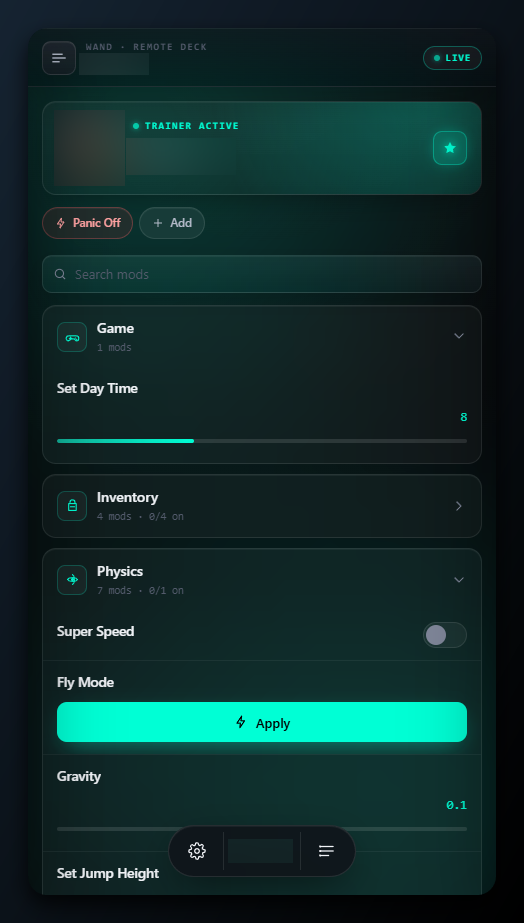
Local environment configuration management, automated compatibility adjustments for new client versions, client-side layout and theme customization, AI features, and a built-in remote web panel to control the app from your phone.How does the phone remote panel connect?Put PC and phone on the same Wi-Fi, hover Connect in the top bar and scan the QR code. It serves plain HTTP/WebSocket on TCP port 3223 with no pairing code, so use it only on a trusted LAN or VPN and never expose the port to the internet.
Put PC and phone on the same Wi-Fi, hover Connect in the top bar and scan the QR code. It serves plain HTTP/WebSocket on TCP port 3223 with no pairing code, so use it only on a trusted LAN or VPN and never expose the port to the internet.Can I inject my own JavaScript into the Wand client?Yes — add .js files in the patch dialog or drop them into a renderer-scripts/ folder next to the patcher. They run inside Wand's renderer with full DOM access and Node require, wrapped so a thrown error never crashes Wand.
Yes — add .js files in the patch dialog or drop them into a renderer-scripts/ folder next to the patcher. They run inside Wand's renderer with full DOM access and Node require, wrapped so a thrown error never crashes Wand.Why are there no official .exe downloads?Unsigned builds kept getting reuploaded, mislabeled and flagged, and scammers post fake YouTube tutorials with malware in the descriptions. Releases are notes-only by design; building from your own fork is the trusted path.
Unsigned builds kept getting reuploaded, mislabeled and flagged, and scammers post fake YouTube tutorials with malware in the descriptions. Releases are notes-only by design; building from your own fork is the trusted path.What are similar projects?SteamTools, quiver-launcher, CircuitLordVRModInstaller, KillerPDF, CrypTool-2, MaterialDesignInXamlToolkit, Playnite, Captura
SteamTools, quiver-launcher, CircuitLordVRModInstaller, KillerPDF, CrypTool-2, MaterialDesignInXamlToolkit, Playnite, CapturaWhich topics is it in?wpf, patcher, game-modding, remote-control, qr-code, theme, dotnet, c#, csharp, websocket, gaming, customization
wpf, patcher, game-modding, remote-control, qr-code, theme, dotnet, c#, csharp, websocket, gaming, customization