





What is this?
 Antigravity Cockpit is a VS Code extension that monitors AI model quotas for Google Antigravity, showing usage, reset timers, and alerts right inside your editor.
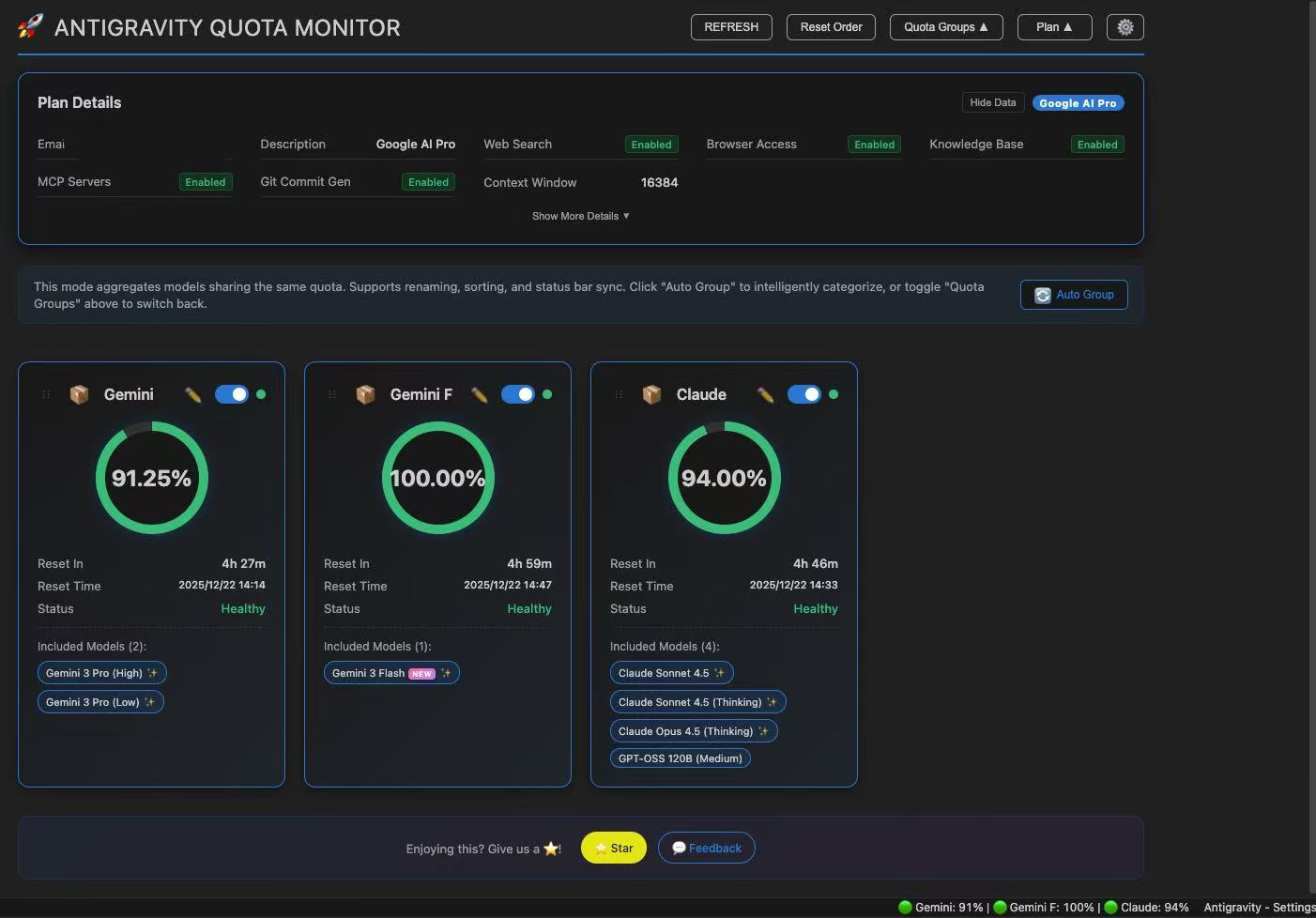
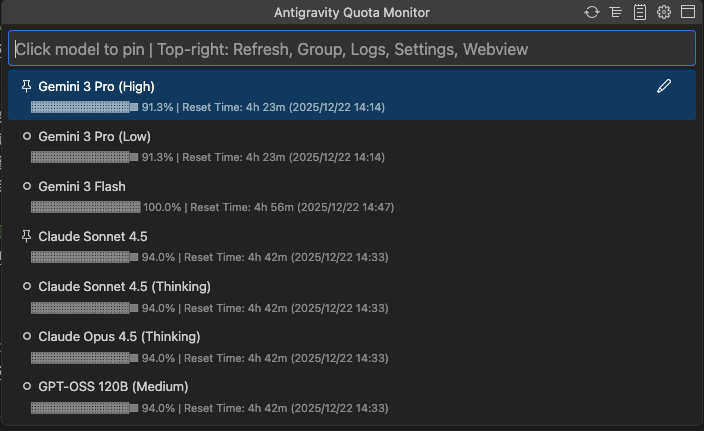
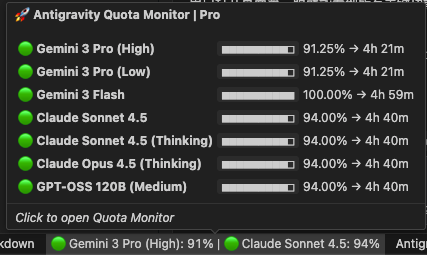
Antigravity Cockpit is a VS Code extension that monitors AI model quotas for Google Antigravity, showing usage, reset timers, and alerts right inside your editor.Is this a dashboard panel or just a status bar icon?It's both: a Webview dashboard with card-based grouped quota views, plus an alternative QuickPick mode for keyboard-driven or Webview-restricted environments, and a persistent status bar indicator.
It's both: a Webview dashboard with card-based grouped quota views, plus an alternative QuickPick mode for keyboard-driven or Webview-restricted environments, and a persistent status bar indicator.How do I open and use it?Install from the Open VSX marketplace or a VSIX file, then open the dashboard via the status bar icon, Ctrl/Cmd+Shift+Q, or the 'Antigravity Cockpit: Open Dashboard' command.
Install from the Open VSX marketplace or a VSIX file, then open the dashboard via the status bar icon, Ctrl/Cmd+Shift+Q, or the 'Antigravity Cockpit: Open Dashboard' command.Does it need the Antigravity client running, or does it work remotely too?It supports two quota sources: local monitoring, which reads the local Antigravity client process and requires it to be running, or authorized remote monitoring, which doesn't need a local client and supports multiple accounts.
It supports two quota sources: local monitoring, which reads the local Antigravity client process and requires it to be running, or authorized remote monitoring, which doesn't need a local client and supports multiple accounts.Is my account data kept private?Yes, there's a privacy mode that masks sensitive profile data, and auto wake-up credentials are encrypted and stored locally in VS Code's Secret Storage.
Yes, there's a privacy mode that masks sensitive profile data, and auto wake-up credentials are encrypted and stored locally in VS Code's Secret Storage.Does it support languages other than English and Chinese?Yes, it follows your VS Code language setting and supports 16 languages including Japanese, German, Spanish, French, Korean, Russian, and more.
Yes, it follows your VS Code language setting and supports 16 languages including Japanese, German, Spanish, French, Korean, Russian, and more.Which operating systems does it run on?As a VS Code extension it works wherever VS Code runs, including Windows, macOS, and Linux.
As a VS Code extension it works wherever VS Code runs, including Windows, macOS, and Linux.What is the Auto Wake-up feature for?It schedules tasks (daily, weekly, interval, or custom Crontab) to proactively wake up AI models so their quota reset cycle can trigger during idle time, like before you start work.
It schedules tasks (daily, weekly, interval, or custom Crontab) to proactively wake up AI models so their quota reset cycle can trigger during idle time, like before you start work.What can I see by hovering over a model name?Hovering shows the model's supported input types (text, image, video, etc.), its context window size, and other capability markers.
Hovering shows the model's supported input types (text, image, video, etc.), its context window size, and other capability markers.How does quota grouping work?Models sharing the same quota pool are automatically or manually grouped together, showing an aggregated quota instead of per-model numbers, and groups can be renamed, reordered, and pinned to the status bar.
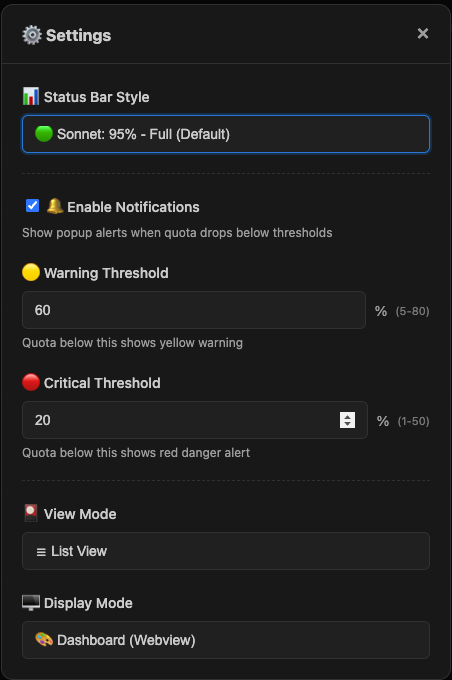
Models sharing the same quota pool are automatically or manually grouped together, showing an aggregated quota instead of per-model numbers, and groups can be renamed, reordered, and pinned to the status bar.What status bar display formats are available?You can choose from six formats, such as icon-only, status dot only, percentage only, dot plus percentage, name plus percentage, or a full display combining status dot, name, and percentage.
You can choose from six formats, such as icon-only, status dot only, percentage only, dot plus percentage, name plus percentage, or a full display combining status dot, name, and percentage.What are similar projects?AI-Engineering-Coach, cockpit-tools, rayburst, oh-story-claudecode, codeburn, quotio, peon-ping, coucou
AI-Engineering-Coach, cockpit-tools, rayburst, oh-story-claudecode, codeburn, quotio, peon-ping, coucouWhich topics is it in?statusbar, antigravity, vscode-extension, notifications, multilingual, dashboard, monitoring, productivity, privacy, npm, chinese, tool
statusbar, antigravity, vscode-extension, notifications, multilingual, dashboard, monitoring, productivity, privacy, npm, chinese, tool