











invidious README

The project's README from github.com/iv-org/invidious. As one markdown file: README.md.

Invidious logo

Invidious

License: AGPLv3 Build Status GitHub commits GitHub issues GitHub pull requests Translation Status

An open source alternative front-end to YouTube

Website  •  Instances list  •  FAQ  •  Documentation  •  Contribute  •  Donate

Chat with us:
Matrix Libera.chat (IRC)
Fediverse: @invidious@social.tchncs.de
E-mail

Screenshots

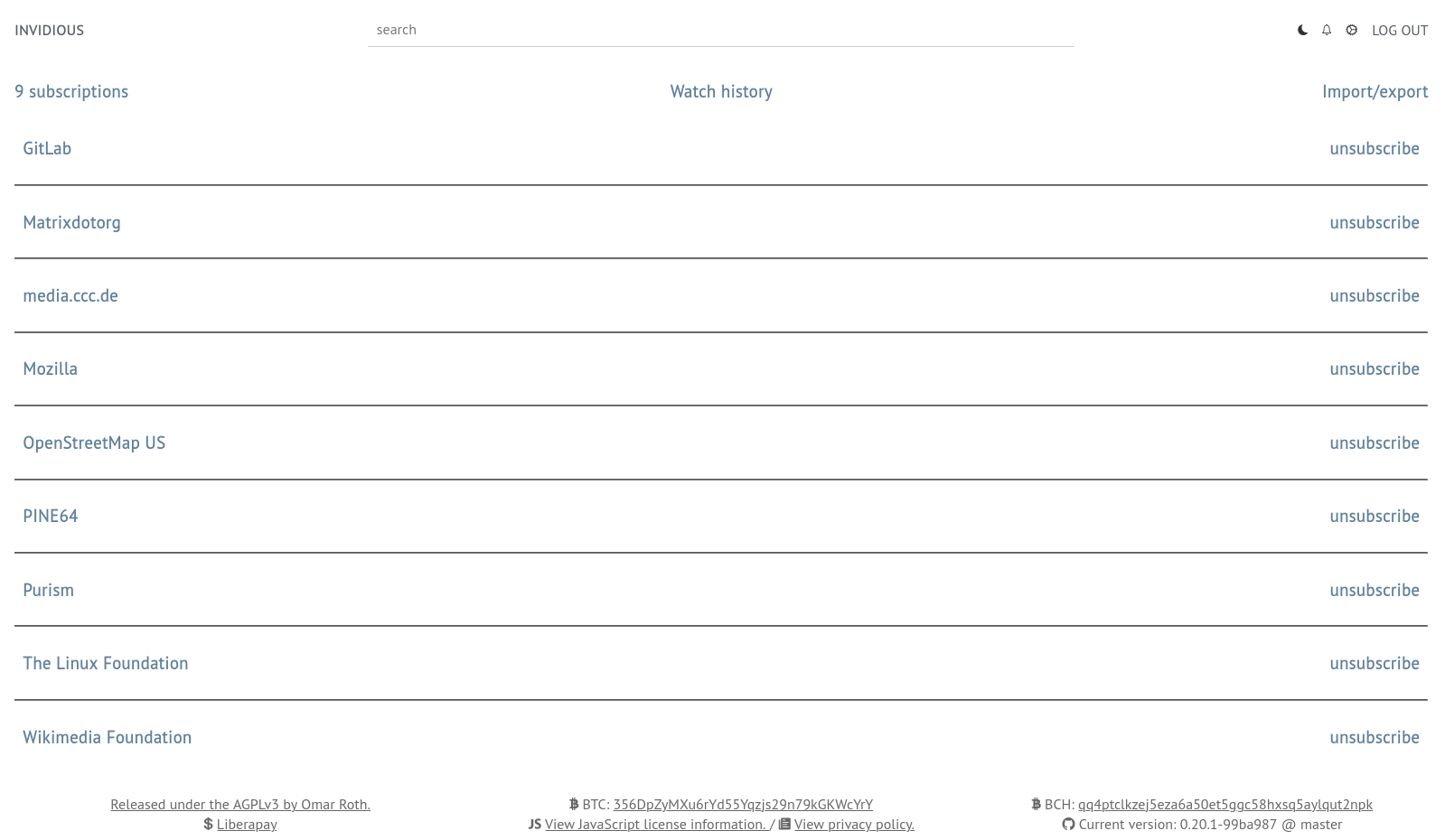
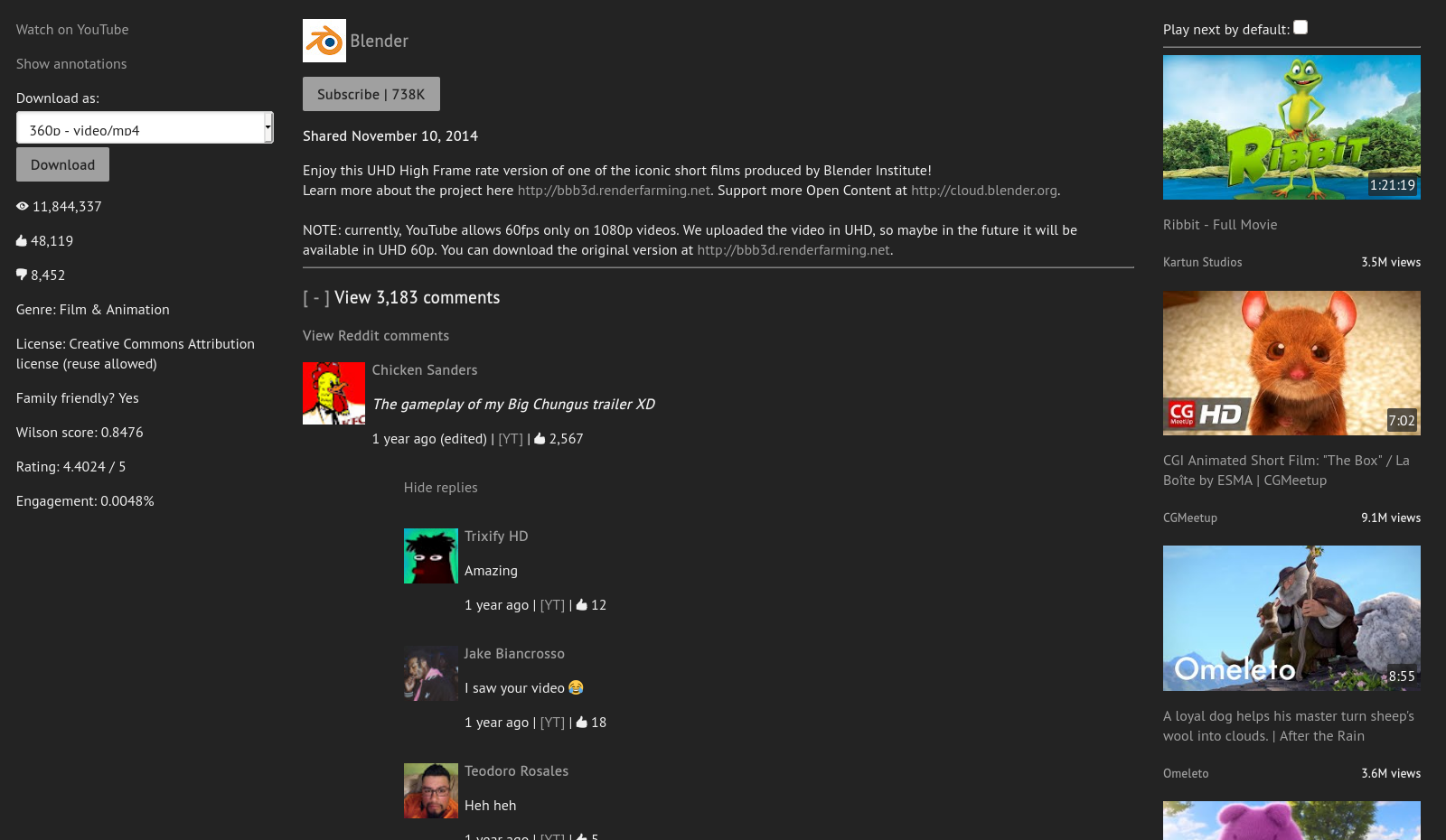
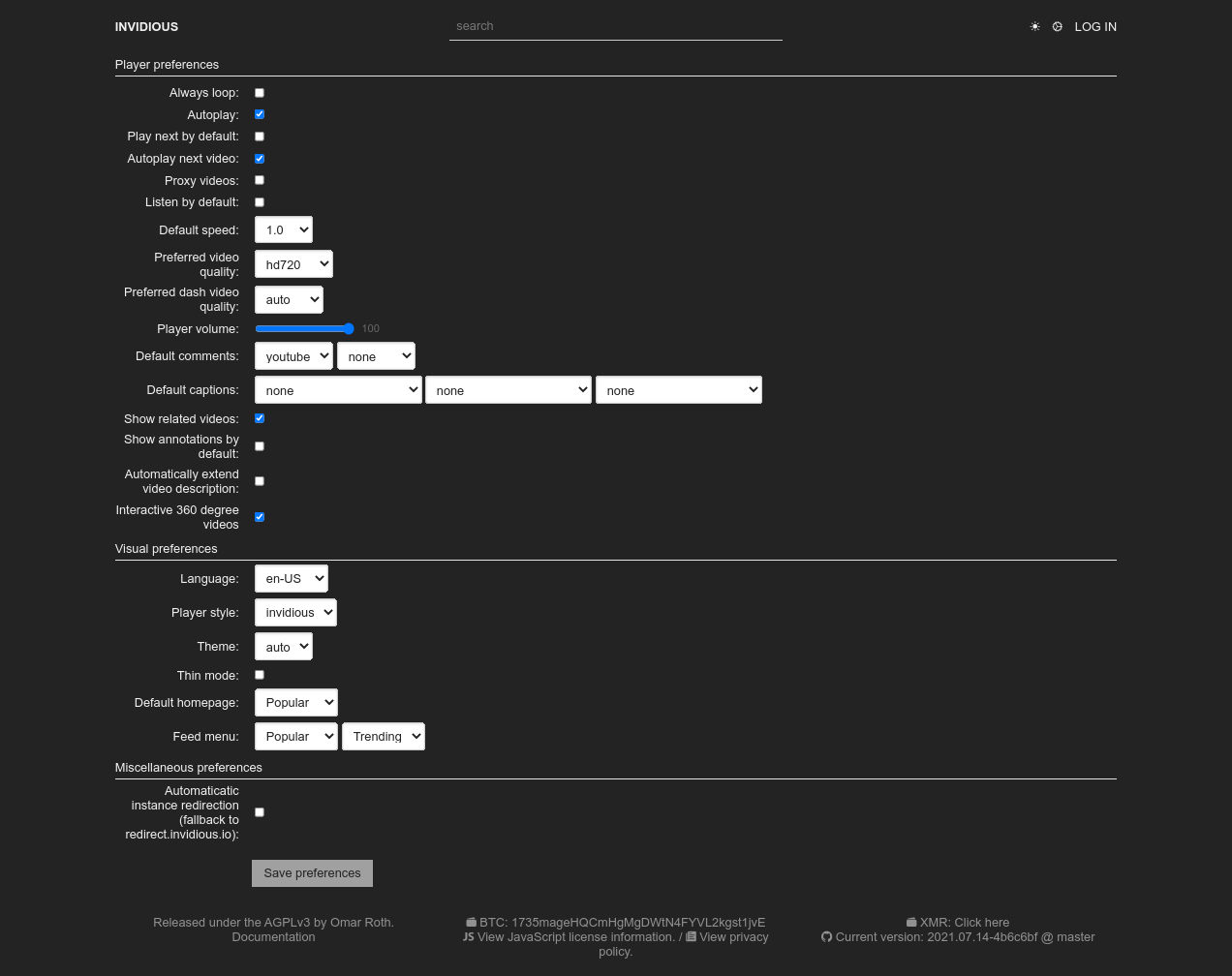
Player Preferences Subscriptions

Features

User features

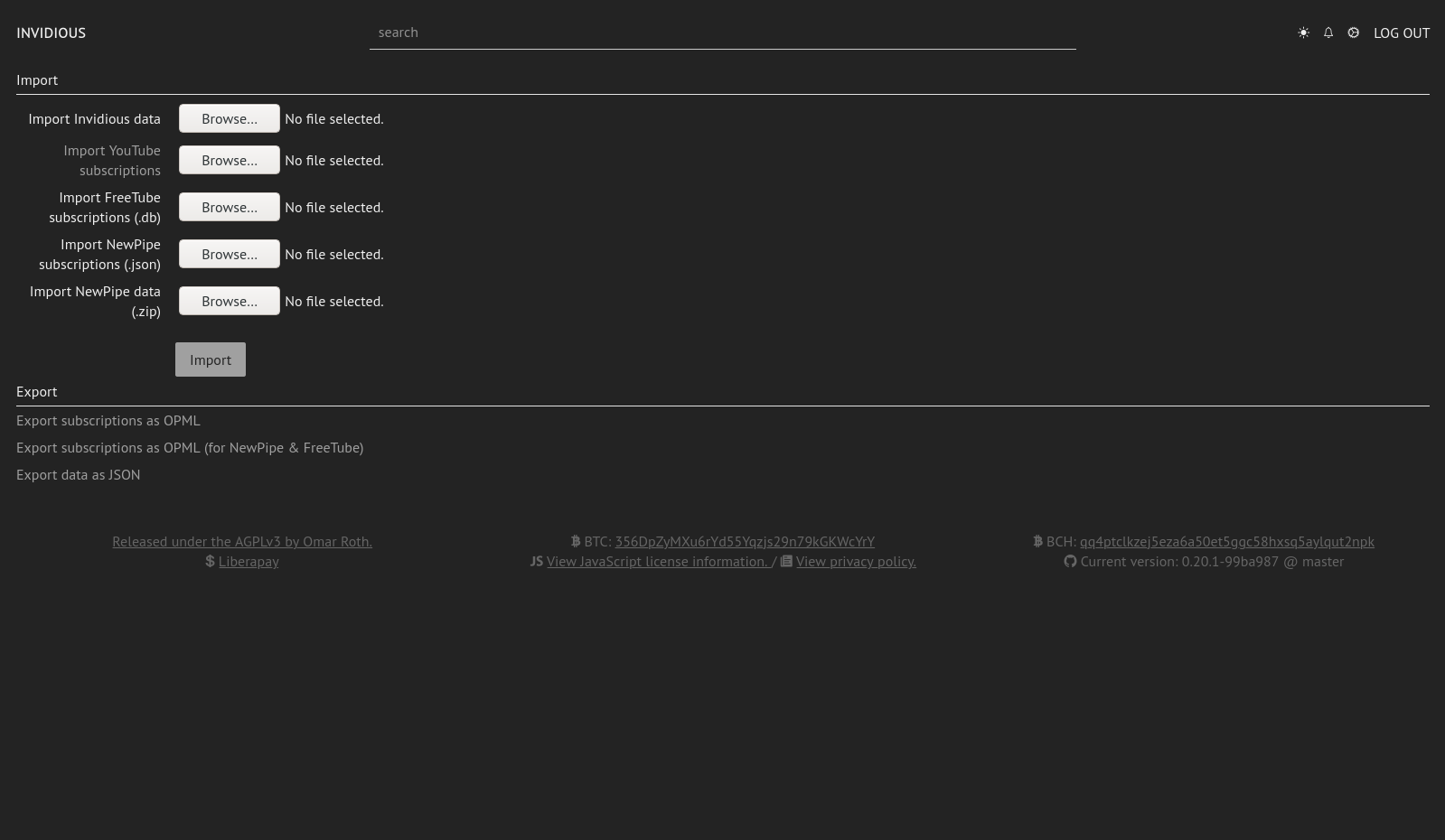
Data import/export

Technical features

Quick start

Using Invidious:

Hosting Invidious:

Documentation

The full documentation can be accessed online at https://docs.invidious.io/

The documentation's source code is available in this repository: https://github.com/iv-org/documentation

Extensions

We highly recommend the use of Privacy Redirect, a browser extension that automatically redirects YouTube URLs to any Invidious instance and replaces embedded YouTube videos on other websites with Invidious.

The documentation contains a list of browser extensions that we recommended to use along with Invidious.

You can read more here: https://docs.invidious.io/applications/

Contribute

Code

  1. Fork it ( https://github.com/iv-org/invidious/fork ).
  2. Create your feature branch (git checkout -b my-new-feature).
  3. Stage your files (git add .).
  4. Commit your changes (git commit -m 'Add some feature').
  5. Push to the branch (git push origin my-new-feature).
  6. Create a new pull request ( https://github.com/iv-org/invidious/compare ).

Translations

We use Weblate to manage Invidious translations.

You can suggest new translations and/or correction here: https://hosted.weblate.org/engage/invidious/.

Creating an account is not required, but recommended, especially if you want to contribute regularly. Weblate also allows you to log-in with major SSO providers like GitHub, GitLab, BitBucket, Google, ...

Projects using Invidious

A list of projects and extensions for or utilizing Invidious can be found in the documentation: https://docs.invidious.io/applications/

Liability

We take no responsibility for the use of our tool, or external instances provided by third parties. We strongly recommend you abide by the valid official regulations in your country. Furthermore, we refuse liability for any inappropriate use of Invidious, such as illegal downloading. This tool is provided to you in the spirit of free, open software.

You may view the LICENSE in which this software is provided to you here.

  1. Limitation of Liability.

IN NO EVENT UNLESS REQUIRED BY APPLICABLE LAW OR AGREED TO IN WRITING WILL ANY COPYRIGHT HOLDER, OR ANY OTHER PARTY WHO MODIFIES AND/OR CONVEYS THE PROGRAM AS PERMITTED ABOVE, BE LIABLE TO YOU FOR DAMAGES, INCLUDING ANY GENERAL, SPECIAL, INCIDENTAL OR CONSEQUENTIAL DAMAGES ARISING OUT OF THE USE OR INABILITY TO USE THE PROGRAM (INCLUDING BUT NOT LIMITED TO LOSS OF DATA OR DATA BEING RENDERED INACCURATE OR LOSSES SUSTAINED BY YOU OR THIRD PARTIES OR A FAILURE OF THE PROGRAM TO OPERATE WITH ANY OTHER PROGRAMS), EVEN IF SUCH HOLDER OR OTHER PARTY HAS BEEN ADVISED OF THE POSSIBILITY OF SUCH DAMAGES.

invidious (iv-org/invidious)

Searching Database…

25.5K ·GitHub
这是什么?Invidious 是一个开源的 YouTube 替代前端:你可以通过它的网页界面来浏览和观看 YouTube 视频,而不用打开 youtube.com。
这是一个我直接访问的网站,还是需要安装的软件?它是一个网页应用,不是插件:同一套代码既可以作为任何人都能访问的公共实例运行,也可以作为你自己在服务器上部署的私有副本运行。
我怎么把它跑起来?只是想看视频的话,从列表中选一个公共实例就能直接开始看。想自己部署的话,按照文档中的安装说明操作即可——仓库自带 docker-compose 配置。
我需要 Google 账号或任何形式的注册吗?不需要——订阅功能完全不依赖 Google,而且无需账号就能收到每个已订阅频道的更新通知。
有什么我需要知道的坑吗?它没有使用 YouTube 的官方 API,团队对你如何使用它或对第三方实例不承担任何责任——他们提醒用户遵守当地法规,避免非法下载。
手机上能用吗,还是只能在电脑上用?它是一个网站,所以任何浏览器都能用;在手机上还有仅播放音频的后台播放模式。
它会像 YouTube 那样跟踪我吗?避免这一点正是它的核心理念:播放器轻量、无广告、无跟踪,而且 Invidious 不依赖 JavaScript 也能使用。
除了看视频,播放器里还有什么功能?有浅色和深色主题、可自定义的主页、视频下方的 Reddit 评论,以及由志愿者翻译成多种语言的界面。
我能把 YouTube 或其他客户端里的数据迁移过来吗?可以——从 YouTube、NewPipe 和 FreeTube 导入订阅,从 YouTube 和 NewPipe 导入观看历史,还能把订阅导出到 NewPipe 和 FreeTube;Invidious 自己的用户数据也支持导出和重新导入。
有没有办法让 YouTube 链接自动在 Invidious 中打开?有——团队推荐使用 Privacy Redirect 浏览器扩展,它能把 YouTube 网址重定向到任意 Invidious 实例,并把其他网站里嵌入的 YouTube 视频替换为 Invidious。
其他项目可以在它基础上做开发吗?可以——Invidious 提供 Developer API 和嵌入视频支持,文档中还维护了一份围绕它构建的项目和扩展开销列表。
What are similar projects?Piped, NewPipe, cobalt, dawarich, nitter, omni-tools, FreeTube, glance
Creator
iv-org
Size
25.7 MB
Stars
25.5K
Age
8y
Commits · 90 Days