



这是什么?
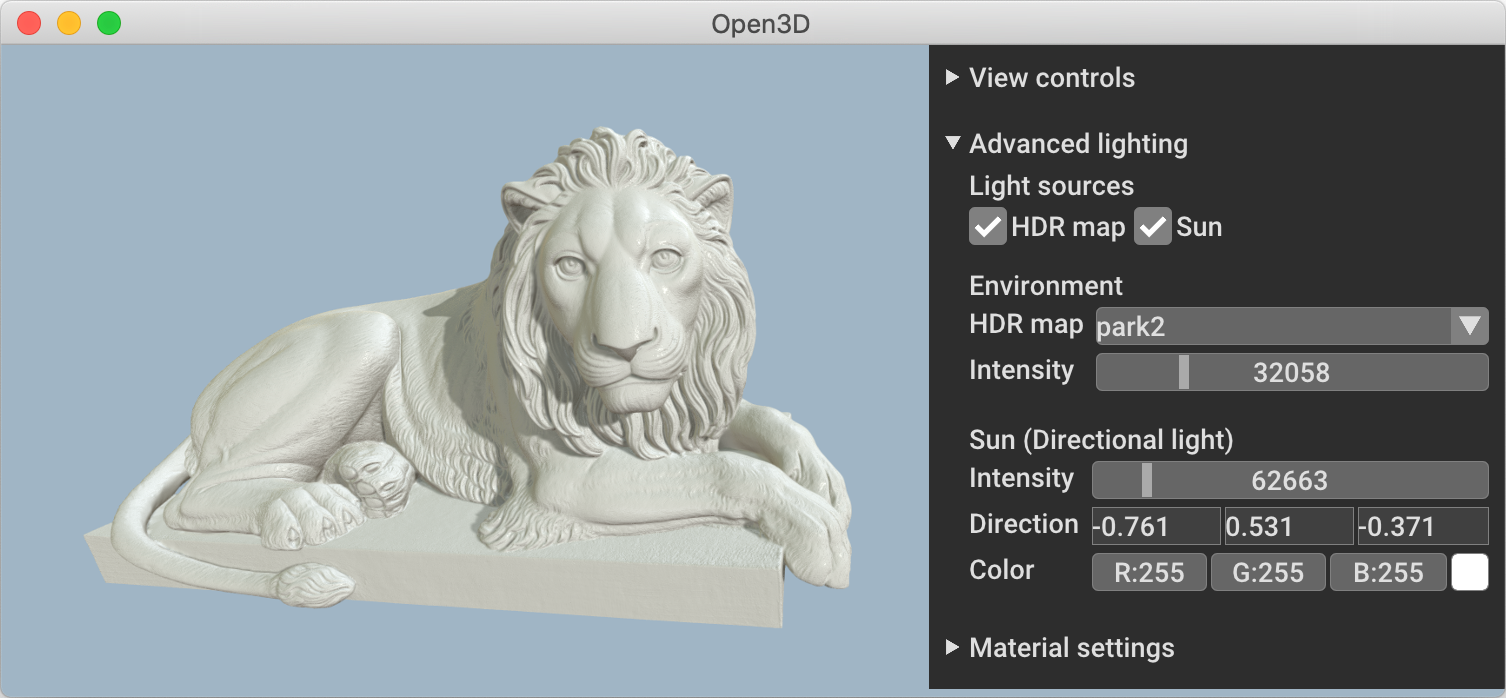
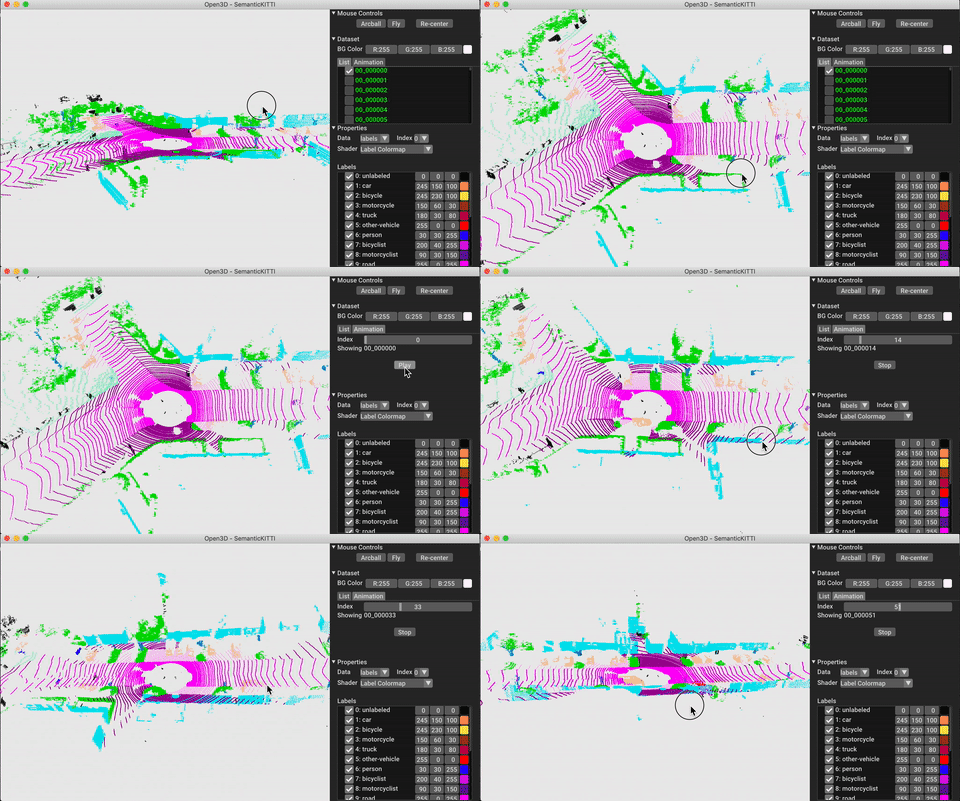
 Open3D 是一个开源库,用于快速开发处理三维数据的软件,提供数据结构、处理算法、场景重建、表面对齐、可视化和基于物理的渲染(PBR)功能,并通过 PyTorch 和 TensorFlow 支持三维机器学习。
Open3D 是一个开源库,用于快速开发处理三维数据的软件,提供数据结构、处理算法、场景重建、表面对齐、可视化和基于物理的渲染(PBR)功能,并通过 PyTorch 和 TensorFlow 支持三维机器学习。Open3D 只是一个库,还是也包含应用程序?它主要是一个 C++/Python 库,但项目同时提供了独立的 Open3D-Viewer 应用,用于浏览三维数据,还有 Open3D-ML 扩展,在核心库之上添加三维机器学习工具。
它主要是一个 C++/Python 库,但项目同时提供了独立的 Open3D-Viewer 应用,用于浏览三维数据,还有 Open3D-ML 扩展,在核心库之上添加三维机器学习工具。我该如何开始使用 Open3D?在 Python 中,安装预编译的 pip 包;在 C++ 中,下载预编译的二进制包,或从源代码编译 Open3D,并在你的项目中通过 CMake 进行链接。
在 Python 中,安装预编译的 pip 包;在 C++ 中,下载预编译的二进制包,或从源代码编译 Open3D,并在你的项目中通过 CMake 进行链接。我需要同时使用 C++ 和 Python 吗,还是只用其中一个?只用一个即可:同样的 Open3D 数据结构和算法通过 C++ API 和 Python API 两种方式提供,你可以根据项目需要选择其中一个,无需另一个。
只用一个即可:同样的 Open3D 数据结构和算法通过 C++ API 和 Python API 两种方式提供,你可以根据项目需要选择其中一个,无需另一个。预编译的 pip 包有什么限制吗?pip 安装包仅支持 Ubuntu 20.04 及以上、macOS 10.15 及以上和 Windows 10 及以上,且 Python 版本为 3.10 至 3.14;超出此范围的环境(或最新的开发版功能)需要从源代码编译 Open3D。
pip 安装包仅支持 Ubuntu 20.04 及以上、macOS 10.15 及以上和 Windows 10 及以上,且 Python 版本为 3.10 至 3.14;超出此范围的环境(或最新的开发版功能)需要从源代码编译 Open3D。Open3D 支持哪些操作系统?通过 pip 可直接支持 Ubuntu 20.04 及以上、macOS 10.15 及以上和 Windows 10 及以上(64 位)系统,独立的查看器应用也提供 Debian/Ubuntu、macOS 和 Windows 版本。
通过 pip 可直接支持 Ubuntu 20.04 及以上、macOS 10.15 及以上和 Windows 10 及以上(64 位)系统,独立的查看器应用也提供 Debian/Ubuntu、macOS 和 Windows 版本。Open3D-ML 到底是做什么用的?Open3D-ML 是基于 Open3D 核心库构建的扩展,专门添加了用于三维机器学习任务的工具,并可与 PyTorch 或 TensorFlow 配合使用。
Open3D-ML 是基于 Open3D 核心库构建的扩展,专门添加了用于三维机器学习任务的工具,并可与 PyTorch 或 TensorFlow 配合使用。独立于库之外的 Open3D-Viewer 应用是什么?它是一个独立的桌面应用,用于浏览和查看三维数据,提供 Debian(Ubuntu)、macOS 和 Windows 版本,可从 GitHub 发布页面下载。
它是一个独立的桌面应用,用于浏览和查看三维数据,提供 Debian(Ubuntu)、macOS 和 Windows 版本,可从 GitHub 发布页面下载。我能相信下载的二进制文件没有被篡改吗?可以。发布的文件(Python 安装包和 C++ 二进制文件)附带经过签名的 SLSA 构建溯源证明,遵循 OpenSSF 供应链安全指南,你可以使用 GitHub CLI 进行验证。
可以。发布的文件(Python 安装包和 C++ 二进制文件)附带经过签名的 SLSA 构建溯源证明,遵循 OpenSSF 供应链安全指南,你可以使用 GitHub CLI 进行验证。核心库实际涵盖哪些三维任务?场景重建、表面对齐/配准、网格和点云处理,以及用于可视化的基于物理的渲染,都内置于核心功能集中。
场景重建、表面对齐/配准、网格和点云处理,以及用于可视化的基于物理的渲染,都内置于核心功能集中。What are similar projects?instant-ngp, taichi, spirula-studio, colmap, Gource, pcl, bgfx, openpose
instant-ngp, taichi, spirula-studio, colmap, Gource, pcl, bgfx, openposeWhich topics is it in?registration, 3d-reconstruction, arm, opengl, computer-graphics, tensorflow, rendering, gpu-acceleration, visualization, 3d, cpp, cuda
registration, 3d-reconstruction, arm, opengl, computer-graphics, tensorflow, rendering, gpu-acceleration, visualization, 3d, cpp, cuda