For macOS on Apple silicon and Linux, with or without Rust installed: blaze builds with its own
Rust, whatever rustup or the project pins, and the installer downloads it once (about 125 to
160 MB; none when rustup already has that same nightly; v2's blaze cannot fetch it yet:
toolchain.md). Rather use crates.io or Nix?
Other ways to install.
That installs stable: a release that passed the heavy tests (real projects on macOS and
Linux: cargo, zed, servo, bun, NVIDIA Dynamo, fff, fframes, flox and OpenAI's Codex CLI each
build, build again after an edit faster than with cargo, and pass their tests). Canary is the
newest release, out as soon as it is built and promoted to stable unchanged once it passes them (release.md):
curl -fsSL https://ix.dev/blaze | sh -s -- --channel canary
Try it
In any Rust project:
blaze run     # like cargo run
blaze test    # like cargo test
blaze build   # like cargo build
The first build loads your project and compiles every crate of it, with no cargo build and no
rustc. Then change a function and build again: blaze's daemon, still running, builds only what
the edit changed. blaze answers build, check, run, test and bench; other cargo
commands are not blaze's yet.
How fast
These numbers are blaze v1's; v2 has not been measured yet.
Edits rebuild 10× faster on macOS arm64, 24× faster on Linux aarch64 and 11× faster on Linux x86-64 than with cargo build, on average over real projects.
About 20 ms from saving a file to a running program using the new code, with
live edits.
Edit one function, then build (Linux x86-64)
cargo build
blaze build
ripgrep
508 ms
56 ms (9.1× faster)
nushell
1.25 s
236 ms (5.3× faster)
helix
2.15 s
116 ms (19× faster)
bun (1.25M lines of Rust)
9.11 s
451 ms (20× faster)
Every project, platform, chart, and the memory and disk it takes: benchmarks.
Over time
How blaze's own numbers move from run to run, each platform on its own benchmark machine: the instructions each merge to main retires, how long an edit takes and how soon a live edit runs, from the history (how it is kept). Every workflow that adds to the history draws these again and commits them with it.
Not drawn until there are two runs on one machine: macOS arm64 instructions per merge (none yet), macOS arm64 edit times (one run), Linux aarch64 instructions per merge (none yet), Linux aarch64 edit times (one run), Linux x86-64 instructions per merge (none yet), Linux x86-64 edit times (one run), Windows x86-64 live-edit latency (one run).
How it works
blaze's daemon keeps your project compiled in memory, with no cargo or rustc under it. After an
edit it compiles only the functions you changed and links the program again with its own linker.
More.
Good to know
macOS on Apple silicon and Linux. Windows has no installer, and v2 has not been run there
(v1 on Windows).
blaze is its own toolchain. It builds every project with its own Rust, blaze-2026-10-27
(today the nightly of that date), whatever the project pins; stable code and
#![feature(...)] code build. Your toolchain and CI stay the final word
(why).
It trades memory for speed: a few GB for a small project.
It's young. Keep cargo check or your CI as the final word, and
tell us when something differs from cargo.
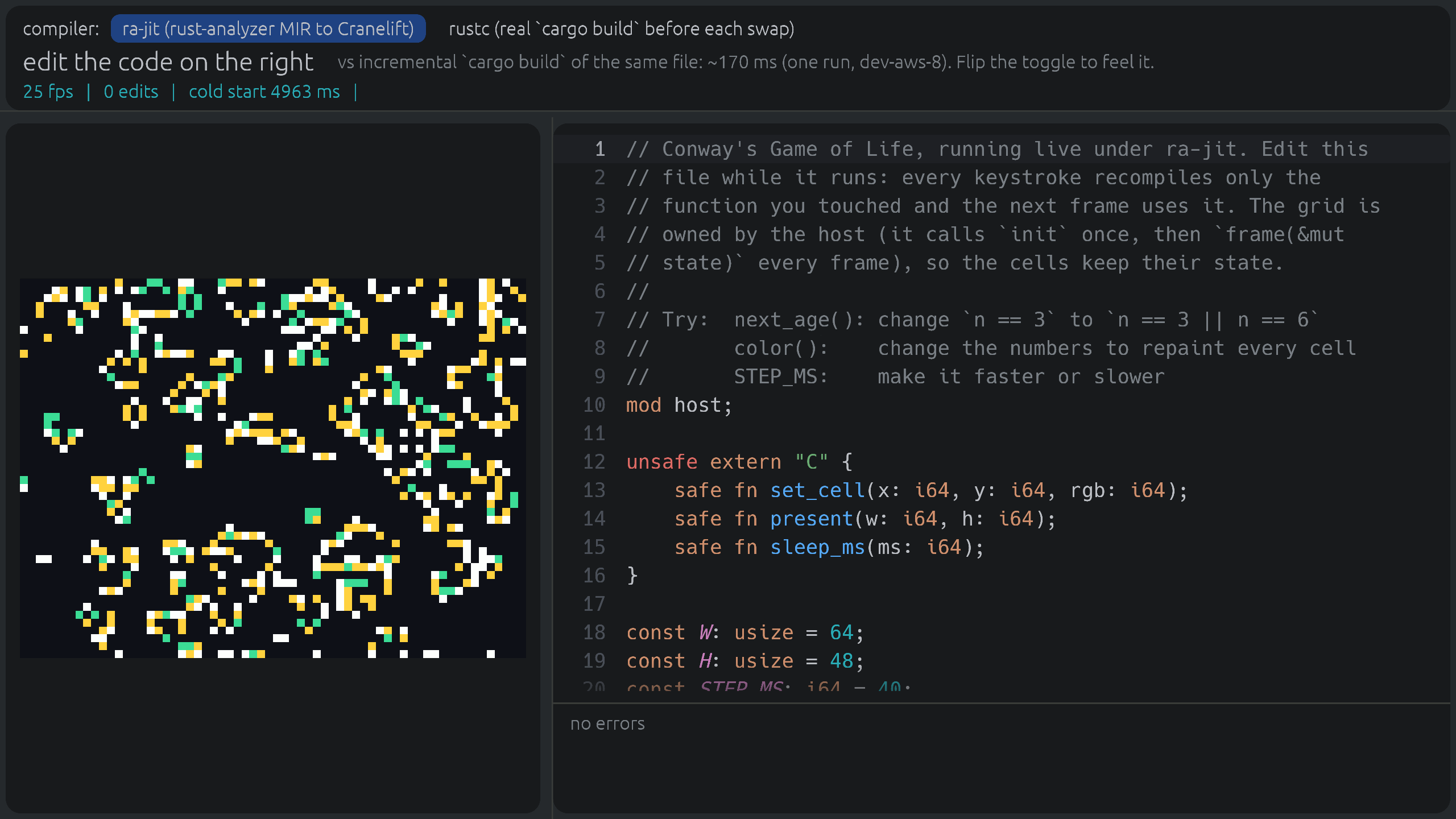
This opens a Game of Life window. On macOS on Apple silicon you can change its rules, colours and
speed while it runs (live edits are blaze v1's; v2 does not have them yet); elsewhere the window
runs without live edits. It needs Nix, and builds blaze
from source the first time.
Updates
What's new has every change worth knowing, each as a short lesson on the course,
with the ones new since your last visit marked. For release news: Watch → Custom → Releases on GitHub.
Using blaze at work?
We're working with a few teams on fast Rust CI and remote builds, built on blaze. If your team
waits on Rust builds, tell us what slows you down: [email protected]. Teams
we work with get early access and a direct say in what we build next.



 Blaze 是一个位于 cargo 前面的工具,它只编译你修改过的函数,并将其补丁式地写入已构建好的可执行文件中,而不是从头重新链接,从而大幅加快 Rust 的增量构建速度。