
dumbtv README

README проекта с github.com/humblemuzzu/dumbtv. Одним файлом markdown: README.md.

dumbtv

Your TV should do what you paid for.
Ads, tracking and clutter out of your Fire TV. Your apps and HDMI inputs stay.

dumbtv.org · Get started · What it blocks · Devices · Get help

Stars Latest launcher release CI MIT licence Contributors

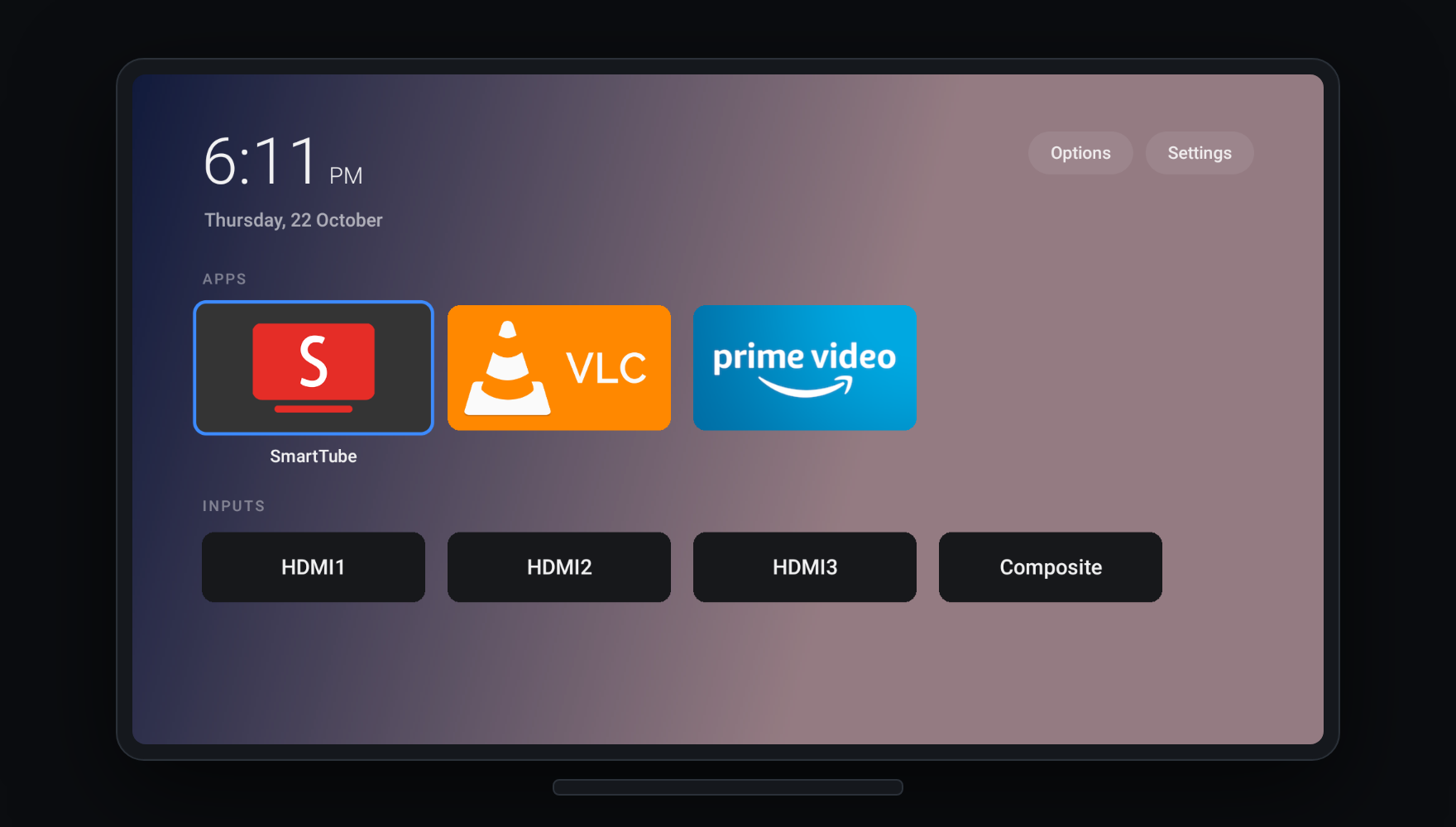
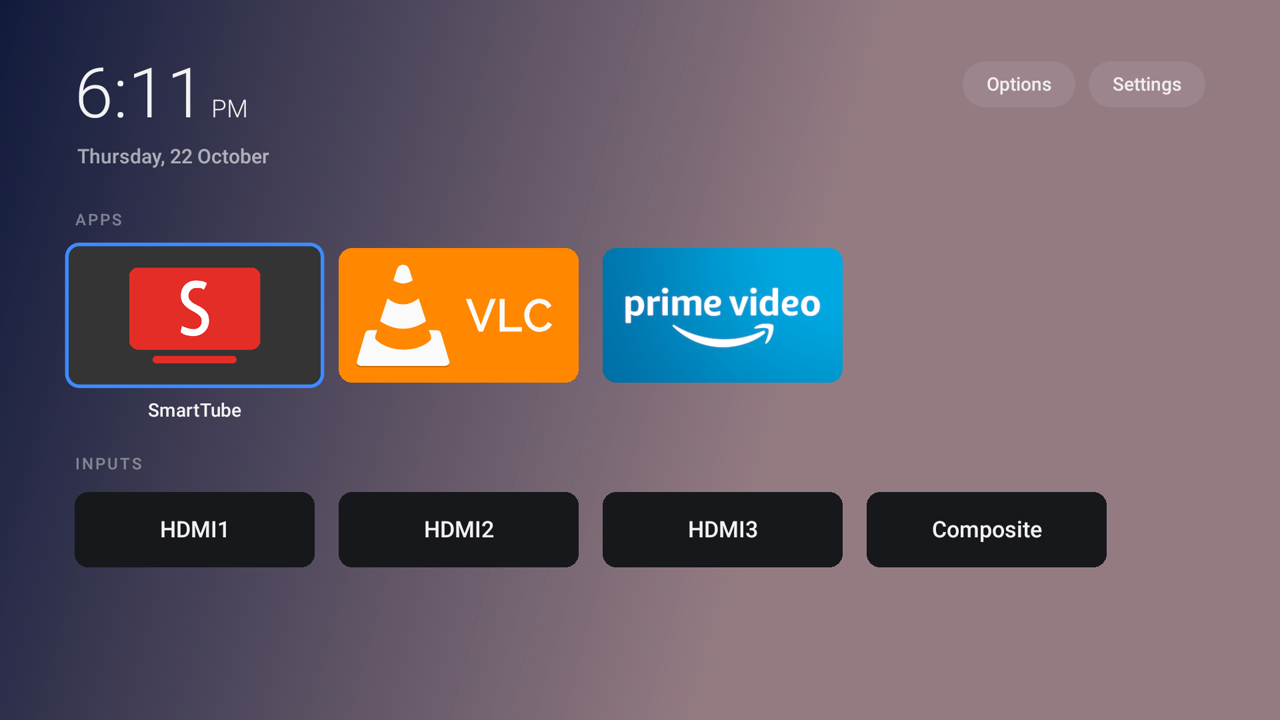
dumbtv home on a television: a clock, an Apps row and an Inputs row

As seen in TechCrunch · TechRadar · Tom's Guide · Gizmodo · XDA · It's FOSS · and more than 150 others


The story

I had a Fire TV Edition television that had become painful to use. Menus lagged, apps took ages to open, and the home screen was mostly ads. When I looked, it had 129 MB of free memory, and much of the rest went to apps that started on their own and to Amazon services that report what you watch.

So I asked a coding agent to clean it up over ADB, and posted what happened. People asked for the scripts, so I put them here and shared them. Since then, owners of about twenty other TVs and sticks have run it and sent back what they found.

dumbtv is that cleanup, made safe to run on someone else's TV.

What it does

On a Fire TV stick, Cube or Fire TV Edition television, from your computer, with no root:

Quick start

You need a computer with adb and about ten minutes. On the TV, turn on ADB: Settings → My Fire TV → About, press OK on the device name 7 times, then Developer Options → ADB debugging. The TV's IP address is under Settings → My Fire TV → About → Network (on a Fire TV Edition television: Settings → Network, then the connected network).

With a coding agent (Claude Code, Codex, Cursor, Gemini and others): clone this repository, open the agent in it, and say:

Clean up my Fire TV. Its IP address is (the address from the Network screen).

It reads AGENTS.md, asks you a few questions, and runs the steps below.

By hand:

git clone https://github.com/humblemuzzu/dumbtv && cd dumbtv
adb connect <tv-ip>:5555        # press Allow on the TV
./scripts/preflight.sh          # what the TV is and what would change; changes nothing
./scripts/configure.sh          # a few questions
./scripts/all.sh                # asks before each step, reboots the TV twice
./scripts/verify.sh             # checks the result

Works from macOS, Linux and Windows (WSL or Git Bash). The same steps, one at a time, are at dumbtv.org/start.

Rather not do it yourself? Tell us about your TV and we will help.

What you choose

configure.sh asks, and nothing is decided for you:

Question Default
Do you watch Prime Video? yes: its servers stay reachable
Keep Alexa and the voice button? yes
Replace Amazon's home screen with dumbtv home? yes
Run the DNS filter on the TV? yes
Any apps you want removed? none
Replace the YouTube app with SmartTube (no ads, no Shorts)? no

Your answers are saved in dumbtv.conf; run configure.sh again to change them.

What changes

Amazon packages About 50 disabled: ads, sponsored content, ACR, telemetry, crash and usage uploads, experiments, update nags. Disabled, never deleted.
Protected packages The few Amazon will not let anyone disable lose background running; the DNS filter blocks what they upload.
Settings Ad tracking limited, interest-based ads off, usage reporting off, home-screen autoplay off.
DNS personalDNSfilter runs on the TV and blocks about 400 Amazon telemetry, ad and update hosts. YouTube, the Appstore and your other apps are not blocked.
Home screen dumbtv home instead of Amazon's: no promo tiles, no sponsored rows.
Your apps Untouched.

How it works explains each part and why it is needed. dumbtv.org/blocked lists every package, what it does and what you lose without it.

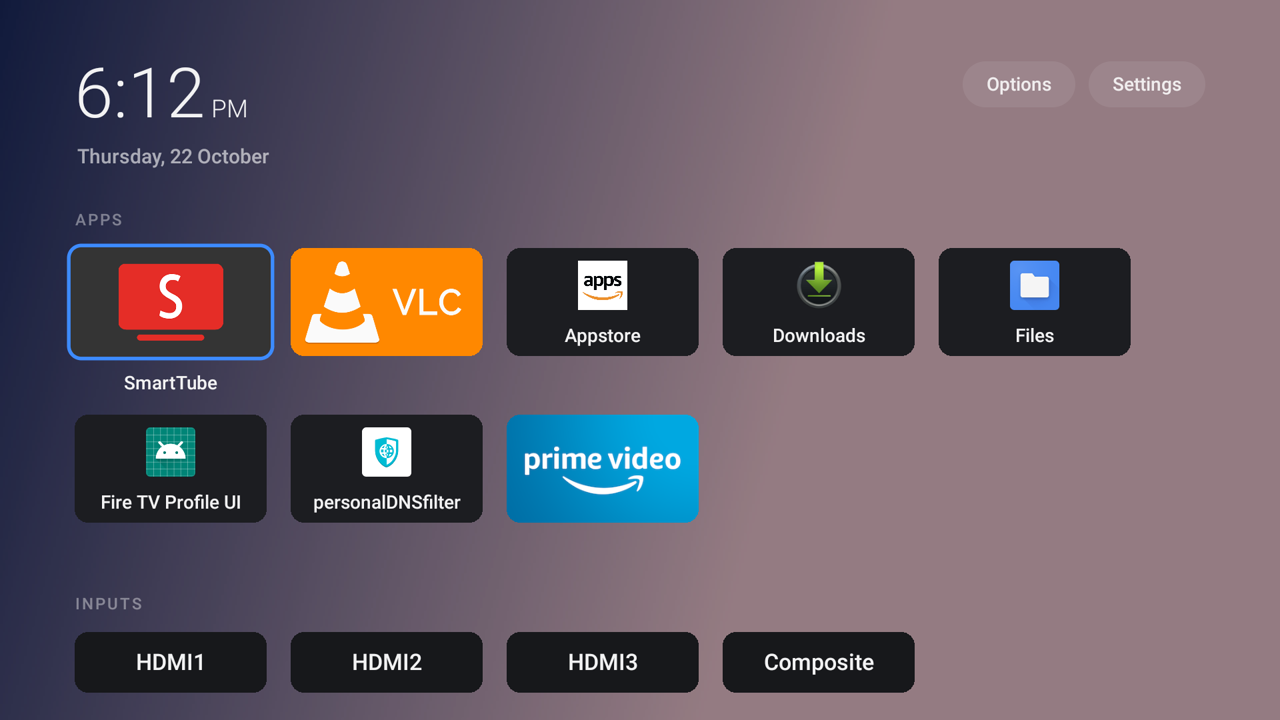
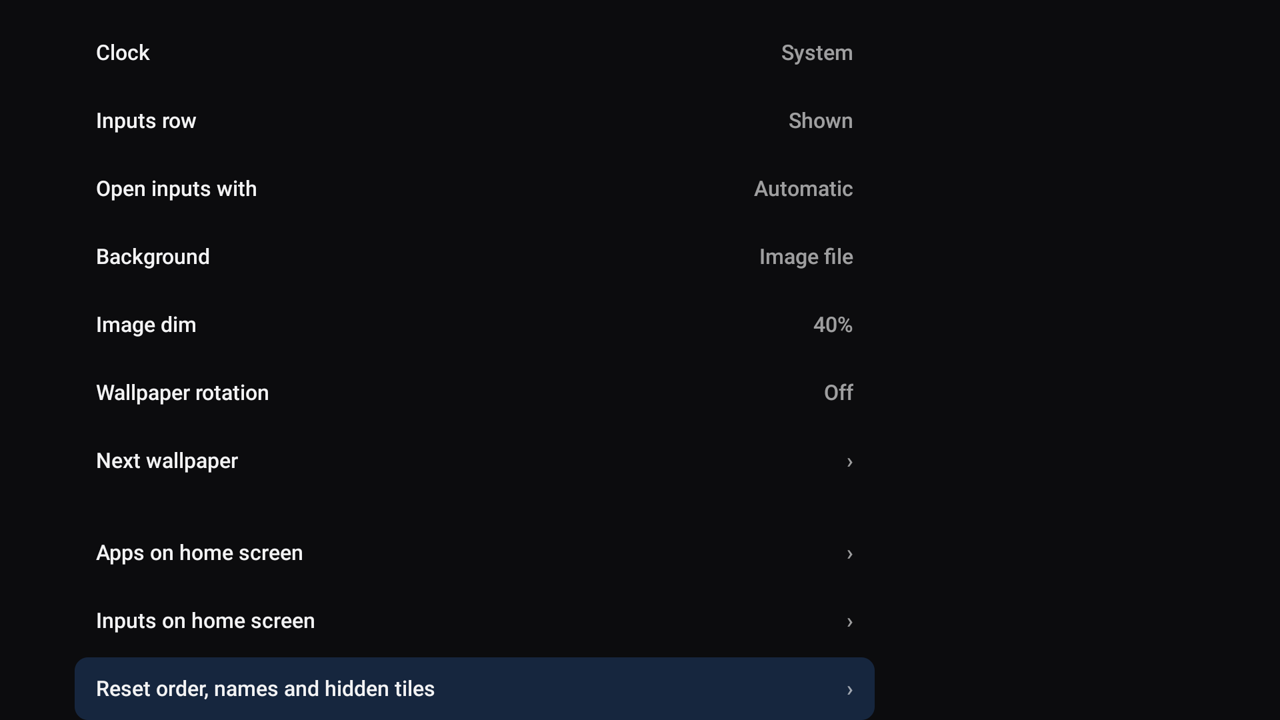
dumbtv home

Rows Grid Options
Rows layout Grid layout Options

A home screen that shows your apps and your HDMI inputs, and nothing else. Accent colours, tile sizes, rows or a grid, wallpapers, adaptive backgrounds, renaming and hiding, and the icons of an icon pack you install, all from the remote. HOME lands on it in a fraction of a second.

It is plain Java with no libraries and no internet permission, so it cannot send anything anywhere. On Fire OS 7 and 8 its only permission is run at startup, used to restart the DNS filter when Android kills it. It works on its own, without the rest of dumbtv:

adb connect <tv-ip>:5555
./launcher/install.sh

launcher/README.md covers the settings, wallpapers, icon packs and how it takes over the HOME button.

Tested on

Each row is a report from the person who ran it. tested means the whole pass ran and verify.sh passed on that device. dumbtv.org/tv has every model with its menu paths and quirks.

Device Fire OS Status Tested by
Fire TV Stick 4K, 1st gen (AFTMM) 6.7 tested @niz-coder
Insignia Fire TV Edition (AFTEAMR311) 6.7 tested @gtalusan
Toshiba 50LF621U19, 55LF711U20 Fire TV Edition (AFTKMST12) 6.7 tested @ryanlucht, @zekesax
Insignia NS-43DF710NA19 Fire TV Edition (AFTJMST12) 6.7 tested @Muffy0906
Onida Fire TV Edition (AFTLE) 6.7 tested @Sj2594
Fire TV, 3rd gen (AFTN) 6.2 tested @adi-c
Grundig 50 UHD AGA Fire TV Edition (AFTEU014) 7.6 tested @mzmonkey
Fire TV Cube, 2nd gen (AFTR) 7.7 tested @podulator
Fire TV Cube, 3rd gen (AFTGAZL) 7.7 tested @sakalliAI
Amazon AFTALMO 7.7 tested @TheiMacNoob
Xiaomi L55M7-FVEU Fire TV (AFTANNA0) 7.7 tested @jmcerrejon
Fire TV Stick 4K Max, 1st gen (AFTKA) 7.7 tested @harupong, @Elv1sh, @rotenaple
Insignia 50" F30, 65" DF710 (AFTDCT31) 7.7 tested @timcunningham-sv, @twwebb3, @PirateKng
Onida 43" Fire TV Edition (AFTGRO001) 7.7 tested @humblemuzzu
Fire TV Stick HD 2024, Stick Lite 2020 (AFTSS) 7.7 tested @RabeJonas, @Prathamesh913, @arielvieira
Hisense 55QD65NF (AFTHA004) 7.7 tested @stedrow
Fire TV 4-Series 43" (AFTTI43) 7.7 tested @ScottDavidCA, @dleslie
TCL Fire TV (AFTSHN02) 7.7 tested @scaongithub
Fire TV Stick, 3rd gen (AFTSSS) 7.7 tested @B3NR1S, @jgcoronado, @Zarafos
Hisense Fire TV (AFTHA001), PS7717.5746N 7.7 tested @mrbell321
Ember 55, Fire TV Omni Mini-LED (AFTOMNA003) 8.0 tested @zaco-tm
Fire TV Stick 4K Max, 2nd gen (AFTKRT) 8.1 tested @gerardo-galvez-hl, @derkstample, @aboubakrine, @s-razaq
Fire TV Stick 4K Plus (AFTMA08C15) 8.1 tested @edrmundy
Fire TV Edition television (AFTOLCBC82) 8.1 tested @koconnorgit, @iotemylabs, @gmckeever
Fire TV smart TV (AFTHY7ABBA) 8.1 tested @bring-nirachornkul
Fire TV Stick 4K, 2nd gen (AFTKM), RS8185 8.1 tested @Rouchekoff
Amazon AFTNA1322D 8.1 tested @1xretr0
Xiaomi TV F Pro 75 Fire TV (AFTBR92D74) 8.1 tested @Jeff909Dev
Bush 43USF26 Freely Fire TV Edition (AFTSH3F7EF) 8.1 tested @oddeyed
Hisense 65U65SFC Pro Fire TV Edition (AFTCIBFBD1) 8.1 tested @sonofamitch86
TCL 55PF650 Fire TV (AFTMA475B1) 8.1 tested @nickzocchi
TCL 75Q691F Fire TV (AFTDEC012E) 8.1 tested @tvenenga
Hisense 55QD75SFC Fire TV (AFTCU9343B) 14 tested @sockmonkey0223
TCL 65M8LF Fire TV (AFTCHE92D8) 14 tested @alexanderkoh
Fire TV Stick 4K Max, 1st gen (AFTKA) 7.6 partial @dchuk
Fire TV Cube, 2nd gen (AFTR), PS7699 7.6 partial @sant1ago
Hisense 58U6HF (AFTHA001) 7.7 partial @murilaiooo
Redmi Smart Fire TV 32 (AFTMV00) 7.7 partial @NeutronZero
Fire TV Stick 4K, 2nd gen (AFTKM) 8.1 partial @gleesonb, @humblemuzzu
Insignia 50" F50 (AFTHY7ABBA) 8.1 partial @dave137-beep
Fire TV 4-Series 55" EU (AFTNA67200) 8.1 partial @Chartmann96
Hisense 58U6HF Fire TV (AFTHA001), PS7715.5585N 7.7 untested @w3dd1e

Android TV and Google TV reports, run by hand from the lists in data/androidtv/:

Device Android Tested by
Andersson Android TV (Vestel, MediaTek m7632) 14 @PicaPicaDev
BenQ GP520 projector 11 @KasperHonore
Chromecast with Google TV 4K 14 @KasperHonore
Changhong AI PONT 14 @frogu
Hisense SmartTV 4K FFM 11 @aswinaasokan18-spec
Hisense 65U8QG 14 @jlaska
onn. Streaming Device 4K Pro 14 @OSikorsky
Philips 24NA 4K 14 @lsukev
Philips TA6 LT 14 @fabricio00101
OnePlus TV Y Series 11 @priyank-saarthios-ai
Philips OLED705, PUS7304, PUS7334 (TPM191E) 12 @tkightly, @damsma, @PazkaL
TCL Smart TV Pro G08 14 @maam00
Xiaomi Mi TV Stick 9 @pfTheTrial
Xiaomi Mi TV (MSSP3) 9 @frogu

For a full Android TV and Google TV tool, see cleanyourtv. Samsung, LG, Roku and other TVs give owners no way in; docs/OTHER-TVS.md explains each one and what you can still do.

Your TV not here? Run it, then ./scripts/contribute.sh. It writes the report for you. CONTRIBUTING.md has the details.

Undo

./scripts/restore.sh

It re-enables every package, clears the app and network rules, puts back the settings the TV had before (from the snapshot preflight.sh takes), removes the filter and gives HOME back to Amazon. An app you asked to have uninstalled comes back from the Appstore.

Good to know

Documentation

dumbtv.org the website: guides, every package, every device
How it works each part and why it is needed
Troubleshooting symptoms and fixes
FAQ updates, Prime Video, factory reset, is this legal
Other TVs Android TV, Samsung, LG, Roku and the rest
YouTube why its ads cannot be blocked, and SmartTube
Why not replace the OS the locked boot chain
dumbtv home the launcher
Device catalog per-model notes
AGENTS.md instructions for coding agents
Press coverage

Thanks

To everyone who tested a TV, wrote code, or reported a problem. dumbtv works on all the devices above because of you.

Contributors

Code, fixes and device reports: @fabricio00101, @MrVoicer, @Jovci, @niz-coder, @centsandcode, @maam00, @alfibi, @theChef613, @rachit-jain, @daviavmello, @yuriwc, @lsukev, @dchuk, @gerardo-galvez-hl, @koconnorgit, @pfTheTrial, @frogu, @podulator, @tkightly, @OSikorsky, @nolanvargas, @harupong, @gtalusan, @B3NR1S, @bglaszcz, @murilaiooo, @dnpkuk, @timcunningham-sv, @iotemylabs, @aswinaasokan18-spec, @edrmundy, @MarioMartReq, @ravishan16, @jonathanrzarzuela-cloud, @Loadedrakeman, @ryanlucht, @tharun634, @NimorM, @RabeJonas, @Prathamesh913, @zaco-tm, @NeutronZero, @adi-c, @derkstample, @KasperHonore, @damsma, @arielvieira, @stedrow, @zekesax, @1xretr0, @aboubakrine, @acornelissen, @alexanderkoh, @Anny0nn, @bring-nirachornkul, @Chartmann96, @dave137-beep, @dcowern, @dleslie, @Elv1sh, @gmckeever, @JBolanle, @Jeff909Dev, @jgcoronado, @jlaska, @jmcerrejon, @leonardopieralli, @lisanet, @lunar-me, @Majunko, @mrbell321, @Muffy0906, @mzmonkey, @Namiato, @nickzocchi, @oddeyed, @PazkaL, @PicaPicaDev, @PirateKng, @priyank-saarthios-ai, @rawIce, @rotenaple, @Rouchekoff, @s-razaq, @sakalliAI, @SandheepSridar, @sant1ago, @scaongithub, @ScottDavidCA, @Sj2594, @sockmonkey0223, @softwaregames1, @sonofamitch86, @TheiMacNoob, @tvenenga, @twwebb3, @UlisesSnz, @vibe-code-viking, @w3dd1e, @Zarafos

Bug reports: @gleesonb, @dennus280-ship-it, @FyllyMan, @nairyash, @PWannop, @jt-at-home, @thearchivist9778-ai, @GrackleCrow, @MisterKOak, @XaeriS, @rcarralero, @zniehna, @folliejester, @alrubearb-sys, @rixialmenar, @Dlay2017, @githububub

And to the projects dumbtv stands on: personalDNSfilter by Ingo Zenz, HaGeZi's DNS blocklists, SmartTube by Yuriy Liskov, and cleanyourtv by @Gathin23 for Android TV and Google TV.

dumbtv changes settings on a device you own, through the developer tools the manufacturer ships. It does not bypass DRM, unlock anything or touch anyone's account. Fire TV, Fire OS, Alexa and Prime Video are trademarks of Amazon; dumbtv is not affiliated with or endorsed by Amazon. Use it at your own risk.

Licence

Scripts, docs and the launcher are MIT. The device catalog is CC BY-SA 4.0.

dumbtv bundles none of these, but downloads them when you ask for them: personalDNSfilter (GPL-2.0) from F-Droid, HaGeZi's Amazon tracker list (GPL-3.0), and SmartTube (MIT) from its own releases.

dumbtv (humblemuzzu/dumbtv)

Ищем в базе…

2.1K ·GitHub
Что это?dumbtv — это набор скриптов, которые с помощью ADB убирают рекламу, слежку и лишние элементы с Fire TV, и root-доступ для этого не нужен. В комплекте есть и собственный легковесный экран «домой» с открытым исходным кодом.
Мне запускать это на компьютере или оно что-то ставит на телевизор?Скрипты запускаются с компьютера, подключенного к телевизору по ADB. Они отключают и перенастраивают пакеты Amazon на телевизоре, устанавливают на устройство небольшой DNS-фильтр и при желании заменяют домашний экран на собственное приложение dumbtv.
Как мне это запустить на Fire TV?Включите отладку ADB на телевизоре (Настройки → Мой Fire TV → Об устройстве, семь раз нажмите на название устройства, затем Параметры разработчика → Отладка ADB), узнайте его IP-адрес на экране «Сеть», а затем либо попросите агента для программирования почистить ваш Fire TV по этому IP, либо запустите скрипты вручную, выполнив те же шаги.
Что нужно на компьютере, чтобы это запустить?Нужен только компьютер с установленным adb и примерно десять минут времени. Работает в macOS, Linux и Windows (через WSL или Git Bash). При желании им может управлять агент для программирования, например Claude Code, Codex, Cursor или Gemini.
Одинаково ли это работает на всех моделях Fire TV?Нет. Некоторые устройства полностью «tested»: весь прогон проходит, и verify.sh выполняется успешно. Другие помечены только как «partial». Есть каталог устройств по моделям, в котором отслеживается статус.
А на Samsung, LG или Roku тоже работает?Нет, эти производители не дают владельцам никакого доступа, похожего на ADB. dumbtv работает только на стиках Fire TV, Fire TV Cube и телевизорах Fire TV Edition. Базовая поддержка устройств Android TV/Google TV описана отдельно в data/androidtv/.
Что на самом деле блокирует DNS-фильтр?Небольшой DNS-фильтр с открытым исходным кодом (personalDNSfilter) работает на телевизоре и блокирует около 400 доменов Amazon, связанных с телеметрией, рекламой и обновлениями. При этом YouTube, Appstore и ваши другие приложения не блокируются.
Что такое dumbtv home?Это встроенный лаунчер-замена: 54 КБ, простой домашний экран на Java без библиотек, без разрешения на доступ в интернет и (на Fire OS 7/8) вообще без разрешений. Показывает только ваши приложения, входы HDMI и часы, с настраиваемыми рядами, сетками, цветами и обоями.
Можно ли отменить все, что делает dumbtv?Да, одна команда отмены заново включает все отключенные пакеты, восстанавливает исходные настройки из снимка, сделанного перед запуском, удаляет DNS-фильтр и возвращает кнопке HOME стандартное назначение от Amazon.
Почему это не блокирует рекламу в YouTube?Реклама в YouTube отдается с тех же серверов, что и сами видео, поэтому DNS-фильтр не может отличить ее и заблокировать. Если вам нужно приложение YouTube без рекламы, в docs/YOUTUBE.md рассказано, как использовать SmartTube.
Почему автор просто не заменил Fire OS целиком?Amazon закрывает цепочку загрузки на этих устройствах, поэтому заменить ОС нельзя. Вместо этого dumbtv через ADB отключает и блокирует все, что доступно, оставляя саму Fire OS на месте.
Какие есть похожие проекты?cleanyourtv, cleanyourtv-app, tv-fresh, free-my-tv, tv-detox, cleanmytv, universal-android-debloater, NOIR
Автор
humblemuzzu
Размер
1.6 MB
Звёзды
2.1K
Возраст
1 мес
Коммиты · 90 дней