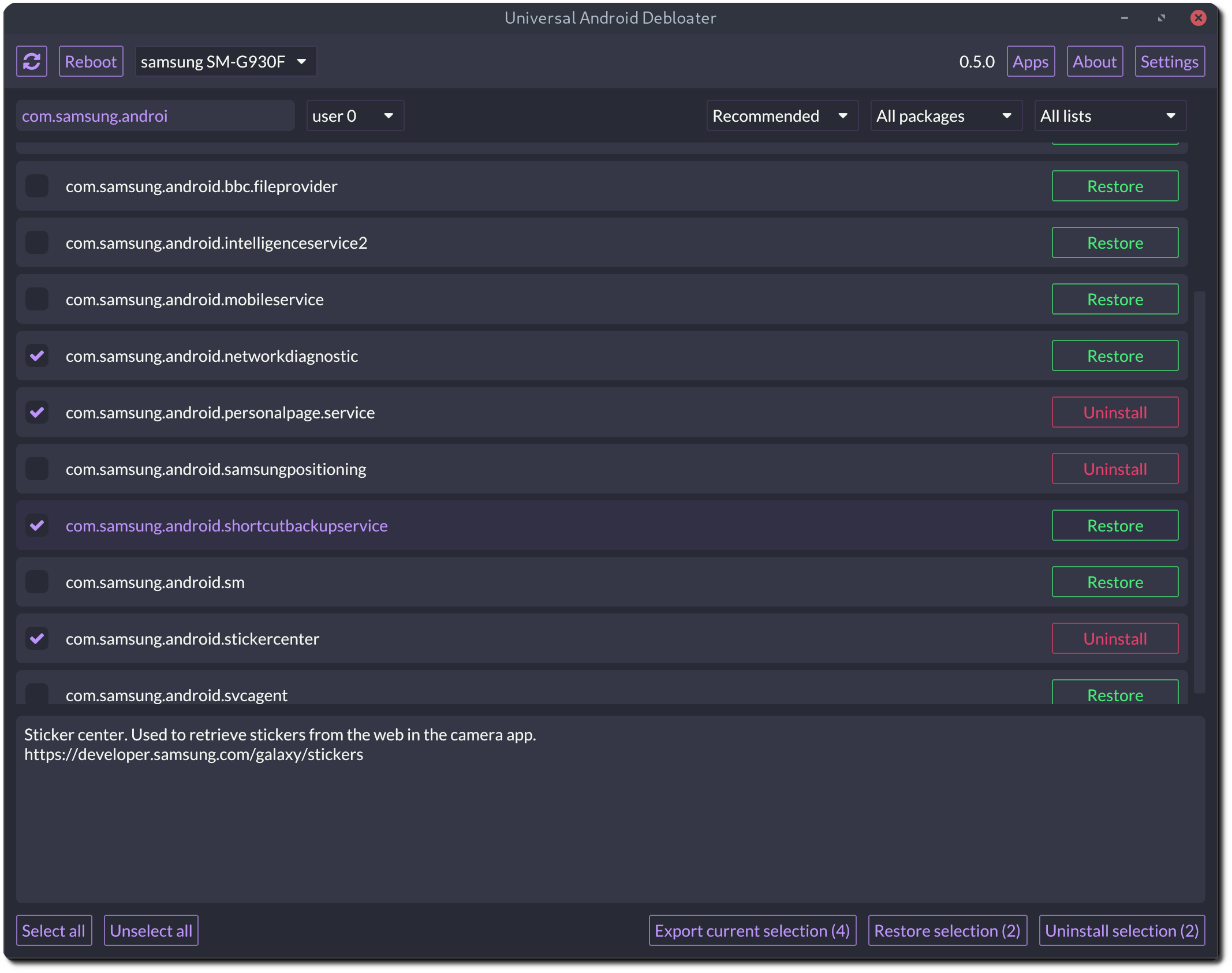
What is this?
 A cross-platform desktop GUI written in Rust that uses ADB to remove or disable preinstalled bloatware on non-rooted Android phones, improving privacy, battery life and security.
A cross-platform desktop GUI written in Rust that uses ADB to remove or disable preinstalled bloatware on non-rooted Android phones, improving privacy, battery life and security.Is this an app I install on my phone, or does it run on my computer?It runs on your computer — Windows, macOS or Linux — and talks to the phone over USB through ADB; nothing is installed on the phone itself.
It runs on your computer — Windows, macOS or Linux — and talks to the phone over USB through ADB; nothing is installed on the phone itself.How do I get it running?Enable Developer Options and USB debugging on the phone, install Android platform tools (ADB) on your PC, then run the UAD release for your OS; use the OpenGL build if the Vulkan one won't start.
Enable Developer Options and USB debugging on the phone, install Android platform tools (ADB) on your PC, then run the UAD release for your OS; use the OpenGL build if the Vulkan one won't start.Do I need to root my phone for this to work?No — it is built exactly for non-rooted devices and works over ADB. The trade-off: without root, system apps can't be truly uninstalled, only stripped for your user.
No — it is built exactly for non-rooted devices and works over ADB. The trade-off: without root, system apps can't be truly uninstalled, only stripped for your user.What's the worst that can happen if I remove the wrong package?Worst case is a bootloop: after about 5 failed boots the phone drops into recovery and needs a factory reset. You can't brick the device, but the README insists on a backup first.
Worst case is a bootloop: after about 5 failed boots the phone drops into recovery and needs a factory reset. You can't brick the device, but the README insists on a backup first.Will it work with my phone brand?Most likely — dedicated lists cover Samsung, Xiaomi, Google, OnePlus, Sony, Huawei and more, plus universal lists (GFAM, AOSP, OEM) and carrier lists for France, USA, Germany and the UK.
Most likely — dedicated lists cover Samsung, Xiaomi, Google, OnePlus, Sony, Huawei and more, plus universal lists (GFAM, AOSP, OEM) and carrier lists for France, USA, Germany and the UK.Can I undo a removal if something breaks?Yes — packages can be restored and re-enabled from the GUI, every action is logged so you remember what you did, and your selection can be saved or loaded via uadexportedselection.txt.
Yes — packages can be restored and re-enabled from the GUI, every action is logged so you remember what you did, and your selection can be saved or loaded via uadexportedselection.txt.Do Chinese phones like Xiaomi or Huawei work too?Yes, but some of their stock apps hide behind AOSP package names, so the README suggests using the AOSP list to catch them.
Yes, but some of their stock apps hide behind AOSP package names, so the README suggests using the AOSP list to catch them.Do removed apps stay gone after a system update?No — when your OEM pushes an update, some uninstalled system apps can be reinstalled, so you'll need to re-run UAD after each update.
No — when your OEM pushes an update, some uninstalled system apps can be reinstalled, so you'll need to re-run UAD after each update.Can I manage more than one phone at a time?Yes — multi-device support lets several phones be connected at once, and apps in work profiles are handled through multi-user support.
Yes — multi-device support lets several phones be connected at once, and apps in work profiles are handled through multi-user support.What are similar projects?Winhance, RemoveMacAI, FluentCleaner, RemoveWindowsAI, SU_IMD, cryptomator, Bulk-Crap-Uninstaller, Atlas
Winhance, RemoveMacAI, FluentCleaner, RemoveWindowsAI, SU_IMD, cryptomator, Bulk-Crap-Uninstaller, Atlas