



 Filebrowser
 Filestash
 Nextcloud
 Google_Drive
 FileRun
8.8K ·GitHub
Что это такое?
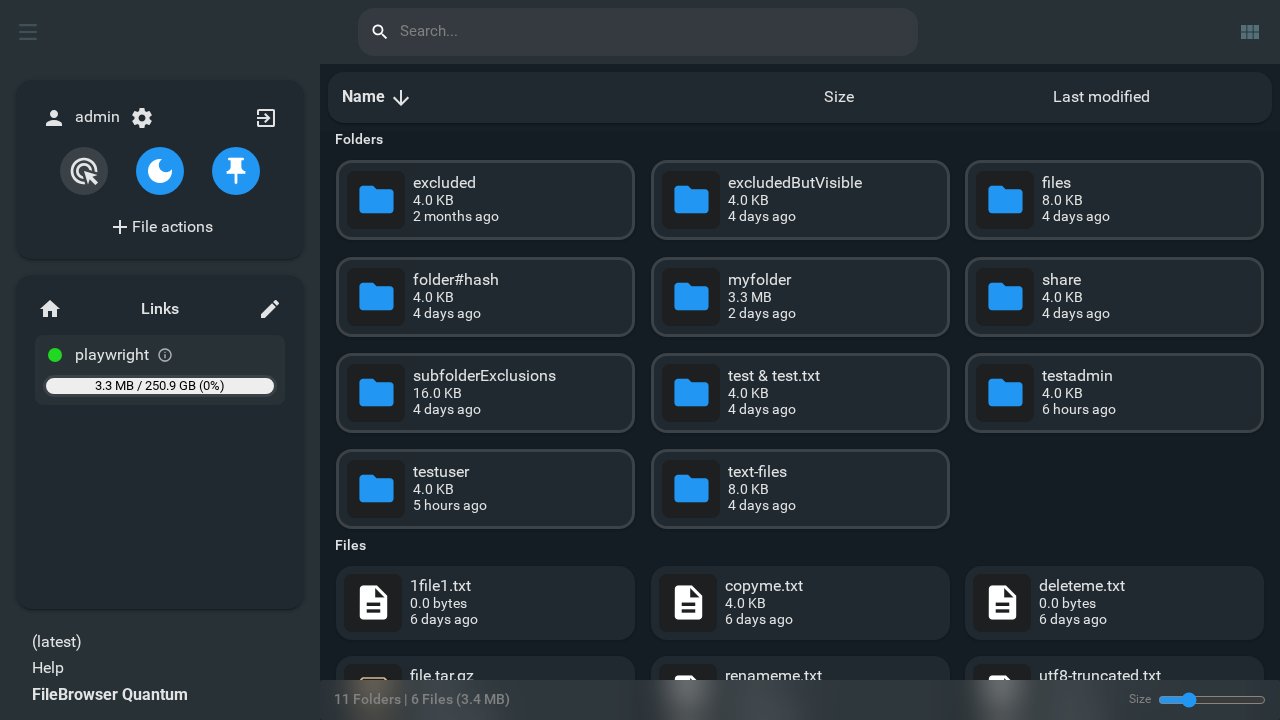
 FileBrowser Quantum — это self-hosted веб-приложение, которое позволяет просматривать, управлять, смотреть предпросмотр и редактировать свои файлы прямо в браузере, с современным адаптивным интерфейсом.
FileBrowser Quantum — это self-hosted веб-приложение, которое позволяет просматривать, управлять, смотреть предпросмотр и редактировать свои файлы прямо в браузере, с современным адаптивным интерфейсом.Это десктопное приложение или что-то, что я размещаю у себя?Это self-hosted файловый менеджер на основе веб-интерфейса, который вы запускаете на своём сервере или компьютере, а не десктопное приложение.
Это self-hosted файловый менеджер на основе веб-интерфейса, который вы запускаете на своём сервере или компьютере, а не десктопное приложение.Как его запустить?Скачайте standalone-бинарник или используйте Docker-образ, настройте его через config.yaml, затем откройте доступ через веб-интерфейс. Все шаги подробно описаны в официальной документации Getting Started.
Скачайте standalone-бинарник или используйте Docker-образ, настройте его через config.yaml, затем откройте доступ через веб-интерфейс. Все шаги подробно описаны в официальной документации Getting Started.Мне нужен Docker, или есть standalone-бинарник?Подойдёт любой вариант: он поставляется в виде standalone-бинарника или Docker-образа (около 180 МБ, со встроенным ffmpeg для превью медиафайлов) и требует примерно 512 МБ оперативной памяти.
Подойдёт любой вариант: он поставляется в виде standalone-бинарника или Docker-образа (около 180 МБ, со встроенным ffmpeg для превью медиафайлов) и требует примерно 512 МБ оперативной памяти.Все ли функции из сравнительной таблицы уже готовы?Несколько заявленных функций (кастомные задачи, теги, уведомления о событиях, метрики, корзина, просмотр/конвертация архивов, конвертация документов и видео) до сих пор помечены как находящиеся в разработке и ещё не полностью выпущены. Также нет поддержки S3 или FTP и нет мобильного приложения.
Несколько заявленных функций (кастомные задачи, теги, уведомления о событиях, метрики, корзина, просмотр/конвертация архивов, конвертация документов и видео) до сих пор помечены как находящиеся в разработке и ещё не полностью выпущены. Также нет поддержки S3 или FTP и нет мобильного приложения.Он работает на Windows и Mac, а не только на Linux?Да, согласно сравнительной таблице, он поддерживает файловые системы Linux, Windows и Mac.
Да, согласно сравнительной таблице, он поддерживает файловые системы Linux, Windows и Mac.Чего не хватает по сравнению с оригинальным проектом FileBrowser?Выполнение shell-команд полностью удалено из этого форка из соображений безопасности; всё остальное — это расширение оригинала.
Выполнение shell-команд полностью удалено из этого форка из соображений безопасности; всё остальное — это расширение оригинала.Как пользователи могут войти в систему?Поддерживаются OIDC, LDAP, JWT, стандартный вход по паролю с опциональной двухфакторной аутентификацией, а также аутентификация через прокси, плюс детальный контроль доступа на уровне пользователей, групп или исходных путей.
Поддерживаются OIDC, LDAP, JWT, стандартный вход по паролю с опциональной двухфакторной аутентификацией, а также аутентификация через прокси, плюс детальный контроль доступа на уровне пользователей, групп или исходных путей.Есть ли предпросмотр видео и 3D-моделей?Да, предпросмотр охватывает офисные документы, видео, обложки альбомов и 3D-модели, с более быстрыми анимированными списками файлов.
Да, предпросмотр охватывает офисные документы, видео, обложки альбомов и 3D-модели, с более быстрыми анимированными списками файлов.Почему он называется 'Quantum'?Название отражает то, что в очень маленьком и простом в запуске бинарнике упаковано множество продвинутых функций по сравнению с типичными альтернативами.
Название отражает то, что в очень маленьком и простом в запуске бинарнике упаковано множество продвинутых функций по сравнению с типичными альтернативами.What are similar projects?zitadel, stalwart, gin-vue-admin, kratos, authelia, NodePilot, casdoor, sftpgo
zitadel, stalwart, gin-vue-admin, kratos, authelia, NodePilot, casdoor, sftpgoWhich topics is it in?swagger, ldap, access-control, webdav, 2fa, oidc, file-manager, file-sharing, sso, rbac, search, authentication
swagger, ldap, access-control, webdav, 2fa, oidc, file-manager, file-sharing, sso, rbac, search, authentication