



 Filebrowser
 Filestash
 Nextcloud
 Google_Drive
 FileRun
8.8K ·GitHub
What is this?
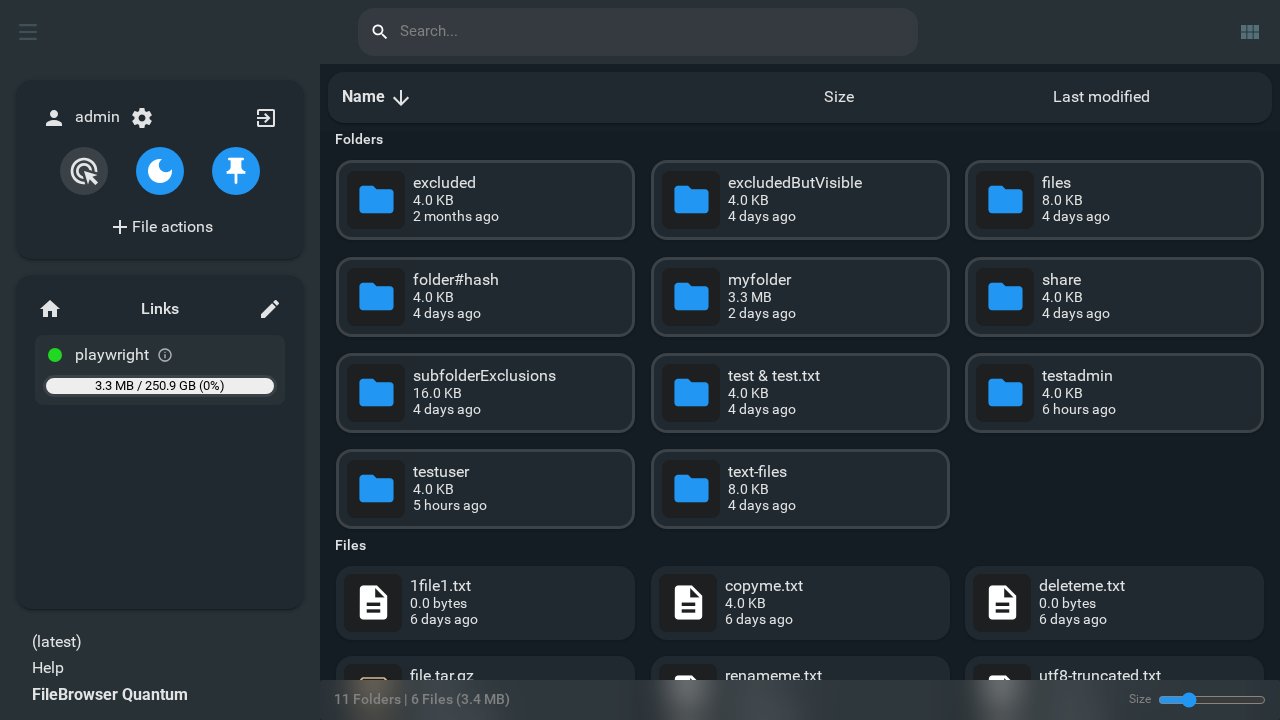
 FileBrowser Quantum is a self-hosted web app that lets you browse, manage, preview, and edit your files through a browser, with a modern responsive UI.
FileBrowser Quantum is a self-hosted web app that lets you browse, manage, preview, and edit your files through a browser, with a modern responsive UI.Is this a desktop app or something I host myself?It's a self-hosted web-based file manager you run on your own server or machine, not a desktop application.
It's a self-hosted web-based file manager you run on your own server or machine, not a desktop application.How do I get it running?Download the standalone binary or use the Docker image, configure it via config.yaml, then access it through the web UI. Full steps are in the official Getting Started Docs.
Download the standalone binary or use the Docker image, configure it via config.yaml, then access it through the web UI. Full steps are in the official Getting Started Docs.Do I need Docker, or is there a standalone binary?Either works: it ships as a standalone binary or a Docker image (about 180 MB, bundled with ffmpeg for media thumbnails), needing roughly 512 MB of memory.
Either works: it ships as a standalone binary or a Docker image (about 180 MB, bundled with ffmpeg for media thumbnails), needing roughly 512 MB of memory.Are all the features in the comparison chart actually finished?Several advertised features (custom jobs, tags, event notifications, metrics, trash, archive browsing/conversion, document/video conversion) are still marked as under construction, not fully shipped yet. It also has no S3 or FTP support and no mobile app.
Several advertised features (custom jobs, tags, event notifications, metrics, trash, archive browsing/conversion, document/video conversion) are still marked as under construction, not fully shipped yet. It also has no S3 or FTP support and no mobile app.Does it run on Windows and Mac, not just Linux?Yes, the comparison table confirms it supports Linux, Windows, and Mac filesystems.
Yes, the comparison table confirms it supports Linux, Windows, and Mac filesystems.What's missing compared to the original FileBrowser project?Shell command execution was completely removed from this fork for security reasons; everything else is an expansion on the original.
Shell command execution was completely removed from this fork for security reasons; everything else is an expansion on the original.How can users log in?It supports OIDC, LDAP, JWT, standard password login with optional 2FA, and proxy-based authentication, plus granular access control scoped to users, groups, or source paths.
It supports OIDC, LDAP, JWT, standard password login with optional 2FA, and proxy-based authentication, plus granular access control scoped to users, groups, or source paths.Does it preview videos and 3D models?Yes, thumbnails cover office documents, videos, album artwork, and 3D models, with faster, animated listing views.
Yes, thumbnails cover office documents, videos, album artwork, and 3D models, with faster, animated listing views.Why is it called 'Quantum'?The name reflects that it packs many advanced features into a very small, easy-to-run binary compared to typical alternatives.
The name reflects that it packs many advanced features into a very small, easy-to-run binary compared to typical alternatives.What are similar projects?zitadel, stalwart, gin-vue-admin, kratos, authelia, NodePilot, casdoor, sftpgo
zitadel, stalwart, gin-vue-admin, kratos, authelia, NodePilot, casdoor, sftpgoWhich topics is it in?swagger, ldap, access-control, webdav, 2fa, oidc, file-manager, file-sharing, sso, rbac, search, authentication
swagger, ldap, access-control, webdav, 2fa, oidc, file-manager, file-sharing, sso, rbac, search, authentication