FlexboxLayout

FlexboxLayout is a library project which brings the similar capabilities of
CSS Flexible Box Layout Module to Android.
Installation
Add the following dependency to your build.gradle file:
dependencies {
    implementation 'com.google.android.flexbox:flexbox:3.0.0'
}
Starting from 3.0.0, the groupId is changed to com.google.android.flexbox in preparation to uploading the artifacts to google maven.
You can still download the artifacts from jcenter for the past versions with the prior groupId (com.google.android), but migrating the library 3.0.0 is recommended.
Note that the default values for alignItems and alignContent for FlexboxLayout have been changed from stretch to flex_start starting from 2.0.0, it may break the existing apps.
Please make sure to set stretch explicitly if you want to apply the behavior of stretch.
Note that starting from 1.1.0, the library is expeced to use with AndroidX. Please migrate to AndroidX if you use 1.1.0 or above.
Please use 1.0.0 if you haven't migrated to AndroidX.
Usage
There are two ways of using Flexbox in your layout.
FlexboxLayout
The first one is FlexboxLayout that extends the ViewGroup like LinearLayout and RelativeLayout.
You can specify the attributes from a layout XML like:
<com.google.android.flexbox.FlexboxLayout
    xmlns:android="http://schemas.android.com/apk/res/android"
    xmlns:app="http://schemas.android.com/apk/res-auto"
    android:layout_width="match_parent"
    android:layout_height="match_parent"
    app:flexWrap="wrap"
    app:alignItems="stretch"
    app:alignContent="stretch" >

    <TextView
        android:id="@+id/textview1"
        android:layout_width="120dp"
        android:layout_height="80dp"
        app:layout_flexBasisPercent="50%"
        />

    <TextView
        android:id="@+id/textview2"
        android:layout_width="80dp"
        android:layout_height="80dp"
        app:layout_alignSelf="center"
        />

    <TextView
        android:id="@+id/textview3"
        android:layout_width="160dp"
        android:layout_height="80dp"
        app:layout_alignSelf="flex_end"
        />
</com.google.android.flexbox.FlexboxLayout>
Or from code like:
FlexboxLayout flexboxLayout = (FlexboxLayout) findViewById(R.id.flexbox_layout);
flexboxLayout.setFlexDirection(FlexDirection.ROW);

View view = flexboxLayout.getChildAt(0);
FlexboxLayout.LayoutParams lp = (FlexboxLayout.LayoutParams) view.getLayoutParams();
lp.setOrder(-1);
lp.setFlexGrow(2);
view.setLayoutParams(lp);
FlexboxLayoutManager (within RecyclerView)
The second one is FlexboxLayoutManager that can be used within RecyclerView.
RecyclerView recyclerView = (RecyclerView) context.findViewById(R.id.recyclerview);
FlexboxLayoutManager layoutManager = new FlexboxLayoutManager(context);
layoutManager.setFlexDirection(FlexDirection.COLUMN);
layoutManager.setJustifyContent(JustifyContent.FLEX_END);
recyclerView.setLayoutManager(layoutManager);
or for the attributes for the children of the FlexboxLayoutManager you can do like:
mImageView.setImageDrawable(drawable);
ViewGroup.LayoutParams lp = mImageView.getLayoutParams();
if (lp instanceof FlexboxLayoutManager.LayoutParams) {
    FlexboxLayoutManager.LayoutParams flexboxLp = (FlexboxLayoutManager.LayoutParams) lp;
    flexboxLp.setFlexGrow(1.0f);
    flexboxLp.setAlignSelf(AlignSelf.FLEX_END);
}
The advantage of using FlexboxLayoutManager is that it recycles the views that go off the screen
for reuse for the views that are appearing as the user scrolls instead of inflating every individual view,
which consumes much less memory especially when the number of items contained in the Flexbox container is large.

Supported attributes/features comparison
Due to some characteristics of RecyclerView, some Flexbox attributes are not available/not implemented
to the FlexboxLayoutManager.
Here is a quick overview of the attributes/features comparison between the two implementations.
| Attribute / Feature |
FlexboxLayout |
FlexboxLayoutManager (RecyclerView) |
| flexDirection |
 |
|
| flexWrap |
|
(except wrap_reverse) |
| justifyContent |
|
|
| alignItems |
|
|
| alignContent |
|
- |
| layout_order |
|
- |
| layout_flexGrow |
|
|
| layout_flexShrink |
|
|
| layout_alignSelf |
|
|
| layout_flexBasisPercent |
|
|
| layout_(min/max)Width |
|
|
| layout_(min/max)Height |
|
|
| layout_wrapBefore |
|
|
| Divider |
|
|
| View recycling |
- |
|
| Scrolling |
*1 |
|
*1 Partially possible by wrapping it with ScrollView. But it isn't likely to work with a large set
of views inside the layout. Because it doesn't consider view recycling.
Supported attributes
Attributes for the FlexboxLayout:
flexDirection
flexWrap
justifyContent
alignItems
alignContent
showDividerHorizontal (one or more of none | beginning | middle | end)
dividerDrawableHorizontal (reference to a drawable)
- Puts horizontal dividers between flex lines (or flex items when flexDirection
is set to
column or column_rebase).
showDividerVertical (one or more of none | beginning | middle | end)
dividerDrawableVertical (reference to a drawable)
- Puts vertical dividers between flex items (or flex lines when flexDirection
is set to
column or column_rebase).
showDivider (one or more of none | beginning | middle | end)
dividerDrawable (reference to a drawable)
- Shorthand for setting both horizontal and vertical dividers. Note that if used with other attributes
(such as
justifyContent="space_around" or alignContent="space_between" ... etc) for putting
spaces between flex lines or flex items, you may see unexpected spaces. Please avoid using these
at the same time.
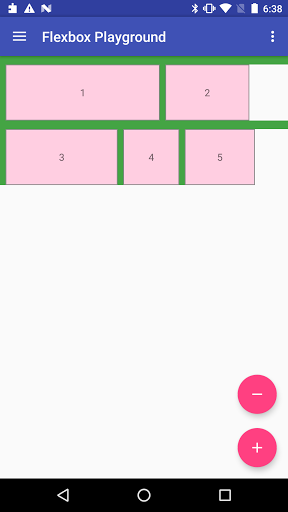
Example of putting both vertical and horizontal dividers.
res/drawable/divider.xml
<shape xmlns:android="http://schemas.android.com/apk/res/android">
  <size
      android:width="8dp"
      android:height="12dp" />
  <solid android:color="#44A444" />
</shape>
res/layout/content_main.xml
<com.google.android.flexbox.FlexboxLayout xmlns:android="http://schemas.android.com/apk/res/android"
  xmlns:app="http://schemas.android.com/apk/res-auto"
  android:layout_width="match_parent"
  android:layout_height="match_parent"
  app:alignContent="flex_start"
  app:alignItems="flex_start"
  app:flexWrap="wrap"
  app:showDivider="beginning|middle"
  app:dividerDrawable="@drawable/divider" >

  <TextView
      style="@style/FlexItem"
      android:layout_width="220dp"
      android:layout_height="80dp"
      android:text="1" />
  <TextView
      style="@style/FlexItem"
      android:layout_width="120dp"
      android:layout_height="80dp"
      android:text="2" />
  <TextView
      style="@style/FlexItem"
      android:layout_width="160dp"
      android:layout_height="80dp"
      android:text="3" />
  <TextView
      style="@style/FlexItem"
      android:layout_width="80dp"
      android:layout_height="80dp"
      android:text="4" />
  <TextView
      style="@style/FlexItem"
      android:layout_width="100dp"
      android:layout_height="80dp"
      android:text="5" />
Attributes for the children of a FlexboxLayout
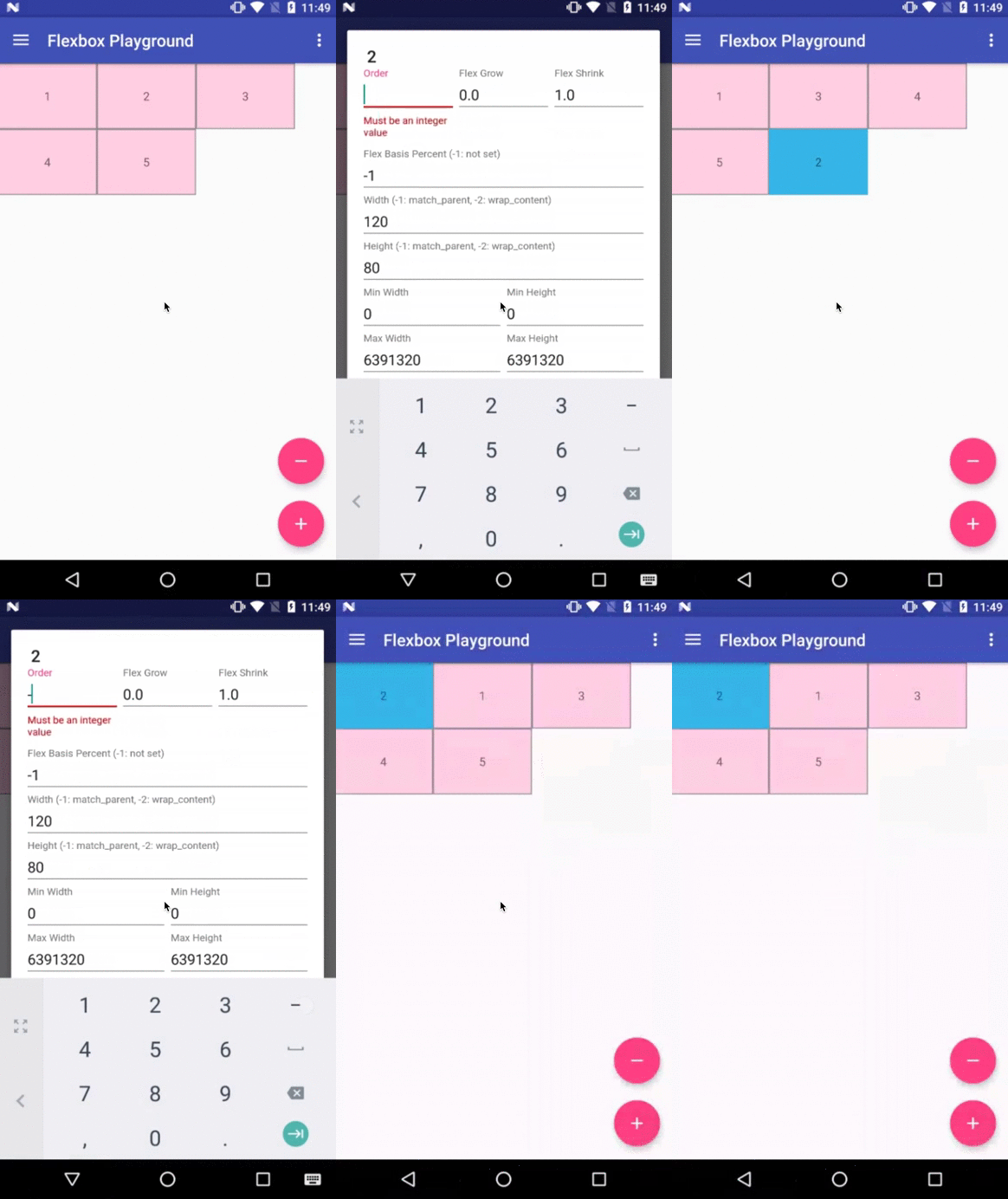
layout_order (integer)
This attribute can change how the ordering of the children views are laid out.
By default, children are displayed and laid out in the same order as they appear in the
layout XML. If not specified, 1 is set as a default value.
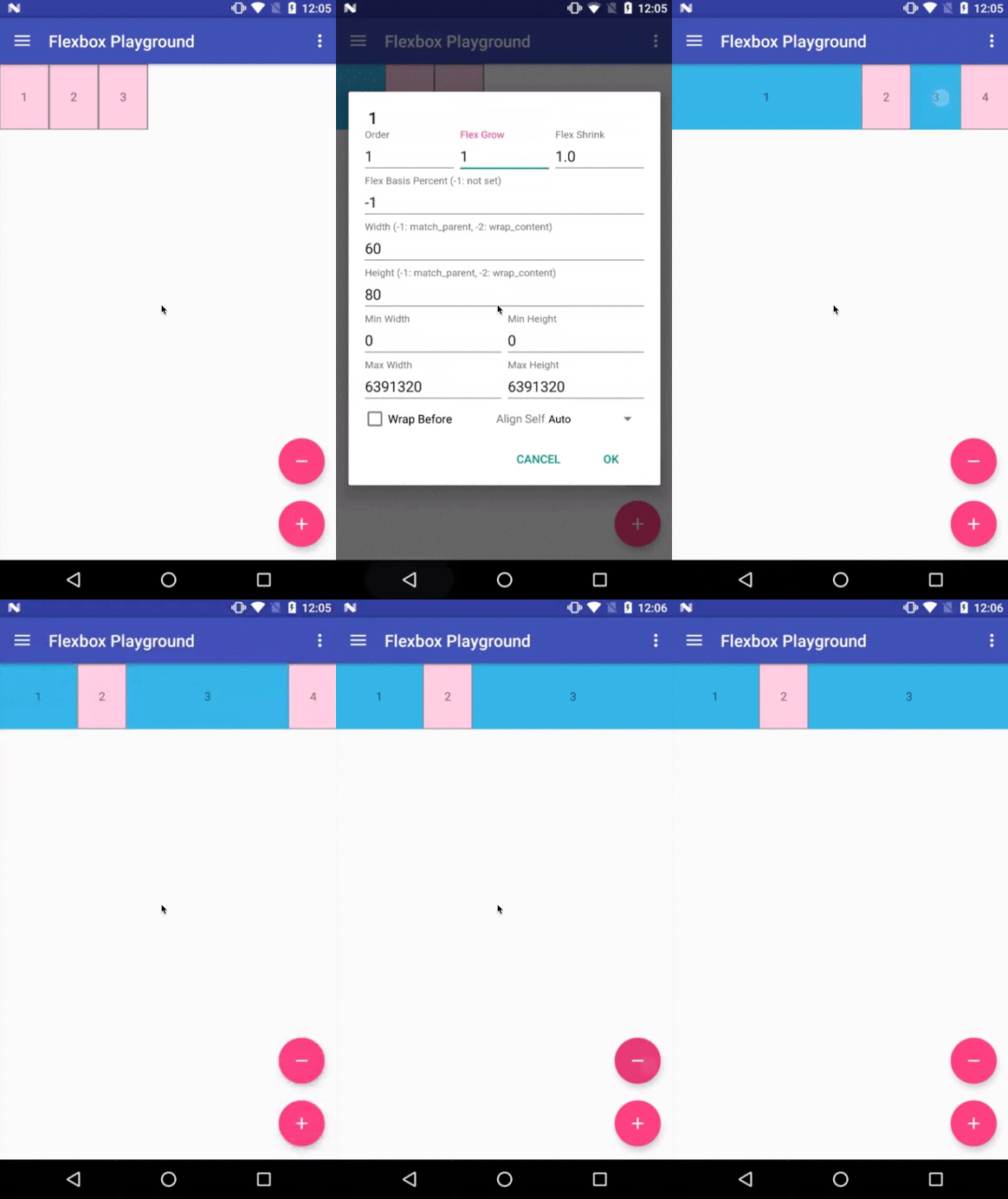
layout_flexGrow (float)
This attribute determines how much this child will grow if positive free space is
distributed relative to the rest of other flex items included in the same flex line.
If a flex item has a positive layout_flexGrow value, the item will take up the remaining
space in the flex line. If multiple flex items in the same flex line have positive layout_flexGrow
values, the remaining free space is distributed depending on the proportion of their declared
layout_flexGrow value. (Similar to the layout_weight attribute in the LinearLayout)
If not specified, 0 is set as a default value.
layout_flexShrink (float)
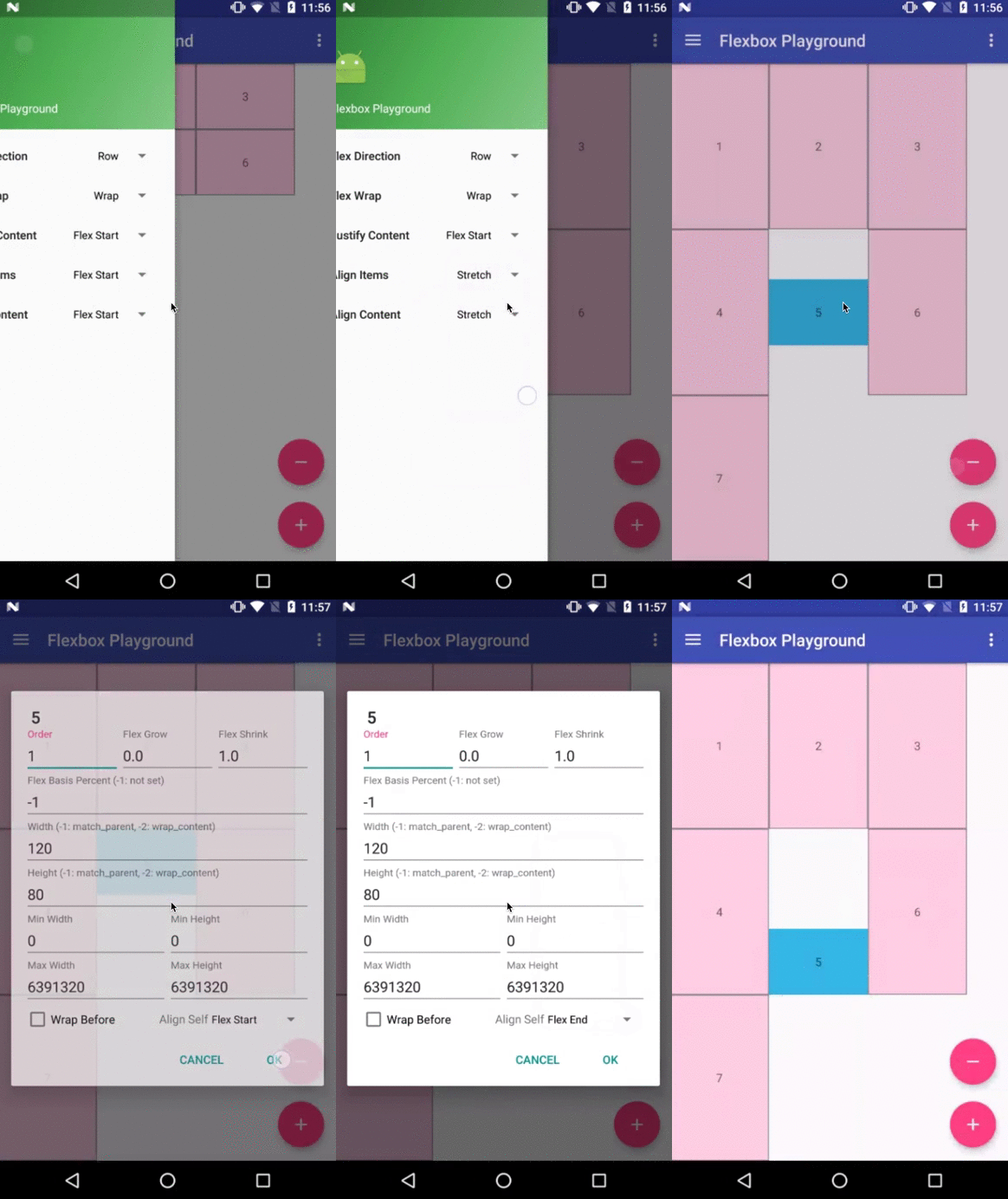
layout_alignSelf
This attribute determines the alignment along the cross axis (perpendicular to the
main axis). The alignment in the same direction can be determined by the
alignItems in the parent, but if this is set to other than
auto, the cross axis alignment is overridden for this child. Possible values are:
- auto (default)
- flex_start
- flex_end
- center
- baseline
- stretch
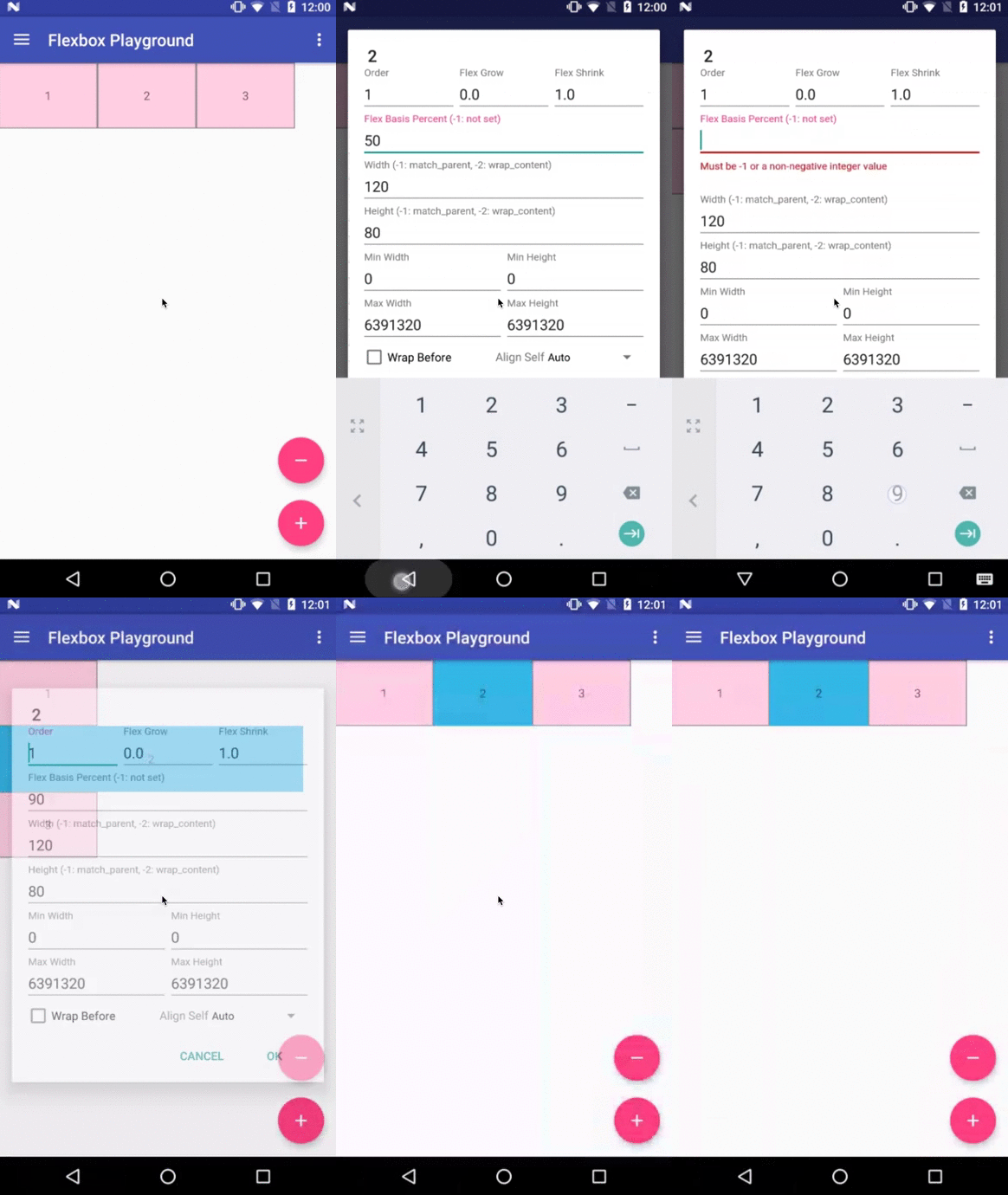
layout_flexBasisPercent (fraction)
The initial flex item length in a fraction format relative to its parent.
The initial main size of this child view is trying to be expanded as the specified
fraction against the parent main size.
If this value is set, the length specified from layout_width
(or layout_height) is overridden by the calculated value from this attribute.
This attribute is only effective when the parent's length is definite (MeasureSpec mode is
MeasureSpec.EXACTLY). The default value is -1, which means not set.
layout_minWidth / layout_minHeight (dimension)
layout_maxWidth / layout_maxHeight (dimension)
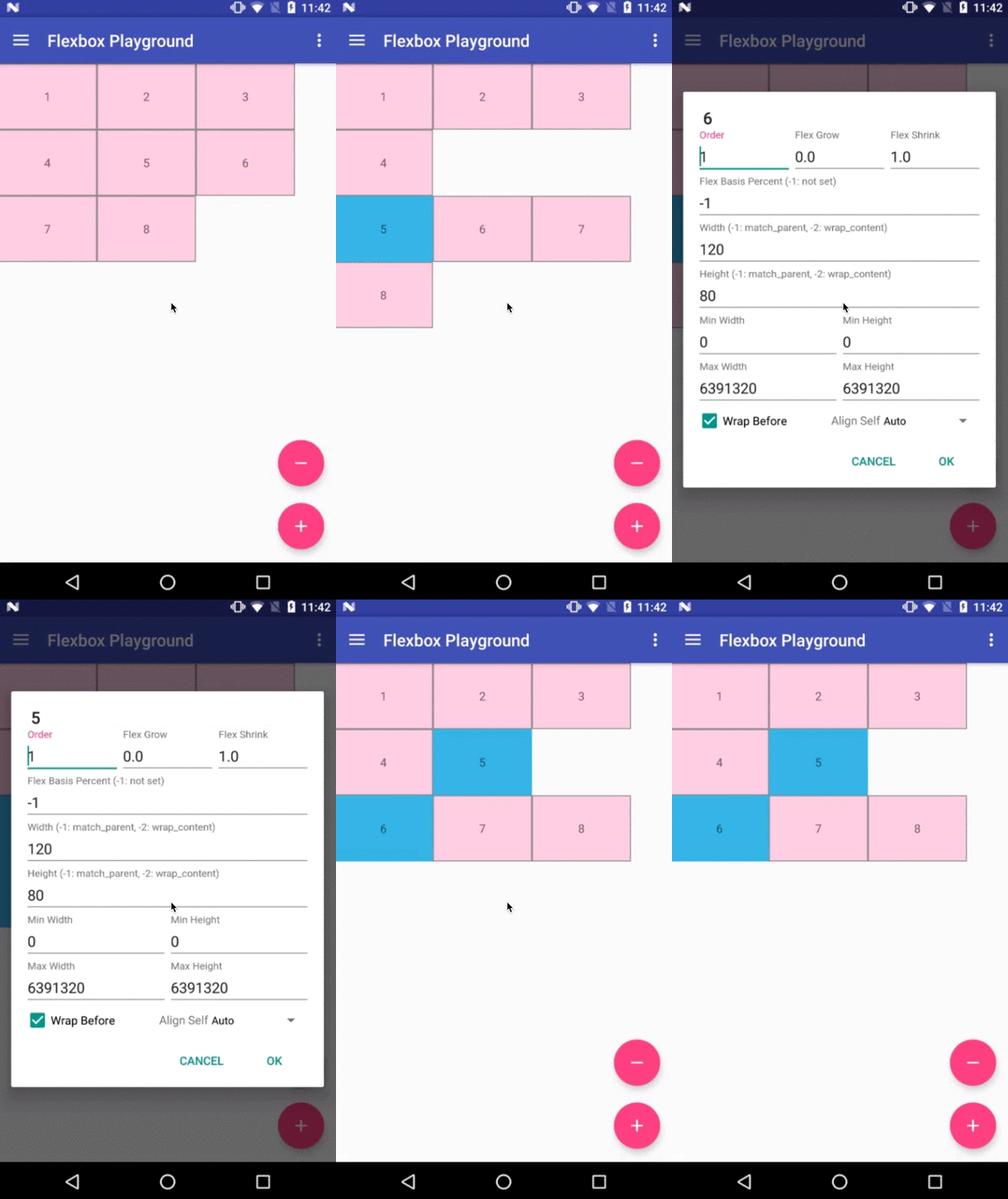
layout_wrapBefore (boolean)
This attribute forces a flex line wrapping, the default value is false.
i.e. if this is set to true for a
flex item, the item will become the first item of a flex line. (A wrapping happens
regardless of the flex items being processed in the previous flex line)
This attribute is ignored if the flex_wrap attribute is set to nowrap.
The equivalent attribute isn't defined in the original CSS Flexible Box Module
specification, but having this attribute is useful for Android developers. For example, to flatten
the layouts when building a grid-like layout or for a situation where developers want
to put a new flex line to make a semantic difference from the previous one, etc.
Others
Known differences from the original CSS specification
This library tries to achieve the same capabilities of the original
Flexible Box specification as much as possible,
but due to some reasons such as the way specifying attributes can't be the same between
CSS and Android XML, there are some known differences from the original specification.
(1) There is no flex-flow
equivalent attribute
- Because
flex-flow is a shorthand for setting the flex-direction and flex-wrap properties,
specifying two attributes from a single attribute is not practical in Android.
(2) There is no flex equivalent attribute
- Likewise
flex is a shorthand for setting the flex-grow, flex-shrink and flex-basis,
specifying those attributes from a single attribute is not practical.
(3) layout_flexBasisPercent is introduced instead of
flexBasis
- Both
layout_flexBasisPercent in this library and flex-basis property in the CSS are used to
determine the initial length of an individual flex item. The flex-basis property accepts width
values such as 1em, 10px, and content as strings as well as percentage values such as
10% and 30%. layout_flexBasisPercent only accepts percentage values.
However, specifying initial fixed width values can be done by specifying width (or height) values in
layout_width (or layout_height, varies depending on the flexDirection). Also, the same
effect can be done by specifying "wrap_content" in layout_width (or layout_height) if
developers want to achieve the same effect as 'content'. Thus, layout_flexBasisPercent only
accepts percentage values, which can't be done through layout_width (or layout_height) for
simplicity.
(4) layout_wrapBefore is introduced.
- The equivalent attribute doesn't exist in the CSS Flexible Box Module specification,
but as explained above, Android developers will benefit by having this attribute for having
more control over when a wrapping happens.
(5) Default values for alignItems and alignContent are set to flex_start instead of stretch.
- Setting
stretch for the alignItems is expensive because the children of FlexboxLayout are measured more than twice. The difference is more obvious when the layout hierarchy is deeply nested.
Xamarin Binding
Xamarin binding is now available on NuGet thanks to @btripp
Demo apps
Flexbox Playground demo app
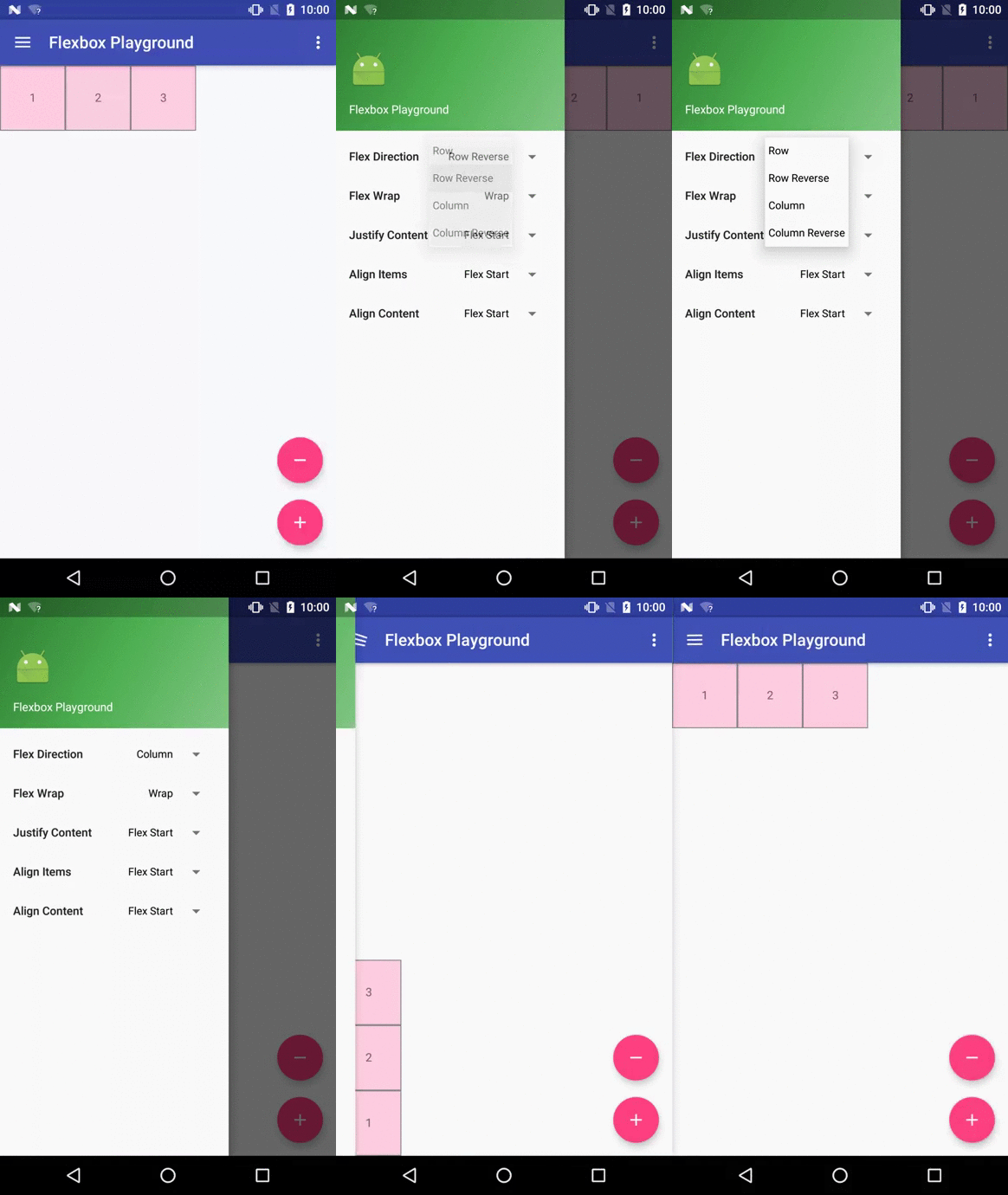
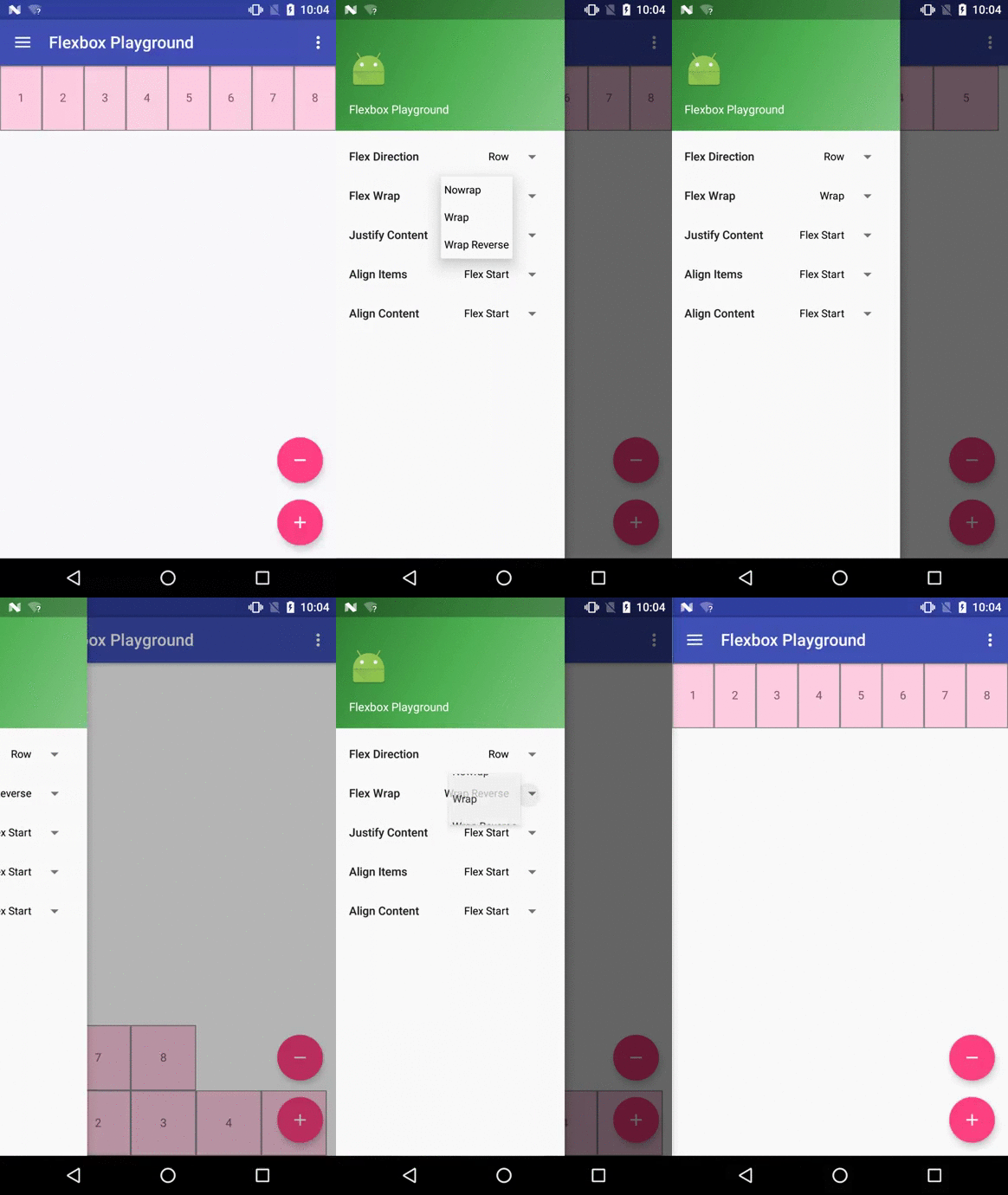
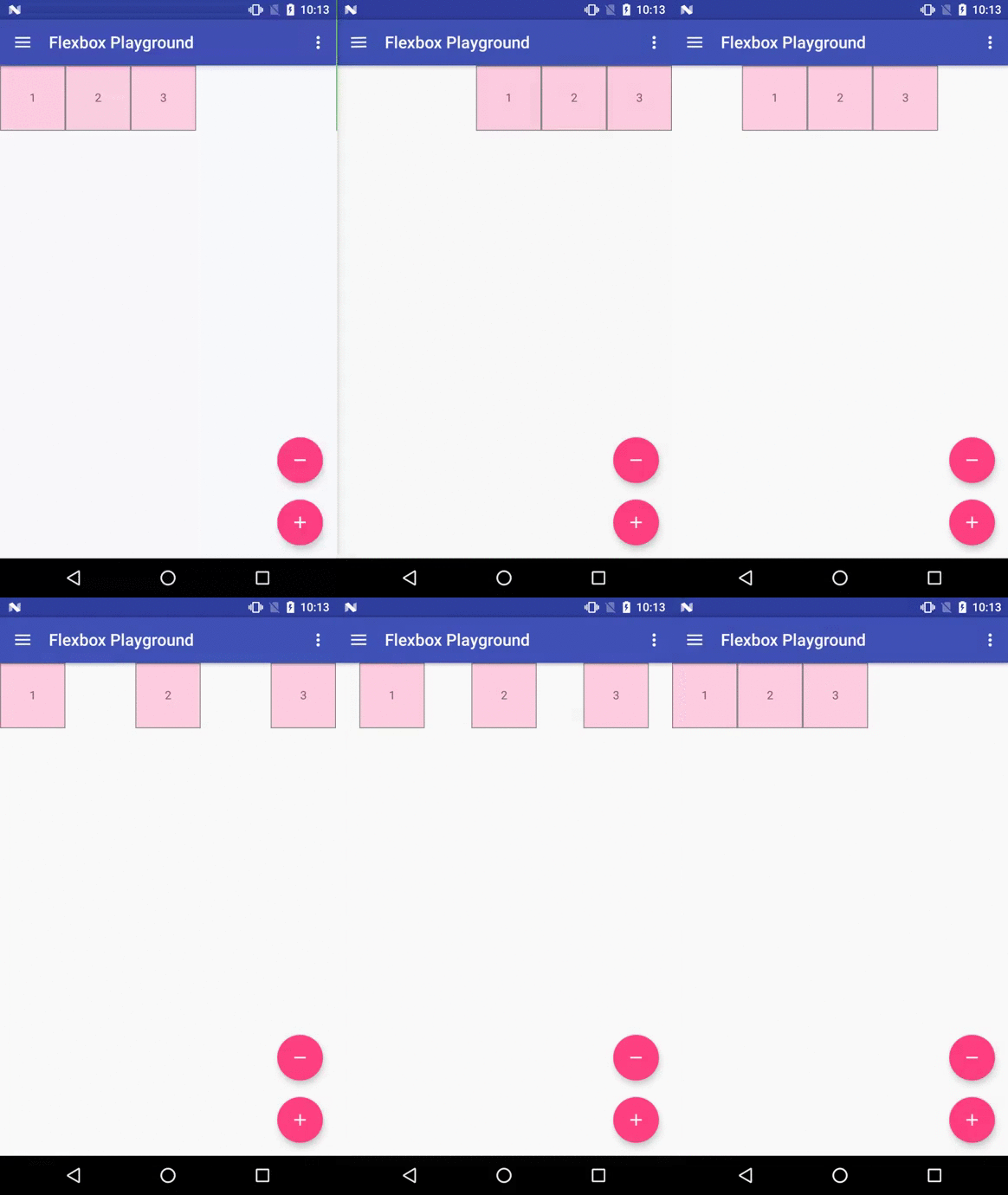
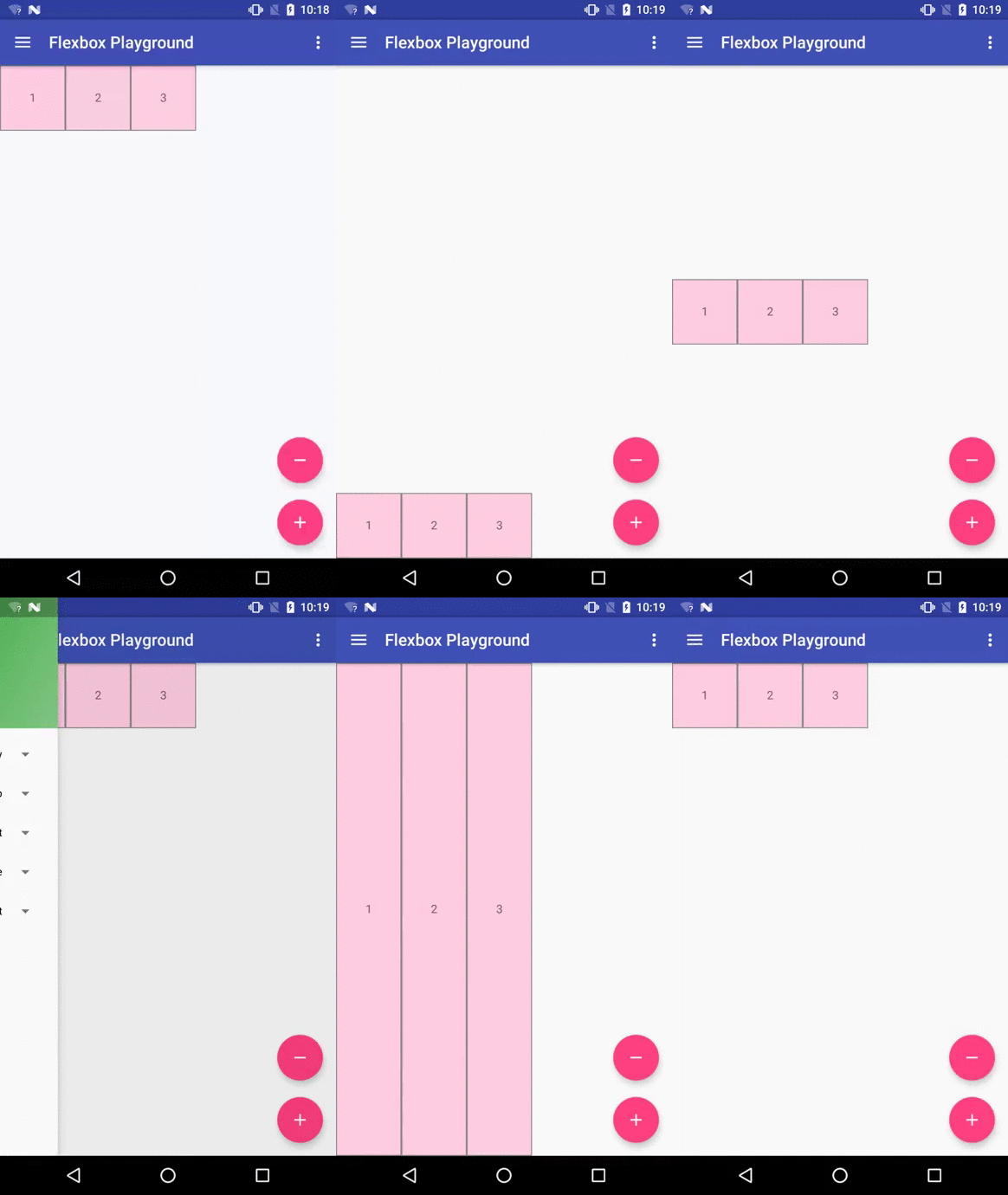
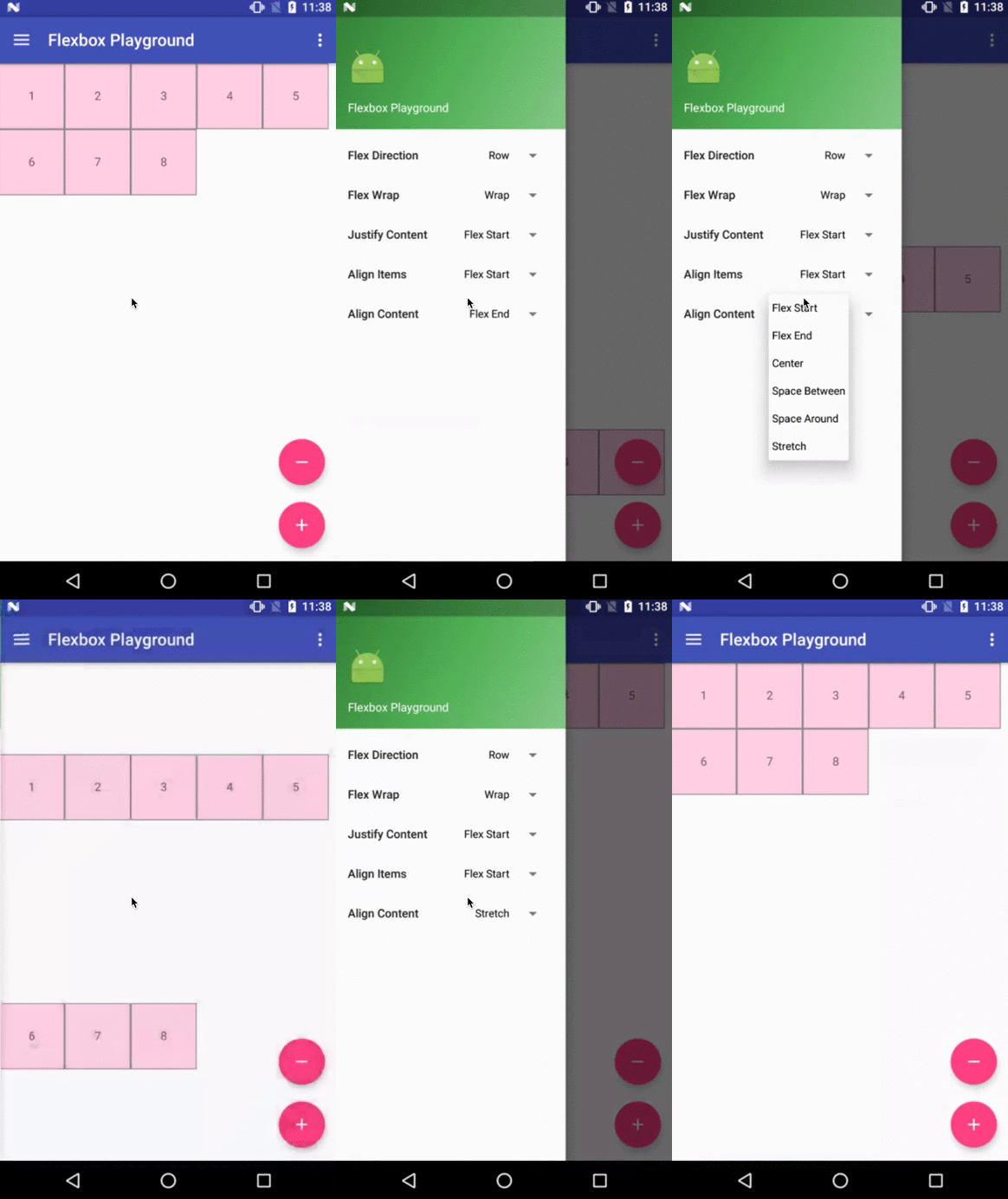
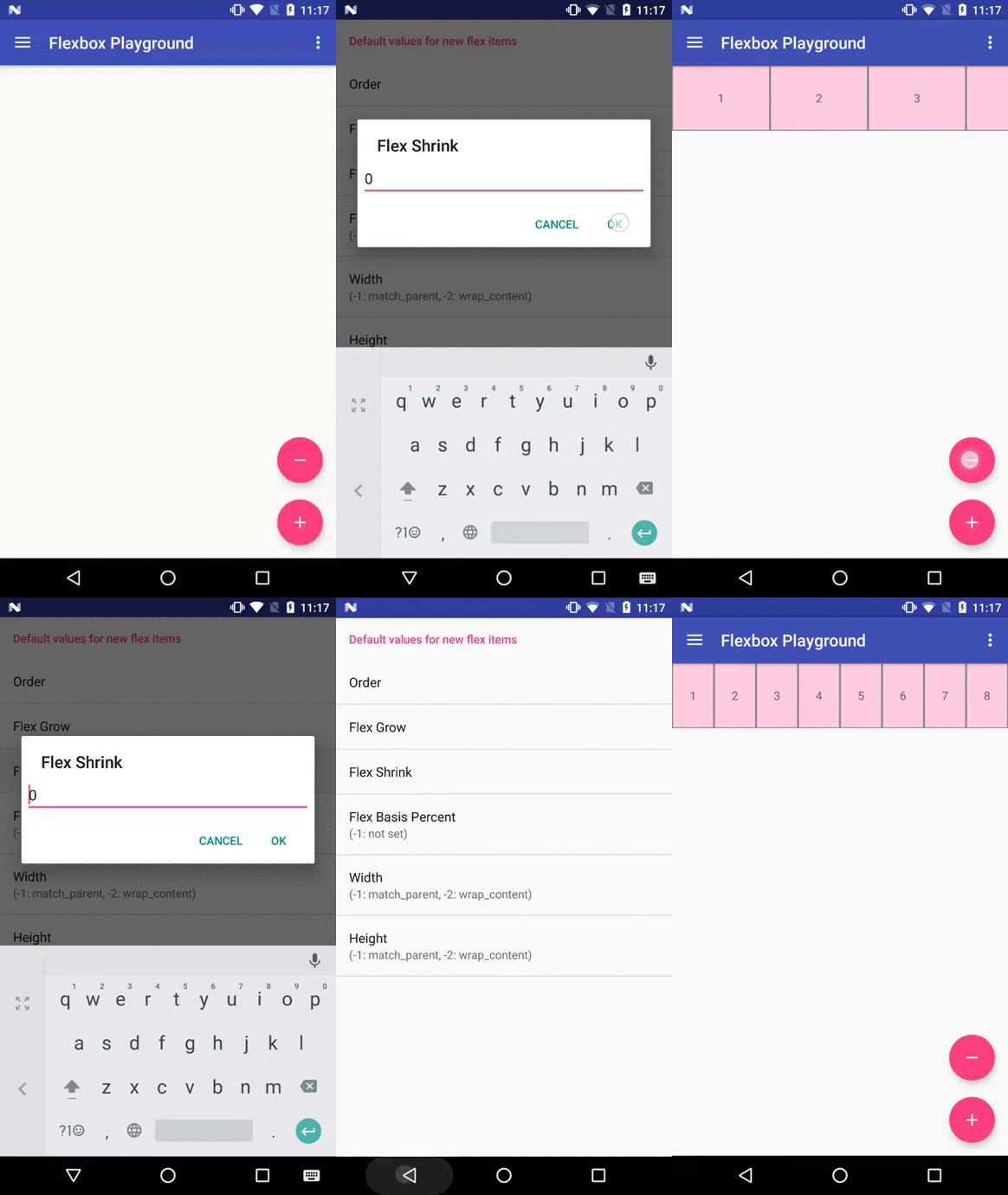
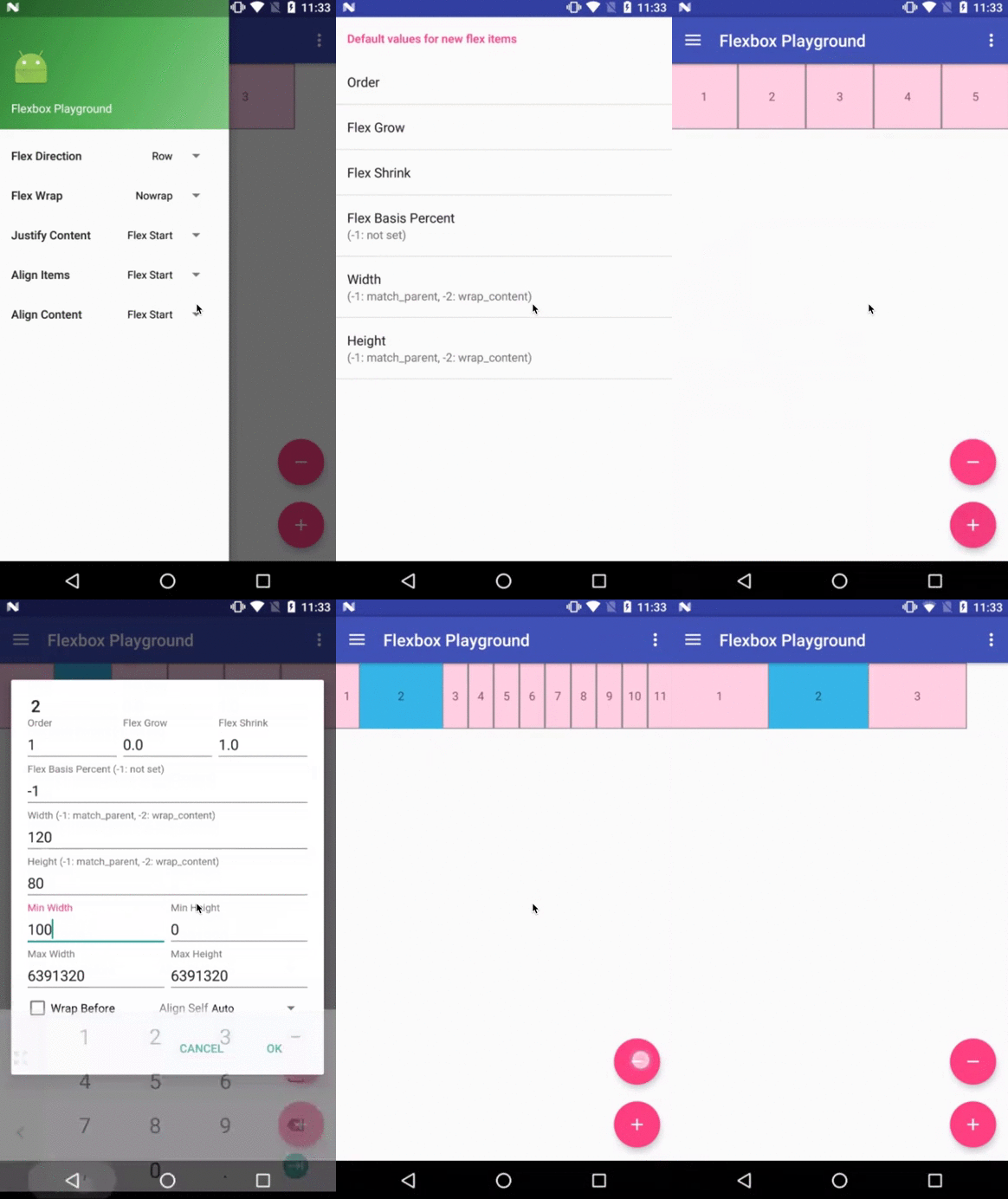
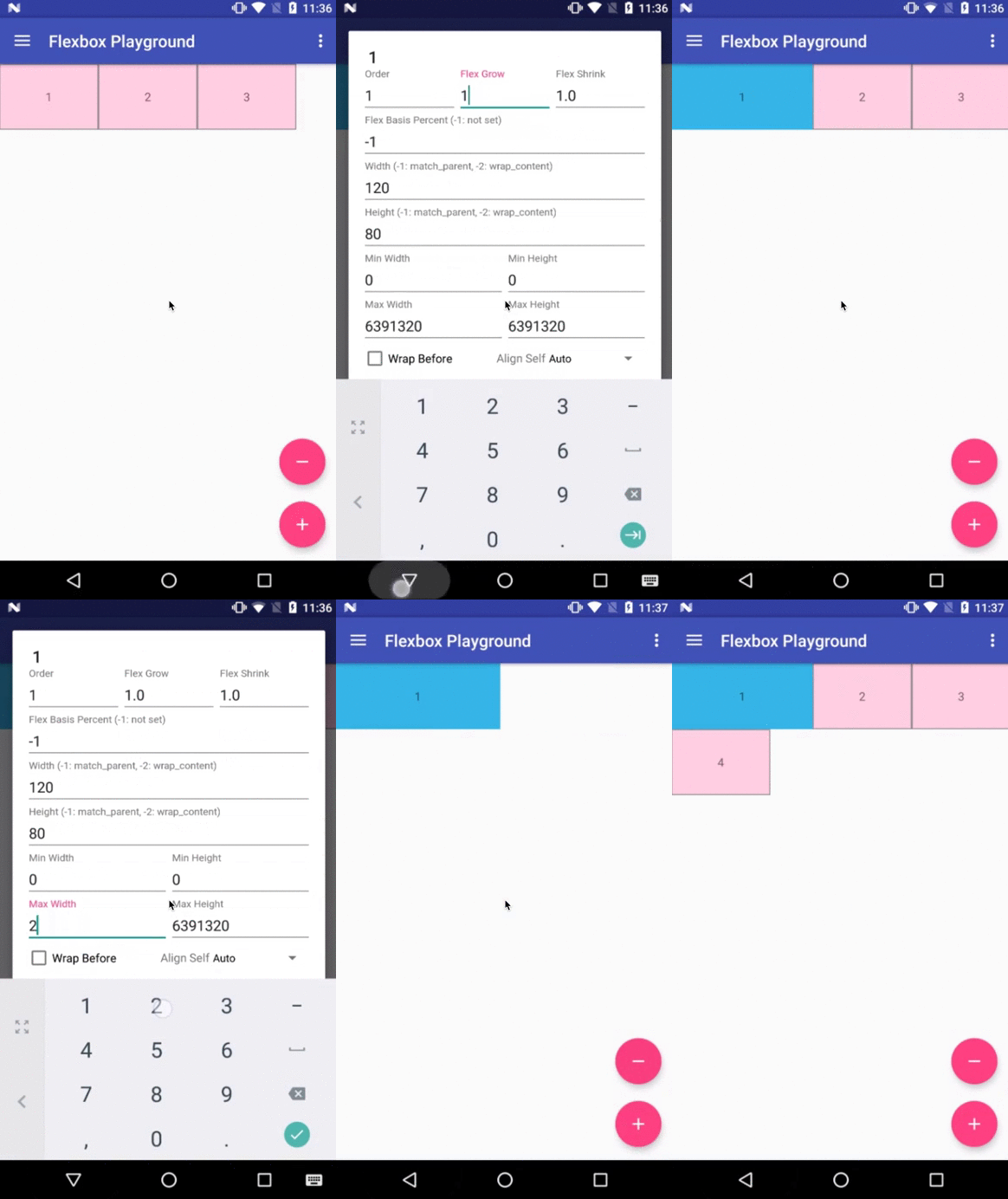
The demo-playground module works as a playground demo app for trying various values for the supported attributes.
You can install it by
./gradlew demo-playground:installDebug
Cat gallery demo app
The demo-cat-gallery module showcases the usage of the FlexboxLayoutManager inside the RecyclerView
that handles various sizes of views aligned nicely regardless of the device width like the
Google Photo app without loading all the images on the memory.
Thus compared to using the {@link FlexboxLayout}, it's much less likely to abuse the memory,
which sometimes leads to the OutOfMemoryError.
./gradlew demo-cat-gallery:installDebug
How to make contributions
Please read and follow the steps in CONTRIBUTING.md
License
Please see LICENSE

 FlexboxLayout 是一个开源的 Android 库,把 CSS 弹性盒子布局模块(flexbox)的能力带到了 Android 应用布局中。