


636 ·GitHub
What is this?
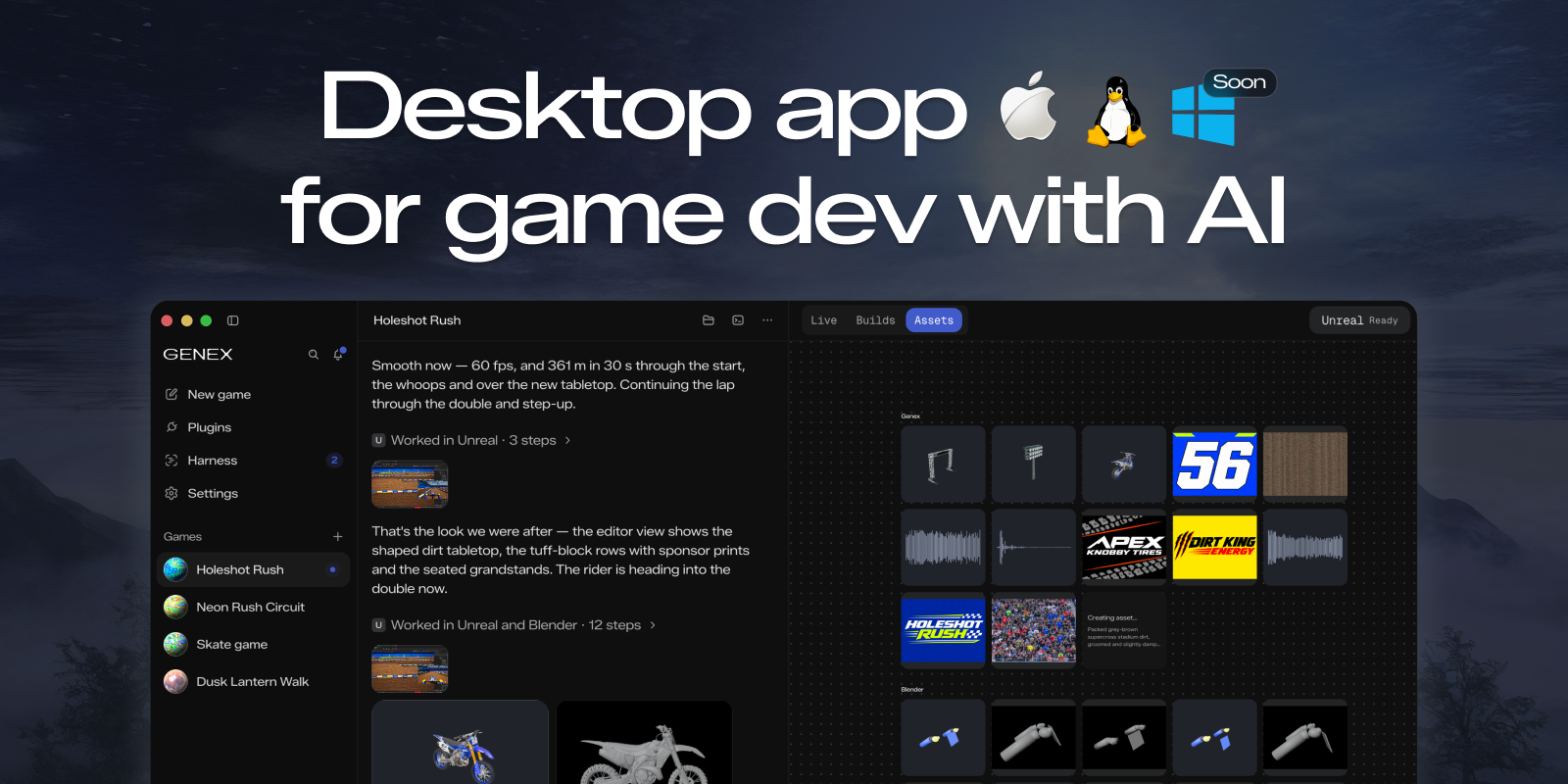
 Genex is a desktop app for building games with AI: it runs multi-agent workflows (a main agent plus worker and reviewer agents) that can use your Claude Code or ChatGPT subscription, or local models, to help with game development.
Genex is a desktop app for building games with AI: it runs multi-agent workflows (a main agent plus worker and reviewer agents) that can use your Claude Code or ChatGPT subscription, or local models, to help with game development.Is this a game engine, or does it work alongside my existing engine?It is a standalone desktop app, not a game engine itself. It exports assets and work anywhere, and Unity and Unreal Engine plugins are planned (not available yet).
It is a standalone desktop app, not a game engine itself. It exports assets and work anywhere, and Unity and Unreal Engine plugins are planned (not available yet).Do I need a Claude Code or ChatGPT subscription?You can use an existing Claude Code or ChatGPT subscription for the AI agents, or run local models instead — no specific subscription is mandatory.
You can use an existing Claude Code or ChatGPT subscription for the AI agents, or run local models instead — no specific subscription is mandatory.Any rough edges I should expect right now?The project is explicitly early-stage, so bugs are expected. Windows support isn't ready, and native C++ game export plus Unity/Unreal plugins are all still listed as 'soon'.
The project is explicitly early-stage, so bugs are expected. Windows support isn't ready, and native C++ game export plus Unity/Unreal plugins are all still listed as 'soon'.What is the Genex Marketplace?It's a directory of community-built plugins — asset generators, engine bridges, or services — that anyone can install straight from a GitHub release, after a maintainer approves a pull request to the genex-plugins repo.
It's a directory of community-built plugins — asset generators, engine bridges, or services — that anyone can install straight from a GitHub release, after a maintainer approves a pull request to the genex-plugins repo.How does the multi-agent setup work?Genex can mix different models, like Opus and GPT, across a main agent, worker agents, and reviewer agents, so different models handle different roles in building the game.
Genex can mix different models, like Opus and GPT, across a main agent, worker agents, and reviewer agents, so different models handle different roles in building the game.Can I generate 3D assets without leaving the app?Yes — Genex ships a Blender plugin for local 3D asset generation, and its built-in tools router can also call out to services like Meshy, Tripo, and ElevenLabs.
Yes — Genex ships a Blender plugin for local 3D asset generation, and its built-in tools router can also call out to services like Meshy, Tripo, and ElevenLabs.How do I build and share my own plugin?Load a local plugin folder in-app via Plugins → Add → Load local plugin, then push it to a public GitHub repo with a release so others can install it via Plugins → Add → Install from GitHub, and open a PR to genex-plugins to get it listed in the Marketplace.
Load a local plugin folder in-app via Plugins → Add → Load local plugin, then push it to a public GitHub repo with a release so others can install it via Plugins → Add → Install from GitHub, and open a PR to genex-plugins to get it listed in the Marketplace.What are similar projects?skills, blender-ai-addon, dream-loop, Claude-Code-Game-Studios, Dodaios, Procedura, deepseek-harness-studio, anyCreature
skills, blender-ai-addon, dream-loop, Claude-Code-Game-Studios, Dodaios, Procedura, deepseek-harness-studio, anyCreatureWhich topics is it in?unity3d, unreal-engine, 3d-generation, blender, marketplace, game-engine, gamedev, text-to-speech, gpt, game-development, plugin-system, chatgpt
unity3d, unreal-engine, 3d-generation, blender, marketplace, game-engine, gamedev, text-to-speech, gpt, game-development, plugin-system, chatgpt