


Что это такое?
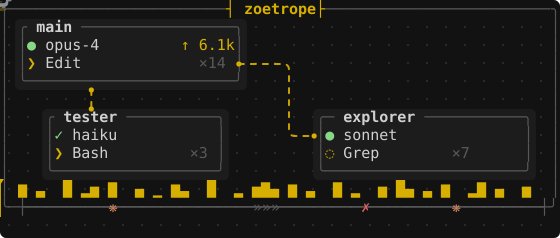
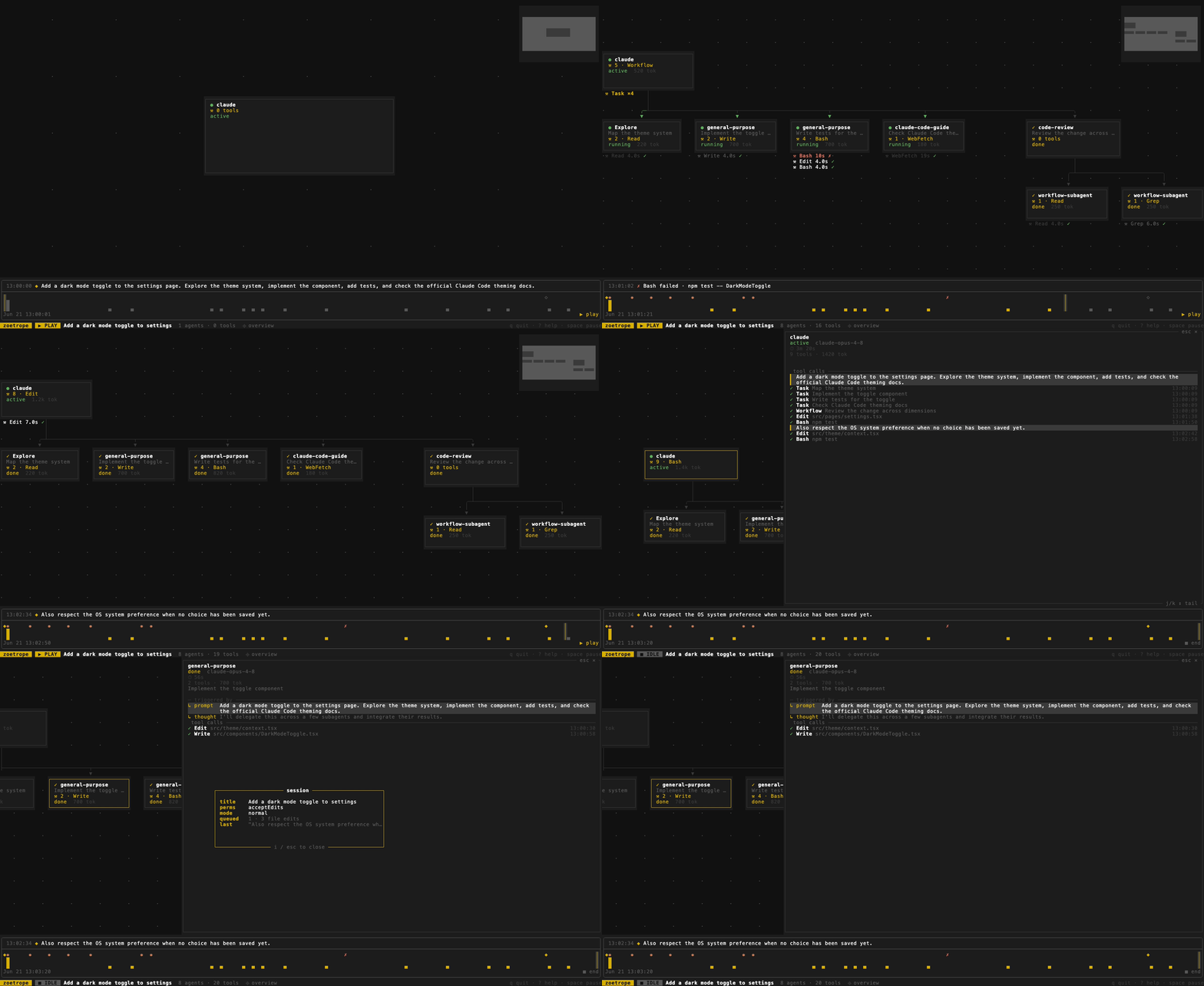
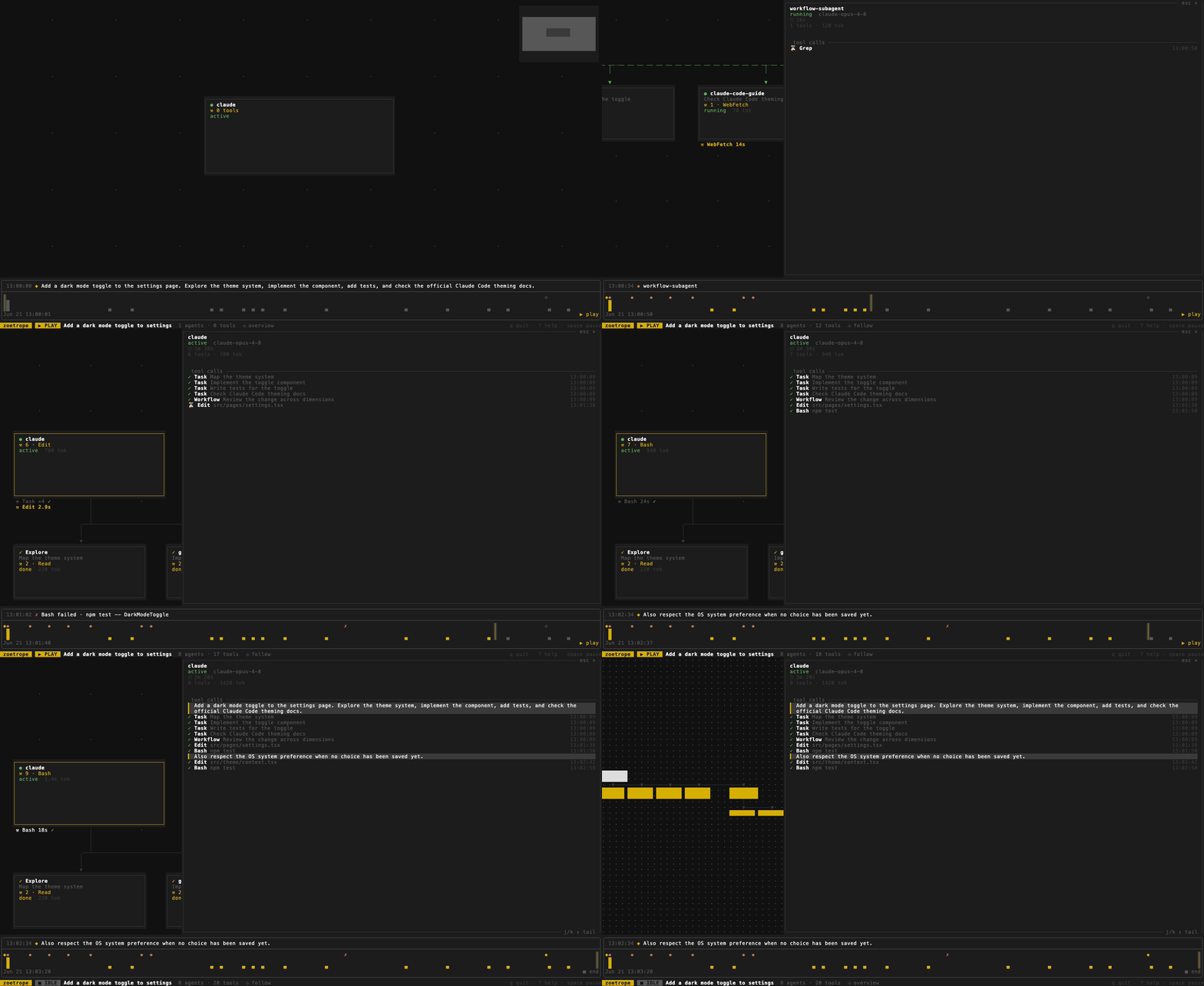
 Zoetrope превращает сессию агента кодинга Claude Code (или Codex) в живой анимированный граф потоков, показывающий основного агента, его суб-агентов и воркфлоу, а также каждый вызов инструмента, за чем можно следить в терминале или в браузере.
Zoetrope превращает сессию агента кодинга Claude Code (или Codex) в живой анимированный граф потоков, показывающий основного агента, его суб-агентов и воркфлоу, а также каждый вызов инструмента, за чем можно следить в терминале или в браузере.Это терминальное приложение или браузерное приложение?И то и другое: нативная сборка — это терминальный UI на ratatui, а тот же самый движок компилируется в WebAssembly, так что он работает и как хостинговая веб-страница — можно просто перетащить файл транскрипта на страницу, вообще без установки.
И то и другое: нативная сборка — это терминальный UI на ratatui, а тот же самый движок компилируется в WebAssembly, так что он работает и как хостинговая веб-страница — можно просто перетащить файл транскрипта на страницу, вообще без установки.Как его установить и запустить?Установите через Homebrew на macOS/Linux, через Cargo, если у вас есть тулчейн Rust, или скачайте готовый бинарник для macOS (Apple Silicon или Intel), Linux (musl, arm64/x86_64) или Windows (x86_64); в любом случае команда — `zoe`, указывающая на файл транскрипта или каталог проекта.
Установите через Homebrew на macOS/Linux, через Cargo, если у вас есть тулчейн Rust, или скачайте готовый бинарник для macOS (Apple Silicon или Intel), Linux (musl, arm64/x86_64) или Windows (x86_64); в любом случае команда — `zoe`, указывающая на файл транскрипта или каталог проекта.Нужен ли уже настроенный Claude Code, чтобы этим пользоваться?Да — zoetrope читает только JSONL-транскрипт, который Claude Code пишет для каждой сессии в ~/.claude/projects/, так что нужно, чтобы сессия Claude Code уже запускалась (или запускается сейчас); свой API-ключ или аккаунт ему не нужны.
Да — zoetrope читает только JSONL-транскрипт, который Claude Code пишет для каждой сессии в ~/.claude/projects/, так что нужно, чтобы сессия Claude Code уже запускалась (или запускается сейчас); свой API-ключ или аккаунт ему не нужны.Что будет, если Claude Code сменит формат транскрипта?Формат JSONL не задокументирован и внутренний для Claude Code, так что он может измениться без предупреждения; zoetrope устроен так, чтобы деградировать, а не ломаться: он пропускает незнакомые записи вместо падения.
Формат JSONL не задокументирован и внутренний для Claude Code, так что он может измениться без предупреждения; zoetrope устроен так, чтобы деградировать, а не ломаться: он пропускает незнакомые записи вместо падения.Покидают ли мою машину данные моей сессии?Нет — zoetrope работает только на чтение и не имеет сетевого доступа вовсе; в его дереве зависимостей нет HTTP-клиента, а зависимость tokio подключена без фичи networking, что вы можете сами проверить через cargo tree.
Нет — zoetrope работает только на чтение и не имеет сетевого доступа вовсе; в его дереве зависимостей нет HTTP-клиента, а зависимость tokio подключена без фичи networking, что вы можете сами проверить через cargo tree.Что узел в живом графе вообще мне показывает?Каждая карточка — это агент: главная сессия, суб-агент или группа воркфлоу с вложенными детьми, показывающая статус, текущий инструмент, количество инструментов и выходные токены, а вызовы инструментов появляются под ней как чипы, которые разрешаются в галочку или крестик.
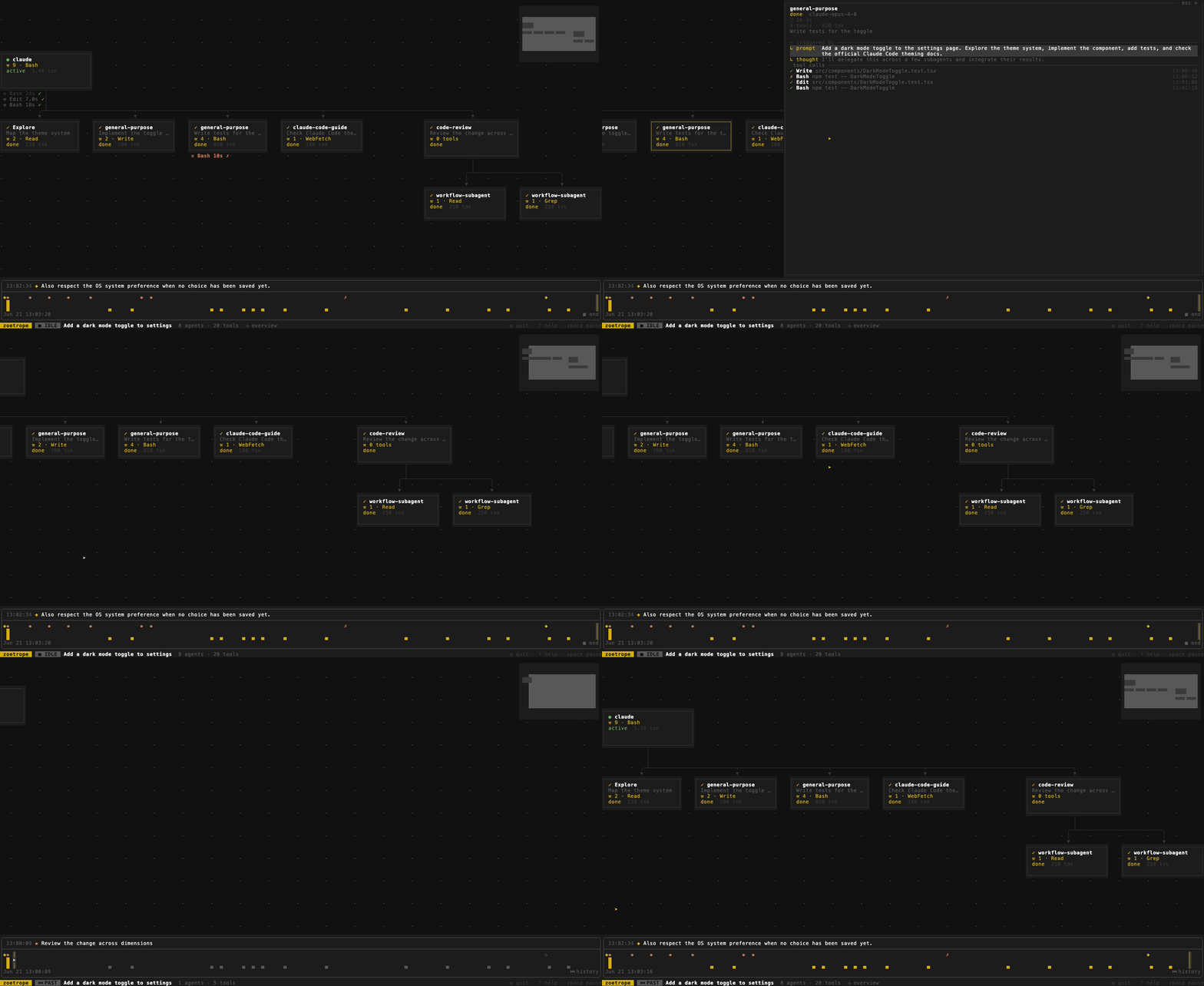
Каждая карточка — это агент: главная сессия, суб-агент или группа воркфлоу с вложенными детьми, показывающая статус, текущий инструмент, количество инструментов и выходные токены, а вызовы инструментов появляются под ней как чипы, которые разрешаются в галочку или крестик.Можно отмотать и проиграть сессию после её завершения?Да, есть перематываемая шкала времени, индексированная по событиям, а не по реальному времени, так что можно двигаться назад и смотреть, как агенты «отменяют завершение», а счётчики инструментов откатываются ровно к тому, как выглядела сессия в тот момент, с опциональным сжатием пауз, чтобы пропускать простои.
Да, есть перематываемая шкала времени, индексированная по событиям, а не по реальному времени, так что можно двигаться назад и смотреть, как агенты «отменяют завершение», а счётчики инструментов откатываются ровно к тому, как выглядела сессия в тот момент, с опциональным сжатием пауз, чтобы пропускать простои.Можно подробно изучить, что сделал конкретный агент?Клик по любому агенту открывает его панель происхождения: промпт, который его породил, его модель, рассуждения вокруг него и каждый вызов инструмента с таймингами; `zoe inspect` выгружает всё дерево в headless-режиме, так что работает даже без терминала.
Клик по любому агенту открывает его панель происхождения: промпт, который его породил, его модель, рассуждения вокруг него и каждый вызов инструмента с таймингами; `zoe inspect` выгружает всё дерево в headless-режиме, так что работает даже без терминала.Зачем строить просмотрщик графа вместо простого чтения сырого лога?Сырой транскрипт — плоский журнал событий с дозаписью, который трудно читать построчно; zoetrope сворачивает его в производную модель агентов, вызовов инструментов и промптов, так что родство, тайминги и завершённость становятся тем, за чем реально можно наблюдать в развитии.
Сырой транскрипт — плоский журнал событий с дозаписью, который трудно читать построчно; zoetrope сворачивает его в производную модель агентов, вызовов инструментов и промптов, так что родство, тайминги и завершённость становятся тем, за чем реально можно наблюдать в развитии.What are similar projects?agent-router, rataflow, herdr-web-ui, memex, sofka, claude-code, tuios, abtop
agent-router, rataflow, herdr-web-ui, memex, sofka, claude-code, tuios, abtopWhich topics is it in?herdr, herdr-plugin, ratatui, flow, debugging, coding-agents, visualization, wasm, tui, observability, real-time, anthropic
herdr, herdr-plugin, ratatui, flow, debugging, coding-agents, visualization, wasm, tui, observability, real-time, anthropic