


What is this?
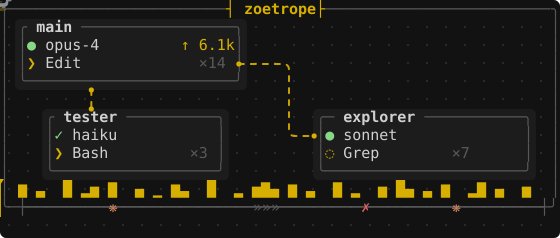
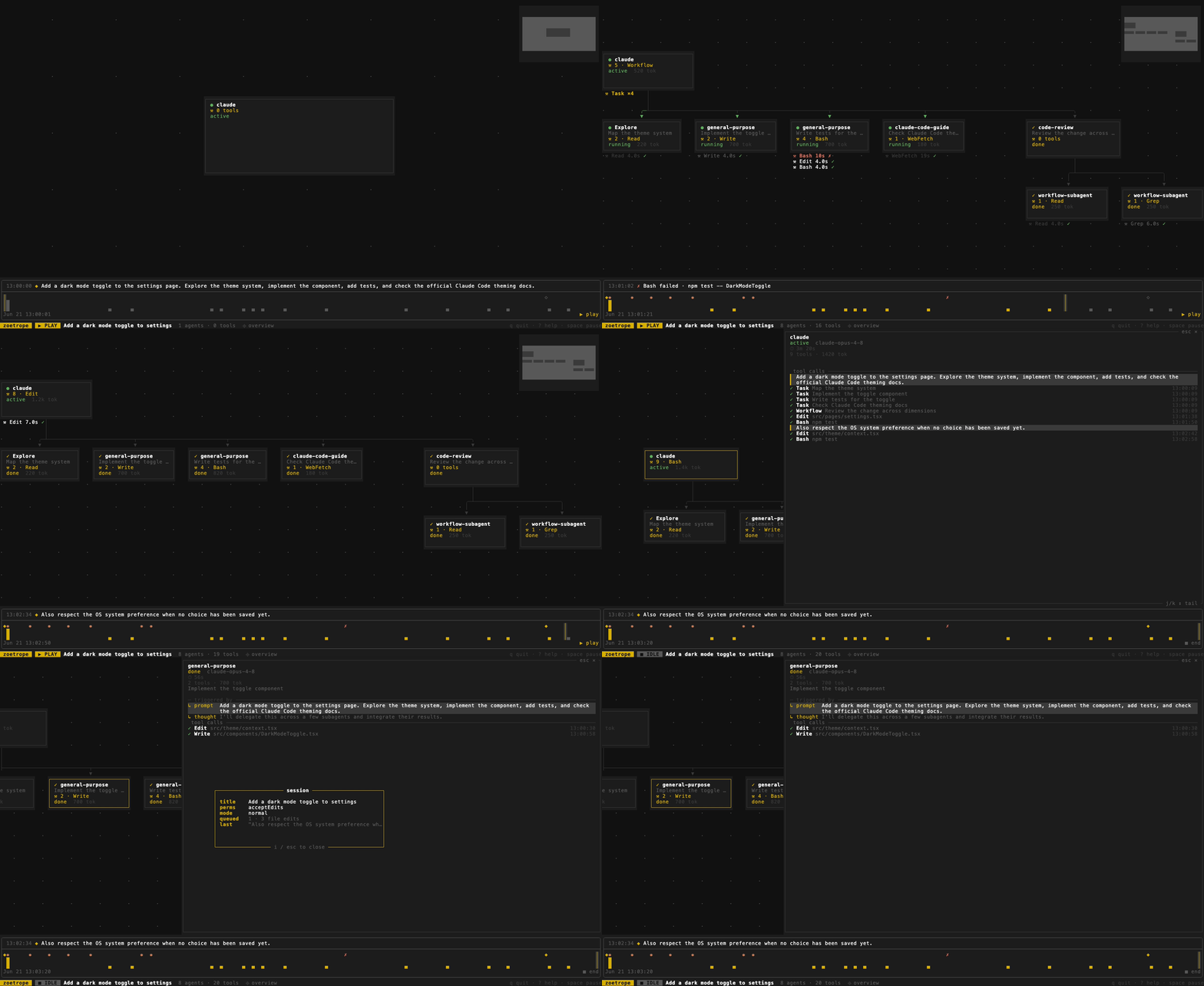
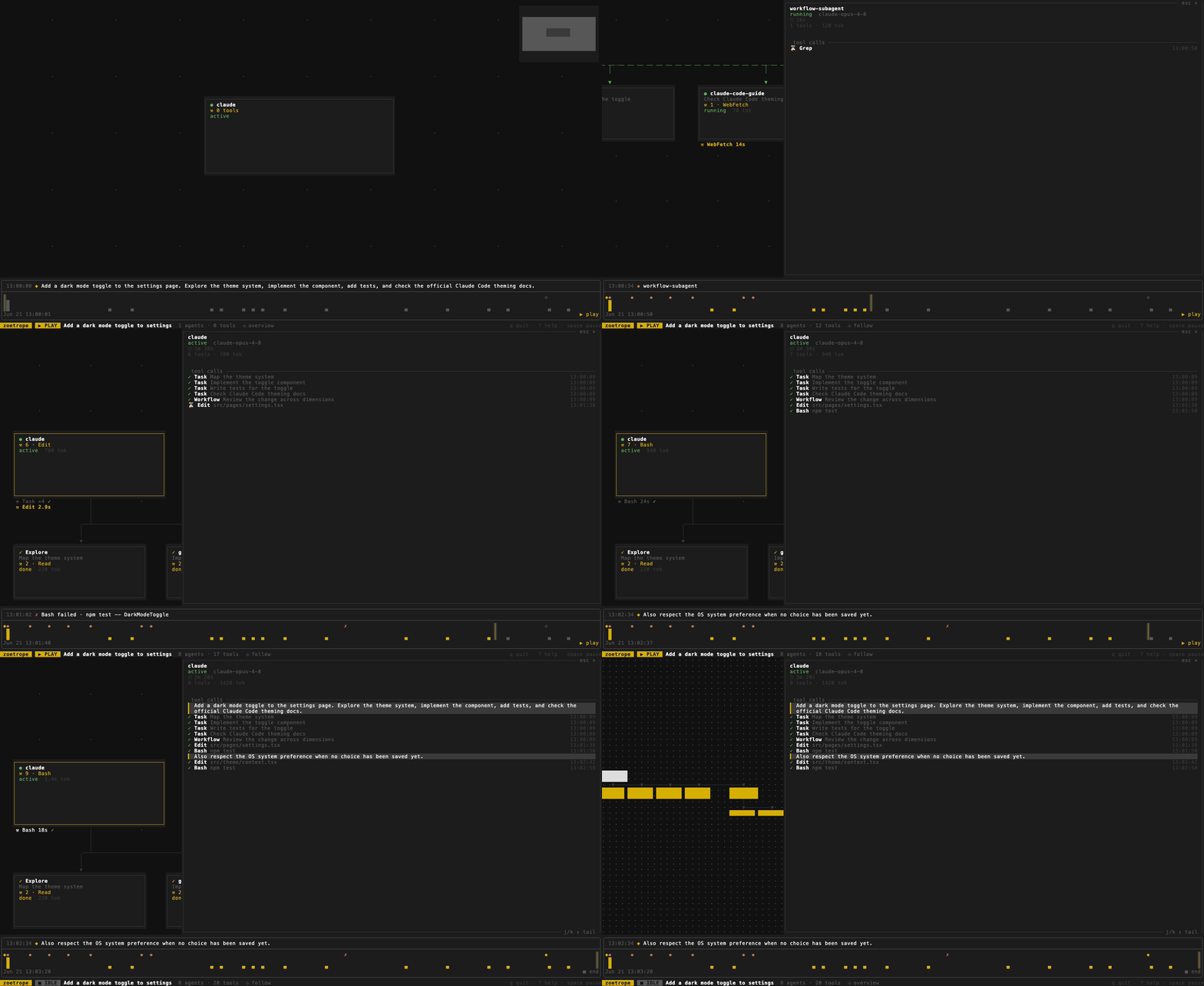
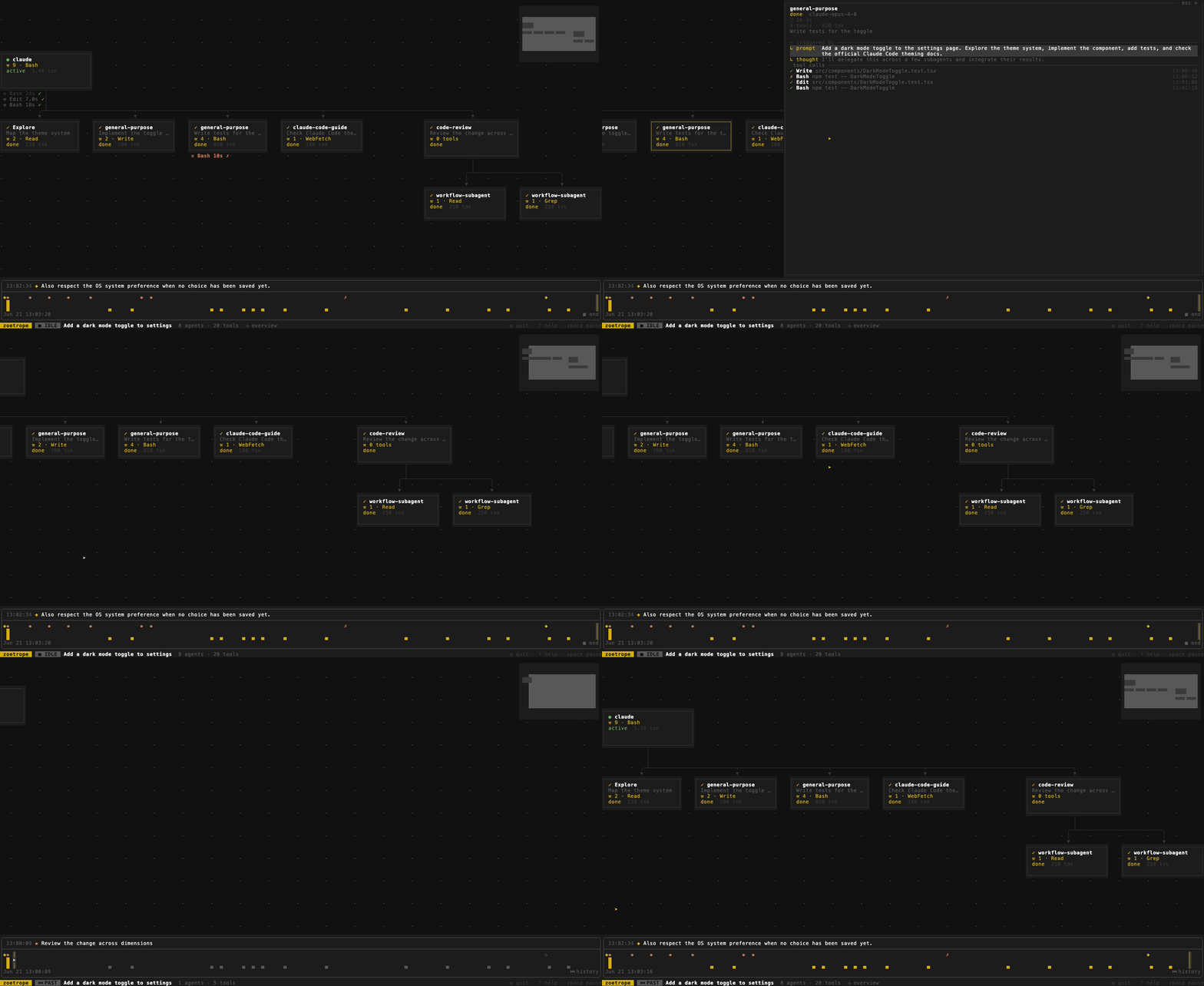
 Zoetrope turns a Claude Code (or Codex) coding-agent session into a live, animated flow graph showing the main agent, its subagents and workflows, and every tool call, which you can watch in your terminal or in a browser.
Zoetrope turns a Claude Code (or Codex) coding-agent session into a live, animated flow graph showing the main agent, its subagents and workflows, and every tool call, which you can watch in your terminal or in a browser.Is this a terminal app or a browser app?Both: the native build is a terminal UI made with ratatui, and the exact same engine is compiled to WebAssembly so it runs as a hosted web page too — you can just drop a transcript file on the page with no install at all.
Both: the native build is a terminal UI made with ratatui, and the exact same engine is compiled to WebAssembly so it runs as a hosted web page too — you can just drop a transcript file on the page with no install at all.How do I install and run it?Install via Homebrew on macOS/Linux, via Cargo if you have a Rust toolchain, or download a prebuilt binary for macOS (Apple Silicon or Intel), Linux (musl, arm64/x86_64) or Windows (x86_64); whichever way, the command is `zoe`, pointed at a transcript file or a project directory.
Install via Homebrew on macOS/Linux, via Cargo if you have a Rust toolchain, or download a prebuilt binary for macOS (Apple Silicon or Intel), Linux (musl, arm64/x86_64) or Windows (x86_64); whichever way, the command is `zoe`, pointed at a transcript file or a project directory.Do I need Claude Code already set up to use this?Yes — zoetrope only reads the JSONL transcript Claude Code writes for every session under ~/.claude/projects/, so you need to have already run (or be running) a Claude Code session; it needs no API key or account of its own.
Yes — zoetrope only reads the JSONL transcript Claude Code writes for every session under ~/.claude/projects/, so you need to have already run (or be running) a Claude Code session; it needs no API key or account of its own.What happens if Claude Code changes its transcript format?The JSONL format is undocumented and internal to Claude Code, so it can change without warning; zoetrope is built to degrade rather than break, skipping records it doesn't recognize instead of crashing.
The JSONL format is undocumented and internal to Claude Code, so it can change without warning; zoetrope is built to degrade rather than break, skipping records it doesn't recognize instead of crashing.Does any of my session data leave my machine?No — zoetrope is read-only and has zero network access; there's no HTTP client anywhere in its dependency tree and the tokio dependency is pulled in without its networking feature, which you can verify yourself with cargo tree.
No — zoetrope is read-only and has zero network access; there's no HTTP client anywhere in its dependency tree and the tokio dependency is pulled in without its networking feature, which you can verify yourself with cargo tree.What does a node in the live graph actually show me?Each card is an agent — the main session, a subagent, or a workflow group with its children nested underneath — showing status, current tool, tool count and output tokens, with tool calls appearing as chips underneath that resolve to a checkmark or an X.
Each card is an agent — the main session, a subagent, or a workflow group with its children nested underneath — showing status, current tool, tool count and output tokens, with tool calls appearing as chips underneath that resolve to a checkmark or an X.Can I rewind and replay a session after it's finished?Yes, there's a scrubbable timeline indexed by event rather than wall-clock, so you can seek backwards and watch agents un-finish and tool counts fall back exactly to how the session stood at that moment, with optional gap compression to skip dead air.
Yes, there's a scrubbable timeline indexed by event rather than wall-clock, so you can seek backwards and watch agents un-finish and tool counts fall back exactly to how the session stood at that moment, with optional gap compression to skip dead air.Can I inspect exactly what one agent did, in detail?Clicking any agent opens its provenance panel: the prompt that spawned it, its model, the reasoning around it, and every tool call with timings; `zoe inspect` dumps the whole tree headlessly so it works even without a terminal.
Clicking any agent opens its provenance panel: the prompt that spawned it, its model, the reasoning around it, and every tool call with timings; `zoe inspect` dumps the whole tree headlessly so it works even without a terminal.Why build a graph viewer instead of just reading the raw log?The raw transcript is a flat append-only event log that's hard to follow line by line; zoetrope folds it into a derived model of agents, tool calls and prompts so parentage, timing and completion become something you can actually watch unfold.
The raw transcript is a flat append-only event log that's hard to follow line by line; zoetrope folds it into a derived model of agents, tool calls and prompts so parentage, timing and completion become something you can actually watch unfold.What are similar projects?agent-router, rataflow, herdr-web-ui, memex, sofka, claude-code, tuios, abtop
agent-router, rataflow, herdr-web-ui, memex, sofka, claude-code, tuios, abtopWhich topics is it in?herdr, herdr-plugin, ratatui, flow, debugging, coding-agents, visualization, wasm, tui, observability, real-time, anthropic
herdr, herdr-plugin, ratatui, flow, debugging, coding-agents, visualization, wasm, tui, observability, real-time, anthropic