
rataflow
Interactive node-based UIs for the terminal.


rataflow.furkankly.dev · every example in your browser, the crate itself compiled to WASM
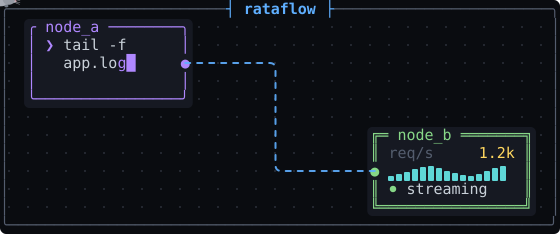
rataflow is a library for building node-based UIs in the terminal, from a static diagram to a fully interactive editor. Built on ratatui, inspired by xyflow (React Flow).
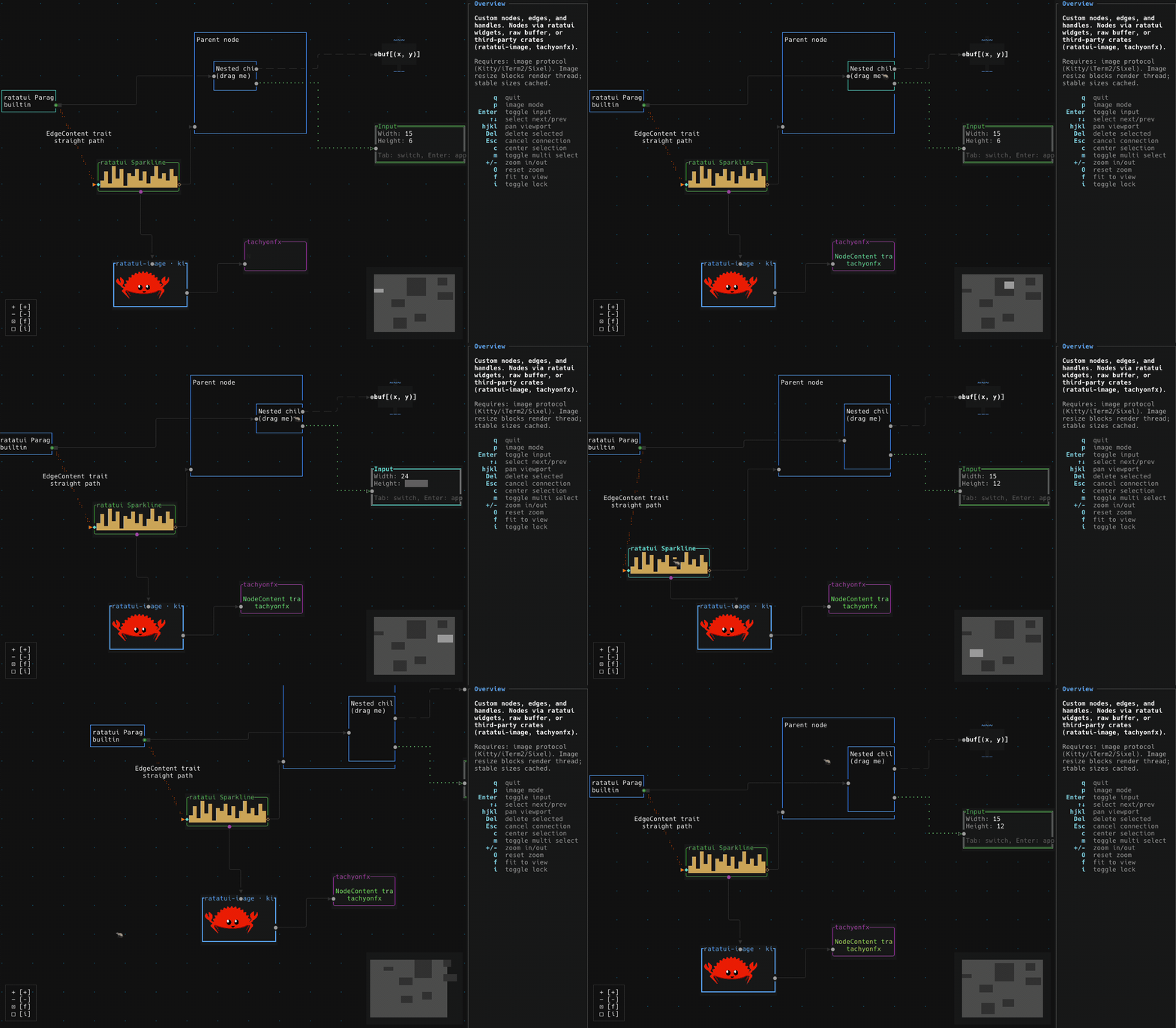
Installation
cargo add rataflow
Or add to your Cargo.toml:
[dependencies]
rataflow = "0.1"
Features
Graph model
- Generic nodes and edges with custom content types (
NodeContent, EdgeContent)
- Parent/child hierarchies with relative positioning and parent-bounded extents
- Per-node interaction flags: draggable, selectable, deletable, connectable, resizable, hidden, z-index
- Runtime mutation API that keeps layout, hierarchy, and indices consistent
- World-space queries for node bounds, regions, and what sits under a point
Interaction
- Pan and zoom (mouse, keyboard, scroll-to-zoom-at-cursor), plus fit-view and center-on-selection
- Mouse dragging to move nodes, create connections, and reconnect existing edges
- Multi-selection with bulk operations, plus box selection on right-drag (or left, via
selection_on_drag)
- Node resizing from a bottom-right grip
- Keyboard navigation: spatial (arrow keys) and sequential (Tab), fully rebindable via actions
- Auto-pan when dragging near the canvas edge
- Context-menu events for right-clicks on nodes, edges and the pane
- Connection validation with Strict/Loose modes, connectability flags, and custom validators
Rendering
- Fully custom node and edge rendering
- Built-in node and edge types:
TextContent, StepEdge, StraightEdge, FloatingEdge
- Edge routing across all handle positions, plus animated edges and braille strokes for smooth diagonals
- Layering that keeps children above their parents at any nesting depth, and raises the selection
- Crossing edges merge into junction glyphs instead of overwriting each other
- Non-opaque nodes (
opaque) that let edges and nodes behind them show through
- Off-screen culling, with partially visible nodes still drawing the part that fits
- Companion widgets: Controls, MiniMap, Background
- Runtime theming with Dark, Light, or a custom
Palette, resolved at render time
Layout
- Automatic layered layout via Sugiyama, with configurable direction, spacing, and margins
- Or positions from any external algorithm via
set_node_positions, available with the built-in layout compiled out
Integration
- Backend-agnostic input for crossterm, termion, termwiz, and WASM (via ratzilla)
- Serialization of graph snapshots with serde (undo/redo, save/restore)
- Action/event model where handlers return semantic
FlowEvents with no hidden mutations
Concepts
Flow is the widget. Render it with &mut flow, forward key and mouse events to it, and read graph state back from it. There's no separate state object to keep in sync.- Nodes and edges carry your content. They're generic over
NodeContent and EdgeContent, so a node holds whatever type you want to draw rather than a fixed shape.
- Companion widgets wrap a
Flow. Background, Controls, and MiniMap borrow a Flow and render alongside it.
- You own the event loop.
Flow reacts only to the input you forward, and returns FlowEvents describing what happened. It never mutates the graph behind your back.
Quick Start
A list of edges is enough to get a graph on screen. Nodes come from the unique
names, positions from the layout, handles from its direction. It's draggable,
pannable and zoomable from the first frame.
use rataflow::{Flow, Sugiyama};

let mut flow: Flow = Flow::from_edges(
    &[("Start", "Process"), ("Process", "End")],
    Sugiyama::vertical(),
)?;
To say more than that, build the graph yourself. The defaults come apart into
their pieces: your own positions, handles, content types and edge kinds.
use rataflow::{Flow, Node, Edge, StepEdge};

// Create nodes with auto-sized text content
let nodes = vec![
    Node::from_text("a", (10.0, 10.0), "Node A"),
    Node::from_text("b", (40.0, 10.0), "Node B"),
];

// Create edges
let edges: Vec<Edge<StepEdge>> = vec![
    Edge::new("e1", "a", "b"),
];

// Create flow (`?` here assumes an enclosing `fn main() -> Result<..>`)
let mut flow = Flow::with_graph(nodes, edges)?;

// Request fit-view (applied at render time)
flow.request_fit_view();

// Render in your draw loop
terminal.draw(|f| {
    f.render_widget(&mut flow, f.area());
})?;
The examples/ directory has a runnable demo for every feature. A few starting points:
basic: nodes, edges, and companion widgets togethermulti_select: building a selection and acting on itcustom_nodes / custom_edges: your own content typescustom_layout: your own positioning algorithmevents: reacting to FlowEventshierarchy: parent/child nodestheming: switching themes at runtimesave_restore / undo_redo: serialization with serde
Run any of them with cargo run --example <name>.
Event Handling
Event handlers return an EventResponse: NotHandled, Handled, or Event(Vec<FlowEvent>). A single interaction can produce several events, for example NodeClicked followed by SelectionChanged:
use rataflow::FlowEvent;

for event in flow.handle_mouse_event(mouse.into()).into_events() {
    match event {
        FlowEvent::NodeClicked { node_id } => {
            // Show details, fetch data, etc.
        }
        FlowEvent::ConnectionCompleted(conn) => {
            // Add the edge, then persist to backend, validate, etc.
            flow.add_edge_from_connection(conn, StepEdge::default());
        }
        FlowEvent::SelectionChanged { node_ids, .. } => {
            // Update sidebar with current selection
        }
        _ => {}
    }
}
Under the Hood
A terminal cell grid doesn't give you what a browser does. There's no
compositor, no stacking contexts, and no coordinates for anything drawn past
the screen edge. A few of the pieces this library fills in:
- Off-screen rendering. Nodes render into per-node scratch buffers, so
elements past the top or left edge (which ratatui's u16 buffer can't address)
still draw correctly.
- Manual z-ordering. A hand-rolled
(z_index, insertion_order) sort with
xyflow-compatible child-above-parent stacking, in place of DOM z-index.
- Box-drawing symbol merging. Crossing edges resolve to proper junction
glyphs (
┼ ├ ┤) instead of overwriting each other. Braille edges merge the
same way, by combining dots within a cell.
- f64 → i32 → u16 coordinate pipeline. World-space math stays in floats. A
signed integer stage handles off-screen clipping before the final u16 cast.
See docs/ARCHITECTURE.md for the design rationale,
and docs/INTERNALS.md for how it is implemented.
I've written this up as a series, Node-based UIs in the terminal. The first post
covers the whole surface, and the other four each go one level down:
Event Loop
One operational gotcha: terminal backends deliver every raw mouse event individually (125-1000Hz), unlike browsers, which coalesce mouse moves between frames. During a drag the unprocessed events queue up and the input visibly lags.
Drain all pending events before each render:
'main: loop {
    terminal.draw(|f| {
        f.render_widget(&mut flow, area);
    })?;

    // Wait up to 16ms (~60 FPS) for the first event, then drain the rest
    if event::poll(Duration::from_millis(16))? {
        loop {
            match event::read()? {
                Event::Key(key) => {
                    if key.code == KeyCode::Char('q') { break 'main; }
                    flow.handle_key_event(key.into());
                }
                Event::Mouse(mouse) => {
                    for event in flow.handle_mouse_event(mouse.into()).into_events() {
                        match event {
                            FlowEvent::NodeClicked { node_id } => { /* ... */ }
                            _ => {}
                        }
                    }
                }
                _ => {}
            }
            if !event::poll(Duration::ZERO)? { break; }
        }
    }
}
All examples use this pattern. See examples/basic_async.rs for the tokio equivalent.
Benchmarks measure node dragging, the hardest sustained operation and the one where frame time turns into visible jank. Each test runs 20 consecutive move-and-render frames. Selection and mounting get no benchmarks of their own, because they are single-frame operations and dragging already covers the sustained case.
The graph topology and size (25x25 chain = 625 nodes, 624 edges) match xyflow's stress test. Frame durations measured via performance.now() (WASM/xyflow) and std::time::Instant (native). Only the 20 mousemove frames are reported.
cargo run --release --example stress_test -- --bench        # Headless benchmark (25x25 default)
cargo run --release --example stress_test                   # Interactive (t=drag, a=all, q=quit)
Native
Headless benchmark, 200x60 terminal buffer (a typical fullscreen terminal at 1080p, fixed so numbers compare across machines). Release build, chain topology.
| Nodes |
Edges |
Drag Avg |
FPS |
| 625 |
624 |
~1.0ms |
~1,000 |
| 10,000 |
9,999 |
~6.6ms |
~152 |
| 22,500 |
22,499 |
~11.4ms |
~88 |
| 40,000 |
39,999 |
~18.1ms |
~55 |
Grid topology (2 edges per node) roughly doubles render time: 37,500 nodes with 74,600 edges averages ~33ms.
Native vs WASM
At 625 nodes: ~1.0ms vs ~8ms. The ~8x overhead comes from the WebGL2 rendering pipeline and browser frame scheduling.
Full WASM scaling data
| Nodes |
Edges |
Drag Avg |
Range |
| 625 |
624 |
~8ms |
7-10ms |
| 2,500 |
2,499 |
~8ms |
8-9ms |
| 5,625 |
5,624 |
~8ms |
7-10ms |
| 10,000 |
9,999 |
~8ms |
7-12ms |
| 22,500 |
22,499 |
~13ms |
12-15ms |
| 27,889 |
27,888 |
~17ms |
16-19ms |
WASM vs xyflow (React Flow)
rataflow renders to a flat cell buffer on a WebGL2 canvas via ratzilla; xyflow renders to the DOM using React/Svelte. These are fundamentally different rendering architectures, so this isn't a "which is better". It's a concrete illustration of the tradeoffs each approach makes.
625 nodes, 624 edges. Same browser, same window.
| Library |
Avg Frame |
Range |
Frames |
| rataflow WASM |
~8ms |
7-10ms |
20/20 |
| xyflow (React Flow) |
~11ms |
5-30ms |
11-14/20 |
Scaling. How many nodes at equivalent frame time:
| Library |
Nodes |
Edges |
Avg Frame |
Range |
| xyflow (React Flow) |
625 |
624 |
~11ms |
5-30ms |
| rataflow WASM |
10,000 |
9,999 |
~8ms |
7-12ms |
16:1. rataflow WASM handles 10,000 nodes at the frame time xyflow needs for 625.
Feature Flags
crossterm (default): event conversion for the crossterm backendtermion: event conversion for the termion backendtermwiz: event conversion for the termwiz backendratzilla: WebAssembly support via ratzillasugiyama (default): automatic graph layoutserde: serialization of graph snapshots
Contributing
Pull requests are welcome.
- This project follows Conventional Commits for all commit messages (e.g.
feat(state): add box selection on right-drag, fix(ui): skip orphan edges referencing removed nodes). The changelog is generated from them with git-cliff, and non-conforming commits are dropped.
- Run
cargo fmt, cargo clippy and cargo test before opening a PR.
License
MIT License
Acknowledgements
- ratatui for the terminal UI framework
- xyflow for inspiring the API design

 rataflow — библиотека на Rust для создания нодовых интерактивных редакторов диаграмм прямо внутри терминала: от статичной диаграммы до полностью интерактивного нодового редактора.