Get started with Pangolin Cloud at app.pangolin.net
Pangolin is an open-source SASE platform, built on WireGuard®, with a simple mission: connect and protect your users, wherever they are. It brings networking and security together as one system including a zero-trust VPN, zero-trust reverse proxy, privileged access management, and an identity-aware AI gateway, all sharing one identity and policy model. It's the same idea behind platforms like Cloudflare One, Zscaler, and Prisma but open, self-hostable, and built to stay light and easy to deploy.
Networking and security that's unified, open, and simple
Legacy SASE platforms got the idea right: connectivity and security belong together. But they delivered it as a heavyweight, closed, cloud-locked stack assembled from years of patchwork. Pangolin exists to do that unification differently, in the open, self-hostable, and simple enough that administrators actually enjoy running it.
- Open source, not a black box: the code is open and auditable, so you can see exactly how your traffic is handled and how access decisions get made, instead of trusting a closed cloud control plane.
- Networking and security as one platform: sites, reverse proxy, client access, RBAC, and the AI gateway share one identity and policy model, so protecting users and connecting them are executed together.
- Lightweight by design: the whole platform is built to stay small and fast: easy to self-host on a small server, with a lightweight, user-space connector that goes in your private networks.
- Enjoyable to use: a clean, modern interface and a setup flow that gets out of your way, so managing access feels simple instead of like fighting a legacy admin console.
- Zero trust from day one: access is granted per resource, not per network, with identity provider integration, role-based access control, and full audit logging.
- Run it your way: self-host the Community Edition for free, step up to the Enterprise Edition for advanced features, or use Pangolin Cloud if you'd rather not manage infrastructure at all.
Installation
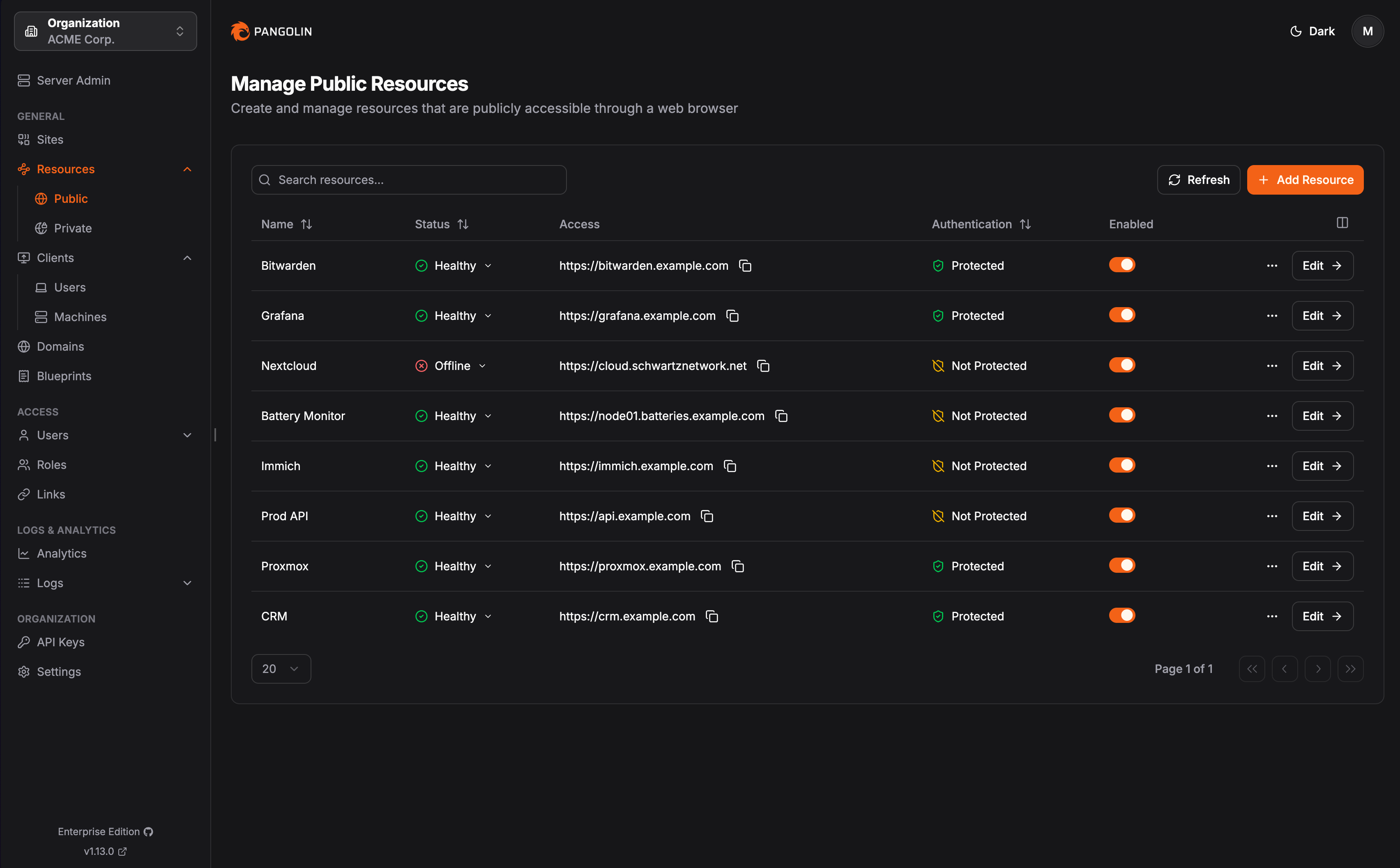
Deployment Options
- Pangolin Cloud - Fully managed service with no infrastructure required.
- Self-Host: Community Edition - Free, open-source, and licensed under AGPL-3.
- Self-Host: Enterprise Edition - Open-core, and licensed under Fossorial Commercial License. Free for personal and hobbyist use, and for businesses making less than $100K USD gross annual revenue.
Key Features
Connect remote networks with sites and NAT traversal
Pangolin's site connectors provide gateways into networks so you can access any networked resources. Sites use outbound tunnels and intelligent NAT traversal to make networks behind restrictive firewalls available for authorized access without public IPs or open ports. Easily deploy a site as a binary or container on any platform.
- Lightweight user-space connector runs anywhere
- Punches through any firewall
- Doesn't require open ports or a public IP
- Strict network segmentation
- WireGuard-based
- Get alerts when a device or network resource goes down
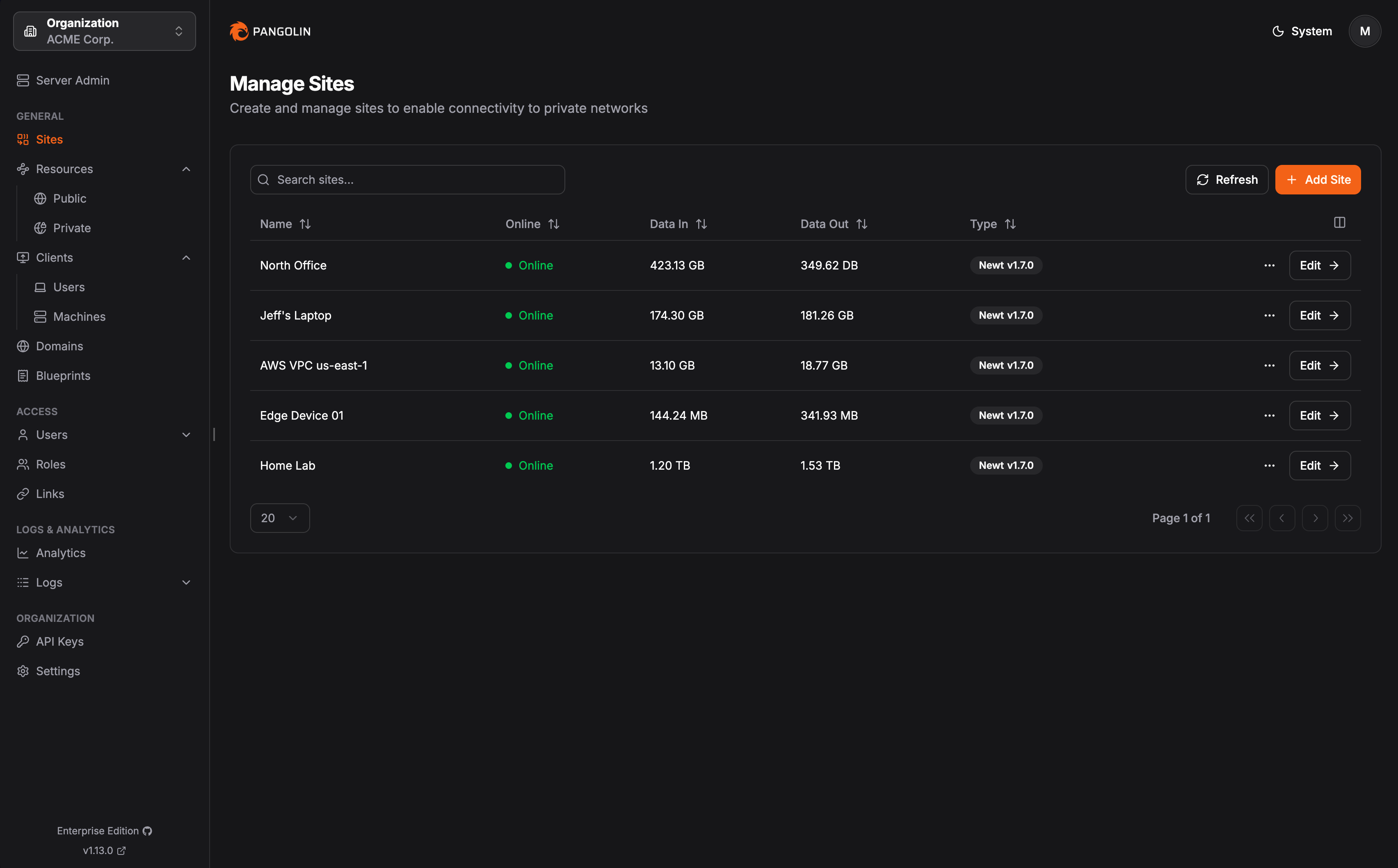
Browser-based reverse proxy access
Expose HTTPS web applications and connect to VNC, RDP, and SSH entirely in the browser through identity and context-aware tunneled reverse proxies. Users access resources with authentication and granular access control without installing a client. Pangolin handles routing, load balancing, health checking, and automatic SSL certificates without exposing your network directly to the internet.
- Expose a web panel anywhere
- Access via any web browser
- Single sign-on across all resources
- HTTPS resources
- Remote desktop in the browser with VNC and RDP
- In-browser SSH terminal with privileged access management (PAM)
- PIN codes, passcodes, email OTP, geoblocking, allow-lists, and more
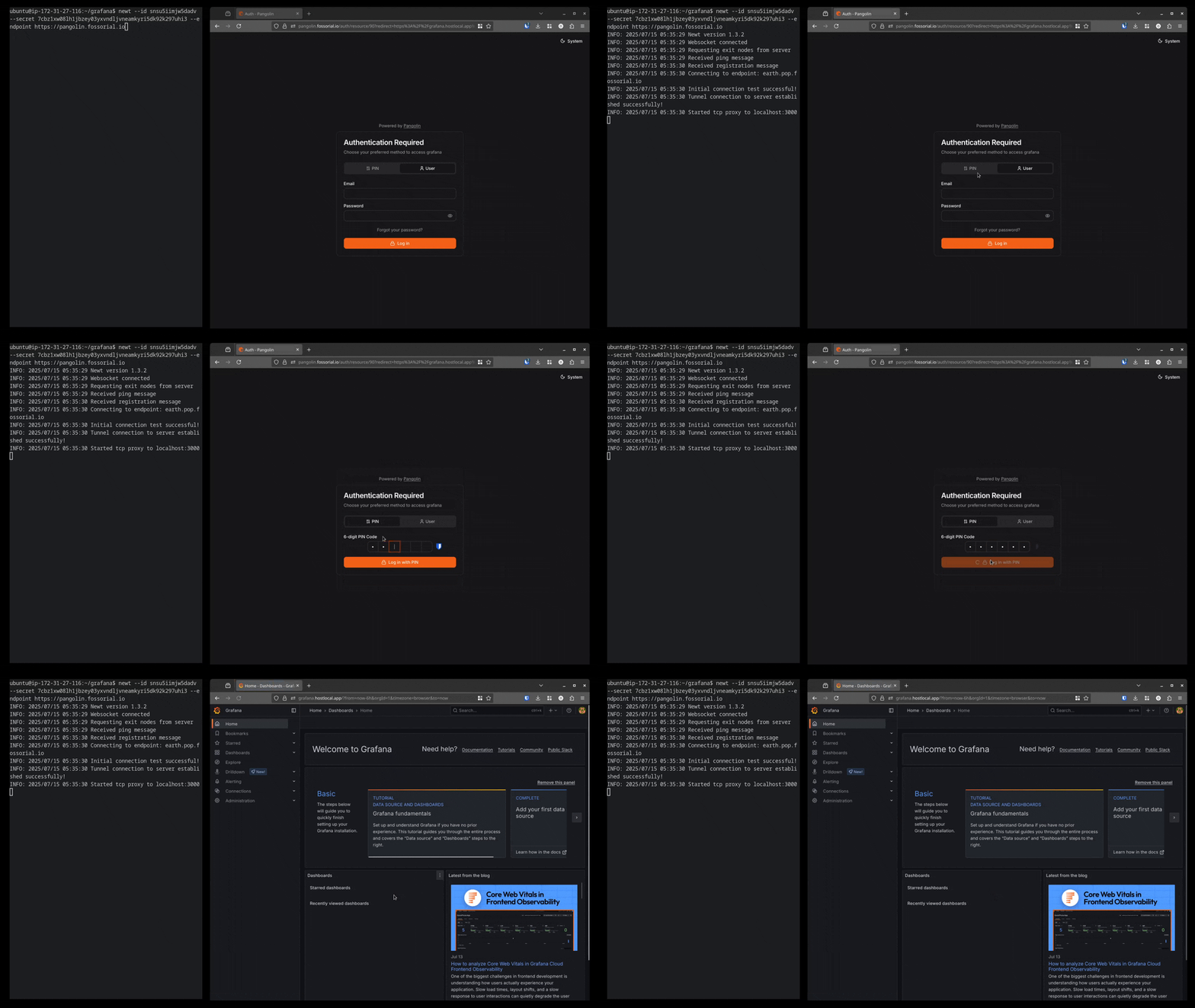
Client-based private resource access
Access private resources like SSH servers, databases, RDP, and entire network ranges through Pangolin clients. Intelligent NAT traversal enables connections even through restrictive firewalls, while DNS aliases provide friendly names and fast connections to resources across all your sites. Add redundancy by routing traffic through multiple connectors in your network.
- Peer-to-peer with intelligent NAT traversal
- Hosts/IPs and port ranges
- Network ranges/CIDRs
- Friendly DNS aliases for network addresses
- Privileged access management (PAM) with SSH resources
- Private HTTPS resources only accessible on the private network
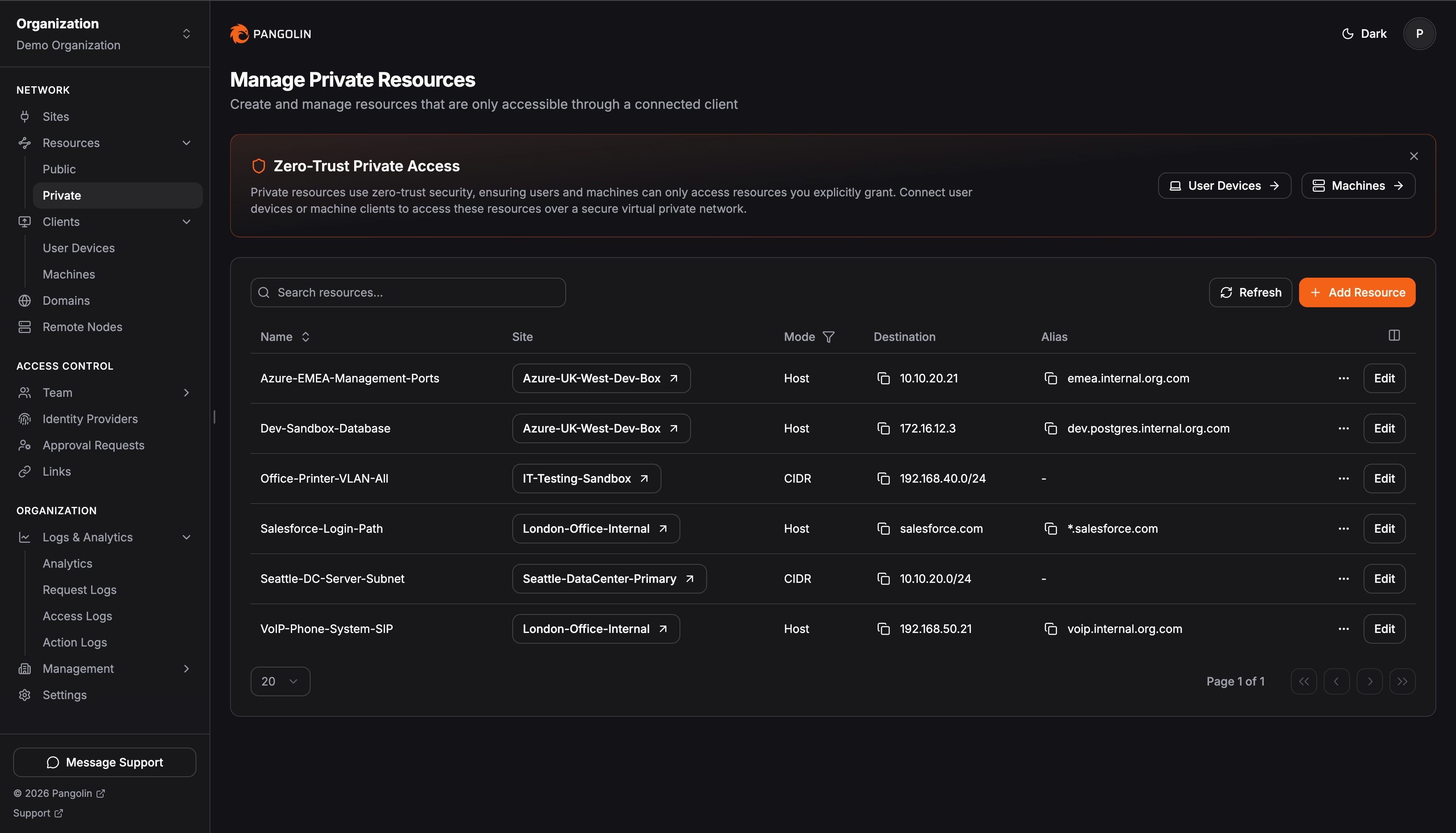
Identity-aware AI gateway
Put an identity-aware proxy in front of public cloud (OpenAI, Anthropic, Gemini, etc.) and self-hosted model servers (Ollama, vLLM, Mistral, etc.) so coding agents and AI clients call a single Pangolin URL. Publish it as a public resource with personal API keys, or keep it private on a client tunnel where the connected client is the credential for keyless access. Budgets, session history, and usage analytics sit in front of every call.
- Access self-hosted models (vLLM, Ollama, etc) alongside cloud models (OpenAI, Anthropic, etc) in one place
- Keyless access by authenticating users with the Pangolin desktop client
- Or, provide users with personal API keys
- Control costs and token usage by setting budgets
- Audit with detailed session history and analytics
- Integrate AI clients and coding agents (Claude Code, Codex, OpenCode, etc)
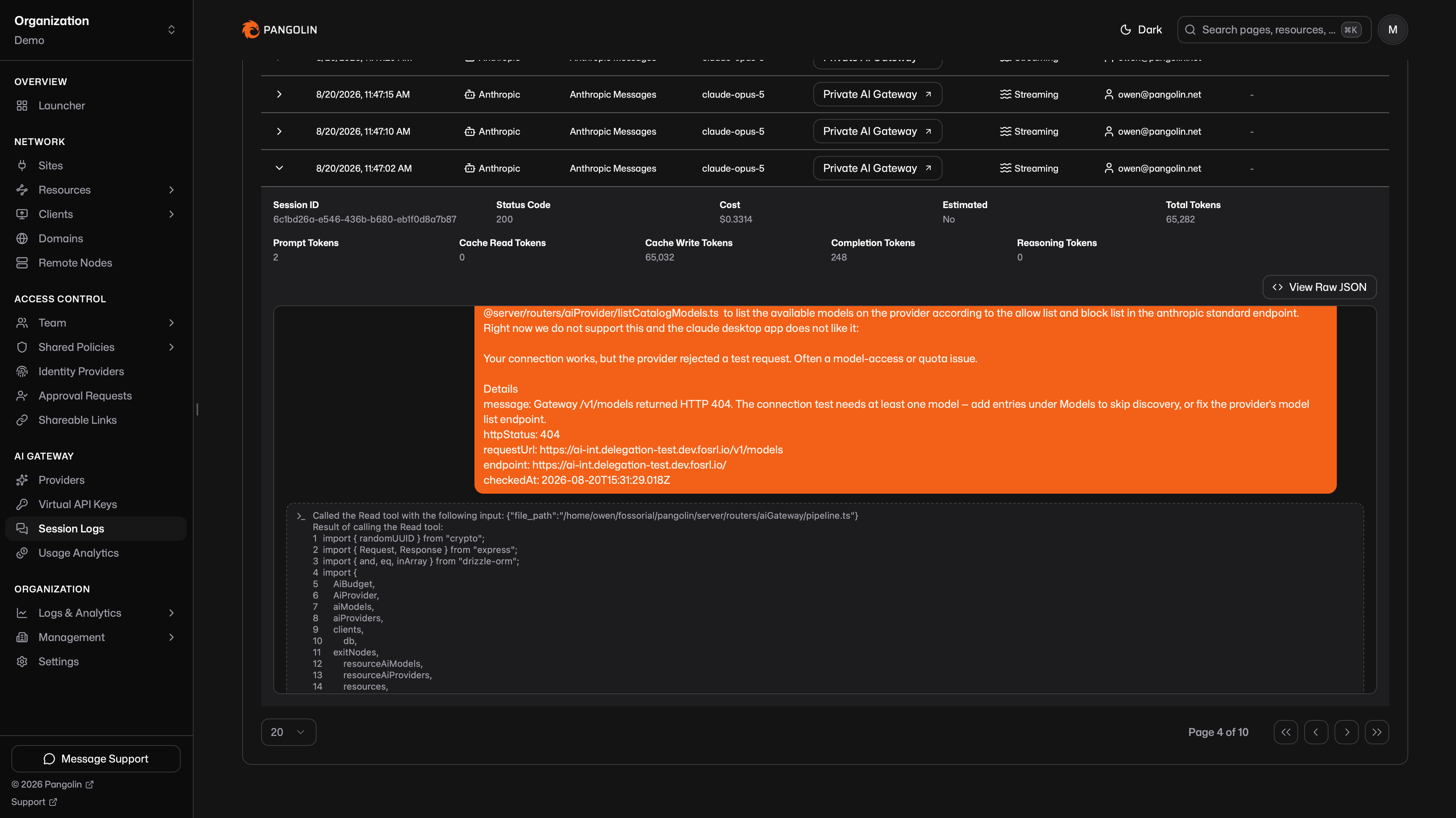
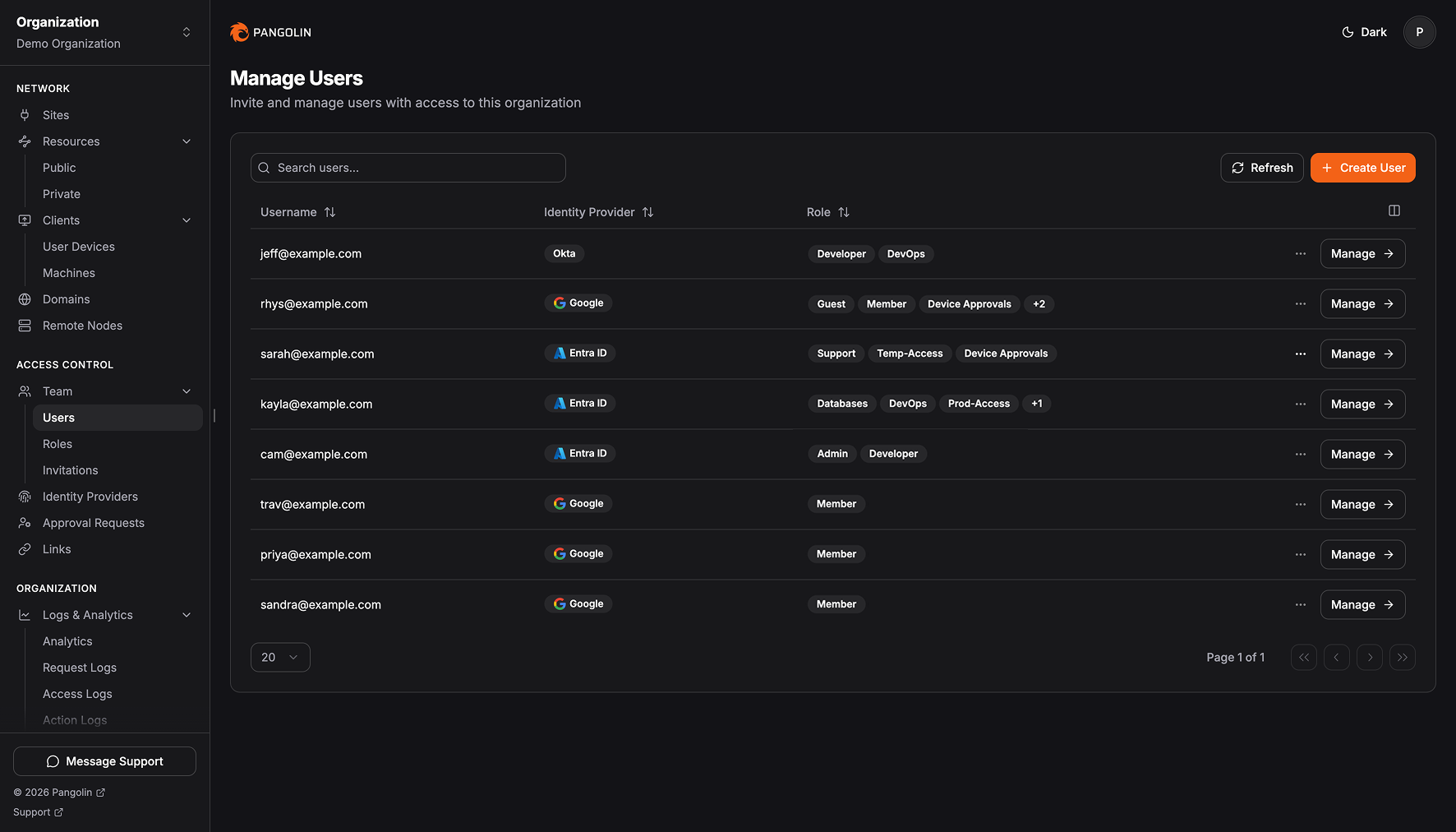
Give users and roles access to resources
Use Pangolin's built-in users or bring your own identity provider and set up role-based access control (RBAC). Grant users access to specific resources, not entire networks. Unlike traditional VPNs that expose full network access, Pangolin's zero-trust model ensures users can only reach the applications, services, and routes you explicitly define.
- Bring your existing identity provider (IdP) or use Pangolin identities
- Sync users and roles from your IdP
- User- and role-based access control
- Full network audit and access logs
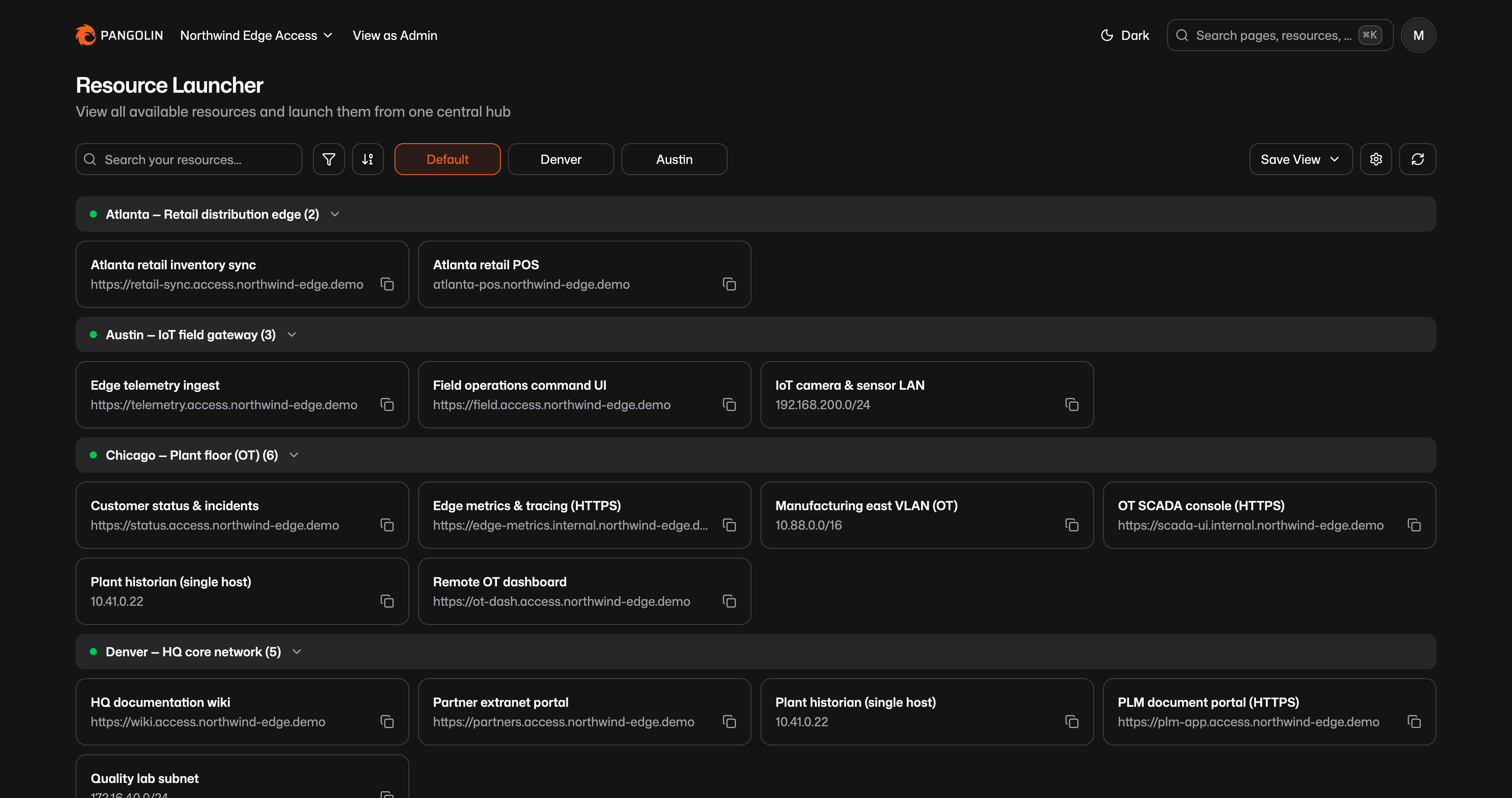
Find and launch resources from a personalized home page
Give users a landing page to quickly find and open the resources they can access. Resources are grouped by site or label, searchable, and filterable, with grid or list views. Saved views capture filters, grouping, and layout as personal or organization-wide defaults.
- Single place for admins and non-admins to see accessible resources
- Create reusable views for common access patterns
Download Clients
Download the Pangolin client for your platform:
Get Started
Sign up now
Create a free account at app.pangolin.net to get started with Pangolin Cloud.
Check out the docs
We encourage everyone to read the full documentation first, which is
available at docs.pangolin.net. This README provides only a very brief subset of
the docs to illustrate some basic ideas.
Licensing
Pangolin is dual licensed under the AGPL-3 and the Fossorial Commercial License. For inquiries about commercial licensing, please contact us at [email protected].
Contributions
Please see CONTRIBUTING in the repository for guidelines and best practices.






 Pangolin 是一个开源的 SASE(安全访问服务边缘)平台,基于 WireGuard 构建,把零信任 VPN、反向代理、特权访问管理和基于身份识别的 AI 网关整合在同一套身份与策略模型之下。