What is this?
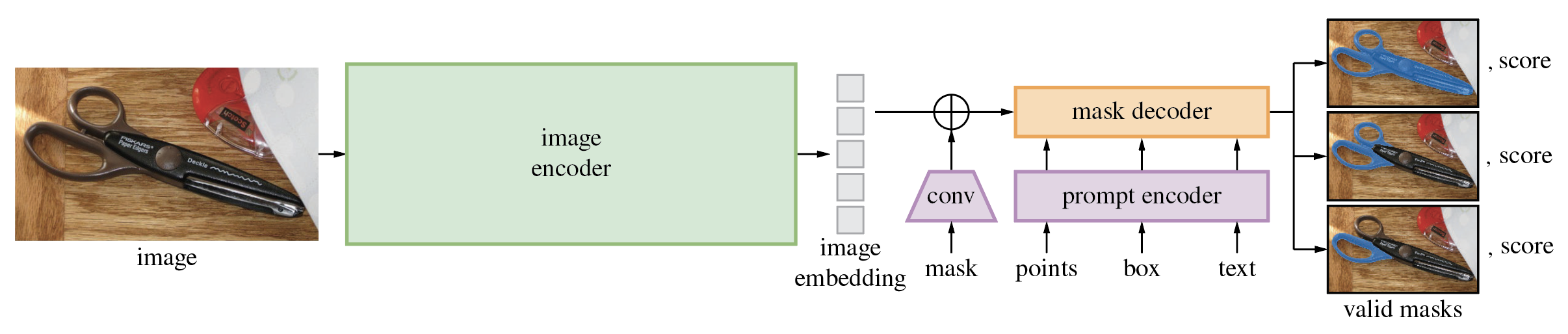
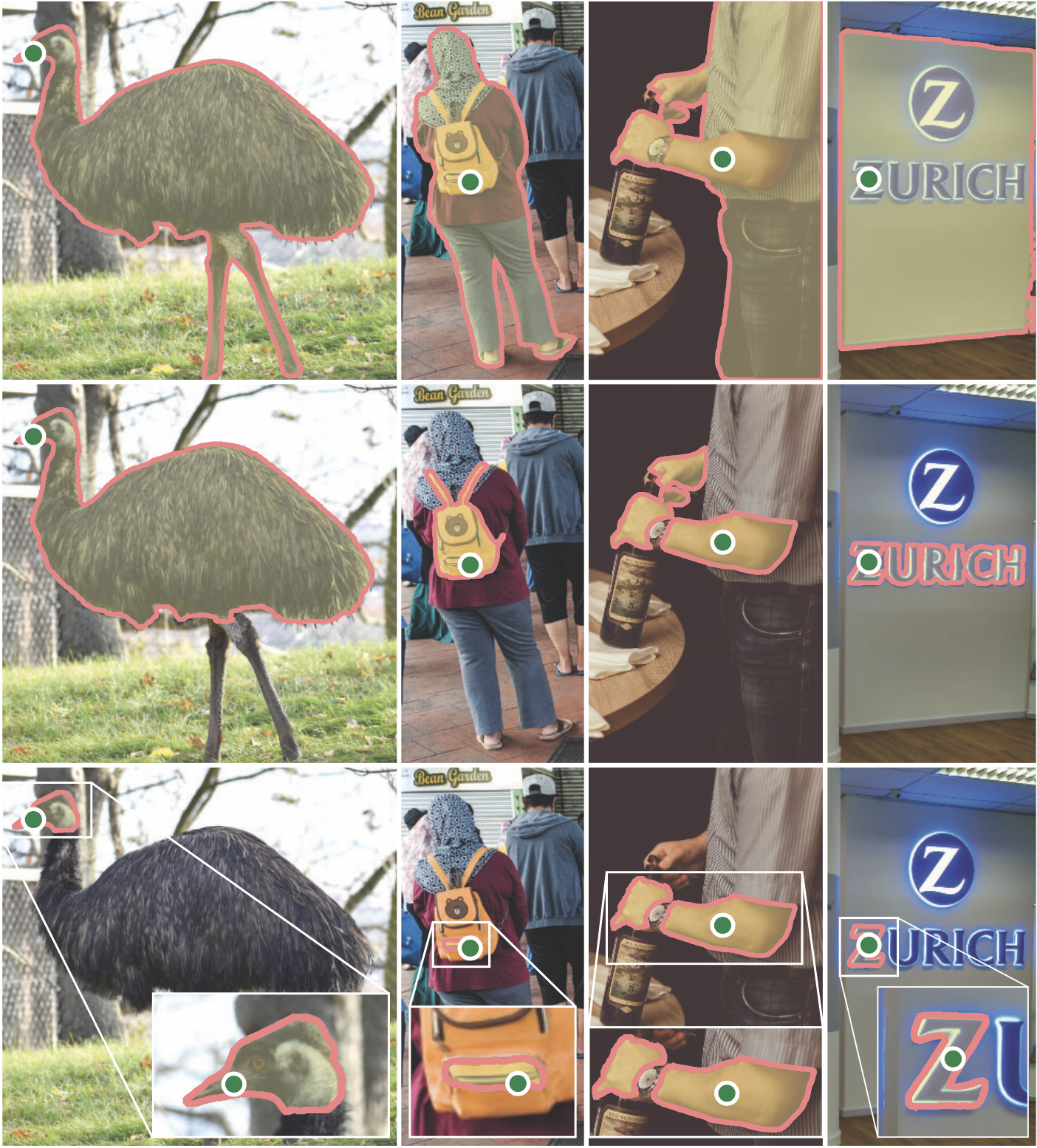
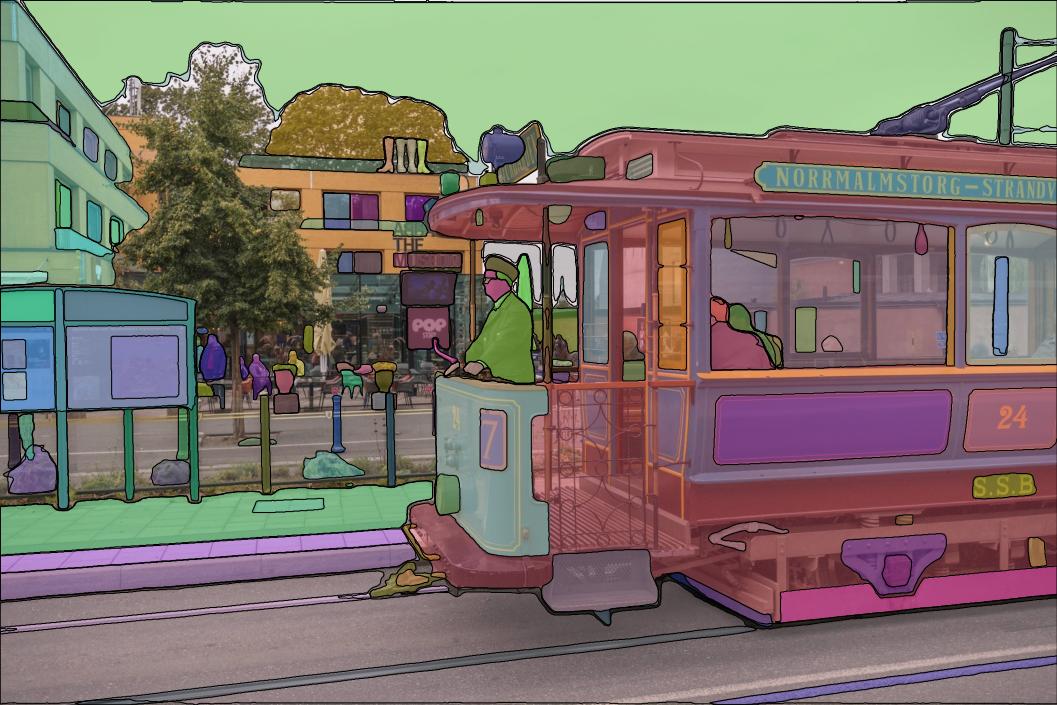
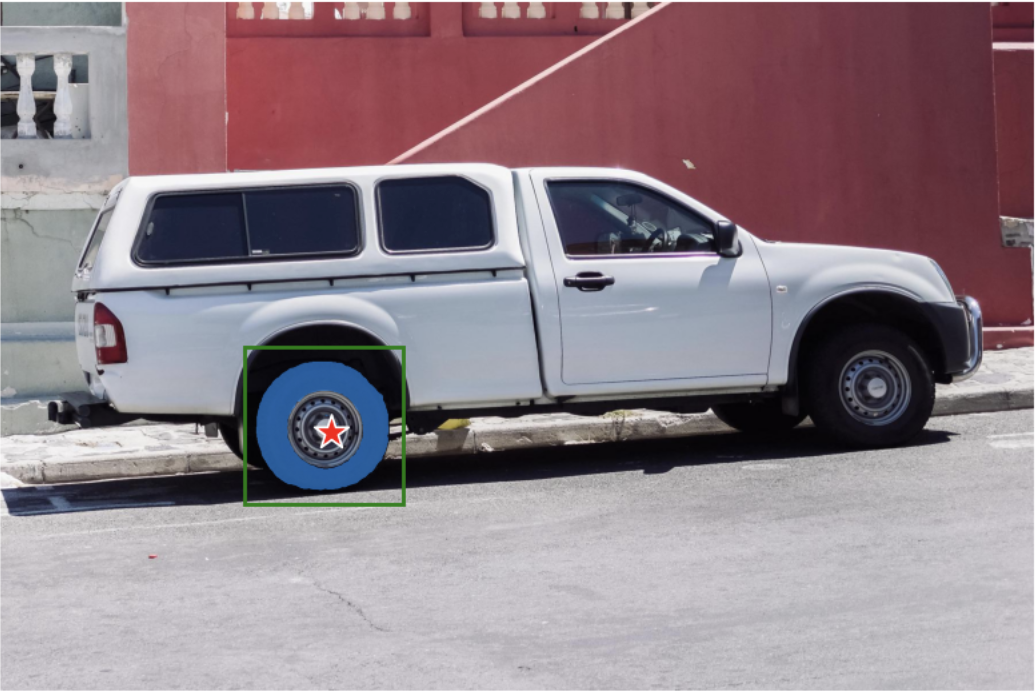
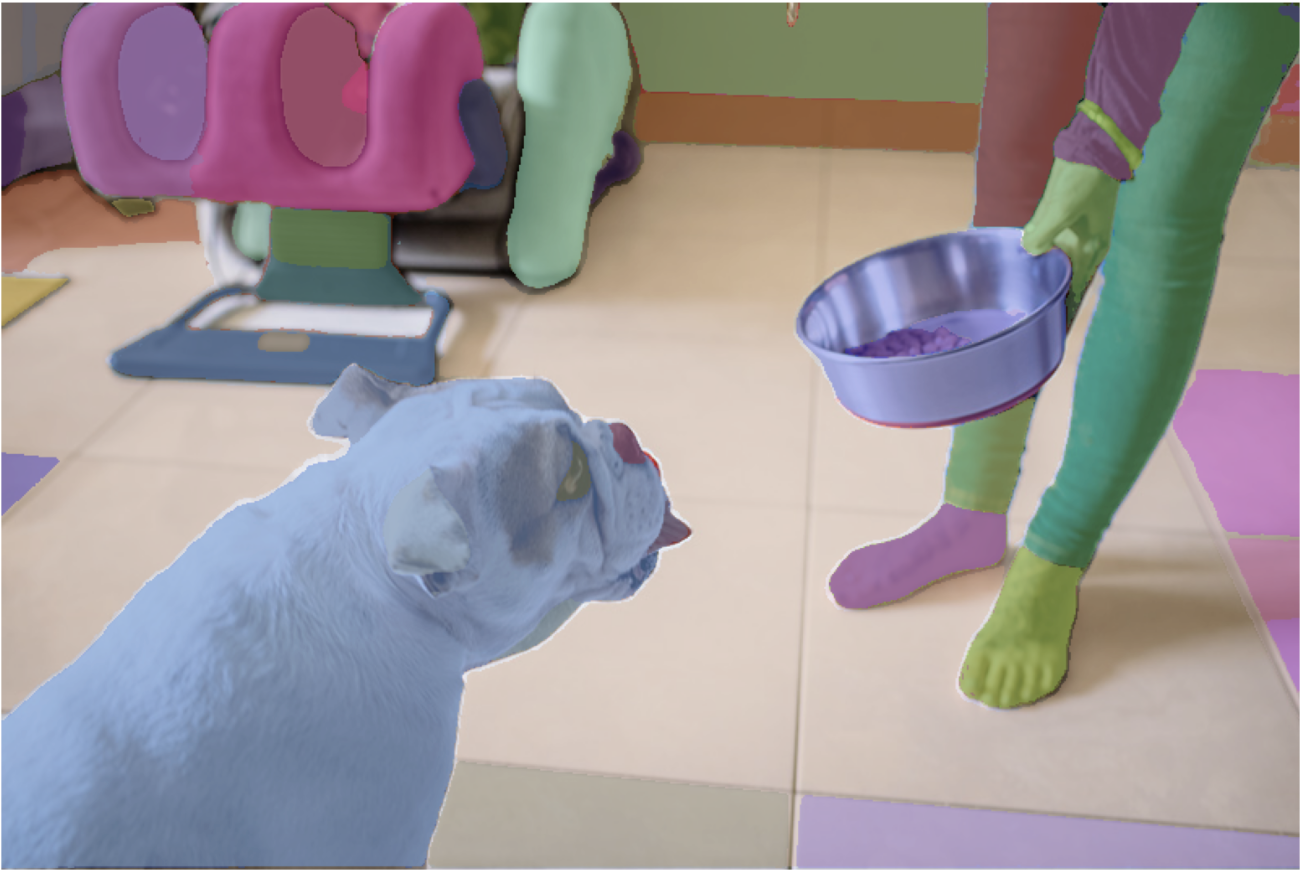
 This is Meta AI's Segment Anything Model (SAM), a foundation model that produces object masks for images from prompts like points or boxes, or automatically generates masks for every object in an image.
This is Meta AI's Segment Anything Model (SAM), a foundation model that produces object masks for images from prompts like points or boxes, or automatically generates masks for every object in an image.Is this a model I train myself, or a pretrained checkpoint I just load?It's a Python codebase for running inference with pretrained SAM checkpoints released by Meta — you download a checkpoint and call the model in a few lines, not train it from scratch.
It's a Python codebase for running inference with pretrained SAM checkpoints released by Meta — you download a checkpoint and call the model in a few lines, not train it from scratch.How do I get it running?Install the package with pip (or clone the repo and install locally), download a model checkpoint, then use SamPredictor or SamAutomaticMaskGenerator; masks can also be generated straight from the command line.
Install the package with pip (or clone the repo and install locally), download a model checkpoint, then use SamPredictor or SamAutomaticMaskGenerator; masks can also be generated straight from the command line.Do I need PyTorch and a GPU for this?You need Python 3.8+, PyTorch 1.7+, and torchvision 0.8+, and a CUDA-capable GPU is strongly recommended for both installing the dependencies and running the model.
You need Python 3.8+, PyTorch 1.7+, and torchvision 0.8+, and a CUDA-capable GPU is strongly recommended for both installing the dependencies and running the model.Is this the latest version of SAM I should be using?This repo is the original image-only SAM; Meta has since released Segment Anything Model 2 (SAM 2), which extends segmentation to video and is now the recommended release for most new work.
This repo is the original image-only SAM; Meta has since released Segment Anything Model 2 (SAM 2), which extends segmentation to video and is now the recommended release for most new work.Do I need a dedicated GPU to run SAM?A CUDA-enabled GPU is strongly recommended for installing PyTorch/TorchVision with CUDA support and for reasonable inference speed, though not strictly mandatory.
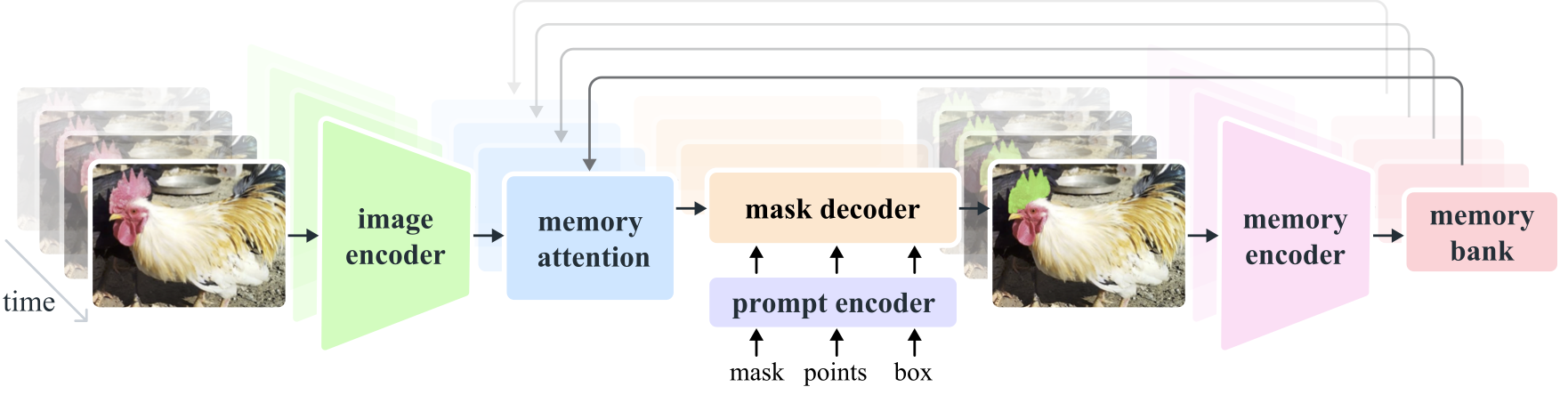
A CUDA-enabled GPU is strongly recommended for installing PyTorch/TorchVision with CUDA support and for reasonable inference speed, though not strictly mandatory.What is Segment Anything Model 2 (SAM 2) and should I use it instead?SAM 2 is Meta's newer foundation model that extends promptable segmentation from images to video using a transformer with streaming memory, trained on the larger SA-V video segmentation dataset; it lives in a separate repo linked from this README.
SAM 2 is Meta's newer foundation model that extends promptable segmentation from images to video using a transformer with streaming memory, trained on the larger SA-V video segmentation dataset; it lives in a separate repo linked from this README.What is the SA-1B dataset mentioned here?SA-1B is the dataset used to train SAM, containing 11 million images and 1.1 billion segmentation masks, downloadable under its own research license with masks stored per-image as JSON/COCO RLE.
SA-1B is the dataset used to train SAM, containing 11 million images and 1.1 billion segmentation masks, downloadable under its own research license with masks stored per-image as JSON/COCO RLE.Can SAM run in a web browser?Yes, SAM's lightweight mask decoder can be exported to ONNX and run with any ONNX runtime, including the demo/ folder's React app that performs mask prediction in-browser with multithreading.
Yes, SAM's lightweight mask decoder can be exported to ONNX and run with any ONNX runtime, including the demo/ folder's React app that performs mask prediction in-browser with multithreading.Which model checkpoint should I pick?Three backbone sizes are offered — ViT-H (default, highest quality), ViT-L, and ViT-B — each downloadable as a separate checkpoint file.
Three backbone sizes are offered — ViT-H (default, highest quality), ViT-L, and ViT-B — each downloadable as a separate checkpoint file.What are similar projects?sam2, sam3, VisionHOPE, tapnet, RelateAnything, dinov3, X-AnyLabeling, dinov2
sam2, sam3, VisionHOPE, tapnet, RelateAnything, dinov3, X-AnyLabeling, dinov2Which topics is it in?meta, image-segmentation, segmentation, foundation-models, onnx, dataset, jupyter notebook, transformer, artificial-intelligence, inference, computer-vision, cuda
meta, image-segmentation, segmentation, foundation-models, onnx, dataset, jupyter notebook, transformer, artificial-intelligence, inference, computer-vision, cuda