





Seelen-UI README

The project's README from github.com/eythaann/Seelen-UI. As one markdown file: README.md.

Seelen UI Logo Seelen UI

Fully Customizable Desktop Environment for Windows
Available in 70+ Languages

Contributors Last Commit Version Downloads

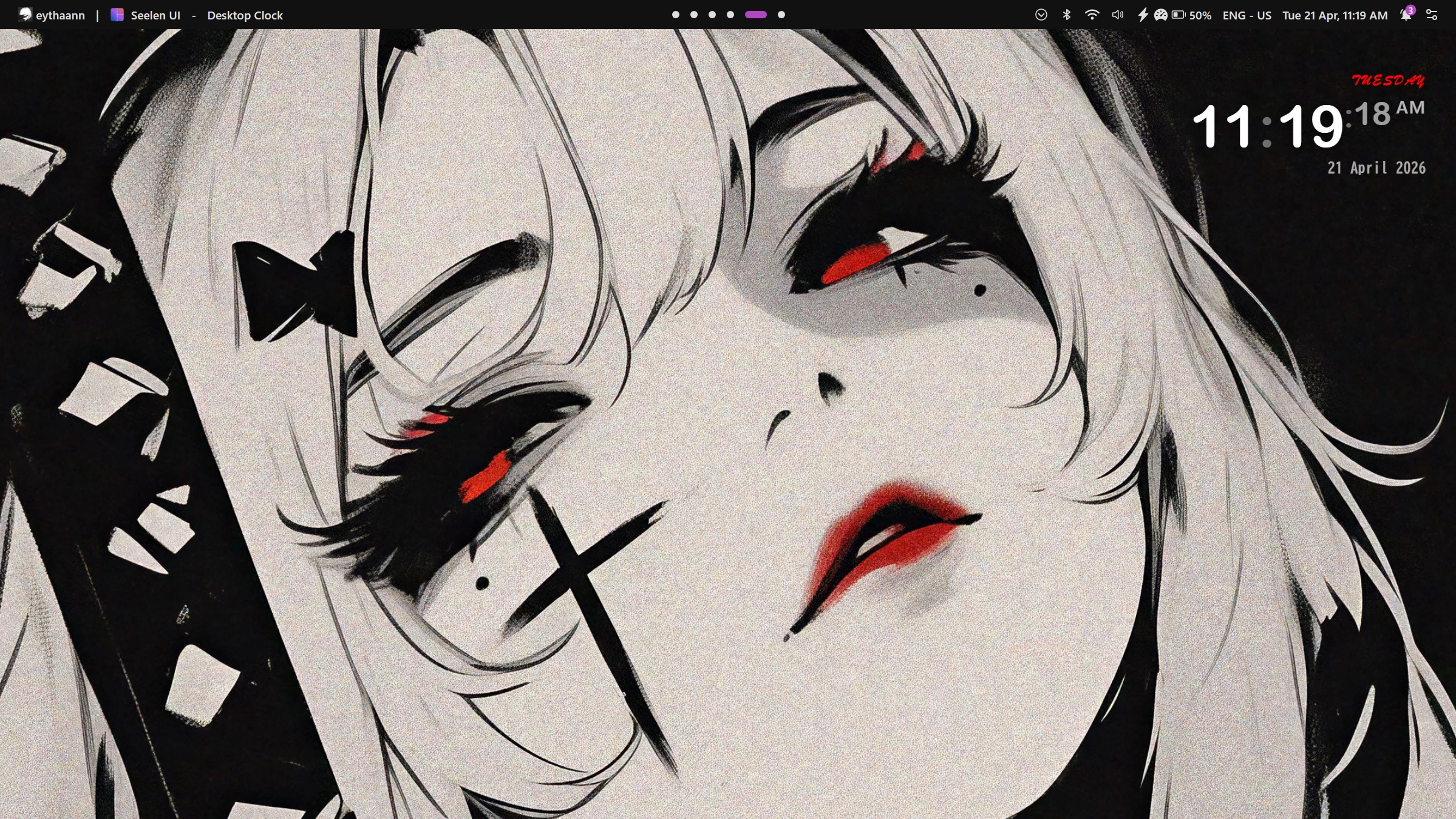
Screenshot of Seelen UI desktop showing a customized desktop environment
Download Seelen UI from Microsoft Store Join the Seelen UI Discord community DigitalOcean Referral Badge

What is Seelen UI?

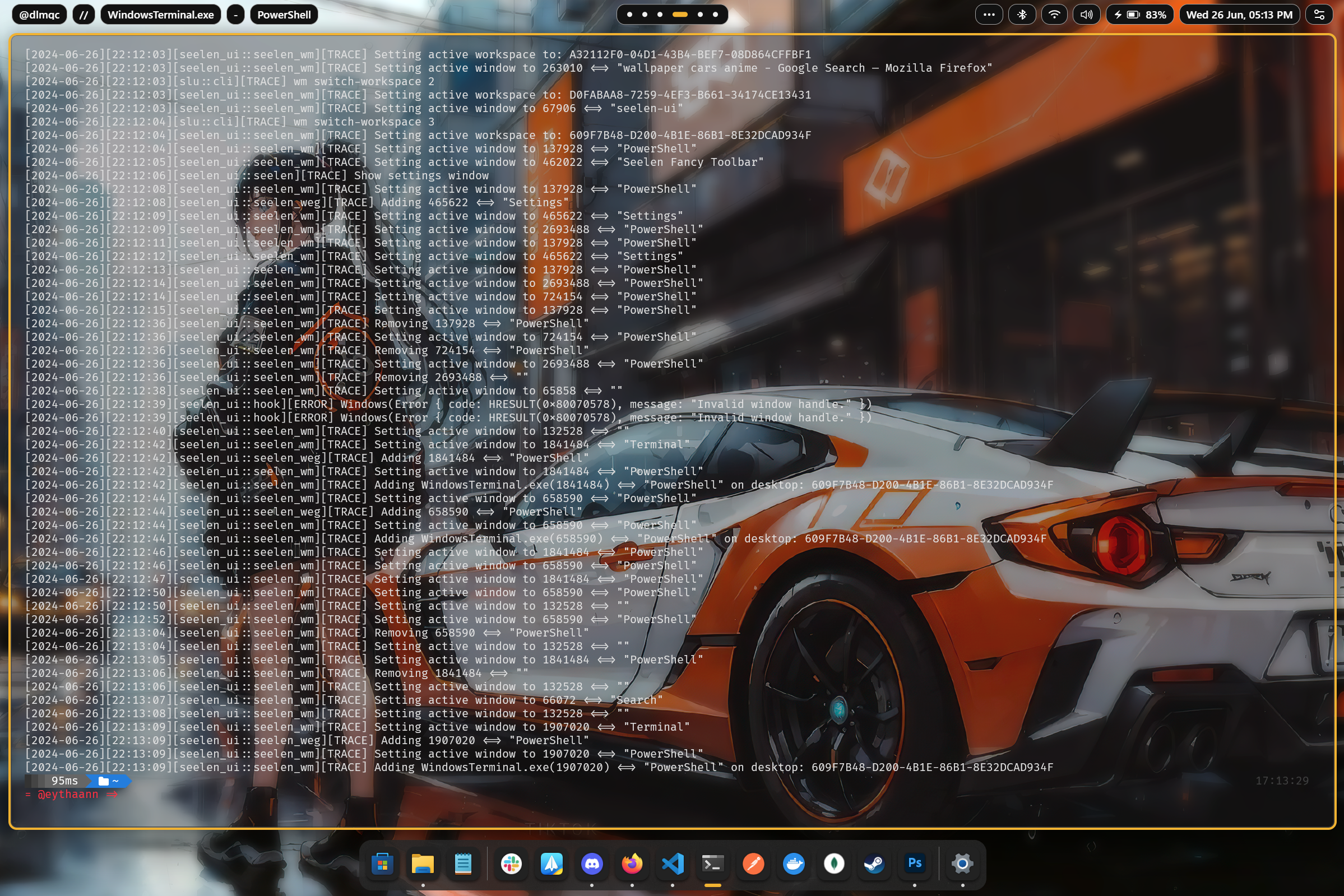
Seelen UI is a full desktop environment replacement for Windows — not a theme pack, not a skin, but a complete rethink of how your desktop looks and works. Every element you interact with daily — the taskbar, the dock, the app launcher, the window manager, the notification flyouts, the virtual desktops — can be replaced, restyled, and extended to exactly match your vision and workflow.

Whether you want a minimal, distraction-free setup or a feature-rich power-user environment, Seelen UI gives you the primitives to build it. With a CSS/JSON-based theming engine, a plugin widget system, and deep Windows integration, the only limit is your imagination.


Feature Showcase

Themes & Visual Identity

Make Windows look the way you always wanted. Seelen UI ships with a powerful theming engine that lets you craft or install community themes covering every surface of the shell — colors, fonts, borders, animations, and more.

Seelen UI Custom Theme


Dynamic Accent Color

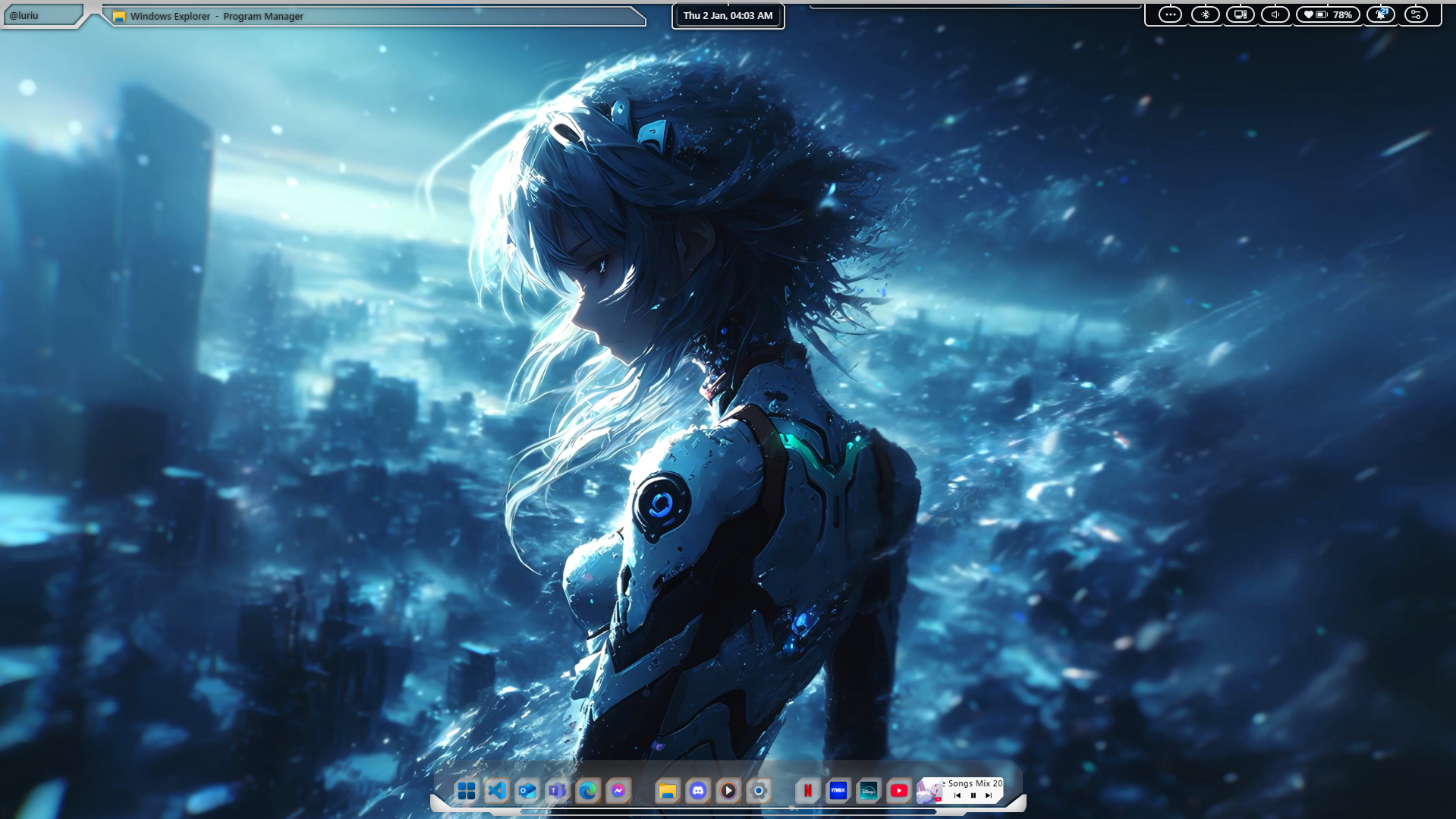
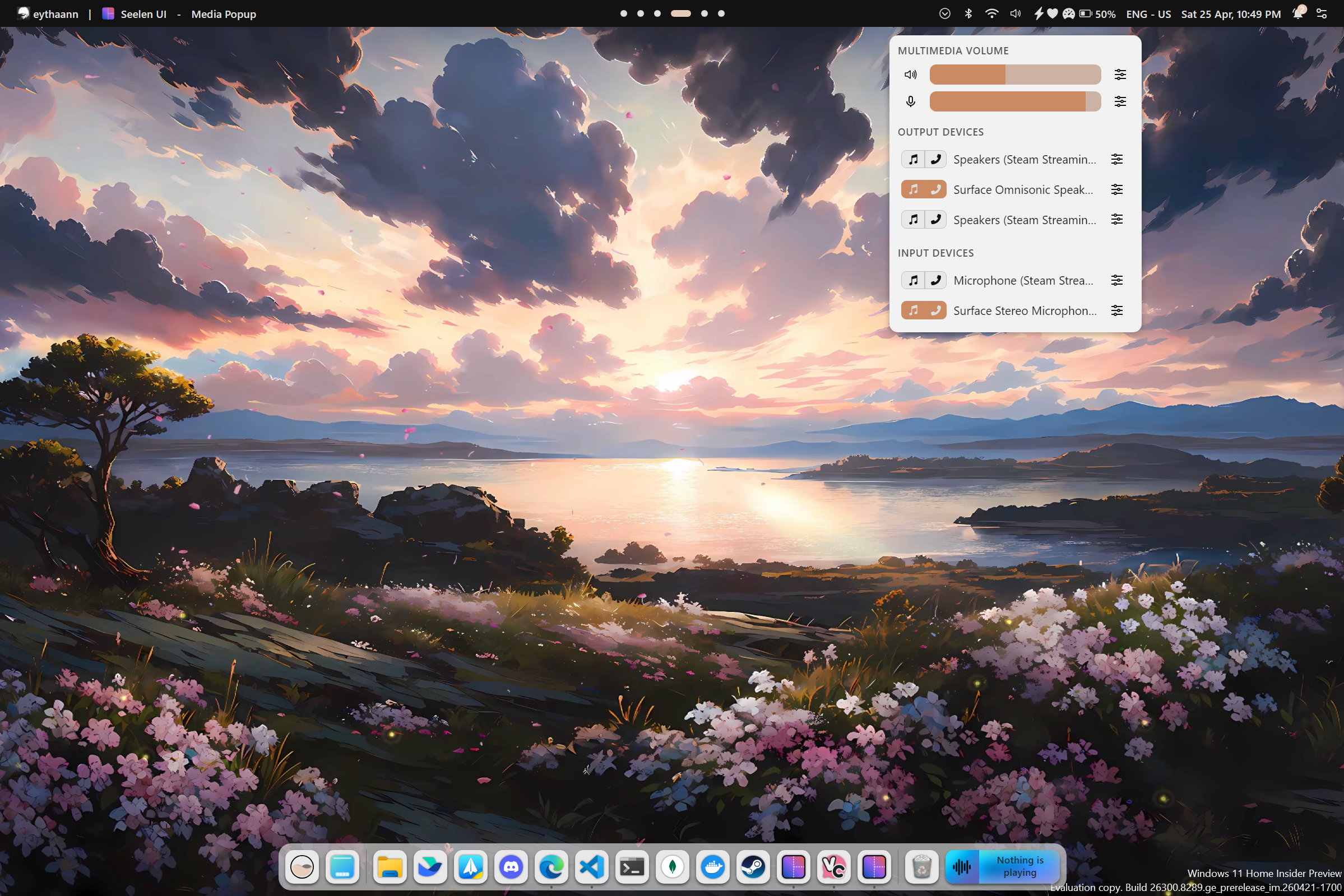
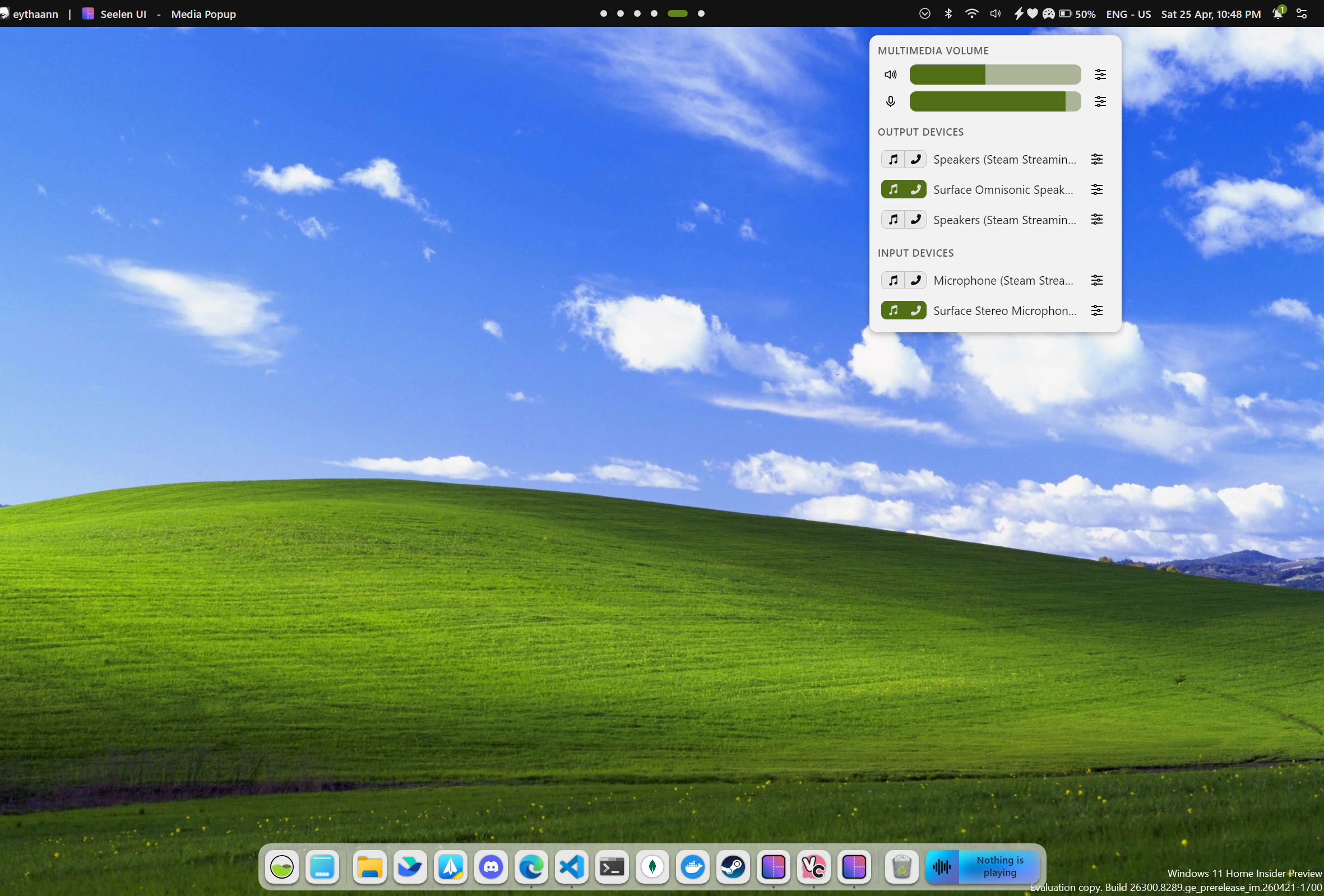
Set your accent color once and forget it. Seelen UI analyzes your wallpaper in real time and automatically derives a harmonious accent color, keeping every shell element visually in sync with your background — no manual tweaking needed.

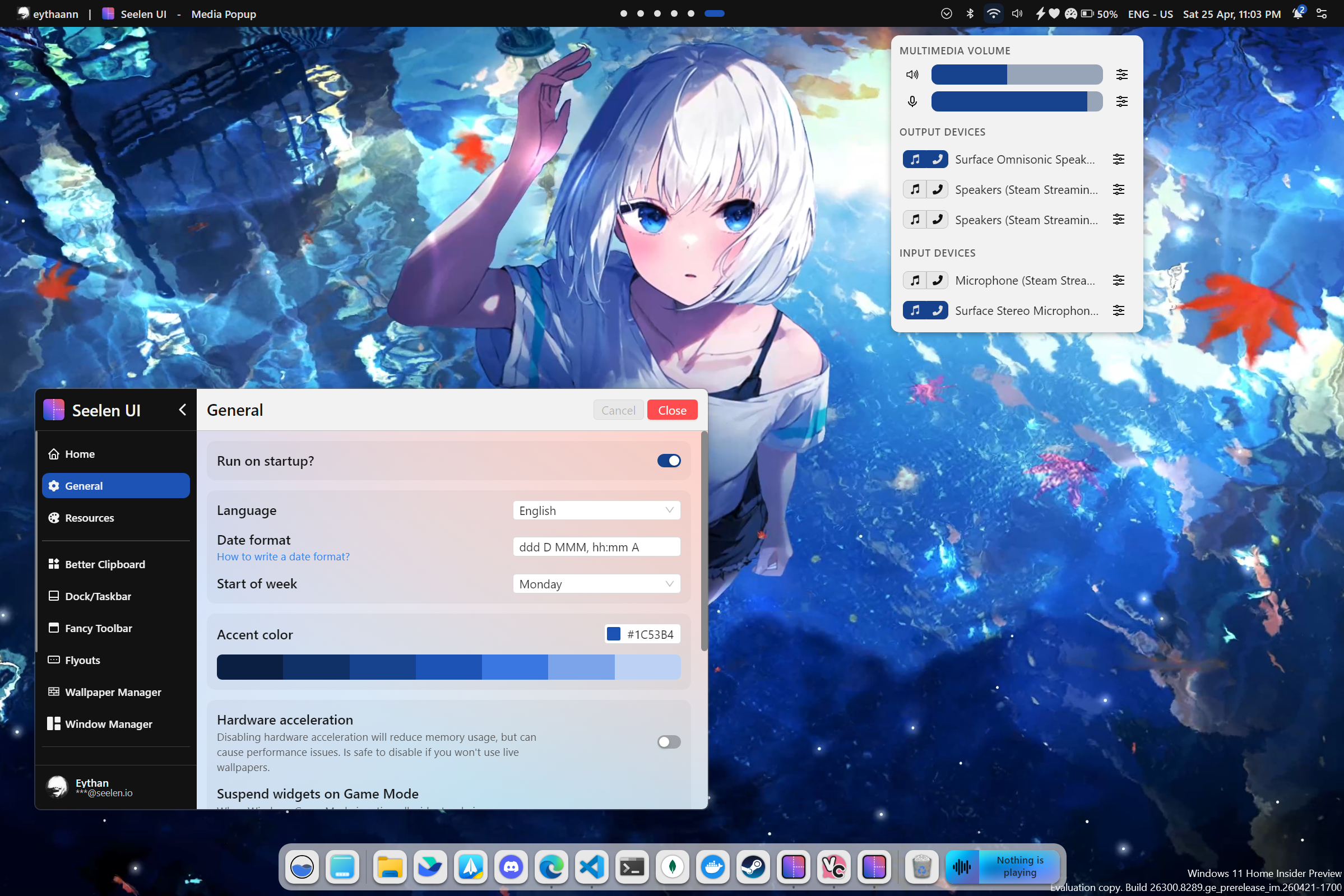
Dynamic accent example 1 Dynamic accent example 2
Dynamic accent example 3 Dynamic accent example 4

Tiling Window Manager

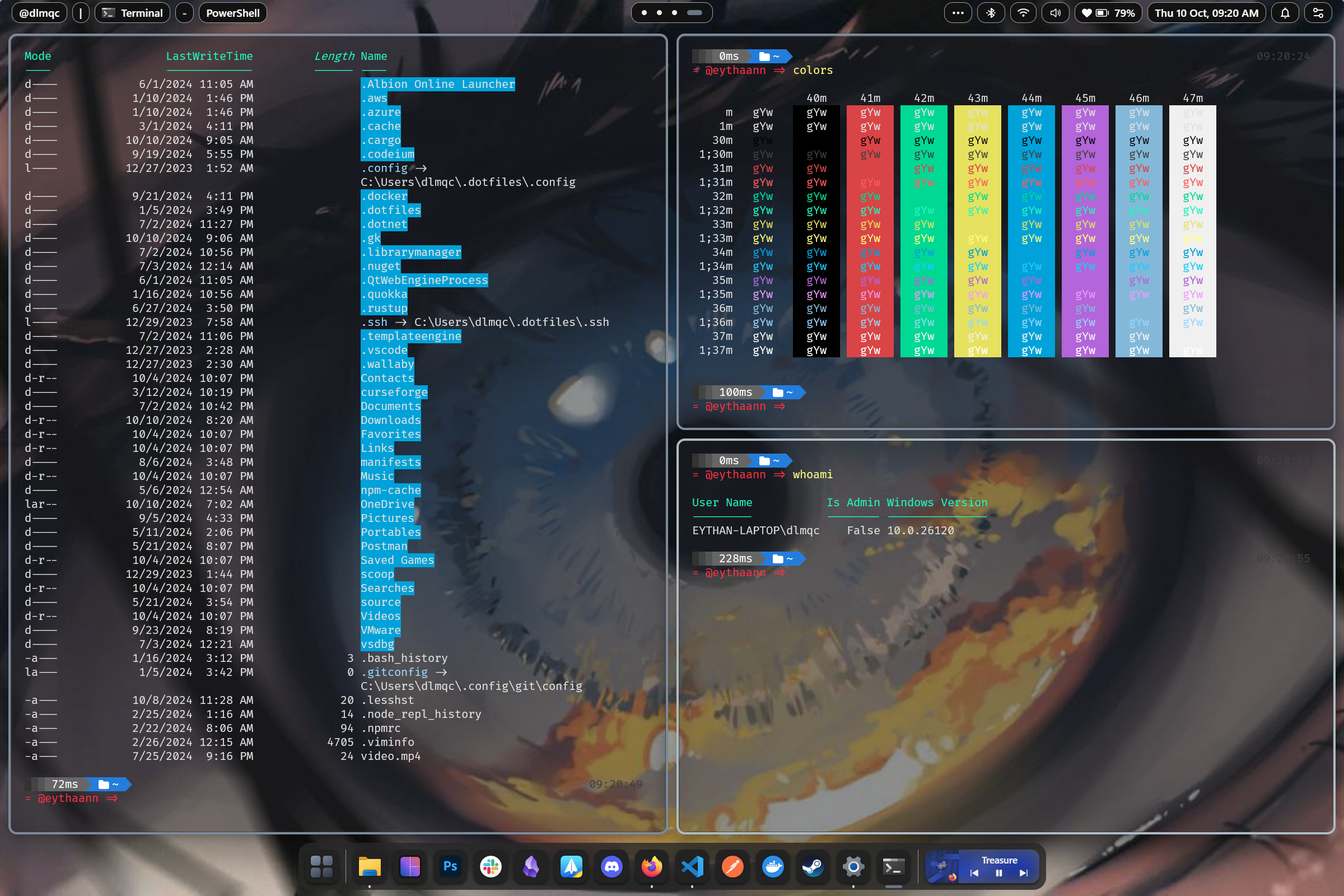
Stop dragging windows. Seelen UI's tiling window manager automatically arranges your open applications into efficient, gap-controlled layouts. Resize, swap, and navigate entirely from the keyboard — your hands never leave the keys.

Seelen UI Tiling Window Manager


Desktop Widgets

Bring information to your desktop without opening apps. Place clocks, system monitors, media controls, weather panels, and any custom widget directly on your wallpaper layer — fully theme-aware and always within sight.

Seelen UI Desktop Widgets


App Launcher

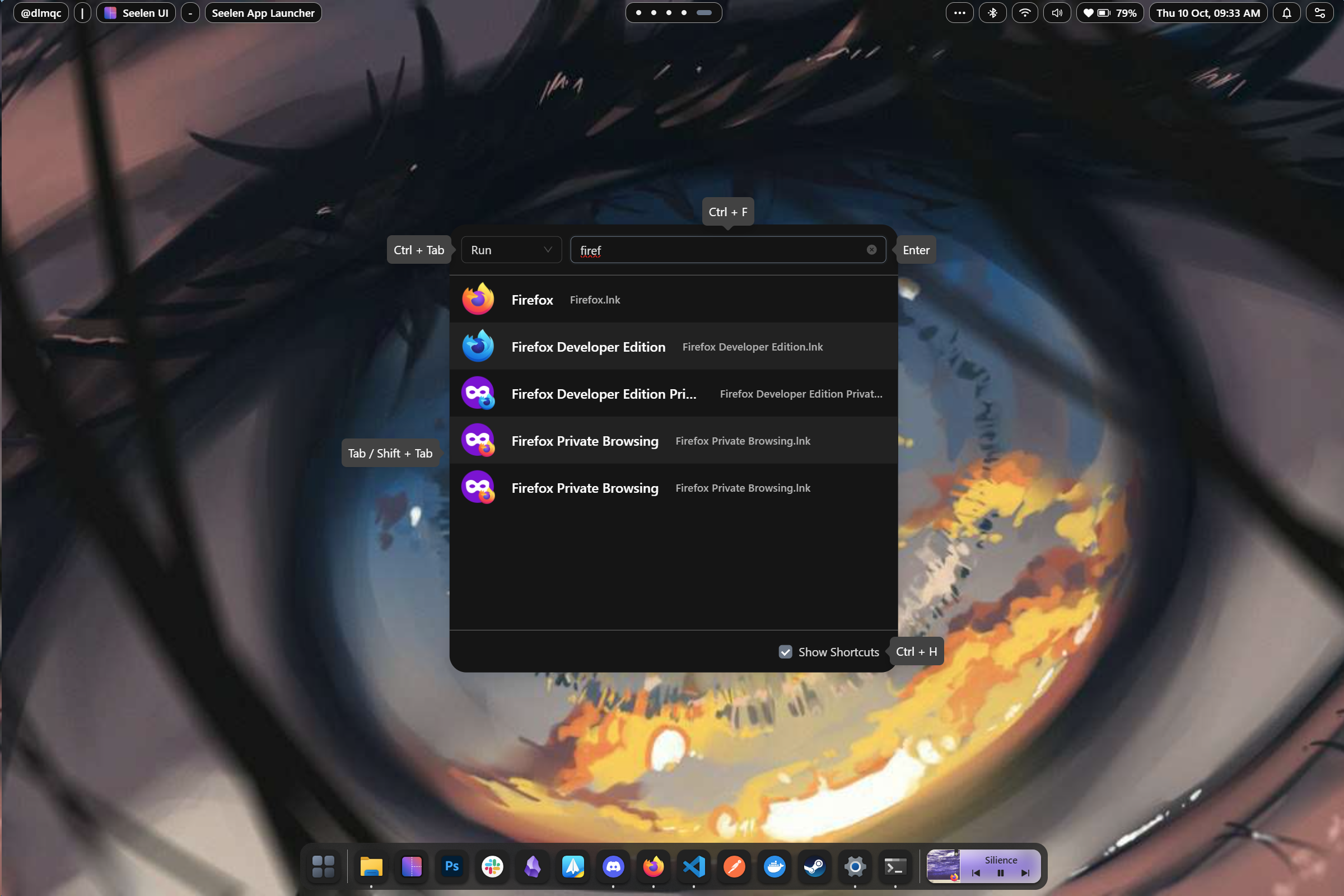
Launch anything instantly with a keyboard-driven launcher inspired by Rofi. Apps, files, shell commands, custom scripts — surfaced with fuzzy search in milliseconds.

Seelen UI App Launcher


Media Controls

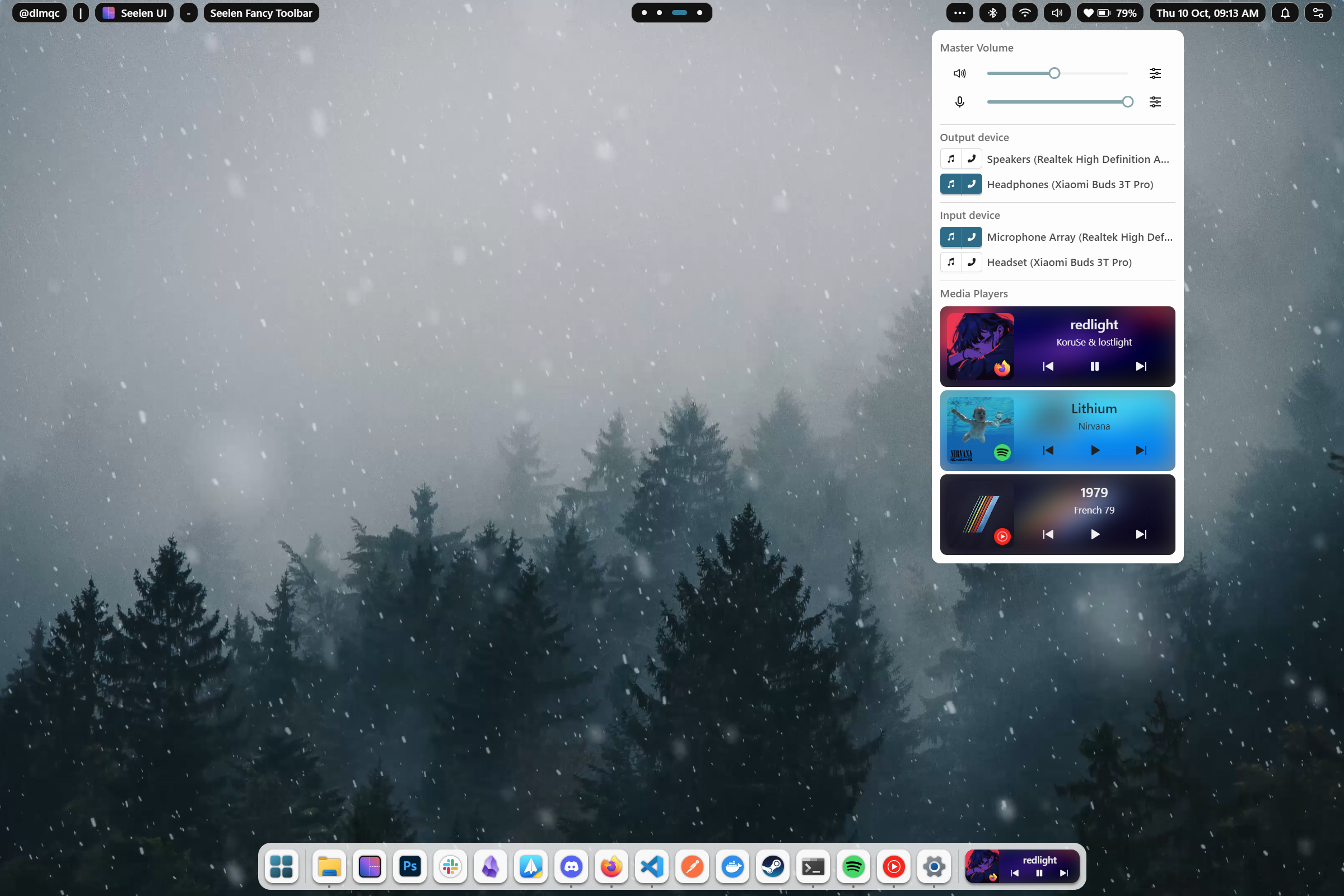
Control your music without switching windows. The integrated media module works with virtually every player and lets you play, pause, skip, and scrub from any context, always accessible in the toolbar or as a dedicated widget.

Seelen UI Media Module


Settings

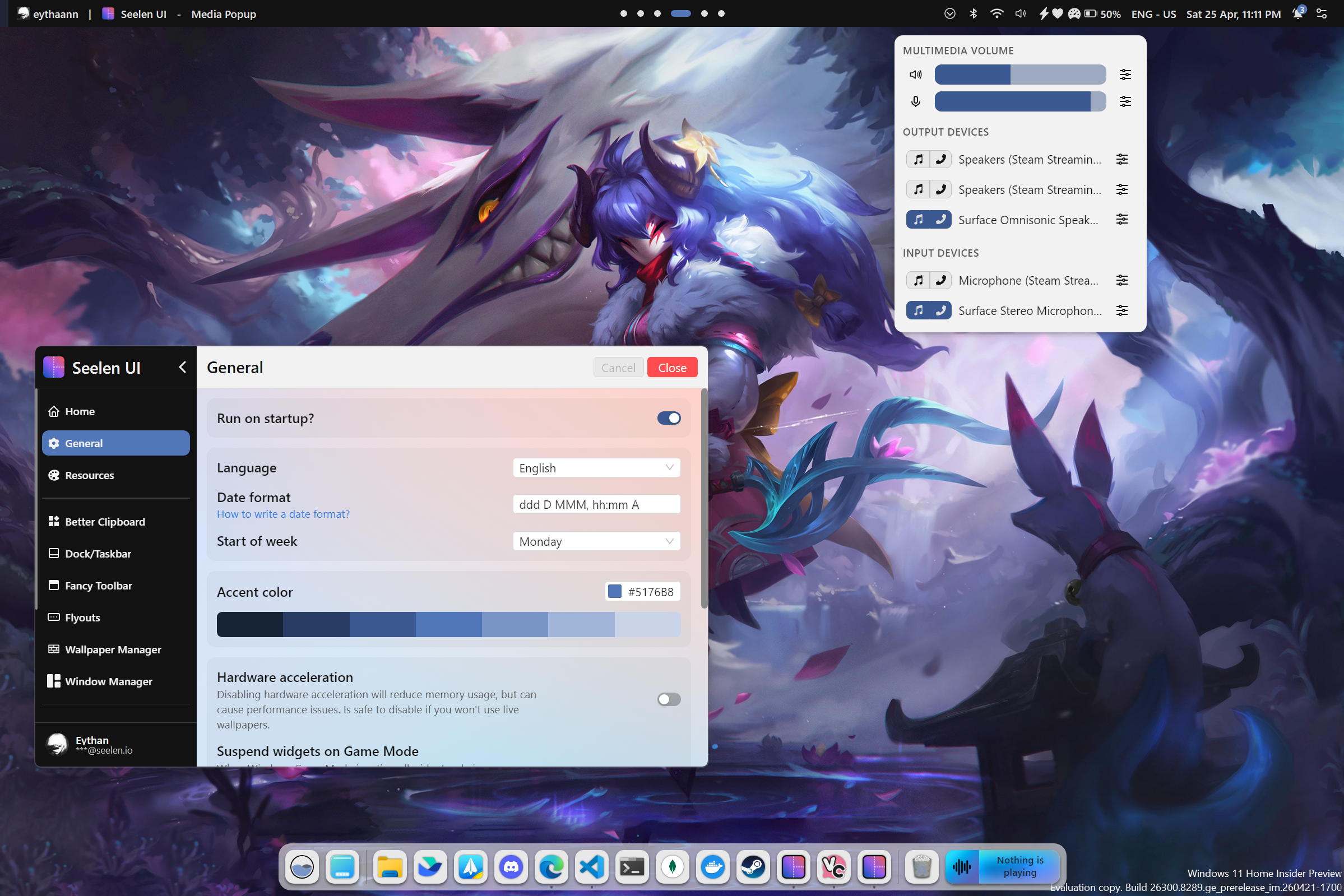
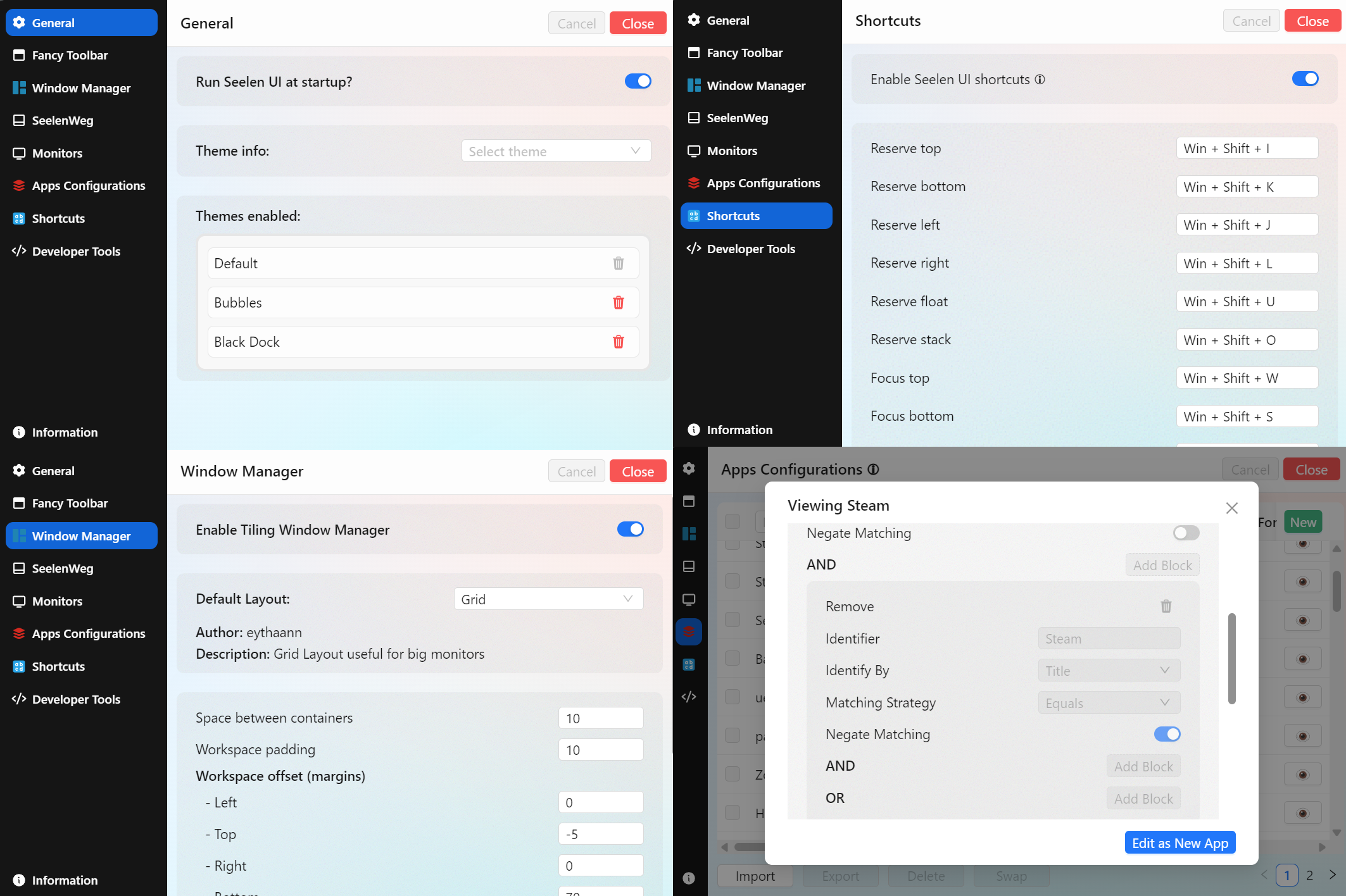
One unified place to configure everything. Themes, layouts, keybindings, widget positions, workspace rules, per-app overrides — all accessible through a clean, searchable settings interface with live preview.

Seelen UI Settings


Complete Feature List

Shell & Desktop

Feature Description
Custom Toolbar A fully themeable, widget-powered taskbar that replaces the Windows taskbar
Custom Dock macOS-style application dock with launch, focus, and badge support
Desktop Widgets Interactive widgets rendered directly on the desktop layer
Custom Flyouts Replace Windows' built-in volume, brightness, and system flyouts with themed, customizable panels
Start Menu Replacement Quick-access launcher replacing the native Start menu

Window Management

Feature Description
Tiling Window Manager Automatic tiling layouts: BSP, columns, stacks, and more
Custom Alt + Tab A fully skinnable task switcher with richer window previews
Per-App Rules Define layout, workspace, and floating behavior per application
Floating Mode Opt any window out of tiling while keeping the rest managed
Gaps & Padding Configurable inner and outer gaps for any layout

Workspaces

Feature Description
Custom Virtual Desktops Full virtual desktop implementation with smooth animated transitions
Workspaces Viewer A visual overview panel showing all workspaces and their content at a glance
Wallpaper per Workspace Assign a unique wallpaper to each workspace — changes automatically on switch
Workspace Rules Pin apps or app groups to specific workspaces on launch
Named Workspaces Give each workspace a custom name and icon

Theming & Appearance

Feature Description
CSS/JSON Theming Engine Style every shell element with scoped CSS and JSON configuration
Dynamic Accent Color Auto-extract accent color from the current wallpaper
Community Themes Install and share themes from the community
Per-Widget Theming Each widget can carry its own independent style
Dark / Light Mode Full support for Windows dark and light mode, themeable per-variant

Productivity

Feature Description
Keyboard-First Design Every feature reachable without touching the mouse
App Launcher Fuzzy-search launcher for apps, files, and commands
Media Module Universal media controls compatible with all major players
Multi-Monitor Support Independent configuration and layouts per connected display
i18n — 70+ Languages Fully localized interface covering major world languages

Developer & Power User

Feature Description
Widget SDK Build custom widgets with Svelte, TypeScript, and full IPC access to system state
Portable Config All configuration lives in plain files — version-control and sync friendly

Installation

[!CAUTION] Seelen UI requires the WebView runtime to be installed. On Windows 11, it comes pre-installed with the system. However, on Windows 10, the WebView runtime is included with the setup.exe installer. Additionally, Microsoft Edge is necessary to function correctly. Some users may have modified their system and removed Edge, so please ensure both Edge and the WebView runtime are installed on your system.

[!NOTE] On fresh installations of Windows, the app might show a white or dark screen. You only need to update your Windows through Windows Update and restart your PC.

All distribution channels ship signed packages — pick whichever fits your workflow best.

Microsoft Store

Download from the Microsoft Store for automatic updates managed by Windows. Updates go through Store review, so they may take 1–3 business days to appear after a release.

Winget

winget install --id Seelen.SeelenUI

Same signed .msix as the Store, installable from the terminal. Updates follow the same 1–3 business day review window via the winget-pkgs project.

GitHub Releases (.msix / .exe)

Download the latest installer directly from the Releases page. Both the .msix and .exe packages are signed. GitHub releases land immediately after a new version ships, ahead of Store and Winget. The .exe installer also delivers in-app update notifications.


Getting Started

Once installed, open Seelen UI and the settings interface will guide you through the initial setup. Enable the components you want — toolbar, dock, tiling manager, widgets — and start customizing from there. The official documentation and the Discord community are the best places to go deeper.


Contributing

We welcome contributions!

License

See the LICENSE file for details.

Contact

For inquiries and support, join us on Discord.

Sponsors

We're grateful for the support of our sponsors who help make Seelen UI possible.

Sponsor Description
DigitalOcean DigitalOcean provides cloud infrastructure services that power our development and testing environments.
SignPath SignPath provides free code signing certificates, ensuring secure and trusted releases for our users.

                 .      .&     _,x&"``
                  & .   &'  ;.&&'
            &.  . &.&     .0&&&;&""`
       .    '&  &.&&&  .&&&&&'
     .&         ;&&& &&&&&'
    &&          &&&&&&&&     &&&
   0&    .     &&&&&&&&""
  &&   .0     &&&&&&&
 0&& .&'     &&&&&&
:&&&&&    . &&&&& 
0&&&&    & &&&&&
&&&&'   &&&&&&&               .&&&x&
&&&&   :&&&&&0.&'        , .&&&&&&&&&&;.
&&&&.  &&&&&&&&        .&&&&&&&&&&'               .
0&&&&  &&&&&&&       ,&&&&&&&&&&&&                &
:&&&&; &&&&&0       ,;&&&&&&&&&&&             ;  .0
 0&&&&&&&&&&0     ,;&&&&&&&&&&&&&             &  &;
  0&&&&&&&&&&0   :',;".&&&&&&".&             && &0
   0&&&&&&&&&0  ',;',&&&&&" ,&'             &&&&0
    0&&&&&&&&&0 ,x&&&&" .&&&              &&&&0
      0&&&&&& .&&&&"'''"&&"&&            &&&&&0
       0&& .&&;``       `&: :&         &&&&&&0
          &"' &&&&&&&&   &"& &"&   &&&&&&&&0
            0&&&&&&&&&&&&&&&&&&&&&&&&&0
               0&&&&&&&&&&&&&&&&&&&0         Seelen
                    0&&&&&&&&&0

📌 Official Website: https://seelen.io

Seelen Inc © 2026 - All rights reserved

Seelen-UI (eythaann/Seelen-UI)

Searching Database…

18.1K ·GitHub
Что это такое?Seelen UI — это полноценная замена рабочей среды для Windows 10/11, которая позволяет перестроить панель задач, док, запускатор приложений, менеджер окон, всплывающие панели (flyouts) и виртуальные рабочие столы, а не просто изменить их внешний вид.
Это просто набор тем или что-то более глубокое?Это гораздо глубже обычной темы оформления: любой элемент оболочки можно заменить и переоформить с помощью движка тем на CSS/JSON и системы виджетов-плагинов, а не только перекрасить.
Нужно ли что-то установить перед запуском?Да — должны быть установлены среда WebView (встроена в Windows 11 и входит в setup.exe для Windows 10) и Microsoft Edge, так как удаление Edge может сломать оболочку.
Какие подводные камни при установке мне стоит знать?На свежей установке Windows приложение может ненадолго показывать пустой белый или тёмный экран, пока вы не запустите Центр обновления Windows и не перезагрузите компьютер; обновления из Store и Winget также могут отставать от GitHub Releases на 1–3 рабочих дня.
Работает ли это и на Windows 10, и на Windows 11?Да, это специально создано как замена рабочей среды как для Windows 10, так и для Windows 11.
Могу ли я создать свои виджеты для этого?Да — есть Widget SDK, который позволяет создавать собственные виджеты на Svelte и TypeScript с полным доступом к состоянию системы через IPC.
Как работает функция динамического акцентного цвета?Seelen UI в реальном времени анализирует текущие обои и автоматически подбирает подходящий акцентный цвет для каждого элемента оболочки, без ручной настройки.
На скольких языках доступен интерфейс?Интерфейс полностью локализован и включает более 70 языков сразу после установки.
Что на самом деле делает менеджер окон с плиточным расположением?Он автоматически упорядочивает открытые окна в макеты с настраиваемыми промежутками, такие как BSP, колонки и стопки, и позволяет изменять размер, менять окна местами и переключаться между ними с клавиатуры.
Creator
eythaann
Size
89.3 MB
Stars
18.1K
Age
2y
Commits · 90 Days
