What is this?
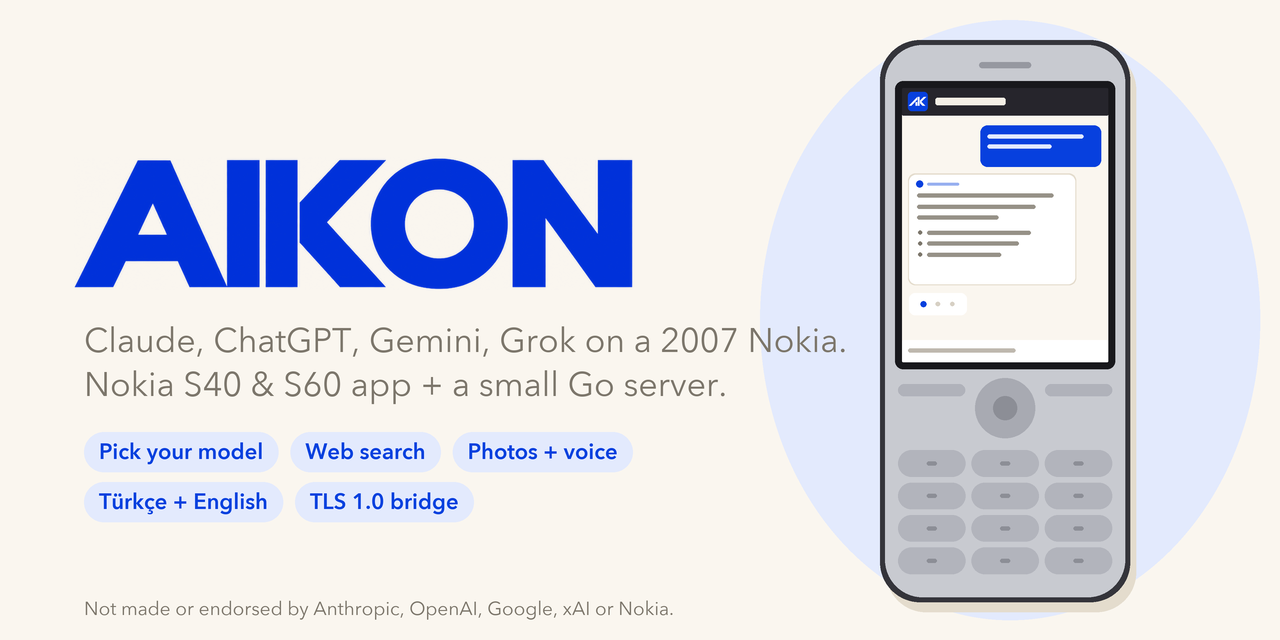
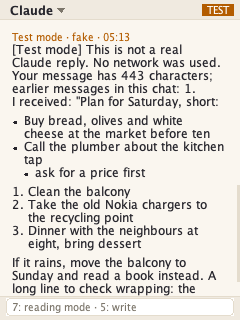
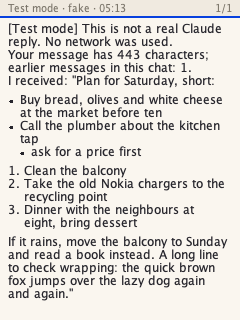
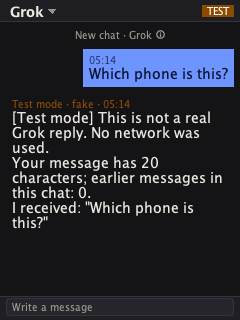
 AIKON is an AI chat client for old Nokia Series 40 and Symbian S60 feature phones (Java ME, CLDC 1.1 / MIDP 2.0), paired with a small Go server that relays your messages to Claude, OpenAI, Gemini or Grok so a 2007-era phone can chat with modern AI models.
AIKON is an AI chat client for old Nokia Series 40 and Symbian S60 feature phones (Java ME, CLDC 1.1 / MIDP 2.0), paired with a small Go server that relays your messages to Claude, OpenAI, Gemini or Grok so a 2007-era phone can chat with modern AI models.Is this just a phone app, or do I need the server too?Both: a ~220 KB J2ME MIDlet (app/) runs on the phone, and a ~7 MB Go binary or Docker image (server/) does the TLS termination, talks to the AI providers, and stores chats in SQLite. The phone cannot work without pointing at your own running server.
Both: a ~220 KB J2ME MIDlet (app/) runs on the phone, and a ~7 MB Go binary or Docker image (server/) does the TLS termination, talks to the AI providers, and stores chats in SQLite. The phone cannot work without pointing at your own running server.How do I get it running?Stand up a Docker host with a public IPv4 and TCP 443 (a $4-6/month VPS works), generate a private CA and server cert with server/scripts/pki.sh, deploy with server/deploy/push.sh, build the phone app with make -C app after setting your GATEWAY_URL, install the .jad/.jar on the phone, load the root CA onto it, and pair through the on-phone setup wizard.
Stand up a Docker host with a public IPv4 and TCP 443 (a $4-6/month VPS works), generate a private CA and server cert with server/scripts/pki.sh, deploy with server/deploy/push.sh, build the phone app with make -C app after setting your GATEWAY_URL, install the .jad/.jar on the phone, load the root CA onto it, and pair through the on-phone setup wizard.What do I need on my computer to build and deploy it?Go 1.26+, JDK 11+, Python 3 with Pillow, Docker for deployment, and OpenSSL or LibreSSL for generating the certificates; you also need your own API keys for the AI providers you want to enable.
Go 1.26+, JDK 11+, Python 3 with Pillow, Docker for deployment, and OpenSSL or LibreSSL for generating the certificates; you also need your own API keys for the AI providers you want to enable.Will it work on my old Nokia?It is confirmed working on the Nokia 6300 (S40) and Nokia E63 (S60 QWERTY); other Series 40 phones with CLDC 1.1 / MIDP 2.0 and a 240x320 screen may work but are untested. Right-to-left languages like Arabic and Hebrew need layout work, and scripts the phones' fonts lack, like Japanese or Chinese, are out of reach on this hardware.
It is confirmed working on the Nokia 6300 (S40) and Nokia E63 (S60 QWERTY); other Series 40 phones with CLDC 1.1 / MIDP 2.0 and a 240x320 screen may work but are untested. Right-to-left languages like Arabic and Hebrew need layout work, and scripts the phones' fonts lack, like Japanese or Chinese, are out of reach on this hardware.Where do my chats, photos and notes end up?Your provider API keys and chat history live only on your own server; chats are kept for 30 days (pinned ones until you unpin or delete them) and photos stay with their chat for the same 30 days. Your notes for the AI and saved replies stay on the phone itself.
Your provider API keys and chat history live only on your own server; chats are kept for 30 days (pinned ones until you unpin or delete them) and photos stay with their chat for the same 30 days. Your notes for the AI and saved replies stay on the phone itself.Why does the server need its own private certificate authority?A 2007 Nokia only speaks TLS 1.0 with RSA key exchange and sends no SNI, so public clouds refuse its handshake; the server terminates TLS itself using a certificate from a private CA that you install on the phone once.
A 2007 Nokia only speaks TLS 1.0 with RSA key exchange and sends no SNI, so public clouds refuse its handshake; the server terminates TLS itself using a certificate from a private CA that you install on the phone once.Who pays for the actual AI requests?Every message bills your own API key with that provider; the server enforces per-device daily request, token, web-search, voice-message and photo limits and never retries a paid call automatically.
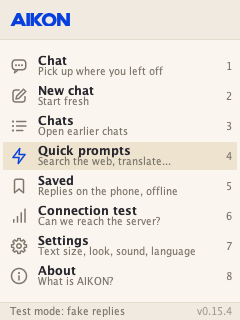
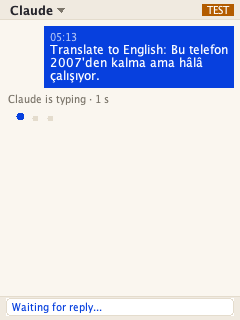
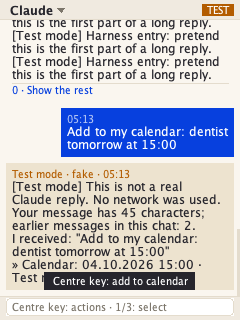
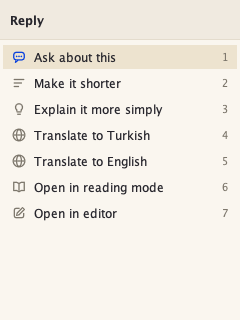
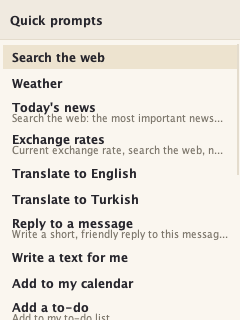
Every message bills your own API key with that provider; the server enforces per-device daily request, token, web-search, voice-message and photo limits and never retries a paid call automatically.What can the phone do besides plain chat?It can search the web for news, weather and rates, dictate voice messages, ask about photos taken with the camera, add calendar and to-do entries from a reply, save replies as .txt files, and shorten, explain, or translate any message.
It can search the web for news, weather and rates, dictate voice messages, ask about photos taken with the camera, add calendar and to-do entries from a reply, save replies as .txt files, and shorten, explain, or translate any message.What languages does the app support?The menus come in English, Turkish, Spanish, Portuguese, French, German, Russian and Indonesian, and replies follow whatever language you type in regardless of the menu language.
The menus come in English, Turkish, Spanish, Portuguese, French, German, Russian and Indonesian, and replies follow whatever language you type in regardless of the menu language.What are similar projects?LibreChat, openclaw-zero-token, chathub, pyvideotrans, kirara-ai, qiaomu-clipper, jargo, gpt4free
LibreChat, openclaw-zero-token, chathub, pyvideotrans, kirara-ai, qiaomu-clipper, jargo, gpt4freeWhich topics is it in?ai-chat, camera, calendar, vps, grok, speech-to-text, tls, translation, ffmpeg, multilingual, golang, chatbot
ai-chat, camera, calendar, vps, grok, speech-to-text, tls, translation, ffmpeg, multilingual, golang, chatbot