












What is this?
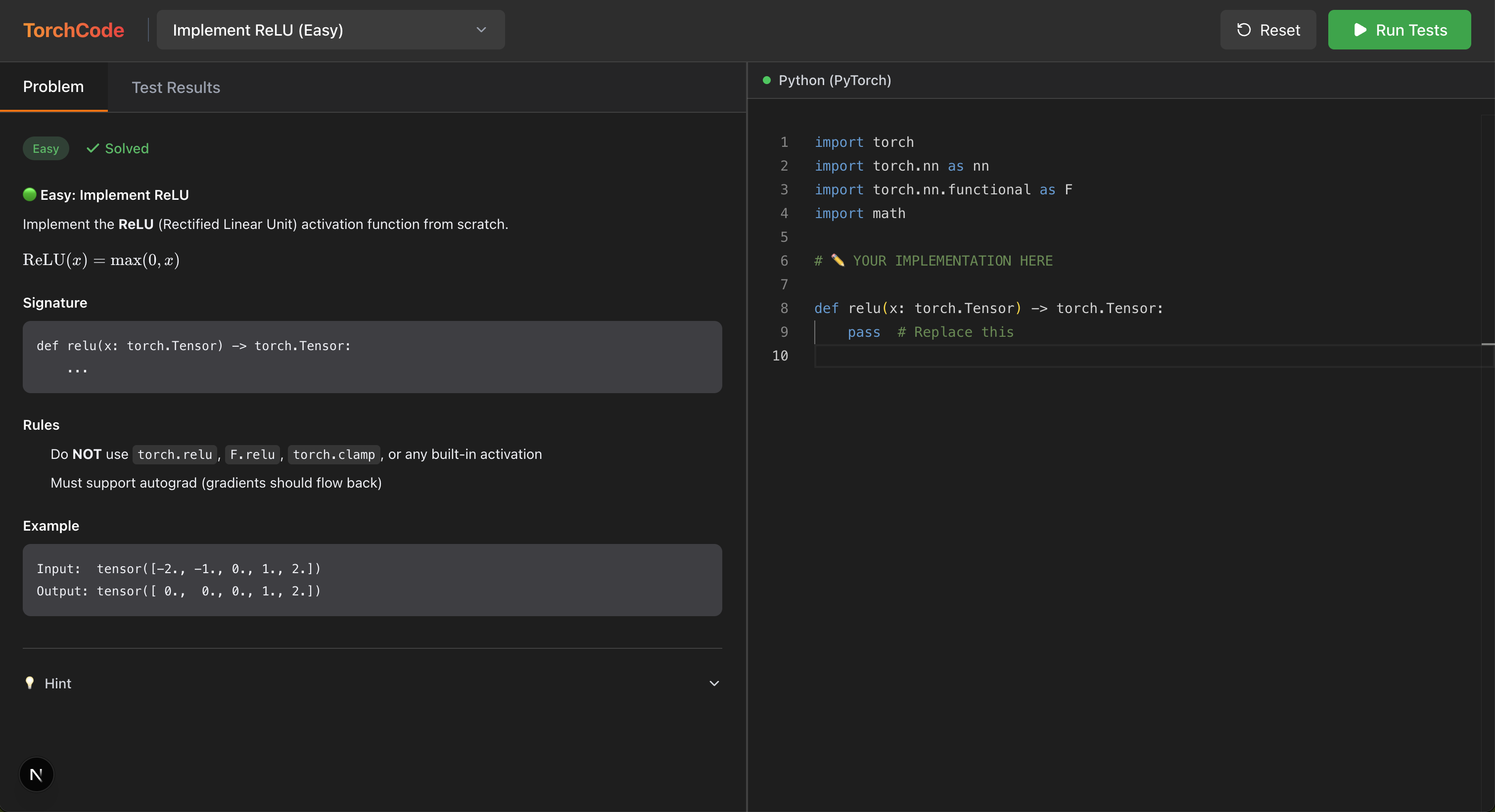
 TorchCode is a LeetCode-style practice platform for PyTorch: it gives you 41 curated coding problems where you implement ML operators and architectures (softmax, attention, GPT-2 blocks, etc.) from scratch inside Jupyter notebooks, with an automated judge that checks correctness, gradients, and timing instantly.
TorchCode is a LeetCode-style practice platform for PyTorch: it gives you 41 curated coding problems where you implement ML operators and architectures (softmax, attention, GPT-2 blocks, etc.) from scratch inside Jupyter notebooks, with an automated judge that checks correctness, gradients, and timing instantly.Is this a library I import, or a standalone platform I run?It's a standalone self-hosted coding-practice app built on Jupyter notebooks, not a library you add to your own project — you either run it locally via Docker or use it through a hosted JupyterLab environment.
It's a standalone self-hosted coding-practice app built on Jupyter notebooks, not a library you add to your own project — you either run it locally via Docker or use it through a hosted JupyterLab environment.How do I get it running?Easiest is launching the Hugging Face Spaces instance for a full JupyterLab in your browser with zero install, or opening any problem notebook directly in Google Colab. To self-host, run make run, which pulls a prebuilt Docker image and falls back to a local build if needed.
Easiest is launching the Hugging Face Spaces instance for a full JupyterLab in your browser with zero install, or opening any problem notebook directly in Google Colab. To self-host, run make run, which pulls a prebuilt Docker image and falls back to a local build if needed.Any install pitfalls I should know about?The prebuilt Docker image may not be available for every platform, which is the common case on Apple Silicon / arm64 — in that case you need to fall back to building the image locally instead of pulling it.
The prebuilt Docker image may not be available for every platform, which is the common case on Apple Silicon / arm64 — in that case you need to fall back to building the image locally instead of pulling it.Who is this really aimed at?It's aimed at ML engineers preparing for interviews at top AI labs, who are expected to implement core PyTorch operations like attention and normalization layers from memory.
It's aimed at ML engineers preparing for interviews at top AI labs, who are expected to implement core PyTorch operations like attention and normalization layers from memory.How many problems are there and what do they cover?41 curated problems split into three groups: Fundamentals (ReLU, Softmax, LayerNorm, Conv2d, Linear Regression), Attention Mechanisms (Multi-Head, Causal, GQA, RoPE, Flash Attention), and Architecture & Adaptation (LoRA, ViT Patch Embedding and more).
41 curated problems split into three groups: Fundamentals (ReLU, Softmax, LayerNorm, Conv2d, Linear Regression), Attention Mechanisms (Multi-Head, Causal, GQA, RoPE, Flash Attention), and Architecture & Adaptation (LoRA, ViT Patch Embedding and more).Does it give hints if I get stuck?Yes, it offers hints that nudge you without revealing the full solution, and reference solutions become available to study after your own attempt.
Yes, it offers hints that nudge you without revealing the full solution, and reference solutions become available to study after your own attempt.What exactly does the auto-grader check?The automated judge runs correctness checks, verifies gradients, and measures timing, giving colored pass/fail feedback per test case similar to a competitive-programming judge.
The automated judge runs correctness checks, verifies gradients, and measures timing, giving colored pass/fail feedback per test case similar to a competitive-programming judge.Can I retry a problem if I mess it up?Yes, every notebook has a one-click reset button in the toolbar that restores the problem to its blank template so you can practice it as many times as you want.
Yes, every notebook has a one-click reset button in the toolbar that restores the problem to its blank template so you can practice it as many times as you want.What are similar projects?LLMs-from-scratch, DeepLearning, llama3-from-scratch, autumn-recruitment, nn-zero-to-hero, manga-image-translator, happy-llm, apachecn-algo-zh
LLMs-from-scratch, DeepLearning, llama3-from-scratch, autumn-recruitment, nn-zero-to-hero, manga-image-translator, happy-llm, apachecn-algo-zhWhich topics is it in?coding-interview, leetcode, attention-mechanism, lora, interview, interview-preparation, neural-network, jupyter notebook, transformer, docker-compose, pytorch, learning
coding-interview, leetcode, attention-mechanism, lora, interview, interview-preparation, neural-network, jupyter notebook, transformer, docker-compose, pytorch, learning