
What is this?
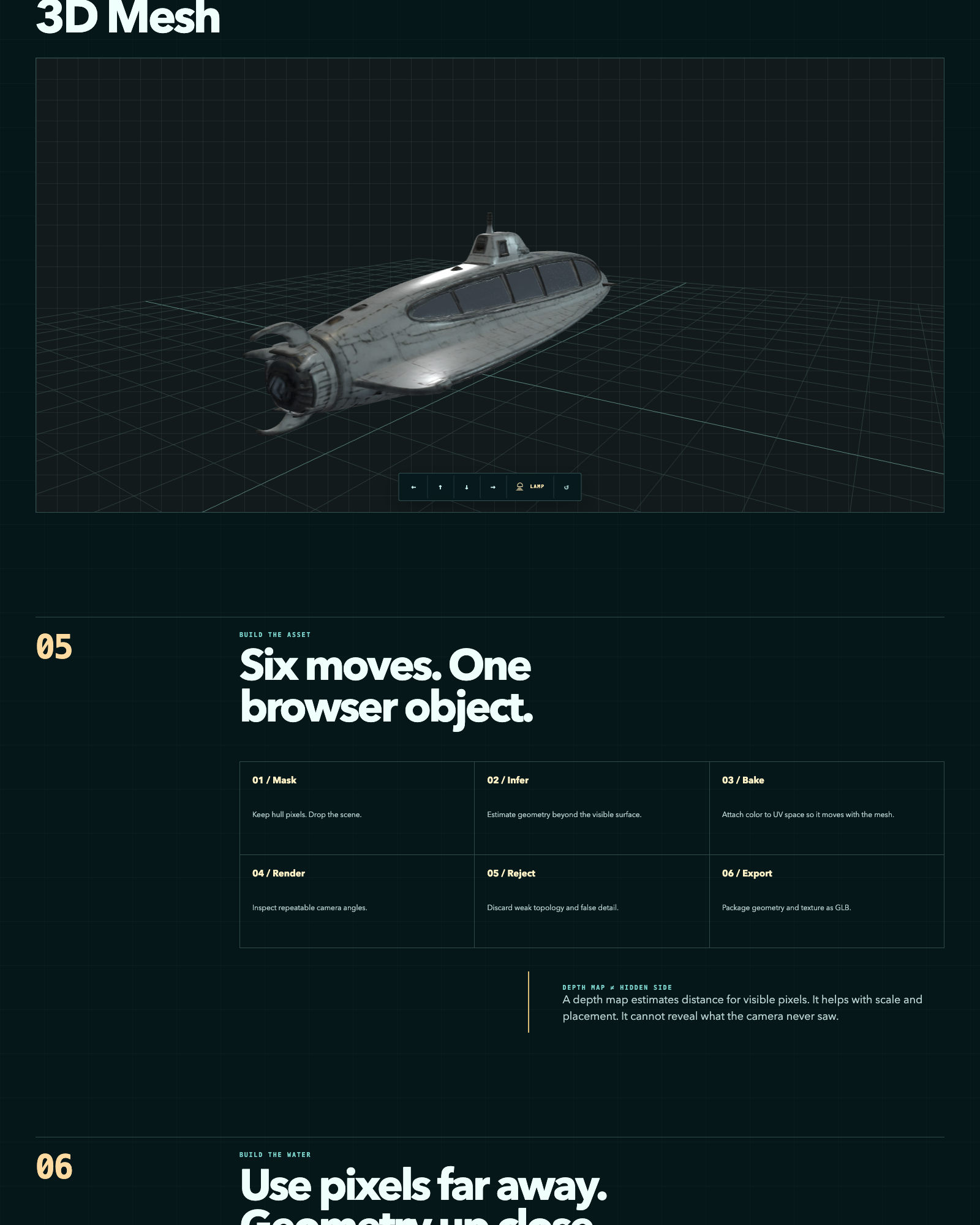
 A pipeline that reconstructs 3D meshes from a handful of AI-generated images using several open-source models, scores the results against a fixed Blender inspection protocol, and serves the winning mesh in a browser-based WebGL explorer.
A pipeline that reconstructs 3D meshes from a handful of AI-generated images using several open-source models, scores the results against a fixed Blender inspection protocol, and serves the winning mesh in a browser-based WebGL explorer.Is this a ready-made app or a set of scripts I run myself?It's a collection of scripts and tools organized by stage (tools/, 05-web-explorer/, 06-evaluation/, 07-experiments/) rather than a single installable app; you run preprocessing, reconstruction, evaluation, and the viewer as separate steps.
It's a collection of scripts and tools organized by stage (tools/, 05-web-explorer/, 06-evaluation/, 07-experiments/) rather than a single installable app; you run preprocessing, reconstruction, evaluation, and the viewer as separate steps.How do I get it running?Run ./setup.sh to clone the pinned reconstruction tools, then follow the pipeline stages: preprocess object masks, reconstruct a mesh (e.g. with TRELLIS), evaluate the GLBs through a fixed Blender orbit, and load the winner in 05-web-explorer/.
Run ./setup.sh to clone the pinned reconstruction tools, then follow the pipeline stages: preprocess object masks, reconstruct a mesh (e.g. with TRELLIS), evaluate the GLBs through a fixed Blender orbit, and load the winner in 05-web-explorer/.Do I need to install the reconstruction models myself?Yes — setup.sh clones TRELLIS, TripoSR, stable-fast-3d, and Hunyuan3D-2 at pinned commits; the repo doesn't ship Python environments, model checkpoints, or intermediate mesh outputs.
Yes — setup.sh clones TRELLIS, TripoSR, stable-fast-3d, and Hunyuan3D-2 at pinned commits; the repo doesn't ship Python environments, model checkpoints, or intermediate mesh outputs.What's the fundamental limit of this reconstruction method?It's depth-map based, so it can only estimate distance for pixels the camera actually saw — it cannot recover geometry that was never visible in the source images.
It's depth-map based, so it can only estimate distance for pixels the camera actually saw — it cannot recover geometry that was never visible in the source images.Are all the models used here free to use commercially?No — the repo's own code is Apache-2.0, but two of the four cloned reconstruction tools carry restrictive licenses: stable-fast-3d uses the Stability AI Community License and Hunyuan3D-2 uses a Tencent license that is territorially restricted, both limiting commercial use.
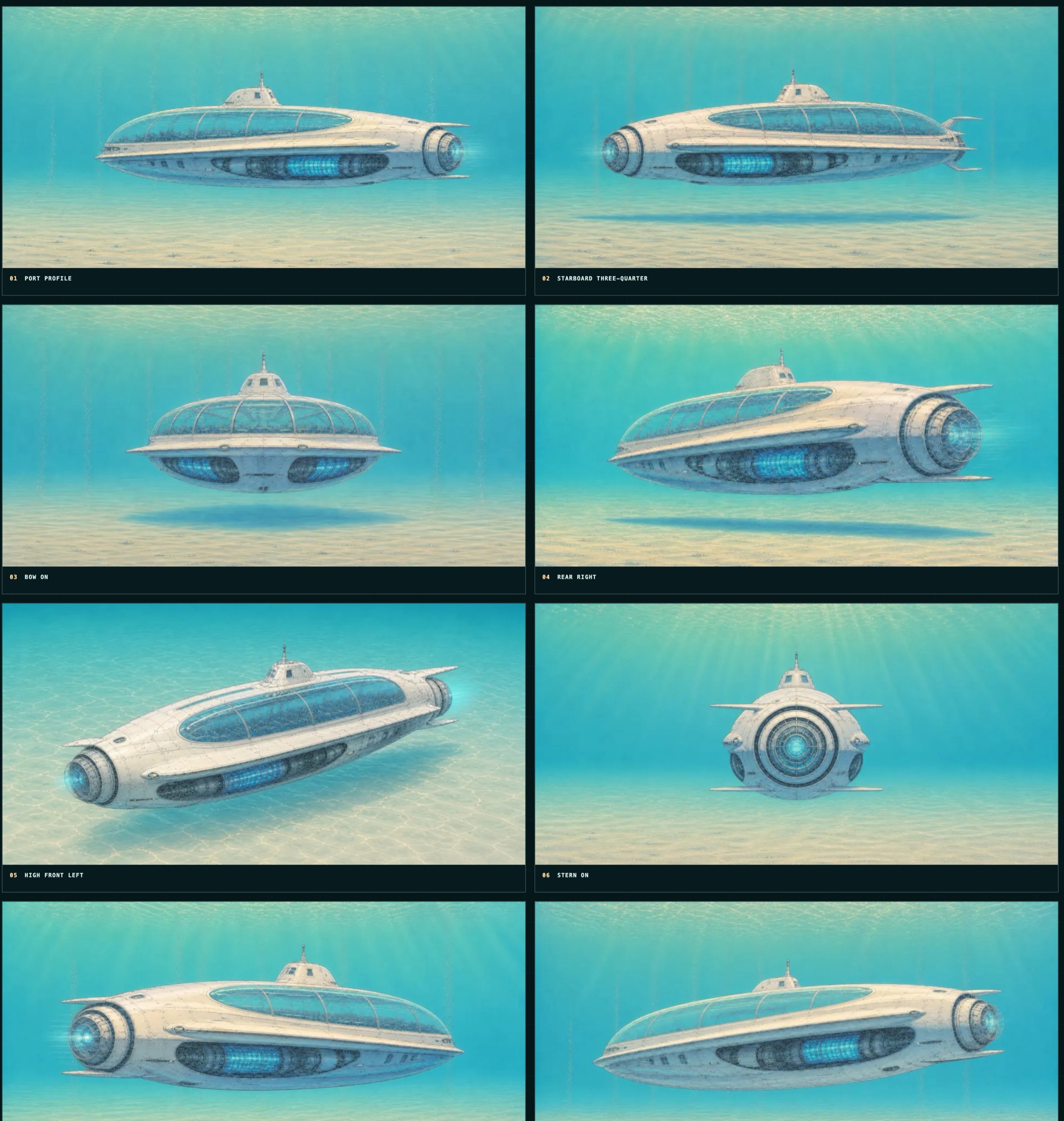
No — the repo's own code is Apache-2.0, but two of the four cloned reconstruction tools carry restrictive licenses: stable-fast-3d uses the Stability AI Community License and Hunyuan3D-2 uses a Tencent license that is territorially restricted, both limiting commercial use.What images does the pipeline actually use as input?All source images are AI-generated synthetic renders of a fictional submersible — no real vehicle, vessel, or person is depicted.
All source images are AI-generated synthetic renders of a fictional submersible — no real vehicle, vessel, or person is depicted.How many models does it compare and how are they scored?It runs several open-source reconstruction models (TRELLIS, TripoSR, stable-fast-3d, and Hunyuan3D-2 in the experiments folder) and ranks each one's output using a fixed Blender orbit render against a 0-2 visual rubric.
It runs several open-source reconstruction models (TRELLIS, TripoSR, stable-fast-3d, and Hunyuan3D-2 in the experiments folder) and ranks each one's output using a fixed Blender orbit render against a 0-2 visual rubric.Can I see a result without running the pipeline myself?Yes, the examples/ folder ships three sample source renders plus a reconstructed GLB mesh (about 1.5 MB) you can inspect directly.
Yes, the examples/ folder ships three sample source renders plus a reconstructed GLB mesh (about 1.5 MB) you can inspect directly.Where can I see a live demo of the output?A live photogrammetry case study and the interactive WebGL explorer are hosted at 3d.thedreamers.us/about and 3d.thedreamers.us.
A live photogrammetry case study and the interactive WebGL explorer are hosted at 3d.thedreamers.us/about and 3d.thedreamers.us.What are similar projects?Meshroom, cesium, spirula-studio, img2threejs, CodeVideoModel, paper-aquarium, pointdit, clay-safari
Meshroom, cesium, spirula-studio, img2threejs, CodeVideoModel, paper-aquarium, pointdit, clay-safariWhich topics is it in?photogrammetry, gltf, blender, 3d-reconstruction, computer-graphics, threejs, webgl, rendering, evaluation, 3d, image-processing, computer-vision
photogrammetry, gltf, blender, 3d-reconstruction, computer-graphics, threejs, webgl, rendering, evaluation, 3d, image-processing, computer-vision