What you can do
AgentFlux connects documents, data sources and language models in a visual workflow. Build each step yourself or let an agent create a workflow from a task description. The application runs on your computer or server, with a browser interface.
|
In AgentFlux |
| Visual workflows |
17 preconfigured steps, eight templates, branching, undo/redo and JSON import/export. |
| AI agents |
Set up recurring tasks, reuse a saved plan and answer missing details in text. |
| Video to workflow |
Combine screen changes and spoken explanations, then create and run a workflow automatically. |
| Knowledge and learnings |
Store documents locally, review observations from runs and reuse instructions as skills. |
| Your own models |
Connect Ollama, LM Studio, vLLM and OpenAI-compatible endpoints. |
| Files and connections |
Import documents and spreadsheets with named columns; connect folders, HTTP endpoints and approved programs. |
| Traceable runs |
Process changed inputs and deliver JSON, CSV and Markdown reports to a local folder. |
Create a workflow from a video
Open Agents → Analyse video, select a recording and a model with vision support. AgentFlux analyses overlapping one-minute segments using screen changes, periodic frames and timestamped speech. If an action or integration is unclear, it asks a short question. Answer in text, then save or start the generated workflow. The editor is optional.
Recordings are uploaded to your AgentFlux instance and removed after processing or cancellation. The Docker release includes FFmpeg and a local speech service with the Whisper base model. Images go to your selected vision model. External image and audio processing require separate approval; audio stays local by default.
Videos can be up to 250 MB and 30 minutes. Each segment uses up to 24 selected frames, with explicit call and token budgets for the whole job. Progress shows analysed coverage. Unsupported codecs, exhausted budgets and transcription failures stop the job instead of producing a complete workflow. Brief actions can still be missed.
Generated workflows use existing connections and executable steps. They do not replay arbitrary mouse or keyboard actions in other applications.
Get started with Docker in minutes
You need Docker with Compose. The release includes the application, built interface, FFmpeg and local speech recognition. You do not need to install Node or pnpm locally.
Use the prebuilt image
Download these two files from release v0.3.0 into the same folder:
Open a terminal in that folder:
docker load -i agentflux-0.3.0-linux-amd64.tar.gz
docker compose up -d --wait
Open localhost:4310. Done.
The prebuilt image targets Linux/amd64. On Windows, use Docker Desktop in Linux container mode. You can build from source for other architectures; they were not tested for this release.
Download from the terminal
mkdir agentflux
cd agentflux
curl -fLO https://github.com/davemessew/AgentFlux/releases/download/v0.3.0/agentflux-0.3.0-linux-amd64.tar.gz
curl -fLO https://github.com/davemessew/AgentFlux/releases/download/v0.3.0/compose.yaml
docker load -i agentflux-0.3.0-linux-amd64.tar.gz
docker compose up -d --wait
In Windows PowerShell, use curl.exe instead of curl if needed. Checksums and full instructions are also included in the release.
Prefer to build from source?
git clone https://github.com/davemessew/AgentFlux.git
cd AgentFlux
docker compose up --build -d --wait
Installation without Docker is also documented.
A look inside
The screenshots show the interface included in v0.3.0, using sample data.
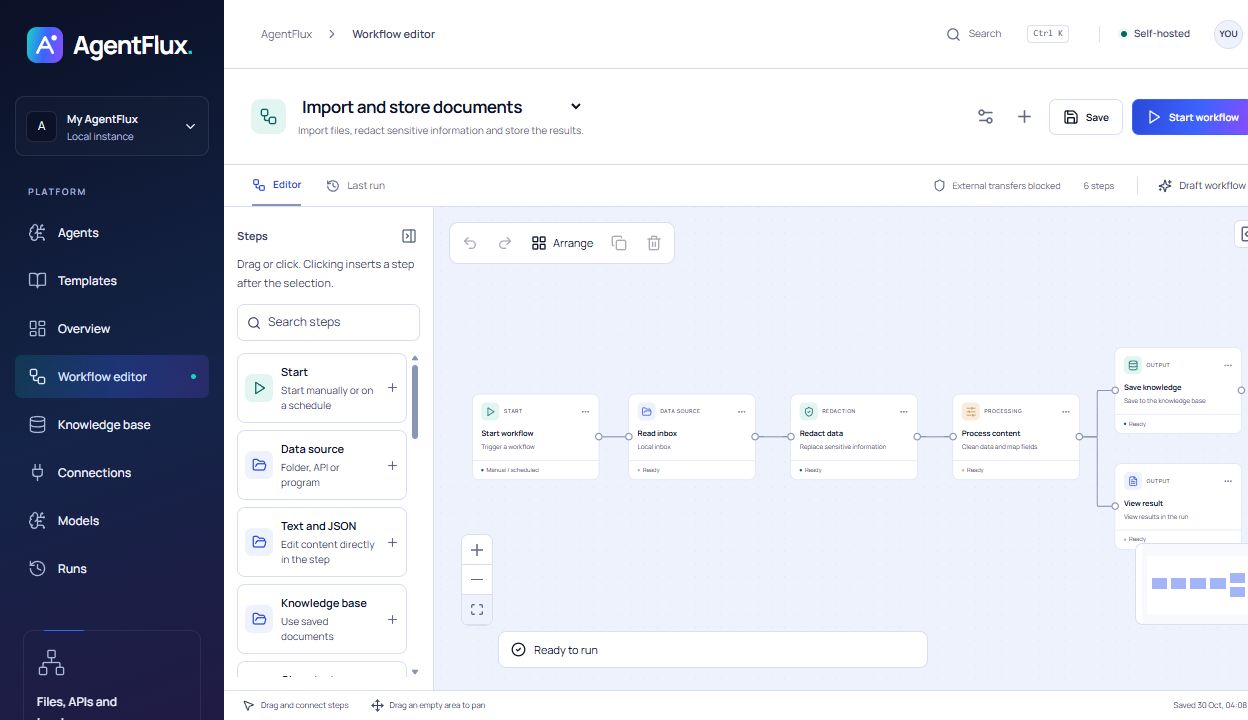
Build workflows on the canvas
Connect sources and processing steps, configure each step and follow its execution.
Agents
Tasks, models and recurring jobs in one place. |
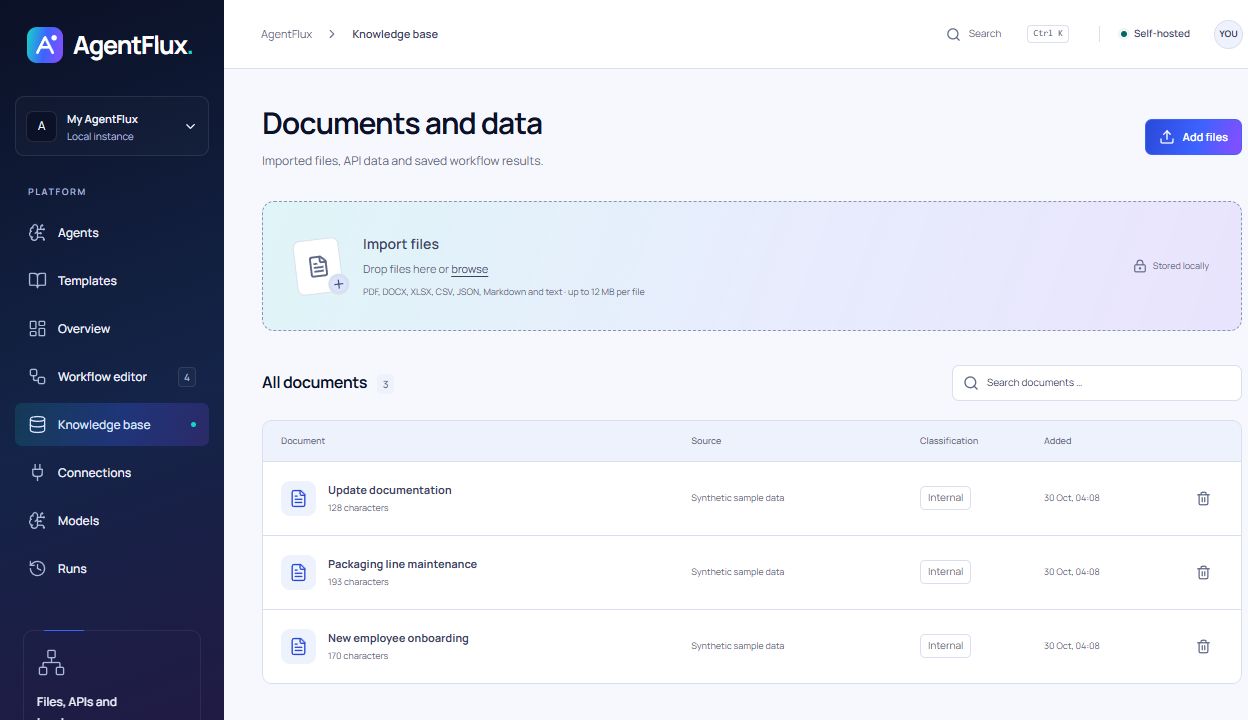
Knowledge base
Search documents and processed content locally. |
 |
 |
Your first workflow
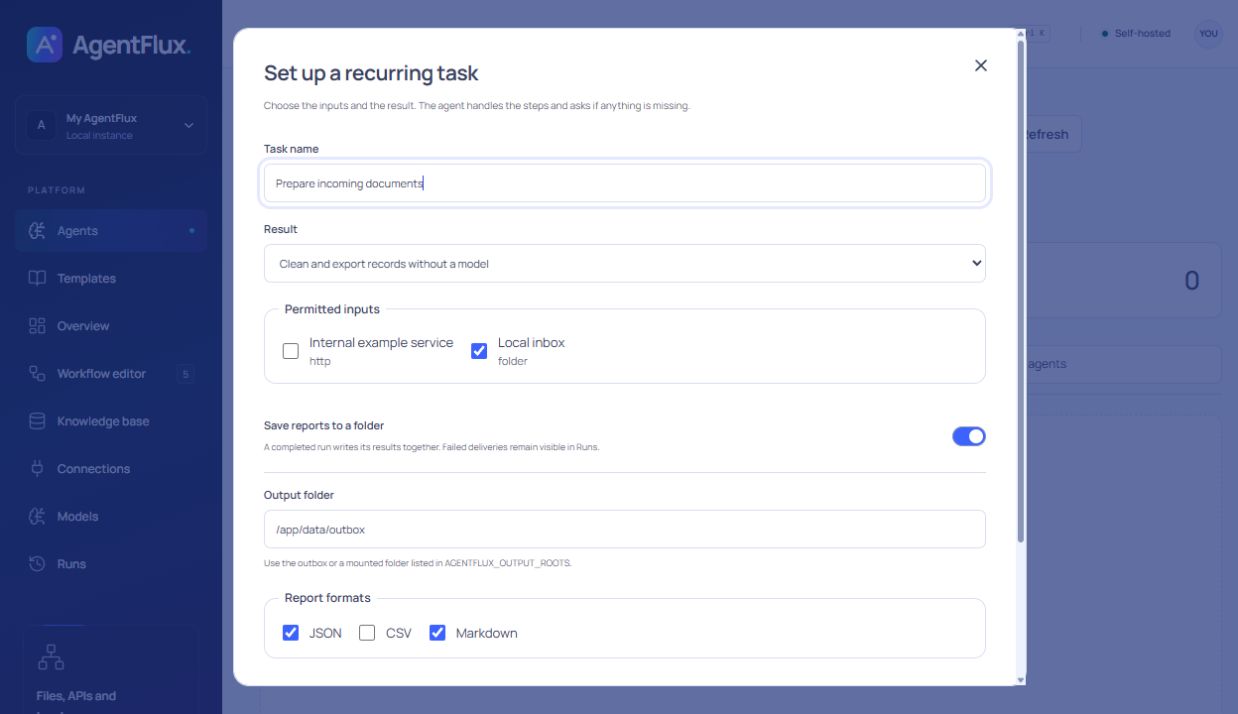
- Open Agents → Create agent and choose Clean and export records without a model.
- Select Local inbox, choose an output directory and start. Run details show the delivered files.
- Connect your model server under Models to extract sourced tasks or write reports.
- Enable a schedule to process new or changed inputs automatically. Missing owners and dates remain unresolved.
The release includes a speech model. For agents and video interpretation, connect your own language or vision model server, or an external provider with your credentials.
Adjust the port and model ID for your server. The model server must accept connections from the container.
Operations and data
docker compose ps            # Status and healthcheck
docker compose logs -f       # View server output
docker compose stop          # Stop
docker compose up -d --wait  # Start again
Workflows, documents, credentials and run logs stay in the named agentflux-data volume. Reports are stored in its outbox directory by default. The separate agentflux-models volume caches speech assets. Replacing the containers does not delete these volumes. Back up the entire volume including .vault-key; docker compose down -v deletes the volume.
[!IMPORTANT]
The supplied configuration binds port 4310 to localhost. AgentFlux has no login and is designed for a single user. Shared or public access requires an access-control layer and suitable network configuration.
Cloud model calls and external HTTP POST steps require approval in Settings and in the workflow. HTTP GET requests can send information in URLs and headers. Optional redaction uses rules and may miss sensitive information. See the installation guide and operations guide.
Documentation and development
| Start here |
Contents |
| Docker release |
Prebuilt image, Compose file, source code and SHA-256 checksums |
| Install the release |
Download, verify, start and update |
| Installation and models |
Docker, native installation and model connections |
| Workflows and agents |
Editor, steps, templates, learnings and skills |
| Operations and configuration |
Environment variables, import folders, backups and programs |
src/          Web interface and visual editor
server/       API, agents, execution and SQLite storage
shared/       Domain types, workflow rules and templates
services/     Local speech recognition
tests/        Contract and media checks
examples/     Sample local program export
scripts/      Docker release checks
docs/         Usage, operations and screenshots
For local development: Node.js 24+, pnpm 11.25.0, pnpm install --frozen-lockfile, then pnpm dev. Run pnpm test for focused checks; pnpm build also checks TypeScript.
Run the Docker check after building:
docker build -t agentflux:0.3.0 .
node scripts/smoke-docker.mjs agentflux:0.3.0
The check uses its own container and volume. It covers the API, built interface, an example run and data persistence when replacing the container.
Licence
Apache License 2.0. Bundled dependencies and fonts retain their respective licences.




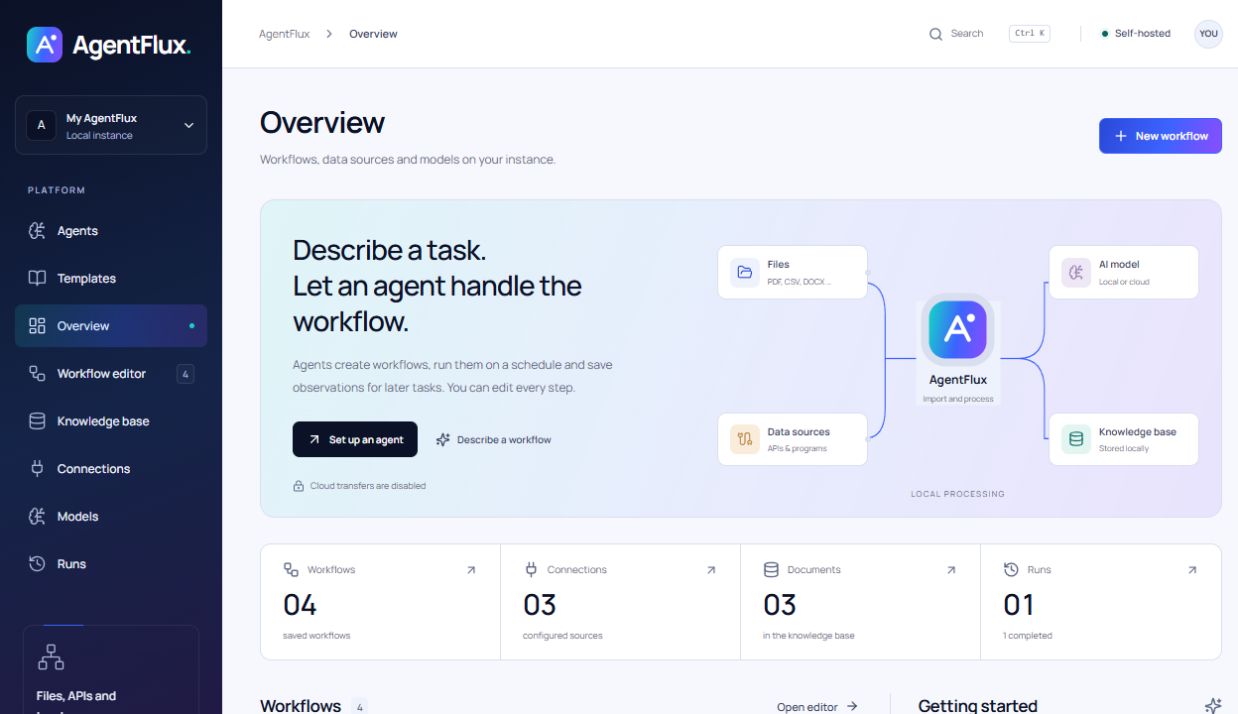

 AgentFlux 是一个可自托管的智能体 AI 平台。你可以用它搭建可视化工作流,把文档、数据源和语言模型连接起来,并在此基础上运行自主智能体。