














Что это такое?
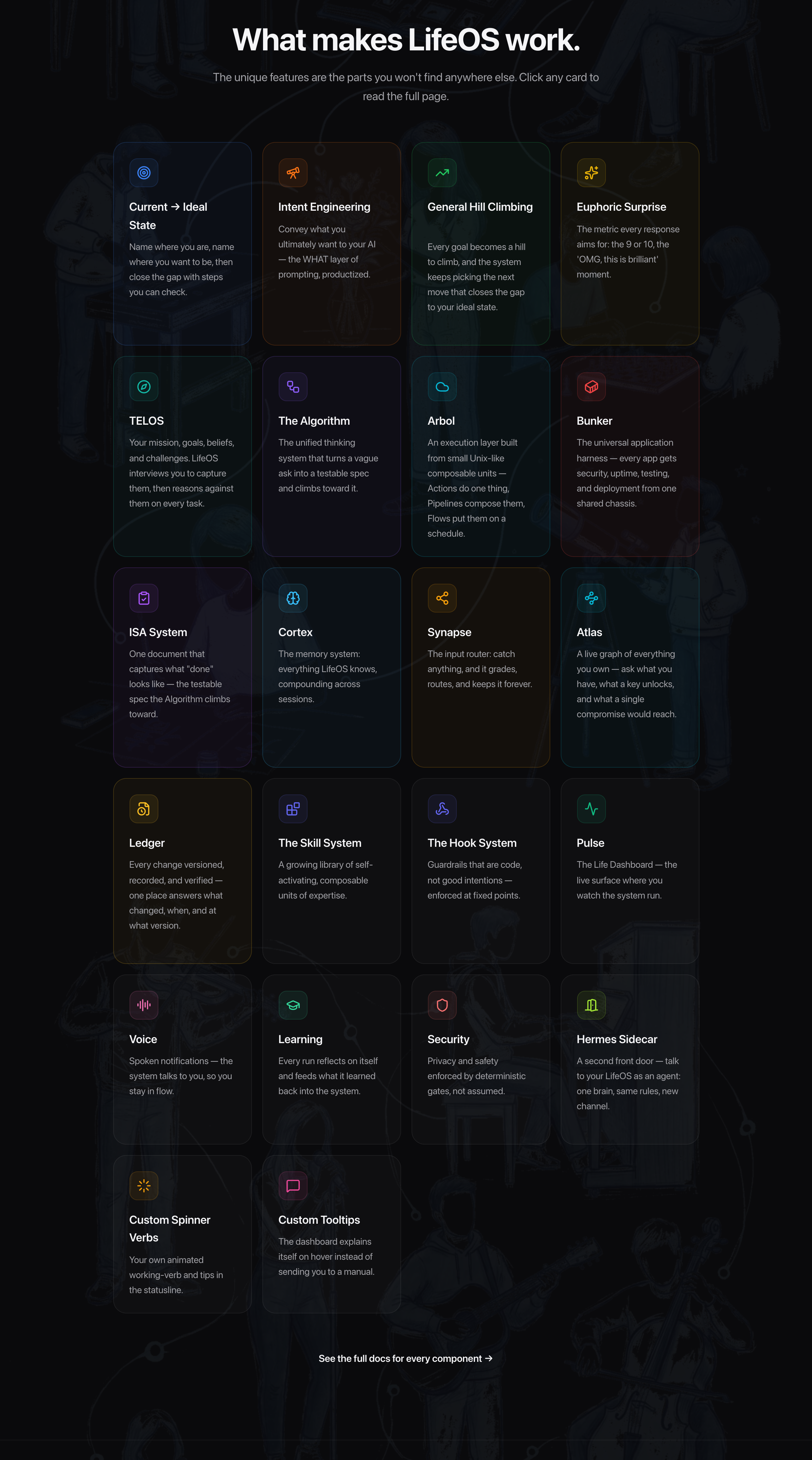
 LifeOS — это универсальный AI-харнесс для жизни и работы: он запоминает, кто вы, что для вас важно и к чему вы стремитесь, а затем использует ИИ, который вас знает, чтобы двигать вас от текущего состояния к желаемому.
LifeOS — это универсальный AI-харнесс для жизни и работы: он запоминает, кто вы, что для вас важно и к чему вы стремитесь, а затем использует ИИ, который вас знает, чтобы двигать вас от текущего состояния к желаемому.Так это отдельное приложение или что-то, что живёт внутри моего AI-агента для кодинга?Это не отдельное приложение — оно устанавливается как один самодостаточный навык (skill) внутри вашего существующего AI-харнесса. Код написан на TypeScript и Bash, и поверх агента, которым вы уже пользуетесь, добавляются память, собственные навыки и маршрутизация.
Это не отдельное приложение — оно устанавливается как один самодостаточный навык (skill) внутри вашего существующего AI-харнесса. Код написан на TypeScript и Bash, и поверх агента, которым вы уже пользуетесь, добавляются память, собственные навыки и маршрутизация.Как его запустить?Вставьте промпт установки в ваш AI-харнесс — Claude Code, Cursor, Codex, Hermes или любой достаточно способный агент — и он выполнит всю настройку целиком, спрашивая разрешение, прежде чем что-то менять. Для macOS/Linux есть однострочная команда для Claude Code.
Вставьте промпт установки в ваш AI-харнесс — Claude Code, Cursor, Codex, Hermes или любой достаточно способный агент — и он выполнит всю настройку целиком, спрашивая разрешение, прежде чем что-то менять. Для macOS/Linux есть однострочная команда для Claude Code.Мне обязательно использовать именно Claude Code, или подойдут и другие агенты?Подойдёт любой продвинутый харнесс — он изначально не привязан к конкретному, а построен на универсальных механизмах (hooks, skills, файлы контекста, агентная маршрутизация). Claude Code — просто самый проверенный вариант, потому что автор разрабатывает на нём, а ещё понадобится bun.
Подойдёт любой продвинутый харнесс — он изначально не привязан к конкретному, а построен на универсальных механизмах (hooks, skills, файлы контекста, агентная маршрутизация). Claude Code — просто самый проверенный вариант, потому что автор разрабатывает на нём, а ещё понадобится bun.Что будет, если после обновления или изменения что-то сломается?Восстановление предусмотрено: перед обновлением делается резервная копия ~/.claude, ваши настройки в USER/ никогда не затрагиваются, файлы конфигурации объединяются, а не перезаписываются, и всё хранится в git, так что можно откатиться или просто заново запустить установщик.
Восстановление предусмотрено: перед обновлением делается резервная копия ~/.claude, ваши настройки в USER/ никогда не затрагиваются, файлы конфигурации объединяются, а не перезаписываются, и всё хранится в git, так что можно откатиться или просто заново запустить установщик.Он работает на Windows или только на Mac и Linux?Задокументированная однострочная команда рассчитана на Claude Code на macOS и Linux, но LifeOS задуман так, чтобы работать везде, где работает ваш AI-агент, — это файлы и навыки внутри харнесса, а не привязанное к операционной системе ПО.
Задокументированная однострочная команда рассчитана на Claude Code на macOS и Linux, но LifeOS задуман так, чтобы работать везде, где работает ваш AI-агент, — это файлы и навыки внутри харнесса, а не привязанное к операционной системе ПО.Что он на самом деле добавляет к обычному харнессу?Постоянную память (ассистент помнит прошлые сессии, решения и выводы), собственные навыки под то, что вы делаете чаще всего, доступ к вашим целям, контактам и предпочтениям без повторных объяснений, умную маршрутизацию, когда фраза «исследуй это» запускает нужный процесс, и самоулучшение — система меняет саму себя на основе того, чему научилась.
Постоянную память (ассистент помнит прошлые сессии, решения и выводы), собственные навыки под то, что вы делаете чаще всего, доступ к вашим целям, контактам и предпочтениям без повторных объяснений, умную маршрутизацию, когда фраза «исследуй это» запускает нужный процесс, и самоулучшение — система меняет саму себя на основе того, чему научилась.Чем это отличается от fabric?Fabric — это набор AI-промптов (паттернов) для конкретных задач, то есть про то, что спрашивать у ИИ. LifeOS — это инфраструктура того, как работает ваш ассистент: память, навыки, маршрутизация, контекст, самоулучшение. Они дополняют друг друга, и многие пользователи встраивают паттерны Fabric в свои навыки LifeOS.
Fabric — это набор AI-промптов (паттернов) для конкретных задач, то есть про то, что спрашивать у ИИ. LifeOS — это инфраструктура того, как работает ваш ассистент: память, навыки, маршрутизация, контекст, самоулучшение. Они дополняют друг друга, и многие пользователи встраивают паттерны Fabric в свои навыки LifeOS.Какие навыки в него входят?Он устанавливается как один самодостаточный навык, в который упакована целая библиотека — исследование, безопасность, письмо, рисование и другое. Полный каталог можно посмотреть на сайте проекта, ourlifeos.ai.
Он устанавливается как один самодостаточный навык, в который упакована целая библиотека — исследование, безопасность, письмо, рисование и другое. Полный каталог можно посмотреть на сайте проекта, ourlifeos.ai.Что запланировано на будущее?Поддержка локальных моделей (Ollama, llama.cpp) ради приватности и экономии, тонкая маршрутизация моделей по сложности задачи, удалённый доступ с телефона или из браузера, исходящие звонки и внешние уведомления через Email, Discord, Telegram и Slack.
Поддержка локальных моделей (Ollama, llama.cpp) ради приватности и экономии, тонкая маршрутизация моделей по сложности задачи, удалённый доступ с телефона или из браузера, исходящие звонки и внешние уведомления через Email, Discord, Telegram и Slack.What are similar projects?fyagent, taskuary, memex, vicoa, agent-beacon, fullstack-agent, leon, awesome-openclaw-tutorial
fyagent, taskuary, memex, vicoa, agent-beacon, fullstack-agent, leon, awesome-openclaw-tutorialWhich topics is it in?augmentation, self-improvement, personal-assistant, personal-ai, routing, coding, hermes-agent, ai-assistant, agent-harness, bash, memory, cursor
augmentation, self-improvement, personal-assistant, personal-ai, routing, coding, hermes-agent, ai-assistant, agent-harness, bash, memory, cursor