
Website • Docs • Examples • Blog • Slack • X



Cube Core is the open-source semantic layer. Define metrics, dimensions, joins, and access rules once in code, then expose them through SQL, REST, and GraphQL APIs to anything downstream — BI tools, custom applications, or AI agents. Cube Core is headless: it doesn't ship a UI, so you can build the analytics experience that fits your product.
Cube Core works with all SQL data sources, including cloud data warehouses like Snowflake, Databricks, and BigQuery; query engines like Presto and Amazon Athena; and application databases like Postgres. It has a built-in relational caching engine to provide sub-second latency and high concurrency for API requests.

Learn more about connecting Cube to data sources and analytics & visualization tools.
Why Cube Core?
Every BI tool relies on a semantic layer as its core engine — the component that defines metrics, dimensions, and business logic and hides the complexity of the underlying data sources. Most semantic layers are proprietary, tightly coupled to a single BI platform, and can't be reused across other tools.
Cube Core is an open, standalone semantic layer that any analytics application or AI agent can consume through standard APIs. Define your metrics once and use them everywhere — internal BI, embedded analytics, AI agents — without re-implementing the model in each place.
Getting Started
You can run Cube Core locally or self-host it with Docker.
Once Docker is installed, in a new folder for your project, run:
docker run -p 4000:4000 \
  -p 15432:15432 \
  -v ${PWD}:/cube/conf \
  -e CUBEJS_DEV_MODE=true \
  cubejs/cube
Then open http://localhost:4000 in your browser to continue setup.
Development mode is an authentication bypass. In the official images — whose
entrypoint is the cubejs CLI — CUBEJS_DEV_MODE=true also forces
NODE_ENV=development, which switches off JWT verification on the REST (JSON) and
GraphQL APIs, so they accept requests with no token at all. Playground and its
supporting endpoints are served with no authentication either, so anyone who can
reach the instance is handed a ready-to-use API token (and can mint others carrying
any security context, signed with your API secret), can read your data model, and can
overwrite it and your .env. With no CUBEJS_SQL_PASSWORD set, the SQL API accepts
any credentials as well, allowing arbitrary SQL against connected data sources.
This is intentional — development mode is designed to run on a developer's local
machine for ease of use and debugging. Never expose it to the internet or use it in
production. Using development mode in the Cube cloud platform is highly discouraged,
as it bypasses the platform's security model. Cube is also in development mode
whenever NODE_ENV is not production, but cubejs server and the official images
already set it to production. See
CUBEJS_DEV_MODE.
For a step-by-step guide, see the docs.
Cube Core vs. Cube
Cube is our commercial product — an agentic analytics platform built on Cube Core. Same semantic layer underneath, plus the rest of what makes it a full BI platform: Analytics Chat, workbooks and dashboards, embedded analytics surfaces, managed deployment, RBAC, multi-tenancy, and integrations with Tableau, Power BI, Excel, and Google Sheets.
The data model is fully compatible both ways: a model you build in Cube Core runs unchanged in Cube, and vice versa. Cube Core stays open-source and is what we run inside Cube ourselves.
- Use Cube Core when you want to own the stack — a custom BI experience, deeply integrated embedded analytics, or AI agents that need a governed semantic foundation.
- Use Cube when you want a managed, full-featured BI platform out of the box — internal analytics or customer-facing embedded analytics without building the surrounding platform yourself.
For more on how we think about the split, see The Future of Cube Core and Cube.
For a tour of what's in Cube today, watch the workshop:

Or try Cube for free.
Resources
Contributing
There are many ways you can contribute to Cube Core! Here are a few possibilities:
- Star this repo and follow us on X.
- Add Cube to your stack on Stackshare.
- Upvote issues with 👍 reaction so we know what the demand is for particular issues to prioritize them within the roadmap.
- Create issues every time you feel something is missing or goes wrong.
- Ask questions on Stack Overflow with cube.js tag if others might have these questions as well.
- Provide pull requests for all open issues and especially for those with help wanted and good first issue labels.
All sorts of contributions are welcome and extremely helpful 🙌 Please refer to the contribution guide for more information.
License
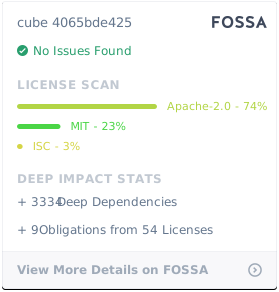
Cube Client is MIT licensed.
Cube Backend is Apache 2.0 licensed.

 一个开源的语义层:在代码里把指标、维度、关联和访问权限一次性定义好,然后通过 SQL、REST 和 GraphQL API 提供给 BI 工具、自研应用和 AI 智能体使用。